Salon reminder-card design
Appointment Card Template: Leave Room for the Next Date and Time

A reminder card has a practical job: help someone read the next appointment after a staff member writes it down. A large title, decorative border or tiny writing line can consume the space the date and time need. Review the filled card before approving the empty design.
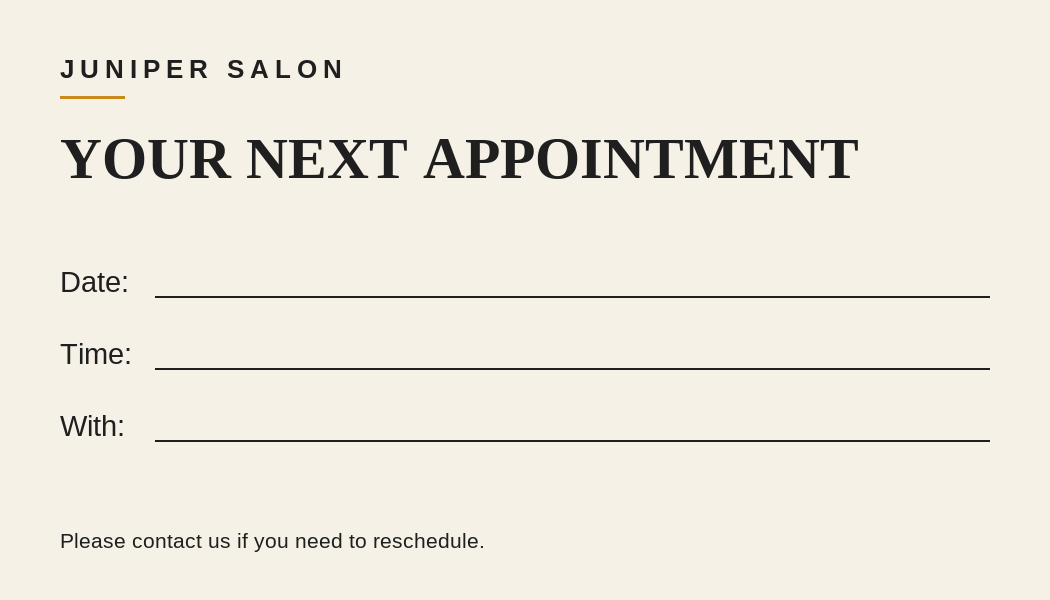
We used a live Ciyo development project to create a flat PNG for the fictional Juniper Salon, a nonmedical hair salon. The image has separate Date, Time and With fields. We then created separate editable SVG companions and a two-page PDF proof with blank and fictional filled versions. This is a design and file review; we have not printed the card, written on the stock or sent a customer reminder.
Quick answer: reserve the writing area before adding decoration
For this example, a landscape 3.5 × 2 inch card uses one short title, three clearly labeled writing lines and a brief rescheduling note. The Ciyo PNG is 1050 × 600 pixels. At that intended physical size, the pixel dimensions correspond to 300 pixels per inch; that calculation does not establish paper, printer or color quality.
Use the five steps below to move from a reminder brief to a checked proof. Keep the blank file for use and the filled example for review. Before ordering cards, test the actual stock with the pen your team will use.
| Step | Action | What it resolves |
|---|---|---|
| 1 | Choose the fields and intended physical size | What the customer and staff need to read |
| 2 | Generate a clean flat Ciyo preview | The visual hierarchy and available blank space |
| 3 | Prepare a separately editable companion | How the wording and geometry can be revised |
| 4 | Inspect blank and filled proofs | Whether realistic entries fit without crowding |
| 5 | Test actual handwriting and printing | How the chosen paper, pen and printer behave |
1. Decide what staff will write and what stays fixed
Juniper Salon's fixed text is the business name, the title YOUR NEXT APPOINTMENT and a short request to contact the salon if rescheduling is needed. Staff will fill in the date, time and team member. No medical details, customer contact information or invented telephone number belongs in this fictional example.
Choose the physical card size before adjusting type. The worked example is 3.5 × 2 inches, which is 88.9 × 50.8 mm. This is our selected design size, rather than a universal appointment-card requirement. A larger reminder may be easier to write on; a smaller one may fit the customer's wallet more conveniently. Compare those needs with your actual front-desk workflow.
A template gallery can help you compare reminder-card structures, but the important test is your own fields. A layout that depends on a tiny date or a short staff name may need revision even if its decorative treatment looks finished. Keep the title subordinate to the space required by a realistic entry.
2. Ask Ciyo for a flat preview with genuinely blank fields
Describe the exact labels, the desired size and the blank writing areas. Ask for a flat image without a perspective mockup so that you can compare the fields directly. Keep the example fictional and free of personal appointment data.
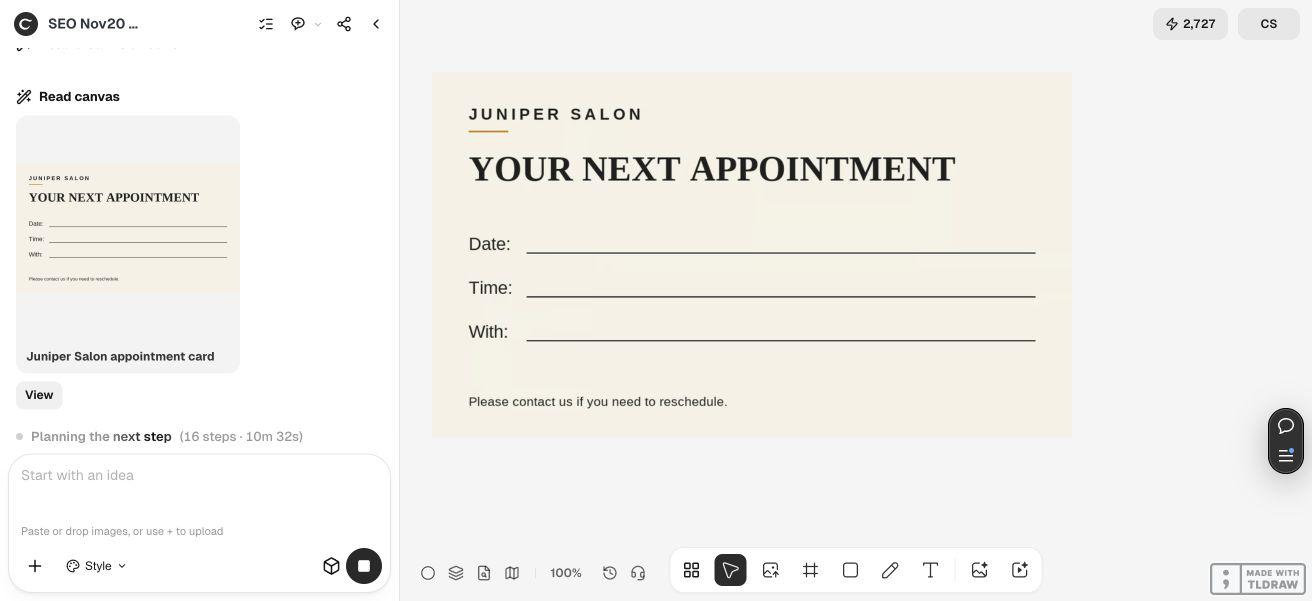
Our live request used ivory, charcoal and a small amber rule. The saved original PNG is 1050 × 600 pixels. We inspected its text: the salon name, title, three field labels and rescheduling note match the brief. The three long writing lines are clear and separate from the heading. After saving the image, the final agent response failed. We retained and independently inspected the saved PNG; we do not count that final turn as a successful completion.
This PNG is a visual result. It does not become an editable template merely because the text is legible. We requested no unsupported PDF attachment and prepared the editable and print companions separately. Check the original file properties before using it, because a canvas thumbnail can have different dimensions from its source.
Create an original flat appointment-card PNG for [fictional or approved nonmedical business], [pixel width × height] for an intended [physical size] design proof. Use [palette] and these exact fixed labels: [business name], [title], Date:, Time:, With:, [short rescheduling note]. Leave generous blank writing space after each field label. No customer information, QR code, invented contact details, perspective mockup or medical claims. Save the clean image on the canvas and report actual dimensions. Editable source and print files will be prepared and verified separately; do not claim a PNG is an editable document.3. Keep an editable version for wording and spacing changes
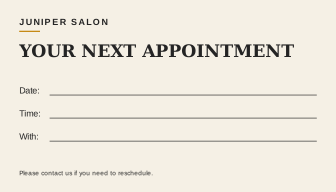
The blank SVG companion uses the same field structure and visual direction as the example. It was created separately by the editorial team, rather than exported as source by Ciyo. Open it in an SVG-capable editor to change the salon name, note, labels or line positions. The text remains text in the source.
The file has a 1050 × 600 viewBox and declares a 3.5 × 2 inch size. Keep those two concepts separate: the viewBox describes its coordinates, while the physical dimensions describe the intended card size. An editor may substitute fonts, so inspect the reopened file and any new export before approving it.
If your real card needs a contact method, add an authorized current one and review the space again. Do not copy the fictional salon name or invent an address to make the design look complete. A front desk with multiple locations may need a location field or separate versions; make that decision before shrinking all the existing text.
4. Fill a realistic example before approving the proof
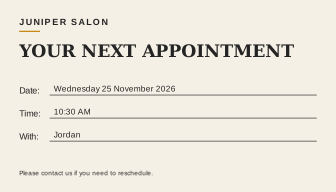
The supplied filled example reads Wednesday 25 November 2026, 10:30 AM and Jordan. These are fictional review values. They let us check a longer written date and a clear time format without putting an actual customer's appointment into the demonstration.
We rendered the filled SVG and both PDF pages for inspection. The entries fit inside their lines without touching the labels or neighboring rows. The PDF has two 252 × 144 point pages: one blank and one filled, each corresponding to 3.5 × 2 inches. Text extraction confirms the filled date and name occur on the filled page, while the blank page does not contain the sample name.
This is a typography and geometry proof. Typed sample text cannot establish whether a staff member's handwriting will fit or whether ink will dry on a coated card. Test longer dates, the names your team actually uses and the local date convention. Spell out the month where a numeric date could be misunderstood.
5. Check the real paper and reminder workflow
Print a sample at the intended size and write on it with your normal pen. Check whether the date and time remain easy to read, whether ink smears and whether the field spacing suits the person completing it. Inspect the card in ordinary front-desk lighting rather than only as an enlarged screen image.
The supplied files contain no bleed, crop marks or printer-specific color profile. Ask your print provider for its requirements before a commercial order. A PDF with the correct page dimensions is a useful proof, but it does not establish that every print service will accept the file unchanged.
For a solo operator, one approved blank may be enough. A team should agree on date and time conventions and which appointment system is authoritative. Update the actual booking record through that system; a reminder card alone does not create, change or confirm a booking. We have not tested a physical print or a booking integration in this example.
Appointment-card template questions
Is 3.5 × 2 inches a required appointment-card size?
It is the chosen size for this example. Select a size that fits your writing needs, storage and print provider. The SVG and PDF dimensions are explicit so you can review that choice.
Can I edit the Ciyo PNG's text directly?
The PNG is a flat image. Use the separately created SVG companion to change text and geometry in an appropriate editor, then inspect the new export.
Does the filled proof contain a real appointment?
No. The date, time, salon and staff name are fictional review data. The proof demonstrates space for typed entries and does not establish handwriting fit or an actual booking.
Is the PDF ready for every commercial printer?
It is a checked two-page size and content proof with no bleed or crop marks. Confirm your printer's current requirements and review a physical sample before ordering.
What skills and time should I allow?
You need basic text editing or an SVG-capable editor, visual judgment and a physical handwriting check. This example establishes no fixed turnaround time; wording changes, font substitution and print requirements can add review steps.
Design the space someone will actually write in
Give Ciyo the exact field labels and intended size. Review the flat image, keep an editable companion and test the real paper before putting the card into daily use.