Shared-space printables
How to Make a Chore Chart Template with Clear Task Ownership
A checklist can show what needs doing while leaving everyone unsure who owns the task. Adding more boxes does not resolve that ambiguity if names and completion marks mean different things to different people.
We created a fictional shared-studio chart in a live Ciyo project: four tasks, one named owner per task and seven empty day boxes per row. We checked the editable SVG against the assignment CSV and counted all 28 boxes. This guide shows how to review that digital template; it does not claim a productivity, habit or wellbeing result.
Quick answer: separate task, owner and completion
Use a task column, an owner column and clearly labeled completion columns. Decide what a check means before anyone uses the sheet. Keep the assignment list alongside the visual template so a later edit does not silently change responsibility.
The five steps below use one reusable Monday-to-Sunday layout with four fictional studio tasks. It is a blank print template, not a calendar application, reminder service or record of actual work.
| Step | Action | Keep for review |
|---|---|---|
| 1 | Write an exact task-to-owner list | One named owner for each row |
| 2 | Define the meaning of days and checks | A clear completion convention |
| 3 | Create the editable sheet and proof | Separate clean and annotated outputs |
| 4 | Check assignments, boxes and text | A source-to-roster comparison |
| 5 | Adapt the actual schedule and print size | A usable paper proof and agreed routine |
1. Write the ownership list before choosing a layout
Use one row per task and one explicit owner field. A name in a decorative key is not enough if the task row does not make the association clear. Keep task wording concrete enough that the people using the sheet can agree what completion means.
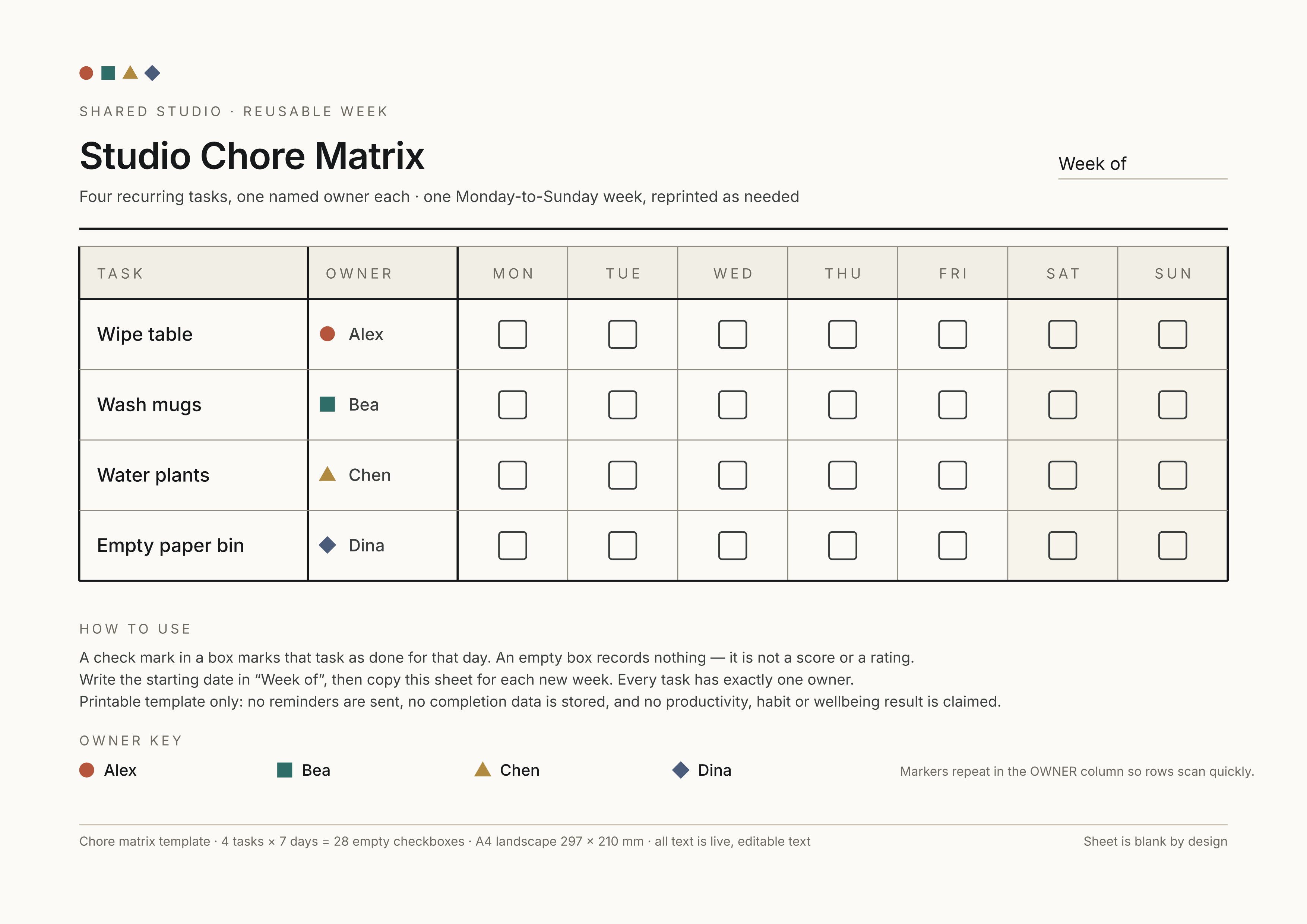
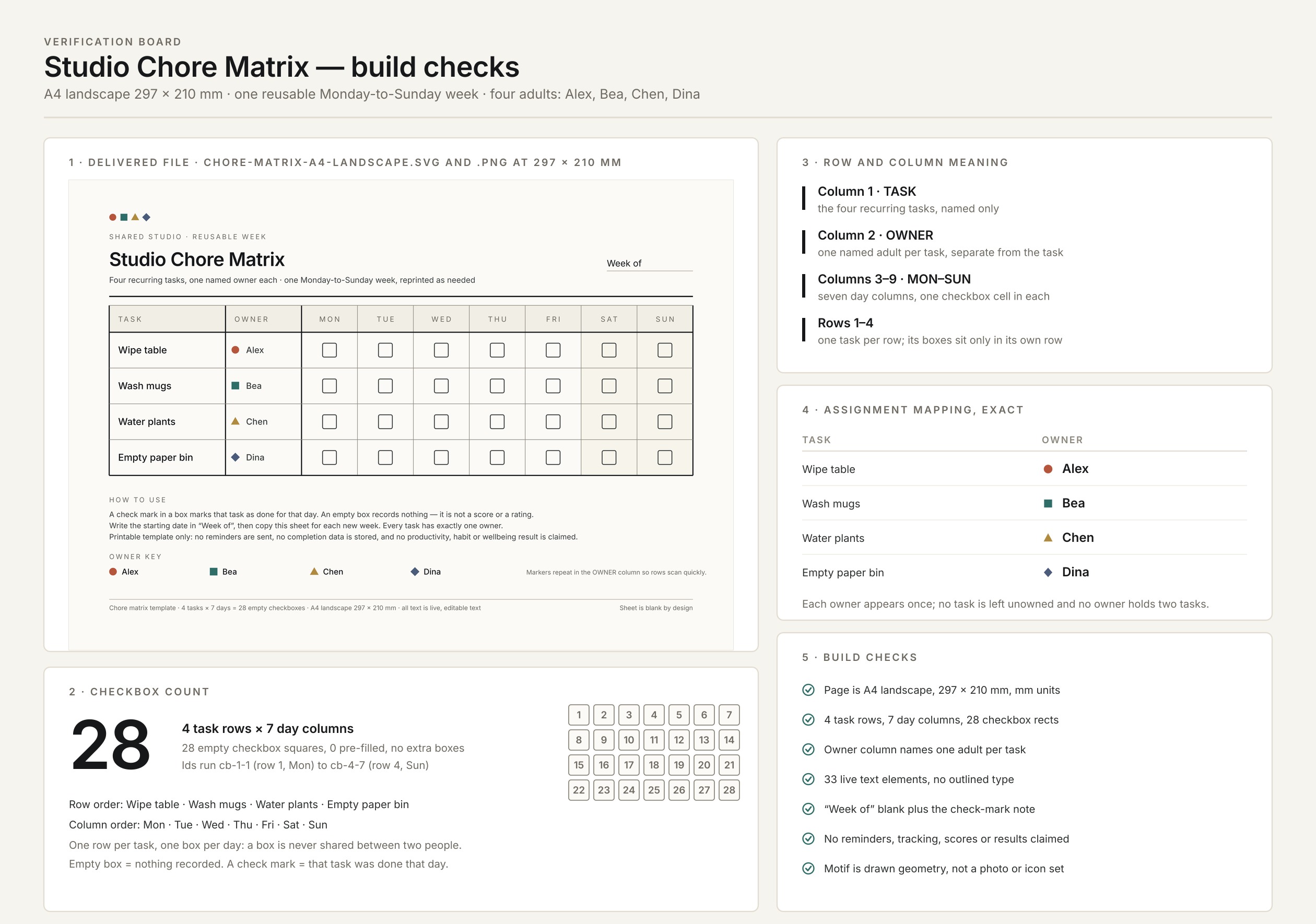
Our fictional list assigns Wipe table to Alex, Wash mugs to Bea, Water plants to Chen and Empty paper bin to Dina. These are illustrative assignments for a shared space, not records about real people.
Canva’s current chore-chart gallery provides editable, printable template examples. If you are choosing from that route, inspect task and owner meaning before choosing a visual style. Our Ciyo demonstration starts from an exact assignment list and creates original artwork; no Canva template was copied or imported.
| Task | Owner | What the row records |
|---|---|---|
| Wipe table | Alex | One task’s completion marks |
| Wash mugs | Bea | One task’s completion marks |
| Water plants | Chen | One task’s completion marks |
| Empty paper bin | Dina | One task’s completion marks |
2. Decide what the checkboxes mean
The example has seven day columns, Monday through Sunday. A check marks that task as completed for that day. An empty box records no completion mark; it is not a score, a rating or proof that someone failed to do the task.
The “Week of” field is blank so the same layout can be copied for a new week. The owner stays in a separate column, rather than being inferred from the person who writes a check. If an assignment changes, update the owner field and source list together.
Adapt the frequency before using the sheet. Seven available boxes do not mean every example task should be performed daily. In particular, choose plant-care timing for the actual plants and conditions; this layout is not horticultural advice. Mark or redesign non-applicable days deliberately so the sheet reflects the routine people agreed to follow.
3. Brief a clean matrix and a separate verification board
Create an isolated Ciyo project and supply the full assignment list, day labels and mark convention. Ask for editable text and a source file, with a separate proof that explains row and column meaning.
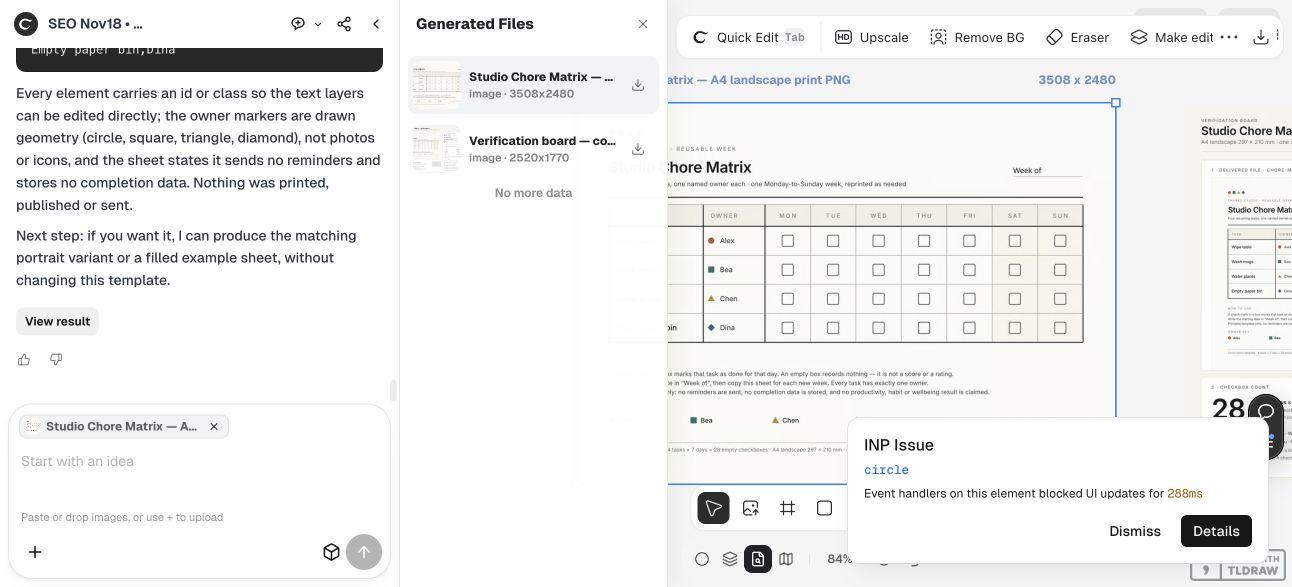
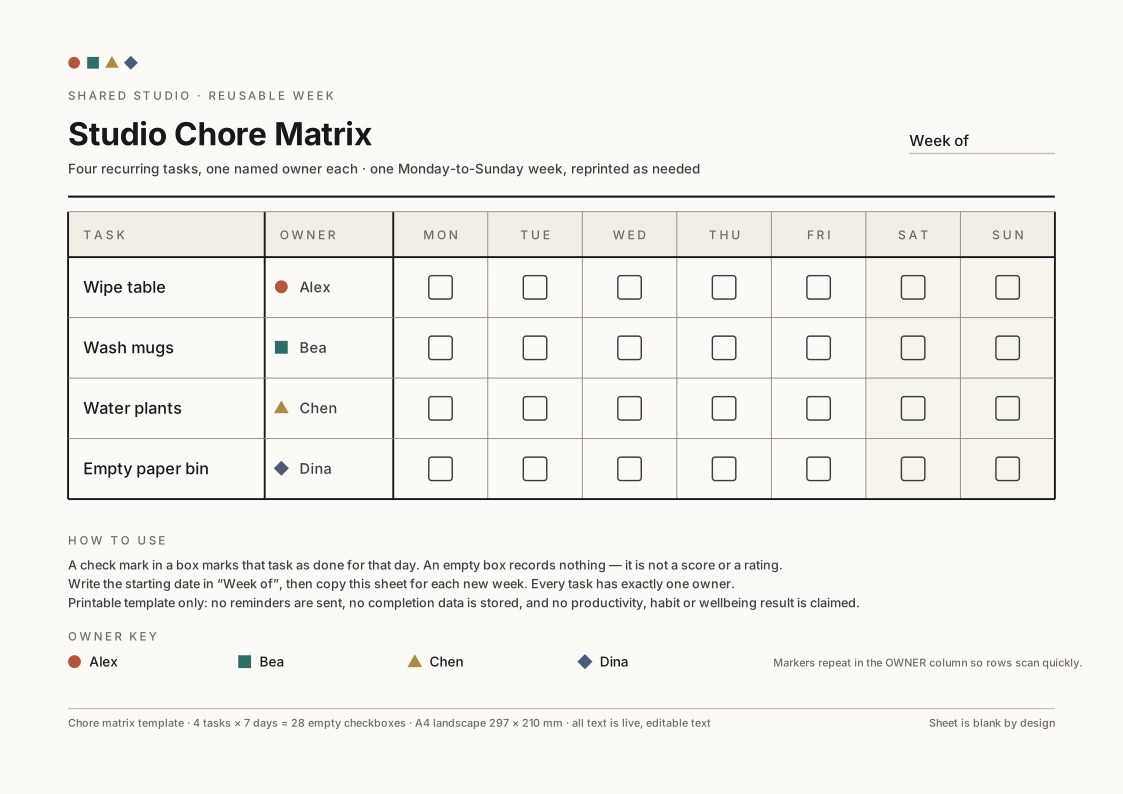
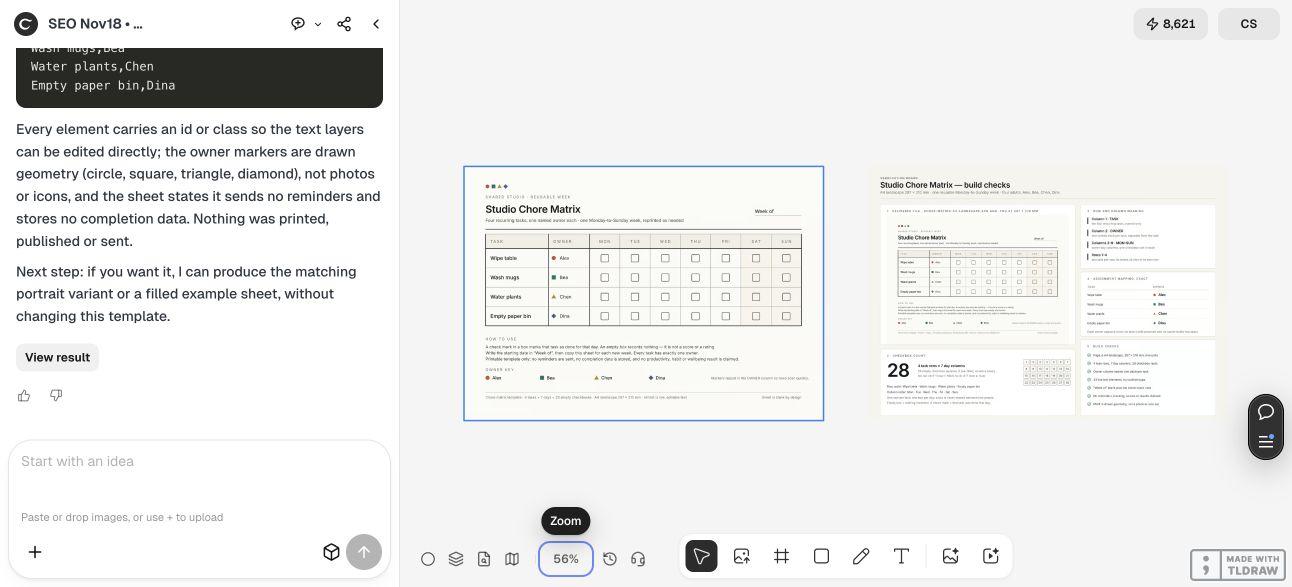
The live Design agent delivered an A4 landscape sheet and a separate verification image. It returned the complete SVG and a task-owner CSV through the conversation. The canvas outputs are raster previews; the SVG download supplies the editable source.
The design uses a circle, square, triangle and diamond as secondary owner markers, while retaining each owner’s name in text. The marker is an additional scan aid, not the only way to identify the assignment. A changed owner or translated task still needs a text and fit review.
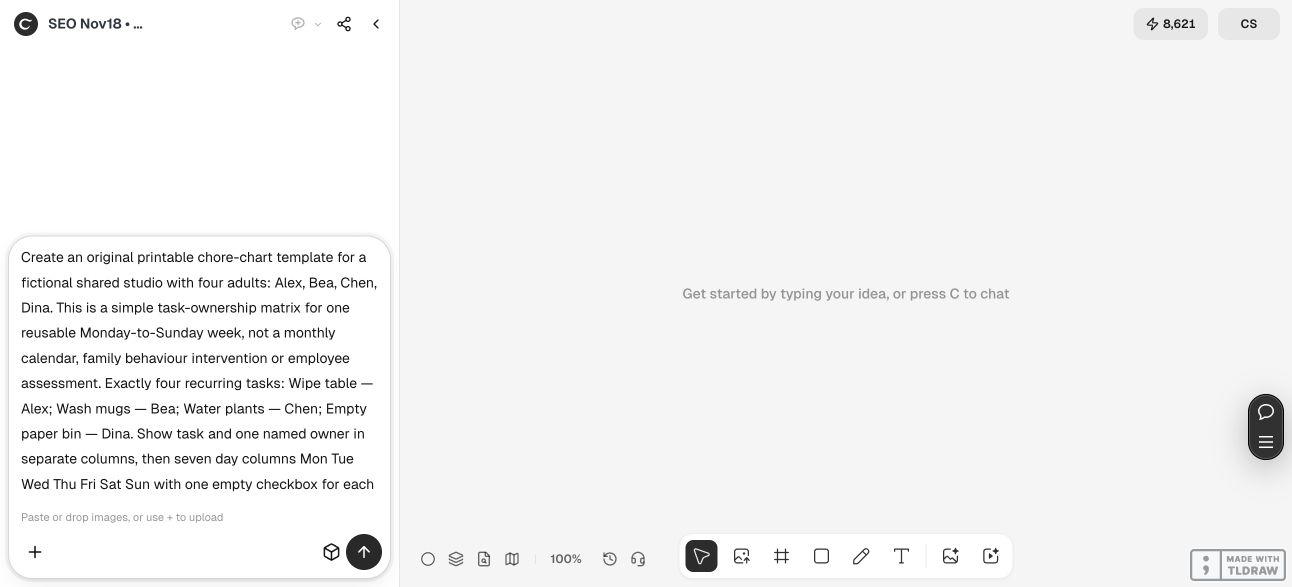
Create an original printable task chart for [fictional shared space]. Use this exact assignment list: [task — owner for every row]. Show task and one named owner in separate columns, then [day or scheduled-opportunity columns] with one empty checkbox per applicable task/column. Include a blank period label and state what a check means. Keep names and labels as editable text on [chosen page size]. Return complete SVG and a task-owner CSV. Put a clean sheet and separate verification board on the Ciyo canvas showing row/column meaning, box count and exact assignment mapping. Identify remaining schedule and physical-print checks. Do not claim reminders, actual completion data or productivity outcomes, and do not publish or contact anyone.4. Check the source against the assignment list and count the boxes
We independently parsed the source and found exactly 28 uniquely identified checkbox rectangles: four rows multiplied by seven day columns. Their identifiers run from cb-1-1 through cb-4-7, with every expected row-column pair present.
The CSV contains the four exact task-owner pairs, and each task and owner appears in the editable SVG text. We also inspected the rendered sheet: tasks occupy the left column, names and markers occupy the next column, and the seven day headings align with the completion boxes.
The source declares a 297 × 210 mm A4 landscape page. The downloaded clean PNG is 3508 × 2480 pixels, while the separate verification image is 2520 × 1770. Keep those files distinct; the proof explains the template and is not the same page as the clean chart.
Data checks cannot establish paper readability. A longer task, translated heading or substituted font can change the fit. After an edit, inspect the actual row and all day headings rather than checking only that the file still opens.
5. Adapt the routine and check one paper copy
Before using the template, agree on task wording, ownership and frequency with the people involved. A chart can document that agreement, but it cannot create it automatically. Keep the source list synchronized when tasks or owners change.
Print one trial at the intended size and inspect the headings, longest task and writing space. Check that a pen mark fits a box comfortably. If you need a different paper size or fewer scheduled opportunities, change the layout and review the new export.
A small shared space may need only a simple paper matrix. Someone who needs reminders, shared digital updates or completion history should choose a system that actually supplies those functions; this demonstrated SVG does not send notifications or store entries. No such integration was tested here.
We checked a blank digital template, not a real routine. No productivity, habit, fairness or wellbeing improvement is claimed. The Design agent’s reasoning is billable usage, and physical printing remains an unperformed step for the reader’s adapted file.
Chore-chart template questions
Does an empty box mean the owner failed?
No. In this example it means no completion mark was recorded. The sheet is not a rating system, and the people using it must agree on the meaning of entries.
Does every row need doing every day?
No. The seven columns show available day positions in this example. Adapt the frequency and non-applicable days to the real tasks; plant care in particular depends on the actual plants and conditions.
How many boxes are in the supplied source?
Exactly 28: four task rows and seven day columns. Independent inspection found every expected checkbox identifier and the four matching task-owner CSV entries.
Will the template send reminders or save progress?
No. It is an editable printable SVG with a raster preview. No notification, database or shared digital completion feature was demonstrated.
Is this a Canva chore template?
No. The artwork was created in the live Ciyo project. Canva’s official gallery is linked as template-route context; no Canva design was copied or imported.
Make each row’s responsibility explicit
Give Ciyo the task-to-owner list and the meaning of each mark. Check the actual source and export, adapt the schedule, and review one paper proof before using the chart.