Original comic layouts
How to Make a Comic Strip Template with Clear Speech-Bubble Order
A comic can have attractive panels and still make a conversation confusing. If a reader reaches the reply before the question, or a tail points toward the wrong character, the dialogue changes even when every word is correct.
We made an original three-panel Cedar Cup café scene in a live Ciyo project. We checked the five editable utterances against a fixed script and inspected the actual clean strip and reading-order proof. This is an editorial layout review, not a reader study or a comparison of generation quality across tools.
Quick answer: fix the script, then review order and speaker attribution
List each utterance with its panel and speaker before laying out bubbles. Review the clean strip in its intended reading direction, follow each tail to its character, and compare the editable text with the script.
Our five steps use a 1500 × 600 left-to-right strip with two speaking characters and five utterances. The downloadable SVG keeps the dialogue editable; the separate proof carries the review numbers.
| Step | Action | Review output |
|---|---|---|
| 1 | Map the exact script to panels and speakers | An ordered dialogue list |
| 2 | Brief original characters and clear panel flow | A clean strip plus separate proof |
| 3 | Follow the bubbles and tails | An explicit reading-order decision |
| 4 | Check editable dialogue and source | Exact text and reusable artwork |
| 5 | Review the actual viewing size | A suitable final export |
1. Write the conversation before arranging the bubbles
Give every utterance an intended panel and speaker. Keeping that small script separate from the layout lets you distinguish a wording correction from a bubble-position correction.
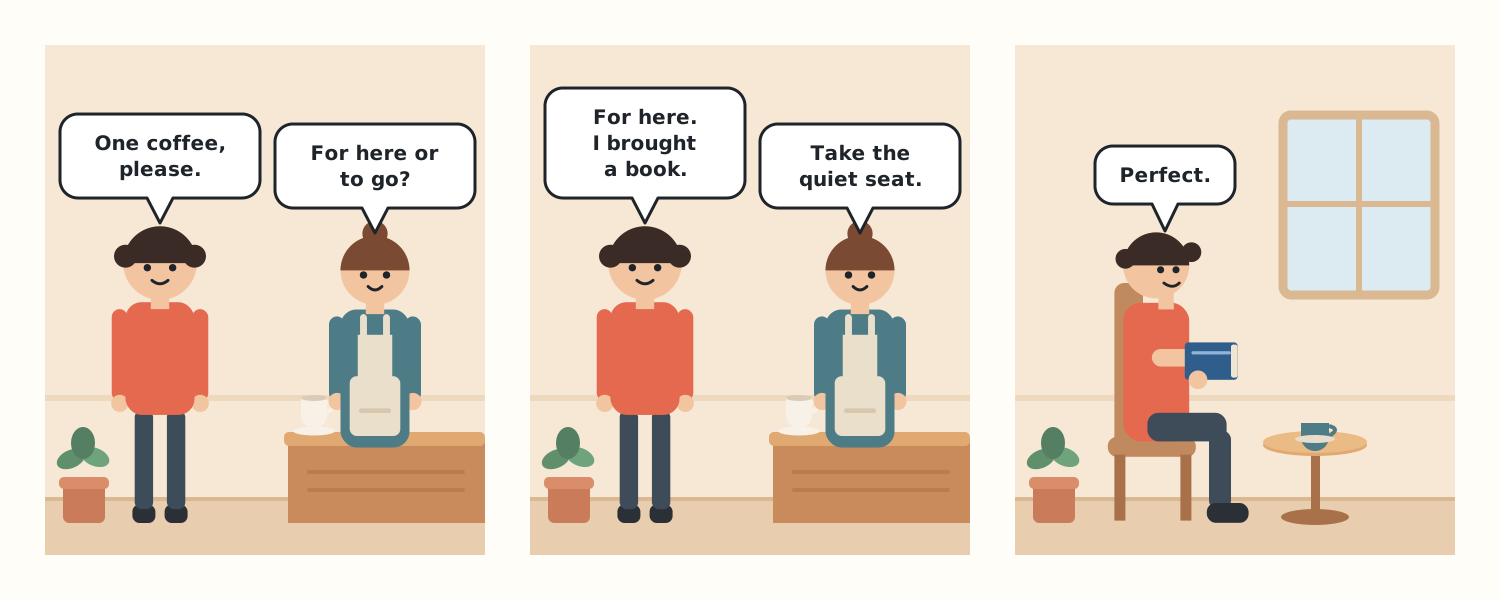
Cedar Cup has a simple exchange: a customer orders coffee, the barista asks where it will be served, and the customer chooses a quiet seat with a book. The final panel resolves the scene with one short line instead of adding another conversation.
Canva’s current comic-strip creation page offers a template-based route to arranging images and dialogue. If you arrive from a Canva comic-template search, the same script and order checks are useful regardless of the editor you choose. Here we demonstrate a separately created Ciyo SVG; we did not import or reproduce a Canva template.
| Order | Panel and speaker | Utterance |
|---|---|---|
| 1 | Panel 1, customer | One coffee, please. |
| 2 | Panel 1, barista | For here or to go? |
| 3 | Panel 2, customer | For here. I brought a book. |
| 4 | Panel 2, barista | Take the quiet seat. |
| 5 | Panel 3, customer | Perfect. |
2. Brief original artwork and keep review numbers off the clean strip
Create an isolated Ciyo project with the fixed script. State the reading direction, panel count, speaker positions and output size. Ask for original characters rather than an imitation of a named comic or artist.
The live Design agent built flat vector artwork and returned a clean strip, a separate numbered reading-order proof and complete SVG source. The source uses reusable character definitions and editable text. This was a vector-layout task in the Design agent, not evidence about a particular image-generation model.
Separate the two deliverables. Review numbers can help discuss the order, but they should not be necessary for understanding the clean comic. If a reader needs those numbers to follow a simple exchange, revisit the layout.
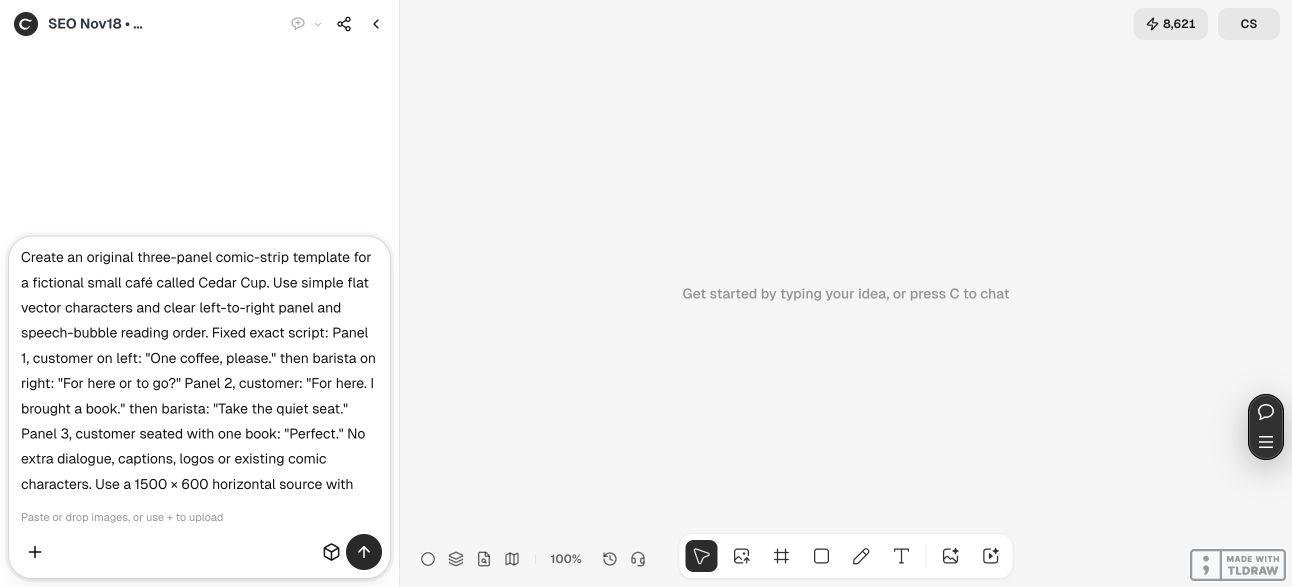
Create an original [panel count]-panel comic for [fictional scene], reading [intended direction]. Use this exact script with panel and speaker assignments: [ordered dialogue]. Keep original characters consistent and place speech bubbles so the intended order is clear. Make each tail identify the correct speaker. Use editable real text, adequate gutters and [chosen output size]. Put a clean strip and a separate numbered reading-order proof on the Ciyo canvas, and return complete editable SVG. Keep review numbers off the clean strip. Inspect text fit, tail attribution and panel flow without claiming a reader study. Do not imitate existing characters, publish or send anything.3. Read the clean strip and follow every tail
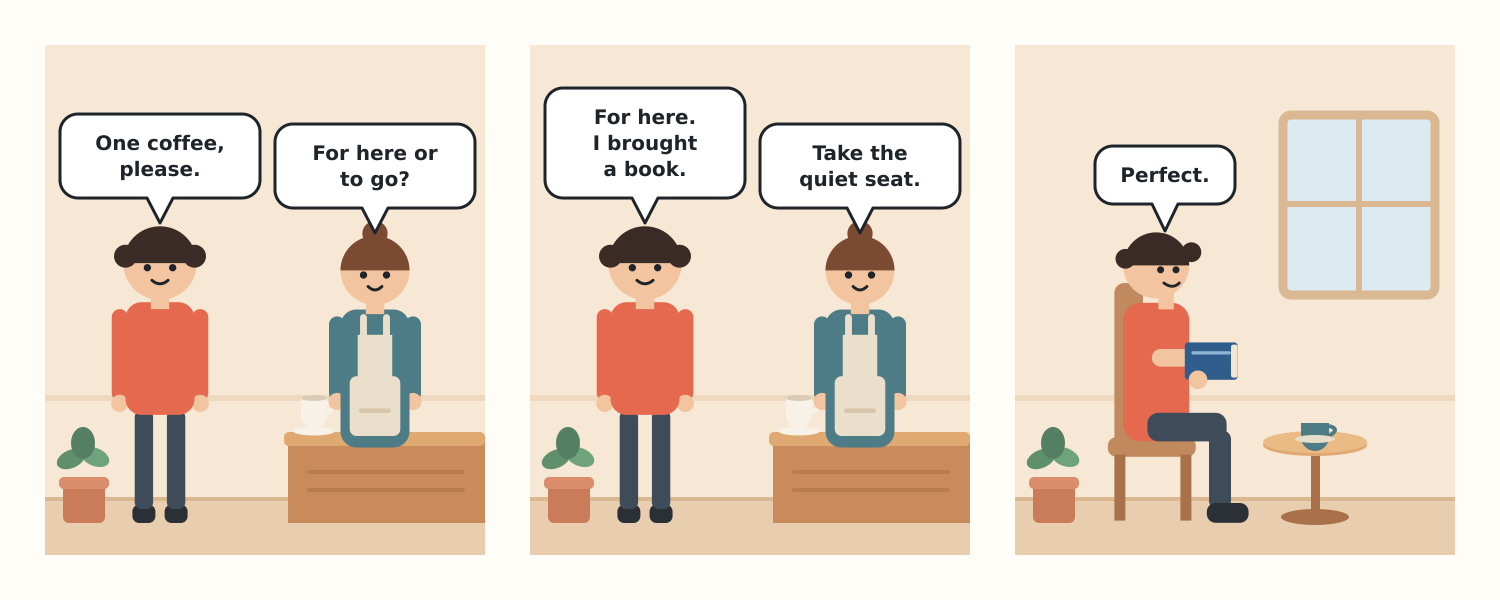
Start at the first panel and read only the bubbles in the order the layout suggests. Compare that sequence with the script. In this example, the customer’s left bubble precedes the barista’s right bubble in the first two panels; the final panel contains only the customer’s response.
Now inspect attribution. The customer wears coral and the barista wears a teal apron, providing consistent visual identities. Each bubble tail points toward its intended speaker. In the last panel, the seated customer holds a book beside the coffee table, connecting the picture to the earlier dialogue.
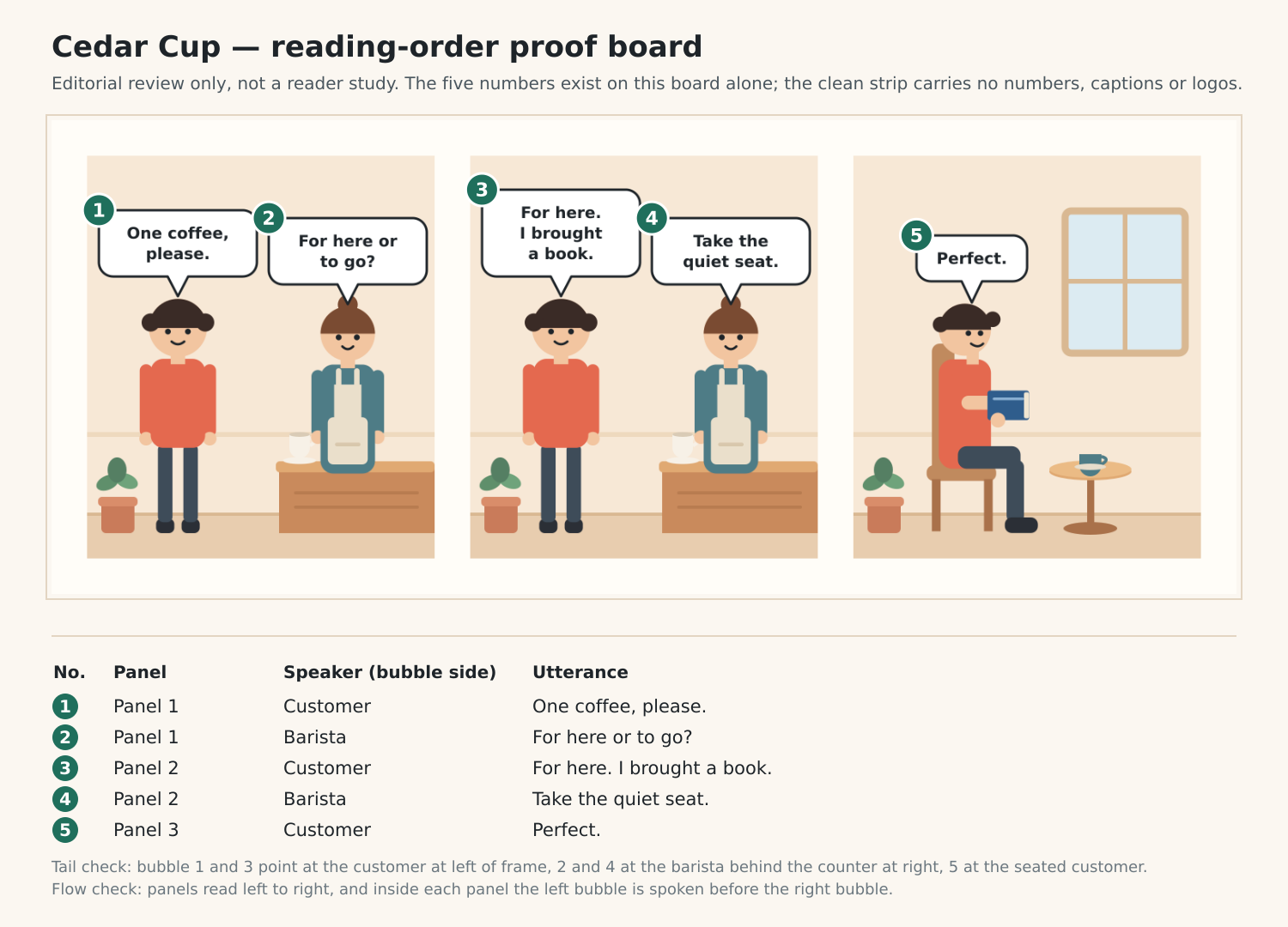
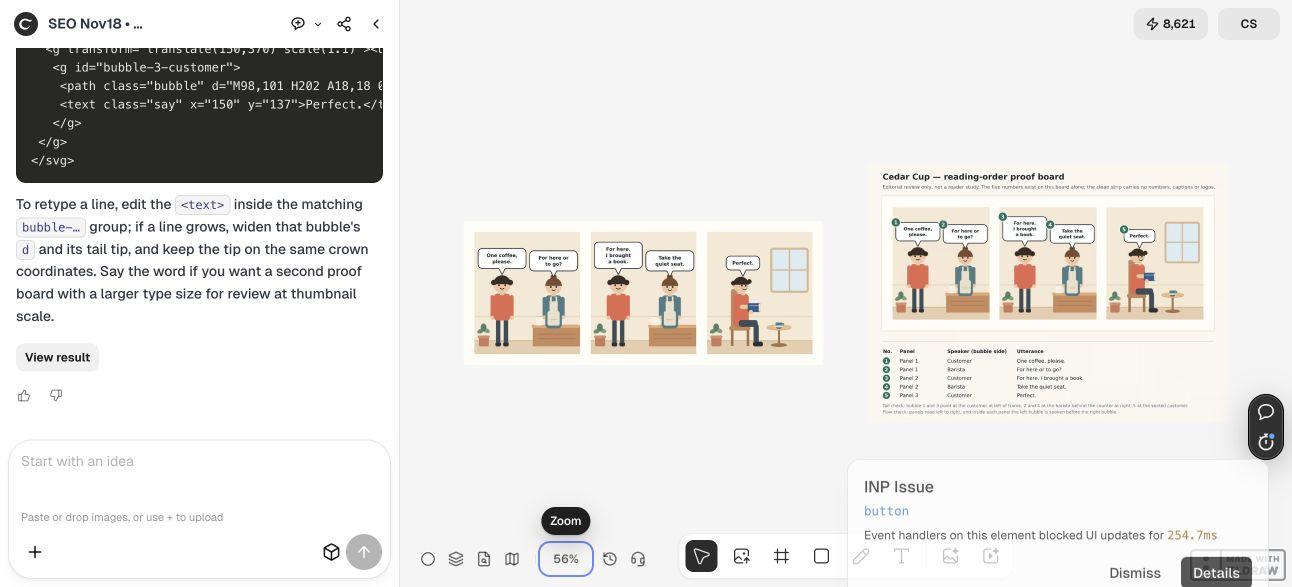
The separate proof makes the five-utterance sequence explicit. It supports discussion, while the clean artwork supplies the actual reading experience. Our review found the intended sequence clear in this short scene; it does not establish how every reader or audience will interpret it.
If a reply is read too early, move the relevant bubble or revise the available space while preserving the accepted words. If a tail points ambiguously between two characters, correct that attribution before decorating the panel.
4. Compare the editable dialogue with the script
We parsed the delivered SVG and checked the text inside its five named bubble groups. Joining the intended display lines reproduced every scripted utterance exactly, including punctuation. The source has a 1500 × 600 viewBox, unique identifiers and resolving local references.
The SVG was returned through the conversation and saved as the editable download. The canvas’s clean PNG is a separate visual output. Keep both, so a later editor can compare a changed source with the actual reference instead of assuming the preview itself remains editable.
Changing the words can require changing the bubble. A longer line may need more width, a different break or more vertical space. Keep the tail attached to the same speaker and review the reading sequence again after the geometry changes.
For another language, decide the intended reading direction and panel flow deliberately. Replacing English words alone does not establish a right-to-left layout. The supplied source is an English left-to-right example; use it as a reference when briefing an adapted version.
5. Review the actual size and destination before sharing
View the export at the size where it will appear. At a narrow screen width, three horizontal panels become smaller together. If the dialogue is too small, prepare a separate layout for that placement and check the order again instead of relying on enlargement by the reader.
A small-business creator can use a short original scene to explain one interaction. An educator or editor may need a different script, audience review or panel arrangement. Choose the method by whether you need a ready-made layout or a brief-driven editable scene; this walkthrough does not rank Ciyo and Canva on speed, cost or quality.
Our task delivered original digital artwork and checked text, source structure and editorial flow. It did not include a reader study, printing or publication. The Design agent’s reasoning is billable usage, and no result about comprehension, reach or sales is claimed.
Comic-strip reading-order questions
Should I add numbers to every speech bubble?
The example keeps numbers on a separate review board. The clean strip should communicate its short conversation through panel flow, bubble position and tail attribution.
Are all five lines editable?
Yes. The SVG contains five named bubble groups with real text. We compared their joined display lines with the fixed script and found all five utterances matched.
Can I paste longer dialogue into the same bubbles?
You can edit the text, but longer copy may need new line breaks and bubble geometry. Recheck tail attribution, available space and reading order after the change.
Is this a Canva template?
No. It is original artwork made in the demonstrated Ciyo project. Canva’s official comic page is linked as template-route context; no Canva design was imported or copied.
Was the comic tested with readers?
No. The checks covered the actual artwork, scripted text, source structure and editorial reading flow. No audience-comprehension result is claimed.
Give every line a speaker and a place
Start Ciyo with a short ordered script. Review the clean strip, trace every bubble tail, and save the editable source before adapting the final viewing size.