Digital-file preview video
Etsy Listing Video: Preview the Actual Digital Download

A digital-art preview should help someone understand the file they will receive. A generated room scene or a moving substitute can introduce textures, proportions or details that are absent from the download. Start the video from the approved file and keep the full artwork visible while showing its details.
For this educational Juniper Studio example, Ciyo generated a still artwork. We downloaded and inspected its actual 1792 × 2240 PNG, then separately assembled a six-second silent video from that file's pixels. The complete artwork stays on the left while the right-hand view shows three detail crops. We have not created an Etsy listing, established this example's listing eligibility or measured sales.
Quick answer: show one real file in full and in detail
Freeze the actual download, list what it contains, and build the preview from that exact version. Keep a complete view visible so a close-up cannot be mistaken for a different design. In this example, both sides of the video show one PNG; the right-hand details are not additional artwork files.
Follow these five steps. Ciyo supplies the still-image example. The MP4 is assembled separately with ordinary crop, scale and overlay operations, without generating new visual details or claiming a Ciyo video export.
| Step | Action | Evidence to keep |
|---|---|---|
| 1 | Freeze the actual download and its scope | The file, dimensions and inclusion list |
| 2 | Inspect the Ciyo still used in this example | The downloaded original rather than a thumbnail |
| 3 | Plan full and detail views | A timeline tied to the same source file |
| 4 | Assemble and inspect the silent MP4 | Actual duration, frame size and reviewed frames |
| 5 | Check the real listing workflow | Current requirements, accurate description and a seller preview |
1. Freeze what the digital download actually contains
Identify the files a buyer would receive before designing the preview. Record the number of designs, file formats, pixel dimensions and any included variants. A video showing several crops should not imply several different products. Our fictional example contains one original PNG; the MP4 is a preview of it, not a second artwork.
The supplied file manifest records the actual PNG's dimensions, byte count and SHA-256 identity. Use it as an example of matching a preview to a specific file version. It does not install a storefront or establish rights, print quality or marketplace eligibility.
For an actual Etsy product, review the current Creativity Standards and AI guidance. Etsy's October 22, 2026 guidance requires disclosure of AI-created items and direct individual human creative involvement; it prohibits entirely bot-generated content. This automated educational example is not offered for sale and does not demonstrate that eligibility requirement. A seller needs to resolve their own creation, rights and disclosure obligations before listing.
2. Inspect the original still before building a video
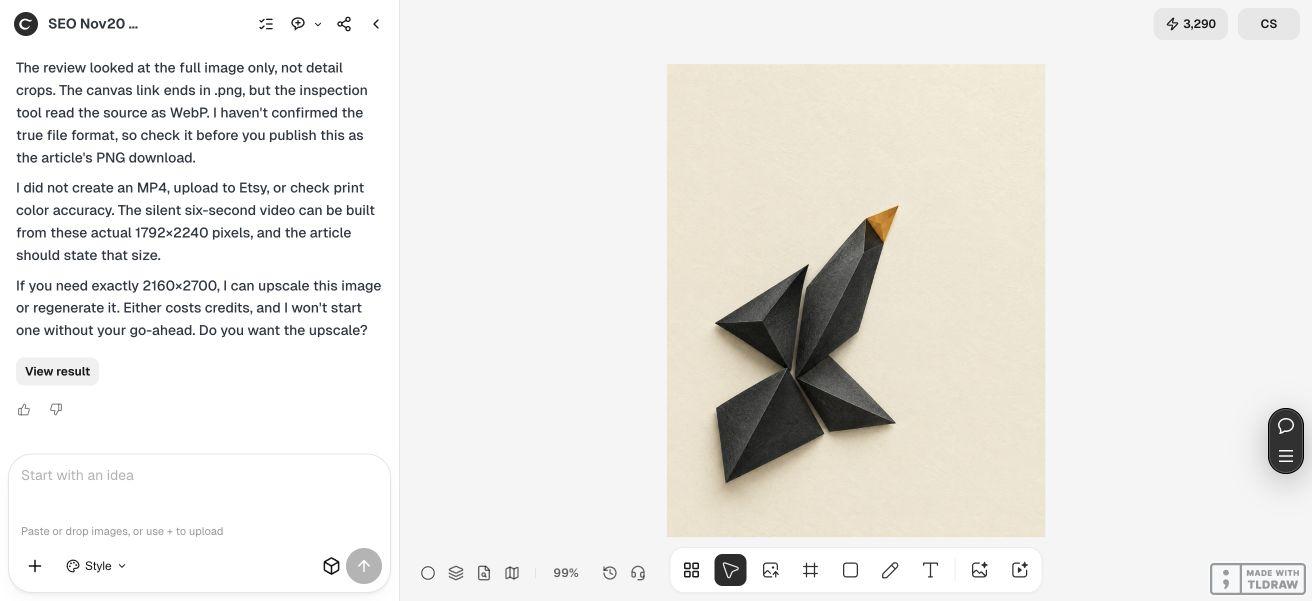
The live Ciyo request asked for one text-free portrait artwork with warm ivory, charcoal folded-paper forms and a restrained amber accent. It excluded a room scene, frame and perspective mockup. Keeping the still flat makes it possible to preview the actual digital file instead of suggesting a physical framed product.
The request specified 2160 × 2700, while the downloaded original we used is 1792 × 2240. Both have a 4:5 ratio, but the pixel counts differ. We retained the actual dimensions in the manifest and used that exact downloaded version for this video. We did not relabel it with the requested size or claim that upscaling would add original detail.
The original PNG contains 6,976,092 bytes, about 6.65 MiB. The article uses a smaller compressed preview for reading; the linked PNG is the inspected source. Its paper-like texture is part of the digital image and does not describe physical paper, a printed finish or guaranteed color reproduction. The agent reported uncertainty about the file format. We checked the original download's PNG signature and decoded it successfully as PNG before publishing the download link.

Create one original flat digital-art PNG for [fictional or approved project]. Use [intended ratio and requested pixel dimensions], [visual direction] and [palette]. No text, watermark, logo, room scene, frame or perspective mockup. Save the still and report actual output dimensions. The actual file will be inspected before any preview is assembled. Do not generate a substitute video, claim print color accuracy, attach an unsupported MP4 or upload to a marketplace.
3. Tie every preview view to the same source file
Begin with a full-artwork view. A buyer needs to understand the whole composition before a texture crop or close-up has useful context. Our six-second example keeps that whole view visible on the left for the entire clip, proportionally scaled to 800 × 1000 pixels within a 2160 × 1080 video frame.
The right-hand panel shows a 1000 × 1000 source-pixel crop. It changes at two and four seconds, revealing different details from the same PNG. No new shapes, room context or physical surface are generated. The review ground is warm ivory, and the clip contains no on-screen text or audio.
For a single digital design, this full-and-detail structure can make the content clear without implying a larger bundle. If you sell several actual files, replace this timeline with an accurate sequence and identify which file each view represents. Do not show an unprovided color variant simply because it makes the preview more interesting.
| Time | Left view | Right view |
|---|---|---|
| 0–2 seconds | Complete original artwork | First crop from the same PNG |
| 2–4 seconds | The same complete artwork | Second crop from the same PNG |
| 4–6 seconds | The same complete artwork | Third crop from the same PNG |
4. Inspect the actual MP4 and its small-screen preview
We assembled the MP4 separately with FFmpeg, using only the source PNG, proportional scaling, three deterministic crops and an ivory ground. This is an editorial assembly step outside Ciyo. The clip does not demonstrate Seedance generation or a direct Ciyo video export.
The final file is H.264 in an MP4 container, 2160 × 1080, 30 frames per second and exactly six seconds long. It contains 180 video frames, no audio stream and 1,265,680 bytes, about 1.21 MiB. These properties come from inspecting the finished file rather than assuming the export settings took effect.
We reviewed frames at 0.5, 2.5 and 4.5 seconds, including a contact sheet reduced to 360 pixels wide. The complete artwork remains visible, and the detail views come from the same source without blank frames or invented material. The detail changes are hard cuts; the clip is not presented as a seamless loop. Review your own encoded file because compression and cropping can affect what a buyer sees.
5. Check the current listing requirements and seller preview
Etsy's listing-video help currently describes a 100 MB maximum, at least 1080 pixels as the ideal resolution, and no retained audio after upload. It lists a 3–15 second duration and 2:1 or 1:2 aspect ratios. We chose a six-second 2:1 clip; some other official guidance has used different minimum-duration wording, so check the current upload interface for your listing.
This example has not been uploaded to Etsy. It proves a local file's properties and its relationship to the source PNG, rather than acceptance by the marketplace. Before a real publication, confirm listing eligibility, required disclosures, the actual downloadable package and the current video requirements.
In the seller preview, compare the complete artwork and details with the files being delivered. Make clear that the item is digital and state what is included. A solo creator can keep a short file manifest; a team should identify who approves the download and who checks the listing. If the source changes, rebuild the preview from the new approved file and repeat the checks.
Digital-download preview questions
Did Ciyo generate the six-second video?
Ciyo generated the still-image example. The editorial team separately assembled the MP4 from that downloaded PNG with crop, scale and overlay operations. No Ciyo video export or generated motion is claimed.
Does the two-panel preview contain two artwork files?
It shows one file in two ways: the complete artwork on the left and detail crops on the right. The manifest contains one PNG. The video is a preview of it, not an additional artwork design.
Why is the download 1792 × 2240 rather than the requested size?
Those are the inspected original's actual dimensions. We used that file and retained its size in the manifest. A requested size or a later upscale does not establish extra original detail.
Is the example an eligible or approved Etsy listing?
No listing was created or submitted. The clip demonstrates file inspection and preview construction. A real seller must independently satisfy current creation, rights, disclosure and listing requirements; this automated educational example does not establish those conditions.
How much editing skill and time do I need?
You need to identify the actual files, select honest full and detail views and inspect an encoded export. Any suitable video editor can perform that structure; this example used FFmpeg. It establishes no fixed production time or sales improvement.
Start with the file the preview is meant to explain
Use Ciyo for a scoped still-image example, inspect the actual output and keep the approved file as the source for every preview view. Review your real listing requirements separately.