Workshop information design
FAQ Template for a Workshop: Keep Answers and Update Dates Together

An FAQ template becomes misleading when an attractive page keeps an old location or turns an example contact into a real support route. Start with approved answers and an update date, then use layout to make those answers easy to scan.
We generated a fictional Paper workshop FAQ in a signed-in Ciyo development workspace on November 23, 2026. The image retains four supplied answers, but adds punctuation after the placeholder email address and an extra footer. The English HTML and approved-answer JSON are separate sources, not a hosted support service.
Quick answer: keep the source and inspect the proof
Approve four short question-and-answer pairs, display the update date, generate a visual proof and compare every answer. Preserve the authoritative wording in text-based files, including a placeholder contact that must be replaced before use.
Follow five steps: define the task, prepare a checkable source, generate a visual proof, inspect the actual output and use the separately authored working files.
1. Define the FAQ's actual audience
The fictional reader is attending one paper workshop and needs to know what to bring, where to meet, whether a break is possible and whom to ask. These questions belong to a workshop information sheet, not a general product-support knowledge base.
Canva's FAQ template collection shows several presentation formats. Choose a page when attendees need a printable reference; choose a maintained website only if someone will actually update and host it. A generated image does not provide search, ticket routing or live support.
2. Keep an approved-answer source
Our supplied answers are a pencil and a notebook; Studio room A; Yes, ask the facilitator; and workshop@example.com. The date is Updated 23 November 2026. The JSON stores those exact question-and-answer pairs plus blank reviewer and next-review fields.
The email uses the reserved example.com domain and is a placeholder. Replace it with the actual approved contact and verify the route before publishing your own sheet. If the venue or break arrangement changes, update both the source and the printed or posted version.
| Question | Approved fictional answer | Review point |
|---|---|---|
| What should I bring? | A pencil and a notebook. | Required materials |
| Where do we meet? | Studio room A. | Actual venue |
| Can I take a break? | Yes, ask the facilitator. | Actual arrangement |
| Who answers questions? | workshop@example.com | Replace placeholder |
3. Generate one flat visual proof in Ciyo
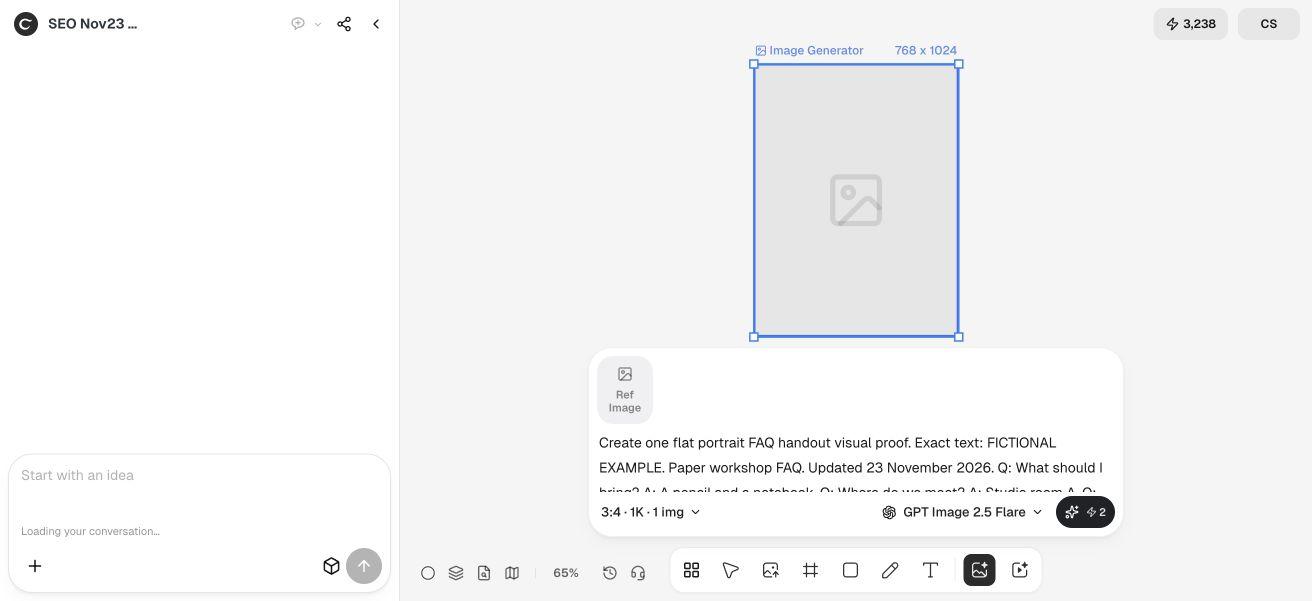
Create an isolated Ciyo project and open Image Generator. Our authenticated development run on November 23, 2026 used GPT Image 2.5 Flare, Medium quality, portrait 3:4, 1K and one image. Select the controls before entering the complete prompt, then review the displayed credit quote. Our run showed 2 credits; check your own current quote.
The copyable prompt is the actual English request. Replace the fictional details consistently and retain the stated constraints. The result is a raster image proof; the editable downloads below were assembled independently and are not Ciyo exports.
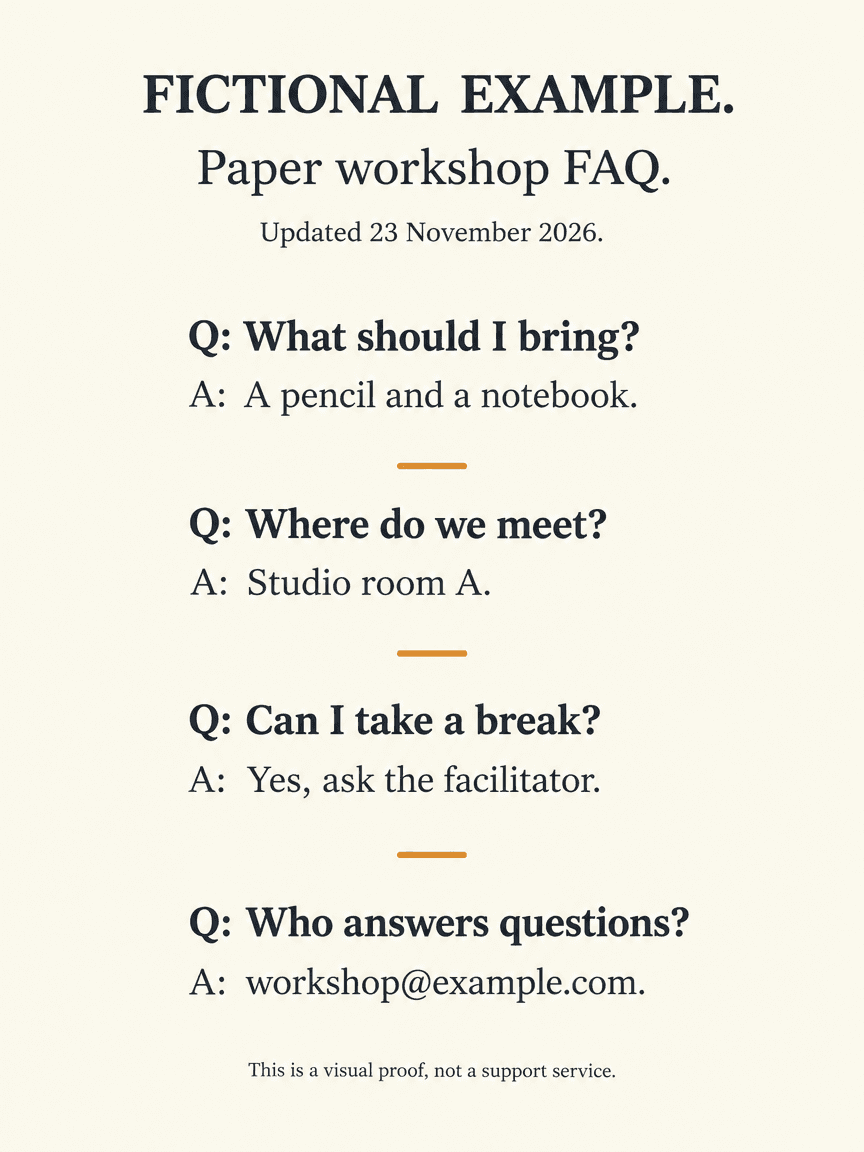
Create one flat portrait FAQ handout visual proof. Exact text: FICTIONAL EXAMPLE. Paper workshop FAQ. Updated 23 November 2026. Q: What should I bring? A: A pencil and a notebook. Q: Where do we meet? A: Studio room A. Q: Can I take a break? A: Yes, ask the facilitator. Q: Who answers questions? A: workshop@example.com. Use four distinct question-and-answer blocks, readable charcoal text on ivory, generous gaps, small amber divider. Do not invent booking policies, prices or access claims. This is a visual proof, not a support service.4. Compare the actual output with the source
The PNG contains all four supplied question-and-answer pairs and the November 23 update date. It adds a period immediately after workshop@example.com. The image also renders This is a visual proof, not a support service as a footer, an extra line drawn from the instruction.
Do not copy the extra punctuation into the contact source. Our English JSON retains workshop@example.com without a trailing period. Review the final contact as text and through its real destination after replacing the placeholder; no contact message was sent in this demonstration.
Ciyo media preview: inspect the model and original request
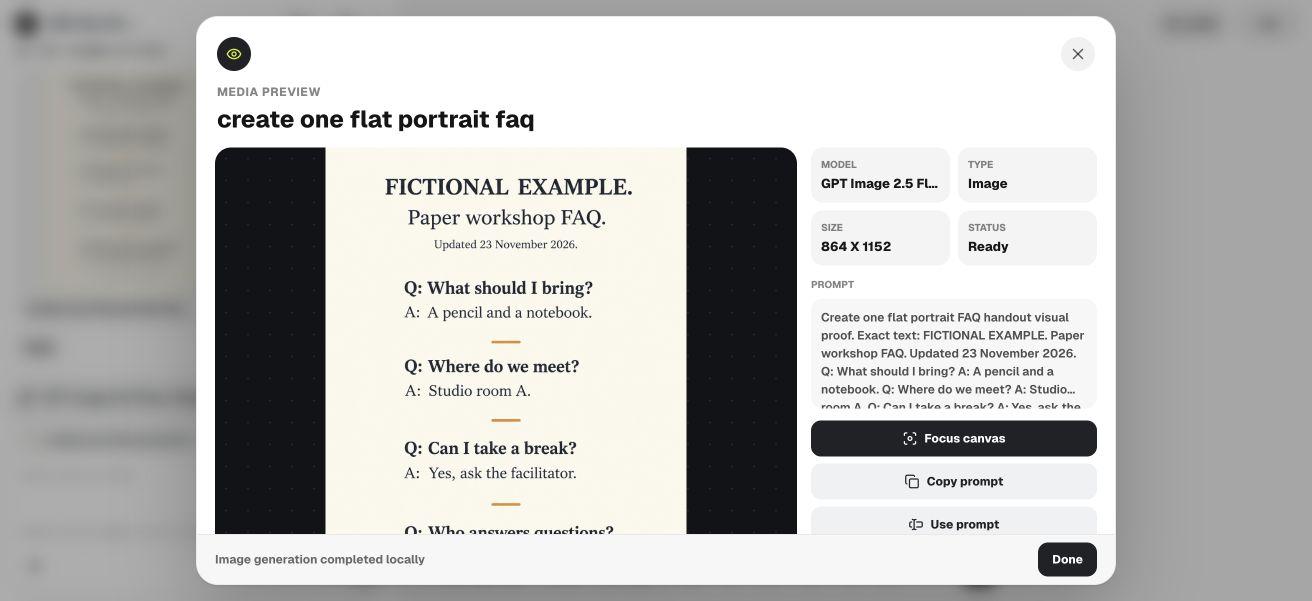
Open the generated asset in Ciyo’s media preview to compare the result with the model details and original English prompt. This whole-product capture shows that review step; the readable prompt and output inspection above remain the reference for small text.
5. Publish from the approved text, with an owner for updates
The English HTML presents the four answers and leaves reviewer and next-check fields blank. The JSON is the small authoritative answer source. Both were independently assembled and remain fictional until their details are replaced and approved.
A facilitator can print a short sheet for one event. A team reusing it should assign a review owner and replace old copies when details change. Choose a maintained text page for frequent updates; use a Ciyo proof when comparing visual hierarchy before building that page.
Choose the source you will maintain
Keep the answer source small enough to review directly. Ciyo can help explore a visual arrangement, while your publishing tool supplies editable text and hosting. Check the smallest answer and the date after each revision, rather than approving only the page's appearance.
Frequently asked questions
Does the image provide a support inbox?
No. The contact is a fictional placeholder, and the image includes no messaging or ticket system.
Why include an update date?
It lets a reader identify the version being used. Someone still needs to verify the answers and replace outdated copies.
Can I reuse the four answers?
Use the structure, but replace the fictional materials, location, arrangement and contact with approved information for your event.
Explore a readable FAQ layout
Start with your approved source, generate one visual proof and inspect the actual result before preparing the final working file.