GPT-6 Astra · Social media workflow
Write Instagram Captions from Your Actual Photo with GPT-6 Astra
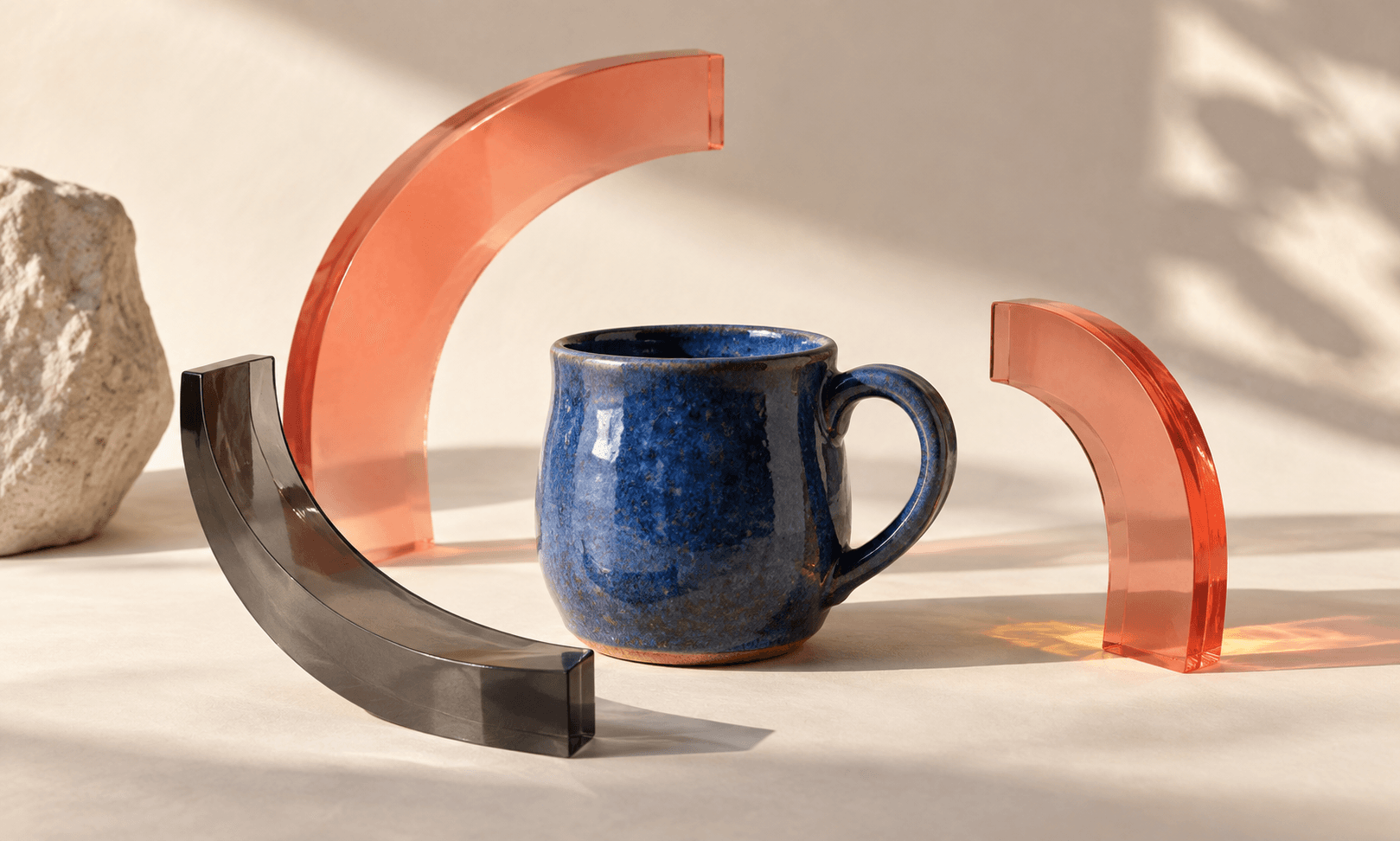
The easiest way to make a caption sound specific is to begin with the thing a reader can actually see. An image is useful input, but it still needs a fact check: a model can describe a photo without knowing its price, stock, material or delivery promise.
This guide uses a fictional ceramic studio's blue handmade mug. It shows how a small marketer can attach one real photo, name the facts that are approved, and use GPT-6 Astra in Ciyo to draft alternatives for review.
A caption prompt still needs a real subject
A small-business Reddit thread frames captions as one part of a wider photo, edit and planning cycle. Several replies argue for a distinct voice and a human review rather than letting a generic prompt decide the whole post. Those are practitioners' experiences, not a claim about what any platform will reward.
Use that as a constraint for the mug caption: attach the actual photo, preserve the studio's own words where possible, and ask for choices rather than a final post. Do not make a caption claim the mug is dishwasher-safe, limited edition or ready to ship unless the studio has approved that fact.
Small-business discussion about the photo, edit and caption cycle. This guide's attached-photo workflow is an original adaptation, not a claim that Ciyo automates posting.
Separate what the photo shows from what the studio knows
For our fictional example, the photo shows a blue ceramic mug with a curved handle on a worktable. The studio can verify that it was handmade in its workshop and that it is one of several available pieces. Its exact capacity, price, delivery date and care instructions are unknown in this example.
That split protects the caption from false precision. Let the photo supply visible detail, let the business supply product facts, and let a person decide which reader question the post should answer.
| Input | Use in the caption | Do not infer |
|---|---|---|
| Attached mug photo | Color, shape and visible workshop setting | Capacity, glaze safety or stock count |
| Studio-approved fact | Handmade in the studio | A guarantee or customer response |
| Marketing goal | Invite readers to browse available pieces | A discount, deadline or shipping promise |
Draft choices before choosing a tone
Ask Astra for three short captions with distinct purposes: a process observation, a product-detail note and a browse invitation. Specify the facts that must stay unchanged and the phrases it must avoid. Then choose the one that fits the actual image and edit it in the studio's voice.
Caption writing is not image generation. Select GPT-6 Astra for the reasoning and copy step; choose a separate supported image model only if you decide the attached photo needs an intentionally generated companion asset.
I attached a real photo from a fictional ceramic studio. Visible details: a blue handmade mug with a curved handle on a worktable. Verified fact: it was handmade in the studio and is one of several available pieces. Unknown: capacity, price, delivery date, care instructions, discount and stock count. Write three concise Instagram caption drafts: process, product detail and browse invitation. Keep the studio voice warm and direct. Label every assumption, give one optional CTA per draft, and add draft alt text. Do not invent product claims, customer quotes or results.Inspect the draft in the Ciyo workflow
The screenshot shows the documented article-to-canvas entry where GPT-6 Astra is selected and the starter remains editable. It is not an image of the ceramic-studio scenario or of a caption being published.
Read the chosen draft beside the photo. If a sentence cannot be pointed back to the image or an approved fact, remove it or confirm it with the studio. Write the final alt text to describe the image for readers who cannot see it, rather than treating it as a hidden keyword field.
Frequently asked questions
Can Astra know my product facts from a photo?
It can describe visible details, but supply and review factual information such as material, price, care and availability yourself.
Does this workflow post to Instagram?
No. It helps prepare a draft in Ciyo. Review and publish it through the account and tools you manage.
Draft from the photo you already have
Open Ciyo, select GPT-6 Astra, attach your approved image, and give the model a short fact packet before asking for caption options.