Printable activity design
Maze Generator Workflow: Verify the Route Before Printing
A maze generator workflow needs more than a maze-like picture. A printable puzzle must have an entrance, an exit and a route that can actually be followed. Treat the layout and the puzzle's connectivity as separate things to check.
Our Ciyo run on November 23, 2026 intentionally generated a blank activity frame, not maze walls. We then independently authored an 8 by 8 SVG maze, a solution SVG and source JSON. The maze graph was checked for connectivity and a unique route; this is not a claim that Ciyo solves or exports mazes.
Quick answer: keep the source and inspect the proof
Generate the visual page frame only if it helps your layout. Build the maze from explicit cell connections, verify the route and wall geometry, and print the SVG puzzle separately from its solution. Never approve a puzzle because a raster image merely looks intricate.
Follow five steps: define the task, prepare a checkable source, generate a visual proof, inspect the actual output and use the separately authored working files.
1. Define what a valid maze must satisfy
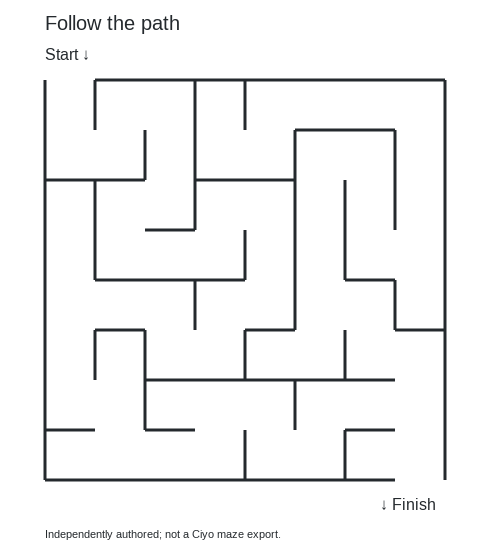
The sample uses 64 cells arranged in eight rows and eight columns. The entrance is at the top-left cell's outer top edge, and the exit is at the bottom-right cell's outer bottom edge. The working source numbers cells as row × 8 + column, starting at zero.
MazeGenerator's help defines a perfect maze as having one path between any two cells and no isolated sections. Our independently authored example uses that structural definition: 64 connected cells and 63 passages without cycles. No competitor puzzle has been copied into these downloads.
2. Keep puzzle data separate from decoration
The source JSON records every passage, the entrance, the exit and the solution sequence. A seeded depth-first construction created the sample. A separate traversal reached all 64 cells, and every consecutive solution pair was checked against the passage list.
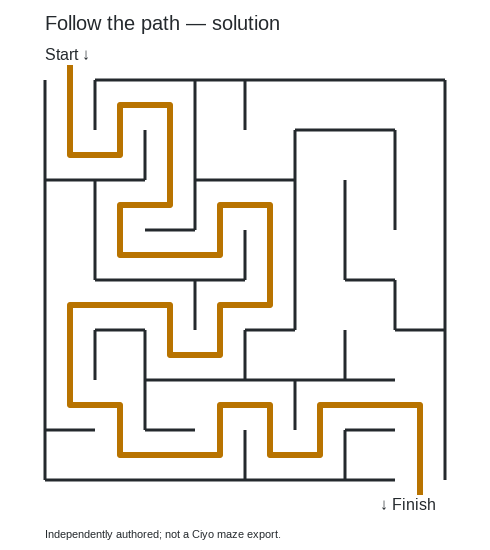
The checked solution visits 35 cells. That count describes this maze, not its difficulty for a particular age group. Print the puzzle and manually follow the route to inspect line weight, openings and turning space; structural validity alone does not establish an appropriate activity for your audience.
| Check | Sample result | Meaning |
|---|---|---|
| Connected cells | 64 of 64 | No isolated cell |
| Open passages | 63 | Connected graph has no cycle |
| Entrance / exit | Cell 0 / cell 63 | Outer openings match endpoints |
| Solution | 35 cells | Consecutive cells share an open passage |
3. Generate one flat visual proof in Ciyo
Create an isolated Ciyo project and open Image Generator. Our authenticated development run on November 23, 2026 used GPT Image 2.5 Flare, Medium quality, portrait 3:4, 1K and one image. Select the controls before entering the complete prompt, then review the displayed credit quote. Our run showed 2 credits; check your own current quote.
The copyable prompt is the actual English request. Replace the fictional details consistently and retain the stated constraints. The result is a raster image proof; the editable downloads below were assembled independently and are not Ciyo exports.
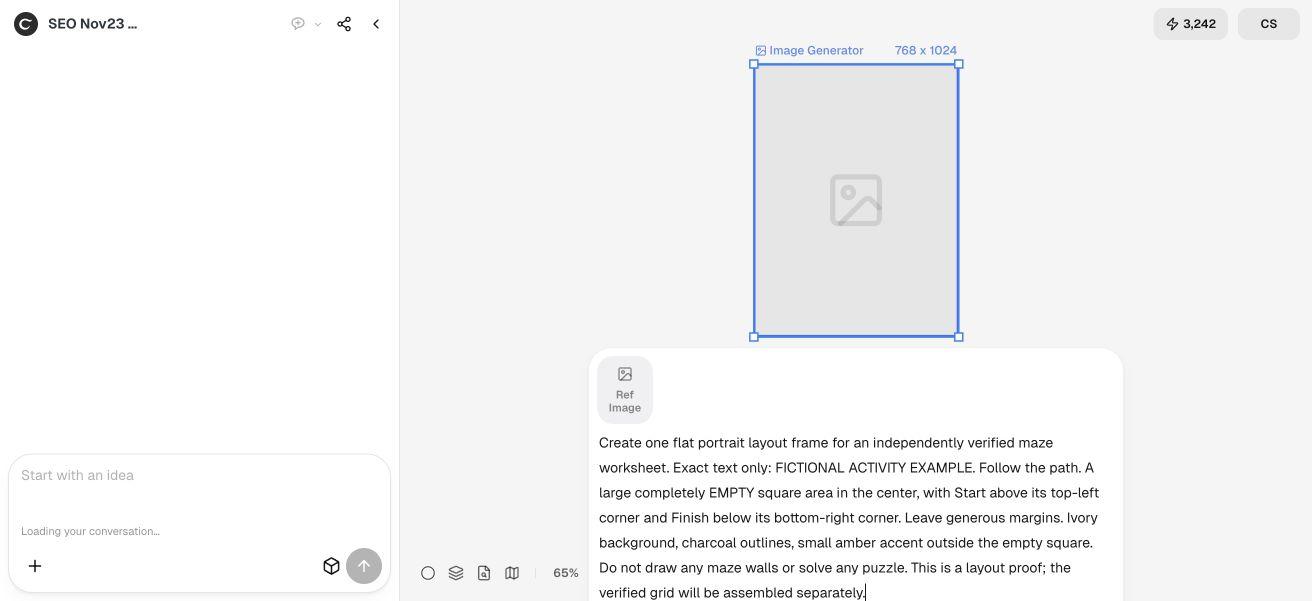
Create one flat portrait layout frame for an independently verified maze worksheet. Exact text only: FICTIONAL ACTIVITY EXAMPLE. Follow the path. A large completely EMPTY square area in the center, with Start above its top-left corner and Finish below its bottom-right corner. Leave generous margins. Ivory background, charcoal outlines, small amber accent outside the empty square. Do not draw any maze walls or solve any puzzle. This is a layout proof; the verified grid will be assembled separately.4. Compare the actual output with the source
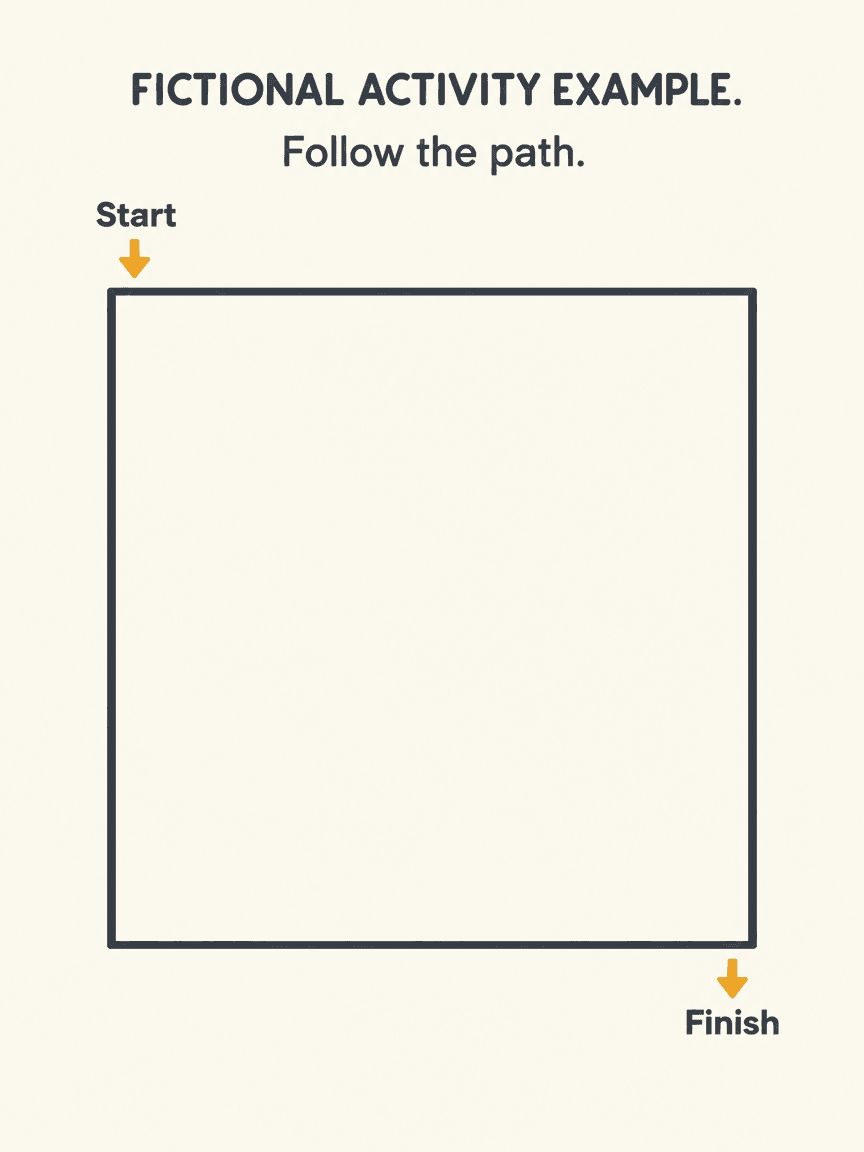
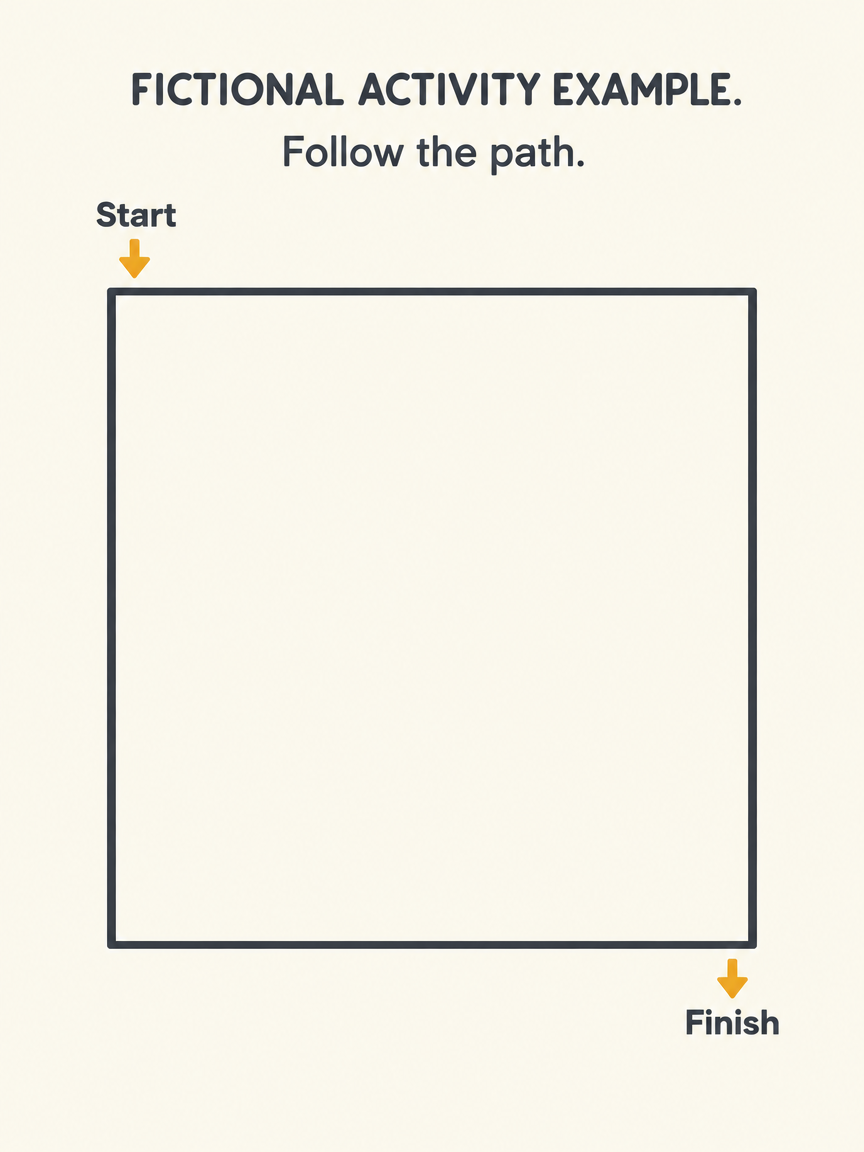
The actual PNG has a large empty outlined frame, a Start label near the upper-left side and a Finish label near the lower-right side. It adds amber arrows. There are no maze walls or playable route in this image, as the prompt requested.
This blank proof can inform a page's title and spacing, but it is not the final puzzle. The SVG downloads supply the independently authored walls and the verified route. Keep this distinction when presenting the example to another editor or facilitator.
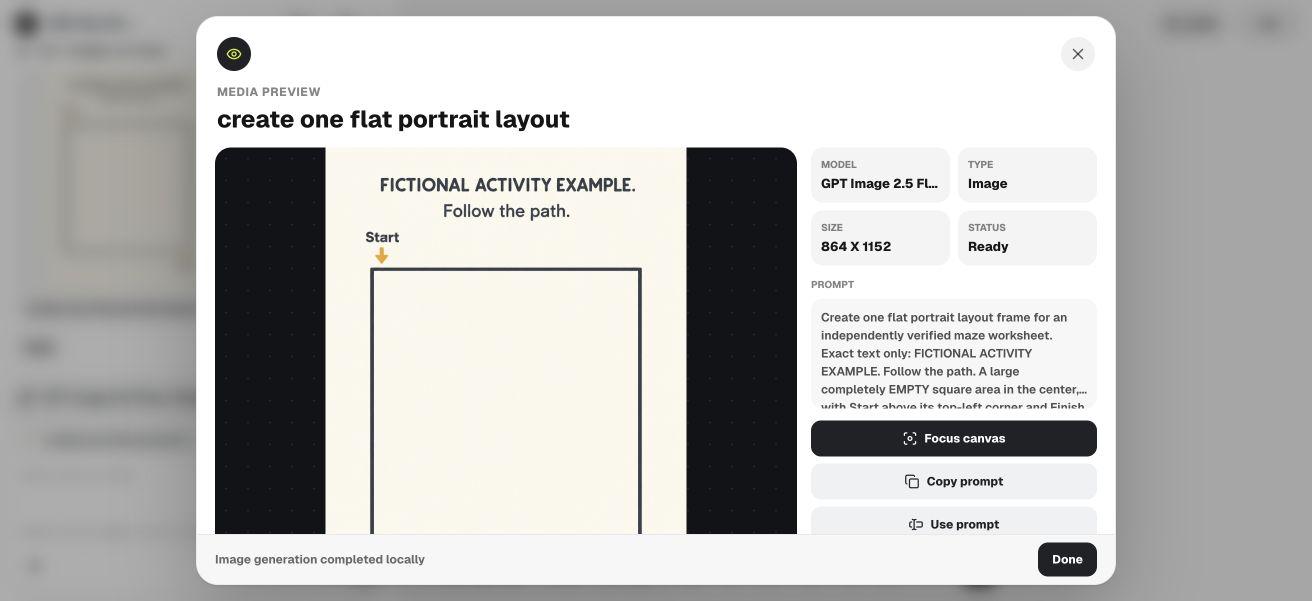
Ciyo media preview: inspect the model and original request
Open the generated asset in Ciyo’s media preview to compare the result with the model details and original English prompt. This whole-product capture shows that review step; the readable prompt and output inspection above remain the reference for small text.
5. Print the checked SVG and retain its source
Open the puzzle SVG in a browser or an editor that supports SVG, then inspect a print at the intended size. The solution SVG marks the same route in amber. The JSON contains the 8 by 8 structure, seed 20261123, passage list and solution for inspection or a new implementation.
Changing a wall changes the graph and can create a disconnected region or a second solution. Recheck the modified puzzle rather than reusing this file's validation result. Keep the solution separate when distributing the activity.
Choose the source you will maintain
Use a maze-specific construction method when connectivity matters. Use Ciyo for an optional visual frame, with no puzzle-solving claim. The supplied SVG is a small checked example; selecting a larger grid or a particular difficulty requires another construction and review.
Frequently asked questions
Did Ciyo generate the playable maze?
No. Ciyo generated the blank page-frame proof. The puzzle, solution and source data were independently authored and checked.
Why does 63 passages matter?
A connected graph with 64 cells and 63 edges is a tree, so there is exactly one route between any two cells. Connectivity and the passage count were checked together.
Can I edit the SVG walls?
Yes, but any structural change needs a new connectivity and solution check. This validation applies to the supplied file.
Explore a visual activity-page frame
Start with your approved source, generate one visual proof and inspect the actual result before preparing the final working file.