Practical design workflow
Mileage Log Template for Checking Odometer Readings
A missing end reading can turn into a zero-distance trip if a spreadsheet fills every blank with zero. One row should show what was recorded, what was calculated, and which measurement still needs checking.
This fictional studio example uses a vehicle labeled V-02 and two local trips. The downloadable CSV records readings and distance while leaving gaps visible.
Quick answer
Record the vehicle ID, trip date, purpose, unit, and actual start and end readings. Subtract the start from the end after checking the unit and order. Leave distance empty when either reading is missing.
| Trip ID | Date | Vehicle ID | Start reading | End reading | Trip distance | State |
|---|---|---|---|---|---|---|
| M-01 | 2026-12-02 | V-02 | 12410 | 12428 | 18 | Checked |
| M-02 | 2026-12-03 | V-02 | 12428 | — | — | Missing end reading |
Keep observed readings and calculated distance apart
Trip M-01 starts at 12,410 km and ends at 12,428 km. The distance is 18 km. Put the entered readings and calculated result in different cells so the next reader can verify the subtraction.
For M-02 only the start reading is recorded. Keep both End reading and Trip distance empty, then select Missing end reading in the state column. An entirely missing result is different from a confirmed stationary vehicle.
Keep kilometres or miles visible in the row. If the end reading is lower than the start, confirm the vehicle, unit and transcribed values before using the row.
Explore the layout in Ciyo
Create an isolated project, open Image Generator and use this fictional mileage log brief. Keep the CSV alongside the visual proof so you can check the exact fields after generation.
On November 28, 2026, we generated one image using GPT Image 2.5 Flare in Ciyo’s production canvas. The run used 3:4 at 1K and returned an 864 by 1152 image. The interface showed a quote of 2 credits for this configuration. Check your own quote before you submit.
Use the complete prompt below alongside the screenshot of the canvas composer.
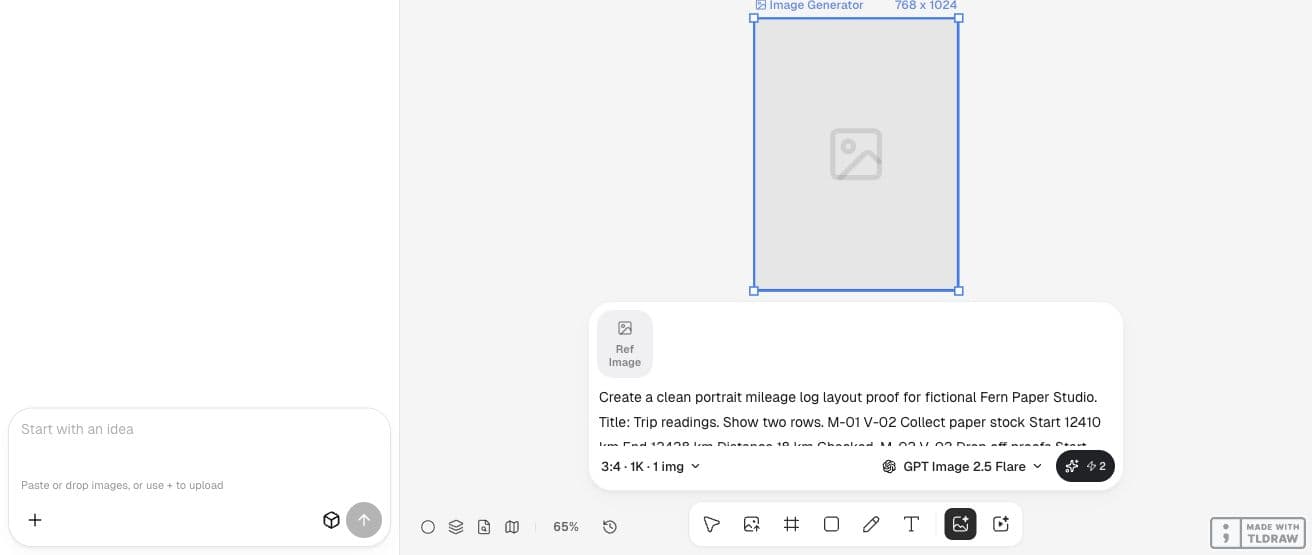
Create a clean portrait mileage log layout proof for fictional Fern Paper Studio. Title: Trip readings. Show two rows. M-01 V-02 Collect paper stock Start 12410 km End 12428 km Distance 18 km Checked. M-02 V-02 Drop off proofs Start 12428 km End blank Distance blank Missing end reading. Do not add a cost, reimbursement rate, taxes, actual addresses or a zero for either blank. Neutral warm ivory page, clear dark type, small amber highlight for the incomplete row.Read the proof alongside the source
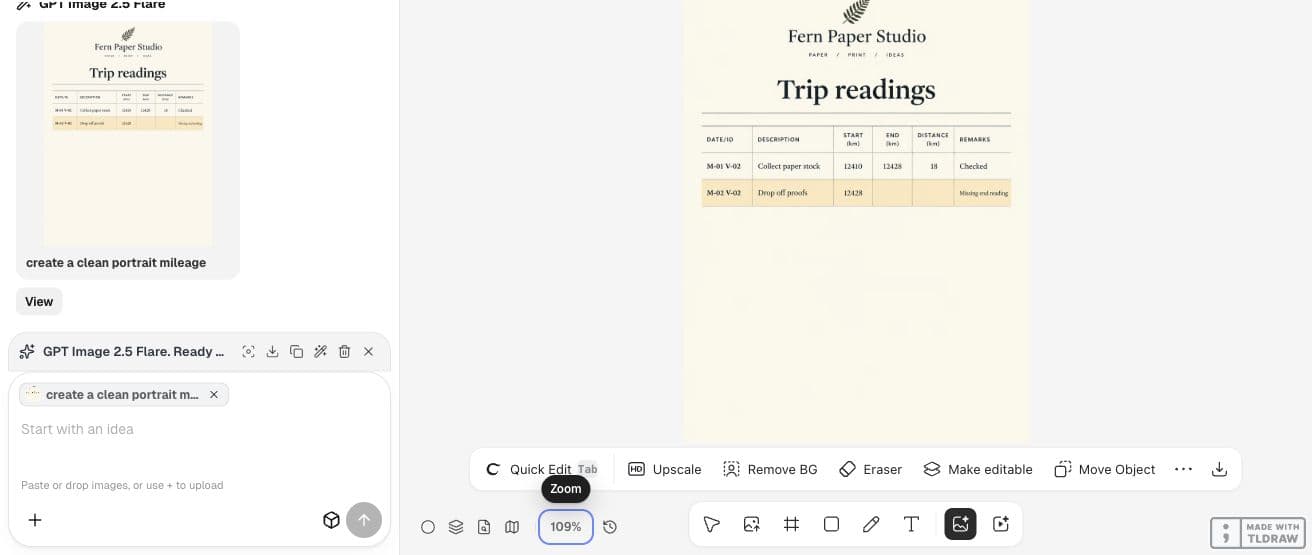
The image shows readings of 12,410 and 12,428 with an 18 km distance. Both the end reading and distance are visually empty for M-02. It omitted the dates and grouped the trip and vehicle IDs on each row.
The image helps you check readability and layout. Keep the CSV as your editable source for the fields and values.
Check the result before copying it elsewhere
Open the CSV and sort by Trip ID. Recalculate the completed row, then filter to Missing end reading. When a verified reading is added, enter it in the source first and revise the state after checking the distance.
Use a printed trip log when drivers record readings by hand. A spreadsheet can check the subtraction and flag missing inputs if you add formulas. The supplied CSV uses plain fields and sample values so it can be opened in different tools.
Source and workflow context
Smartsheet offers mileage-log examples with different layouts. This guide uses a neutral operational record for keeping trip readings and their calculated distance traceable.
Mileage log questions
Should I record miles or kilometres?
Record the unit shown by the vehicle or source. Keep it visible on every row and verify both readings use the same unit before subtracting.
How should I handle missing readings?
Keep the missing cell and calculated distance empty, and flag the row for follow-up. Use a specific reason so a reviewer knows what to check.
Does the CSV calculate distance automatically?
It provides example values and headers. If you add a spreadsheet formula, check that it returns an empty result when either source reading is missing.
Make a proof from checked fields
Create one complete trip and one incomplete trip, then make a layout proof that shows the difference without relying on color alone.