Practical design workflow
Repair Intake Form for Condition and Included Accessories
A display stand comes in with a handle and one loose screw. A few days later the work order mentions a wobble, but nobody can tell whether the scuff was present when the stand arrived. Capture the condition and included pieces while the item is still at the intake desk.
The example uses a fictional Cedar Repair Desk ticket and an editable CSV. It gives the next person a clean handoff before any assessment is made.
Quick answer
Assign an intake ID and match it to the exact item. List the pieces received, write plainly what you observed, and preserve the customer’s requested work in its own field. Set the current state so readers know assessment is still pending.
| Intake ID | Item ID | Received with | Observed condition | Requested work | Status |
|---|---|---|---|---|---|
| I-14 | MX-017 | Handle and one screw | Base scuff; handle turns | Assess wobble | Awaiting assessment |
Record condition where it was observed
MX-017 identifies the hand-crank display stand. Put Handle and one screw under Received with. That description tells a later reviewer which parts arrived. Record the shared intake ID on any related bag or reference so the pieces can be matched again.
Write Base scuff and Handle turns as observations. Keep Assess wobble in Requested work. The request gives the next worker a question to investigate while leaving room for the assessment to reach its own conclusion.
If you take photos for your real intake system, attach the actual images through authorized storage and review that the item ID is correct. Use a fictional sketch or supplied mock details for a design proof.
Explore the layout in Ciyo
Create an isolated project, open Image Generator and use this fictional repair intake form brief. Keep the CSV alongside the visual proof so you can check the exact fields after generation.
On November 28, 2026, we generated one image using GPT Image 2.5 Flare in Ciyo’s production canvas. The run used 3:4 at 1K and returned an 864 by 1152 image. The interface showed a quote of 2 credits for this configuration. Check your own quote before you submit.
Use the complete prompt below alongside the screenshot of the canvas composer.
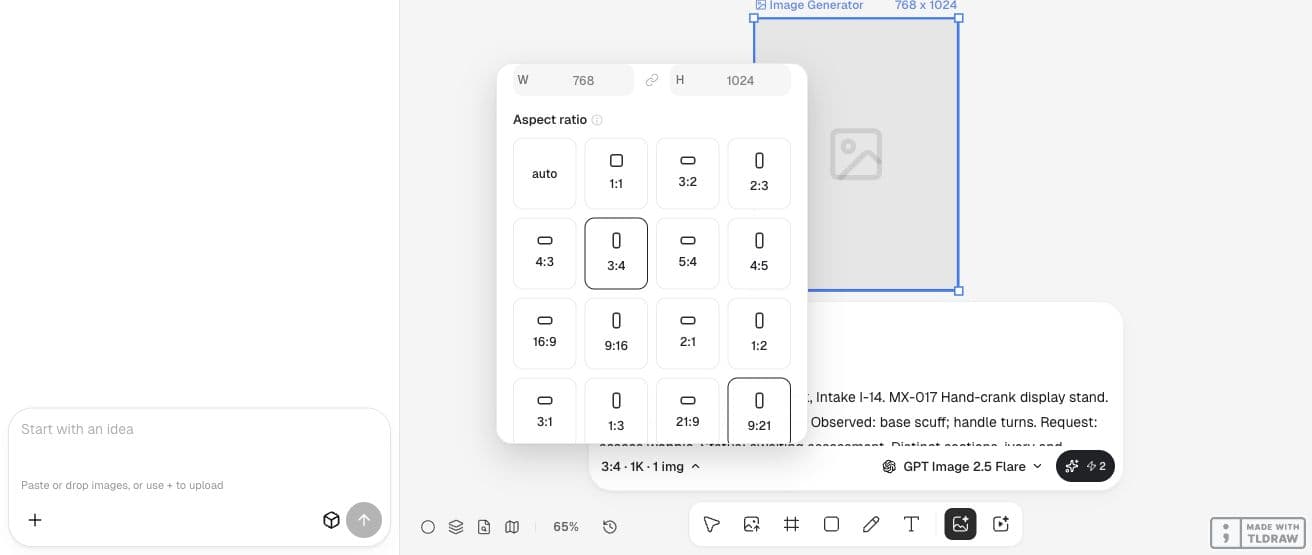
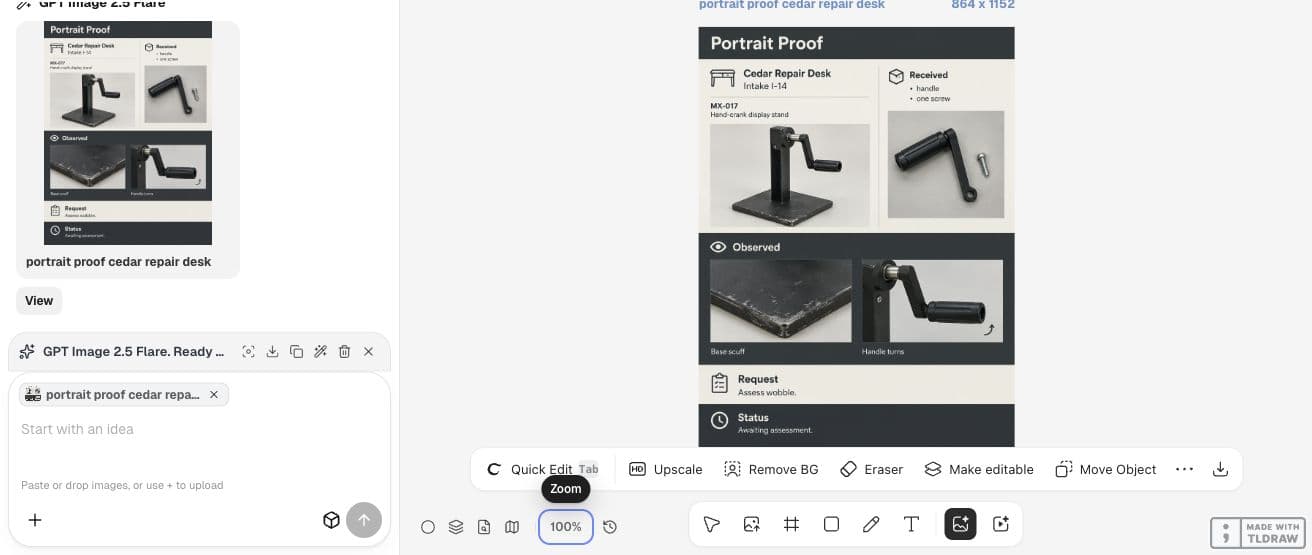
Portrait proof. Cedar Repair Desk, Intake I-14. MX-017 Hand-crank display stand. Received: handle and one screw. Observed: base scuff; handle turns. Request: assess wobble. Status: awaiting assessment. Distinct sections, ivory and charcoal. No diagnosis, quote, promise, contact details or logo.Read the proof alongside the source
The intake proof separated Received, Observed, Request and Status. The generated pictures of the stand and its scuff are fictional illustrations with no photographic or diagnostic value.
The image helps you check readability and layout. Keep the CSV as your editable source for the fields and values.
Verify the intake record with a second reader
Read the CSV from left to right. Ask the reviewer to identify the item, included pieces, observed condition and requested assessment without guessing. If a scuff or loose item has more than one possible location, narrow the note with an actual observation.
Use the compact template for a single item. When several items arrive together, use separate item lines with stable IDs. A work order can add approved scope later and should link back to the original intake.
Source and workflow context
Smartsheet offers service requests with separate request fields. Here the intake IDs and received-condition notes are original to the fictional desk example.
Repair intake form questions
Is a reported symptom an observation?
Record who reported it and keep it separate from conditions you checked yourself. Use the assessment to investigate the symptom.
What if an accessory is unconfirmed?
Write Pending count or an equivalent clear status and keep it distinct from zero. Update the intake once you have actually checked the pieces.
Can I use the generated proof’s pictures as evidence?
The model created illustrations from fictional text. Use real intake photos from the approved record when evidence of an actual item is needed.
Make a proof from checked fields
Put the item, pieces, condition and request in four different fields, then see if your layout makes each one immediately identifiable.