Animation preproduction · Production guide
Keep a character's prop on the correct side between shots
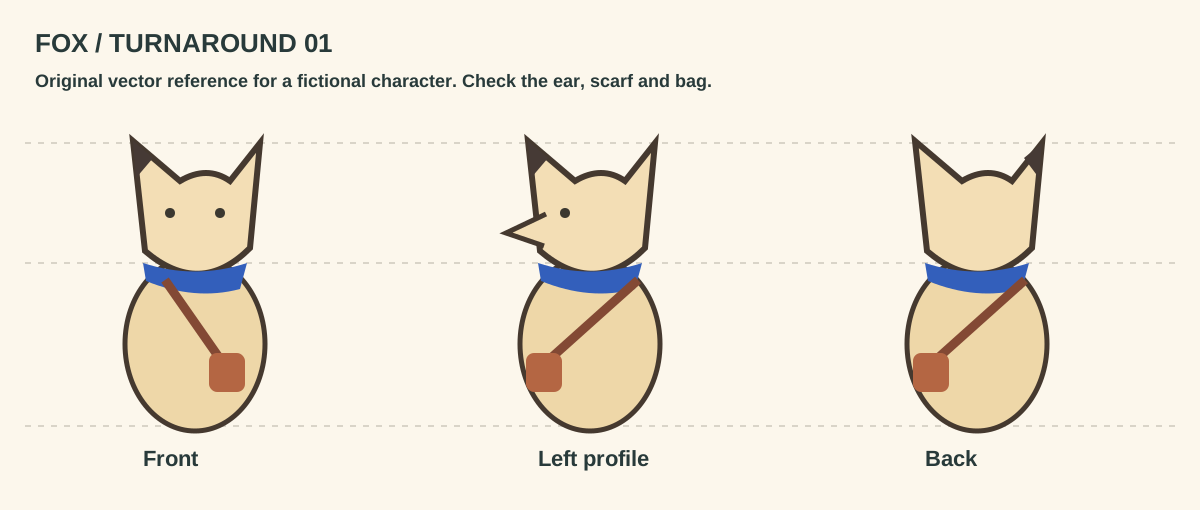
Assign the fox's bag to a named anatomical side. For each shot log screen side separately from the character's own side, plus the direction of travel.
Input and decision
Write the fixed prop assignment in character coordinates first. A bag on the character's left appears on a different screen side when the camera sees their back.
Set up the comparison
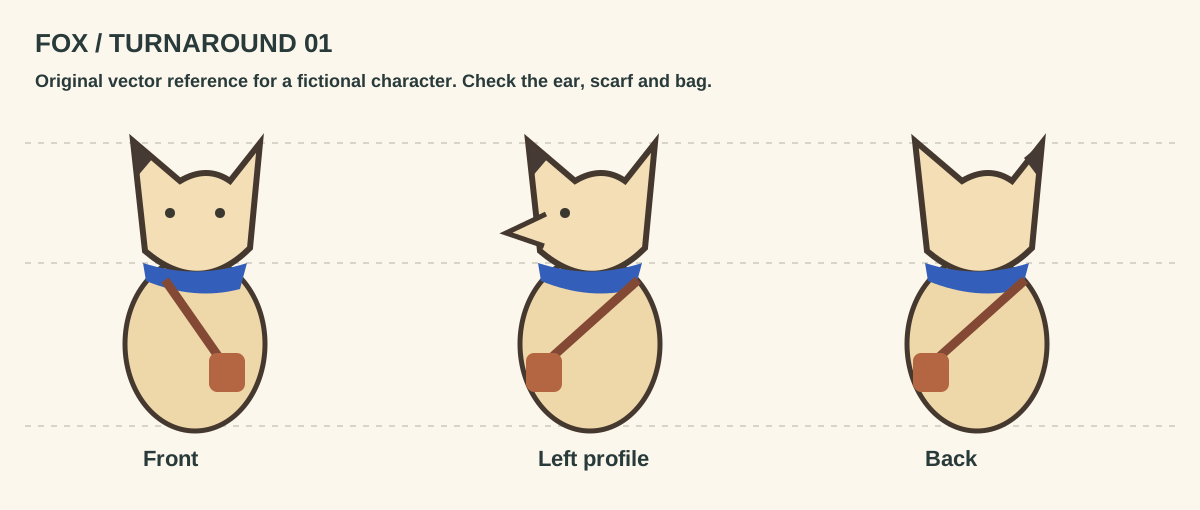
Use the supplied front and rear fox drawings to test that statement. Circle the bag and the dark ear separately so flipping both does not pass unnoticed.
Make the comparison
Mark the strap on the fox's anatomical left in the front and back drawings before writing either screen direction in the shot log.
Worked record
The downloadable worksheet includes the records below and a blank row for your own project.
| Shot | Anatomical side | Screen side | Transfer shown | Exception |
|---|---|---|---|---|
| 010 | Character left | Screen right | No | Front view |
| 020 | Character left | Screen left | No | Back view |
| 030 | Changed side | Check frame | Only if shown | Flag missing transfer |
Check the result
Intentionally mirror one board. Check the bag and ear tip against the approved turnaround rather than assuming screen left means anatomical left.
Hand off the revision
Leave a note against the cut if the bag truly changes hands. Point to the frame showing that transfer.
Review question
Does a bag changing screen sides mean the character changed hands?
Mark the front and rear screen sides separately. The bag stays on the fox's anatomical left until a shot actually shows a transfer.
Use the task on your own brief
Use a copy of the worksheet to keep the project’s source files, reviewed options and decisions together.