Channel information artwork
Twitch Panels: Build a Matching Set with Readable Labels

A channel's information area is easier to scan when its headers share a width and clear labels. A beautiful oversized design can become small or uneven after upload, while putting the entire schedule or rules inside an image makes the content harder to update.
We used a live Ciyo development project to create six fictional Juniper Studio headers: ABOUT, RULES, SCHEDULE, GEAR, LINKS and CONTACT. The agent saved all six before its final response failed. We downloaded and checked every original PNG: each is 320 × 100, with consistent typography, margins and accents. No Twitch account was opened, changed or tested in this demonstration.
Quick answer: share the header system and keep the details editable
Use the same width, height, label style and spacing across the set. Our example uses six 320 × 100 PNGs with one short label each. The actual rules, dates, equipment information, links and contact details remain channel text rather than being embedded in those pictures.
Twitch's channel-page guidance describes information-panel images up to 320 pixels wide and 300 pixels high, with files under 2.9 MB; larger images are resized. A 100-pixel height is this example's choice, not a required panel height. Follow these five steps and check the actual channel presentation before approving your own set.
| Step | Action | Check |
|---|---|---|
| 1 | List the information areas | Short distinct headers and separate content |
| 2 | Brief all six headers as one visual system | Exact labels, size, margins and palette |
| 3 | Inspect every original at native width | No missing labels, clipping or layout drift |
| 4 | Verify the files and manifest | Six actual 320 × 100 PNGs with clear identities |
| 5 | Review the actual channel view | Readable headers and current editable details |
1. Decide what each panel is meant to help someone find
Start with the information a new viewer needs, then give each area a short distinct header. Juniper Studio's fictional set contains six labels. The image only names the area; the actual content remains separate so it can change without rebuilding the artwork.
The r/Twitch community's Channel Feedback Thread, posted on November 19 UTC, asks streamers to review one another's branding and information area as well as their streams. It is useful qualitative context for checking the whole channel rather than isolated artwork. Our width-and-label checklist is an editorial adaptation; the thread supplies no Ciyo endorsement or measured growth result.
| Header | What it helps a viewer find | Keep as current channel text |
|---|---|---|
| ABOUT | Who the channel is for | Your actual introduction and stream focus |
| RULES | How to participate | Your current channel rules and moderation details |
| SCHEDULE | When to return | Actual days, times and time zone |
| GEAR | What equipment you use | Verified equipment details and relevant links |
| LINKS | Other places to find you | Your authorized current destinations |
| CONTACT | How to make a relevant inquiry | An approved public business contact method |
Original community feedback thread, posted November 19, 2026 UTC and read November 20. Its discussion of branding and the information area provides review context; this Ciyo header checklist is our own adaptation. No use of Ciyo, endorsement or performance result is established.
2. Ask Ciyo for one system and six separate files
Give Ciyo the complete label list, target dimensions and shared treatment. Ask for separate files rather than one large collage that must later be cut apart. Exclude the actual schedule, rules and contact details so the header does not become a flattened replacement for channel information.
The live Juniper request specified six 320 × 100 headers, an ivory and charcoal palette, a restrained amber accent and consistent type and margins. The agent constructed the typographic panels and saved all six on the canvas. Its later final response failed. We preserved that outcome and inspected the saved files independently instead of claiming a successful completed agent turn.
The real Ciyo workspace below shows the saved set. The small whole-product view establishes the actual workflow; the native-size review and downloads below make the labels easier to inspect. The files contain no Twitch logo, avatar, copyrighted game character or personal contact information.
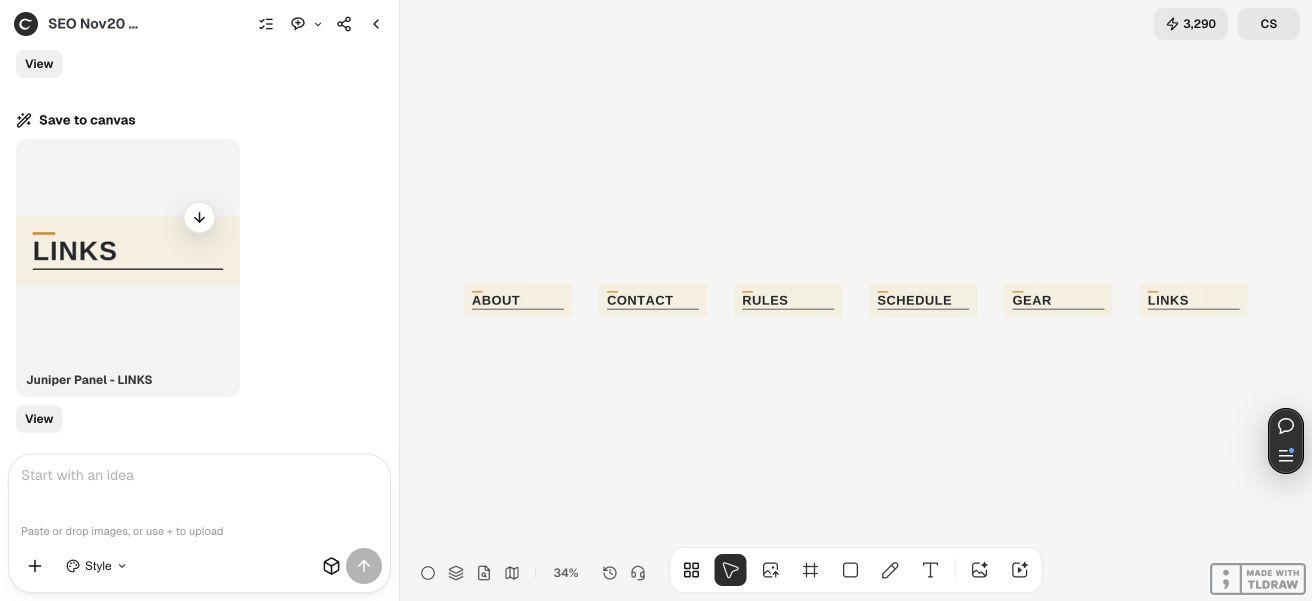
Create six separate 320 × 100 PNG information-panel headers for [fictional or approved channel]. Exact labels: ABOUT, RULES, SCHEDULE, GEAR, LINKS, CONTACT. Use [approved palette], one shared type size, consistent margins and [one restrained accent treatment]. Keep the text crisp at native width. No additional small text, platform logo, interface, avatar, copyrighted character or perspective mockup. The actual channel details remain editable text outside the images. Save all six and report their actual dimensions. Check for missing or repeated labels. Do not open or modify a Twitch account.3. Compare the whole set at 320 pixels wide
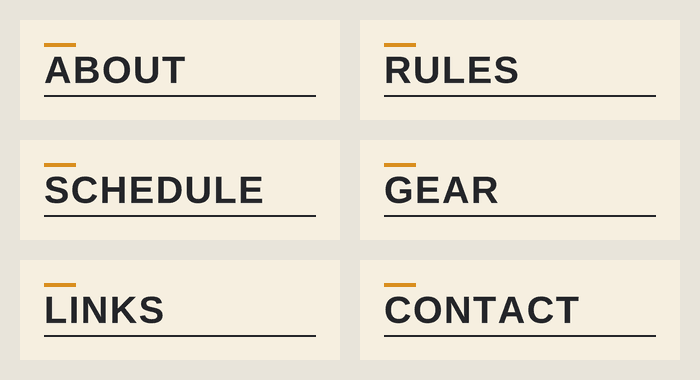
Inspect the longest label, SCHEDULE, alongside the shorter ones. Check the left alignment, top spacing, bottom rule and accent in every file. A shared canvas size alone does not prevent one label from being smaller, shifted or clipped.
We visually read all six original PNGs and confirmed the requested labels once each. A dark-pixel inspection placed the capital-letter height at the same y = 37–62 range in every file. All six also contain the same 32 × 4 amber rule at x = 24–55, y = 23–26. These measurements describe the supplied raster files, not an editable font specification or a Twitch display test.
The contact sheet keeps each header at its native 320 × 100 size. It is an editorial review arrangement made from the six actual files, not a screenshot of Twitch. The consistent treatment leaves the changing information out of the artwork.
4. Verify the six downloads and keep a file manifest
Every downloaded original is a 320 × 100 PNG. Their file sizes range from 4,978 to 8,433 bytes. We recorded each file's identity and dimensions in the manifest so that a later replacement can be checked against the intended label.
Download the files separately below. The manifest contains their URLs, dimensions, byte counts and SHA-256 values; it is a record rather than an automatic uploader. Keep it with your approved artwork and replace it when the set changes.
The PNGs are flattened header images. Changing a word or type treatment requires a new image or an appropriate source-editing workflow. These downloads do not contain a Twitch configuration, an installed extension or editable rules and schedule data.






5. Review the actual channel and keep its content current
Use Twitch's current information-panel workflow for your own channel and inspect the resulting page. Check the displayed width, header order and the relationship between each image and its actual text and links. This demonstration did not perform that upload or verify a live channel view.
Review a desktop and a relevant small-screen presentation before approving the set. Confirm that the schedule and time zone are current, that the intended links work and that the contact method is appropriate for public display. A header saying SCHEDULE does not establish that a stream schedule has been configured.
A new creator can begin with only the areas that contain useful information. A team should identify who owns artwork changes and who maintains the actual channel details. If you rename a panel, update the artwork and its content together, then check the complete set again rather than judging only the new image in isolation.
Channel-panel header questions
Do all Twitch panel images have to be 320 × 100?
That is the selected size of this set. Twitch's channel-page guidance describes a 320-pixel maximum width and 300-pixel maximum height for information-panel images. Check current requirements and the actual channel presentation.
Does the set contain all six requested labels?
We downloaded and visually checked ABOUT, RULES, SCHEDULE, GEAR, LINKS and CONTACT once each. All six original PNGs are 320 × 100, with the same text-height range and amber-rule geometry.
Should my rules and schedule be inside the pictures?
The example uses images only as headers. Keep changing details in the channel's actual text and links so they can be maintained independently of the artwork.
Did the agent finish successfully or update Twitch?
It saved all six usable files, then its final response failed. We inspected the files independently. No Twitch account was opened, changed or tested, and no channel growth result is claimed.
What skills and time does this require?
You need to review small text, manage six files and maintain the actual channel content. The PNG headers are flattened. This example establishes no fixed turnaround time or cross-device result before your own channel checks.
Make the information area easy to scan and maintain
Give Ciyo a complete label list and a shared visual system. Check every original header, keep the changing details as channel text and review the actual page before approval.