Ciyo workflow
AI Album Cover Generator: Check the Original Before Delivery
A musician needs artwork that matches the release metadata and survives the actual file handoff. A square-looking canvas preview does not establish the dimensions, colour encoding or text in the downloaded original.
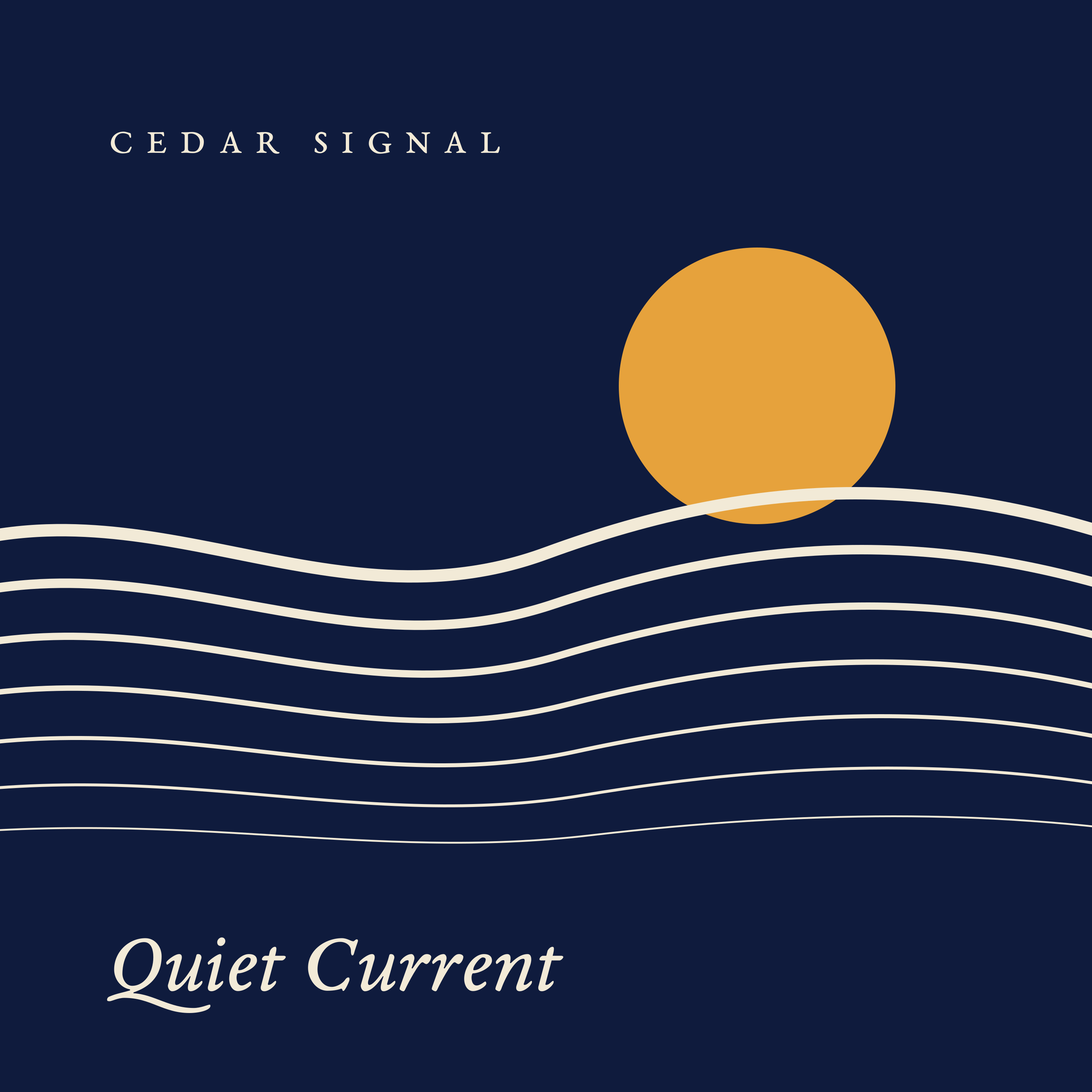
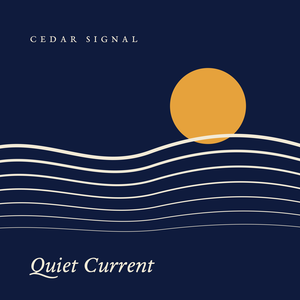
Our fictional release is Quiet Current by Cedar Signal. We created original vector artwork in Ciyo, downloaded the full PNG and a small preview, and checked both files. The example has not been submitted to a distributor or published as a music release.
Start with the destination’s current specification
Spotify’s artwork guidance calls for a square image, high available resolution, sRGB and 24-bit colour, with dimensions between 640 and 10000 pixels. It also tells artists not to upscale images. Your distributor may set additional requirements.
Our chosen pilot target is a 3000×3000 RGB PNG rendered directly from vector artwork. That size is a project choice within Spotify’s stated range, not a claim that Spotify requires exactly 3000 pixels.
| Check | Pilot evidence |
|---|---|
| Shape and size | 3000×3000 original PNG |
| Colour and transparency | 8-bit RGB channels; no alpha |
| Metadata | sRGB flag; no embedded ICC or orientation chunk |
| Release wording | Cedar Signal and Quiet Current |
| Small preview | Separate 300×300 PNG |
Keep artist and release text separate from the artwork
Cedar Signal’s brief uses midnight blue, ivory curves and one amber disc. The artist name and Quiet Current are editable text. A short brief makes the expected text easy to audit against your release sheet.
The Design agent wrote SVG and rendered both PNGs in the live product. It used no image-generation model and did not enlarge a raster. This example demonstrates a vector cover; it is not a benchmark for every style of generated album art.
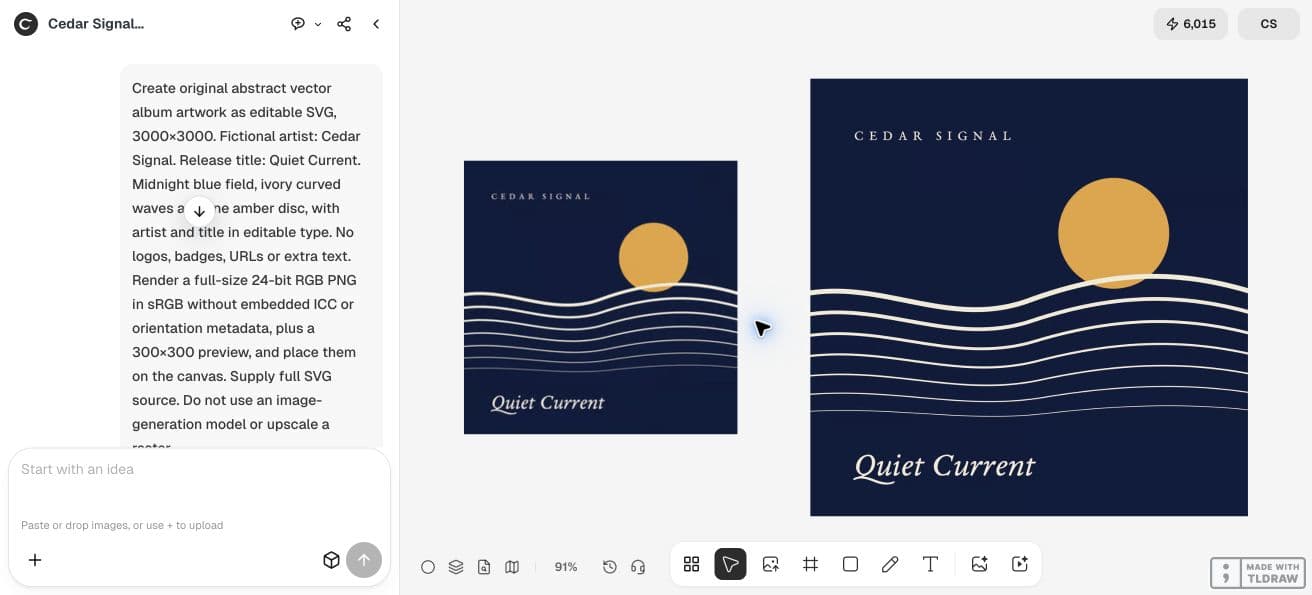
Create original abstract vector album artwork as editable SVG, 3000×3000. Fictional artist: Cedar Signal. Release title: Quiet Current. Midnight blue field, ivory curved waves and one amber disc, with artist and title in editable type. No logos, badges, URLs or extra text. Render a full-size 24-bit RGB PNG in sRGB without embedded ICC or orientation metadata, plus a 300×300 preview, and place them on the canvas. Supply full SVG source. Do not use an image-generation model or upscale a raster.Inspect the actual downloaded PNG
We downloaded the full file from Generated Files. It is 3000×3000, 236393 bytes and 8-bit RGB with no alpha channel. Its PNG structure contains IHDR, sRGB, IDAT and IEND chunks, with no embedded ICC or orientation data.
Those checks establish the properties of this file. They do not establish distributor acceptance. Open the original, compare the artist and release title with your approved metadata, and inspect the artwork before delivery.
Use a separate small preview to judge hierarchy
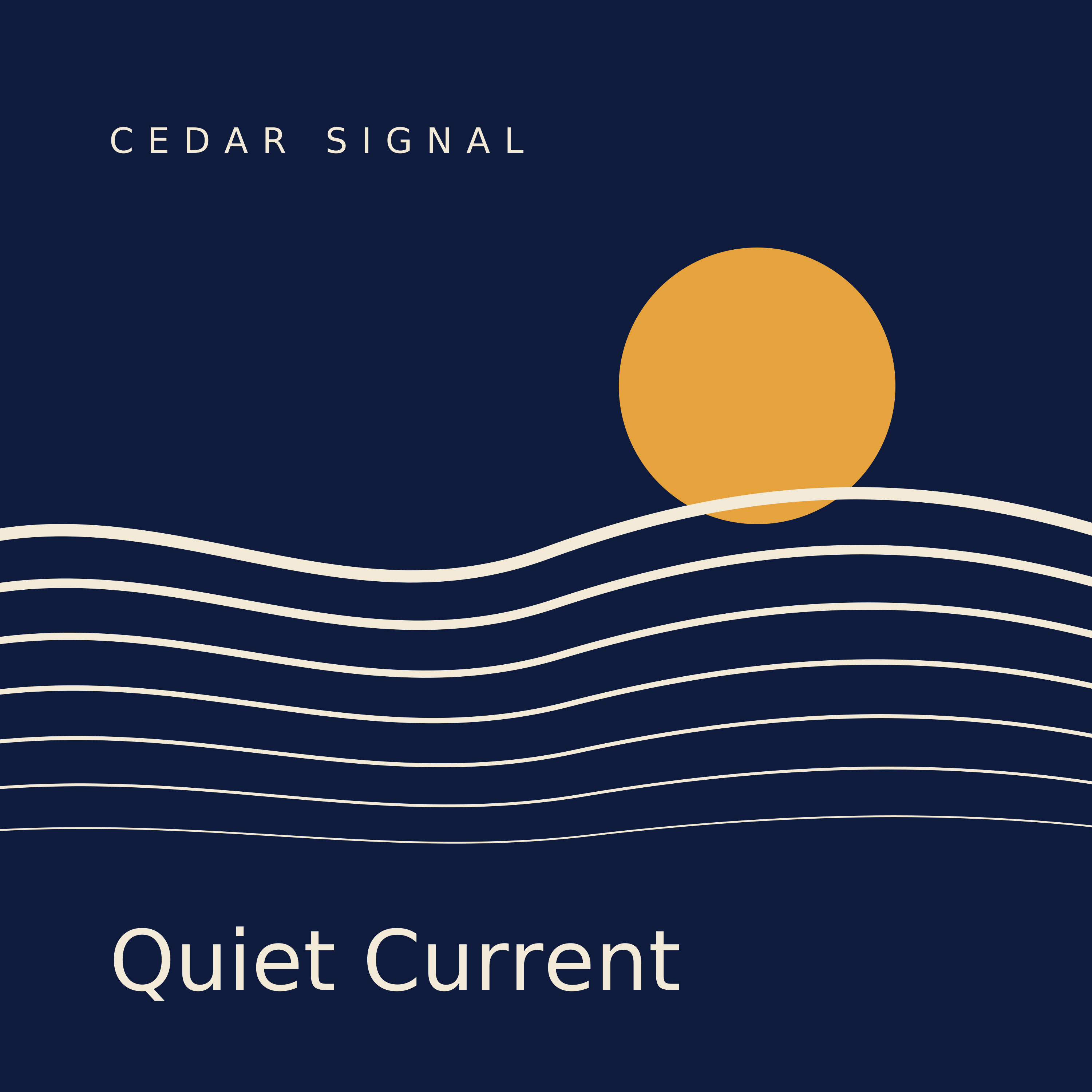
The downloaded preview is 300×300 and 33308 bytes. At native size, Quiet Current is visible, while the widely spaced artist line is comparatively small. Decide whether that hierarchy serves your release instead of judging only the enlarged canvas view.
If you change the wording or typography, compare the new original with the old one and regenerate the preview from the accepted artwork. Avoid enlarging a small raster merely to reach a delivery dimension.
Approve the source and export as a pair
The SVG uses live text and names EB Garamond with fallback fonts. Reopening it on another computer can change the lettering. Keep the source for edits and retain the exact accepted PNG for delivery.
Check the task cost
Confirm your distributor’s current artwork instructions and the approved release text before expanding the job. Billable LLM usage applies to vector planning and revisions in Ciyo. If you add generated raster artwork, check that request’s Generation quote as well.
Album-cover buying questions
Does Spotify require a 3000×3000 cover?
The cited guidance gives a square range from 640 to 10000 pixels and asks for the highest available resolution. We chose 3000×3000 for this pilot; check your distributor’s requirements.
Does this test prove the cover is accepted for distribution?
No. We checked the downloaded files, artwork and editable source. The fictional release has not been delivered to a distributor or published.
Test one release-art handoff
Bring the exact artist and release text. Check the original file and its small preview before expanding the artwork package.