Buyer workflow
AI Flyer Generator: Check Editability Before You Pay
A pottery studio needs a flyer for an open day, then changes the opening time. The buying question is whether that correction needs a fresh image generation or a simple text edit. Ask for the file you will revise before paying for a campaign package.
We tested a fictional Cedar Pottery flyer in Ciyo on October 12, 2026. The result includes SVG markup saved separately and PNG previews on the canvas. The downloadable examples let you inspect the same revision yourself.
1. Name the deliverable in the quote
Adobe Express describes a prompt-to-editable-template workflow. Use that distinction when comparing tools: an editable template, SVG source and a flat PNG are different deliverables.
For Cedar Pottery, the requirements were a portrait flyer, an event date, opening time, free admission and an RSVP address. The offer details needed to remain separate text. A good-looking preview alone could not prove that.
2. Test the actual file handoff
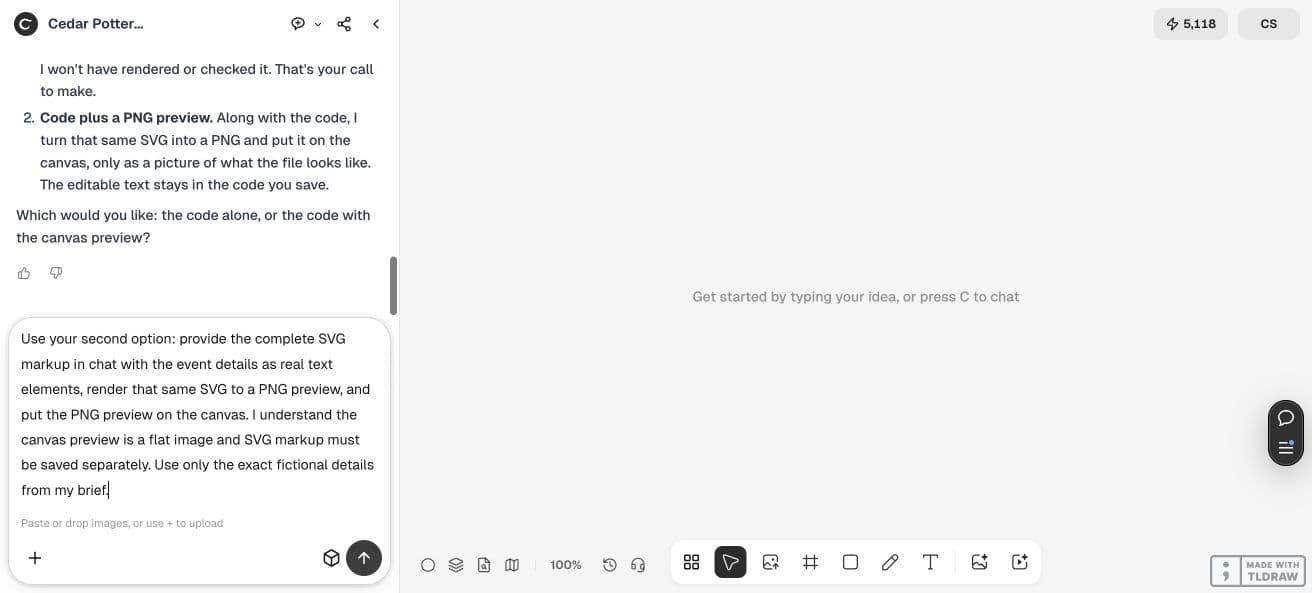
Our first request asked Ciyo for an SVG file and a canvas preview. The design agent explained that it could put a PNG preview on the canvas and supply SVG markup in chat, which we would save ourselves.
We accepted that handoff for this pilot. If you need an editor-native project download or direct SVG attachment, confirm that requirement with the chosen tool before ordering. The canvas PNG does not contain editable SVG text.
3. Keep the offer details as text
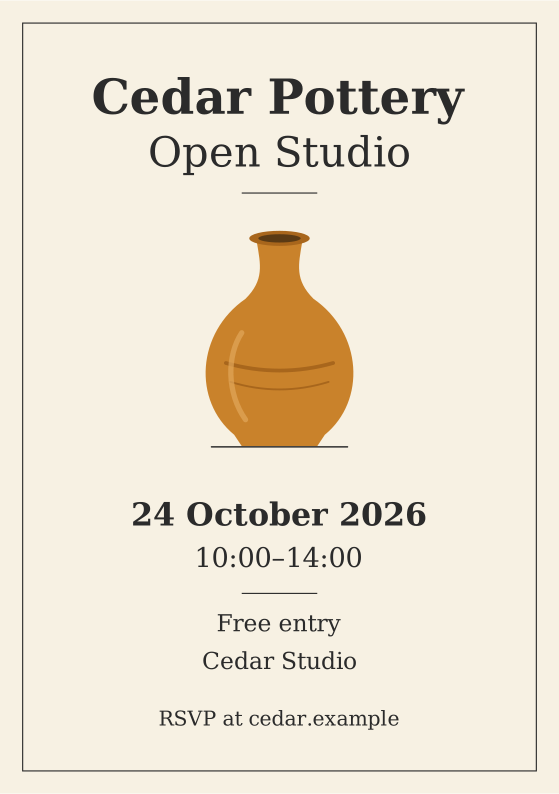
The generated SVG uses separate text elements for the date, time, admission, venue and RSVP. We saved the actual markup from the conversation as the original example file linked below.
The flyer is 148 mm by 210 mm. Its preview uses DejaVu Serif as a fallback for Georgia; a different installed font can change line widths. Check your own rendered file and ask a printer about its required bleed and export format.
4. Make one controlled revision
We changed the opening time from 10:00–14:00 to 11:00–15:00. A comparison of the two saved SVG strings confirmed that this time value was the only changed content.
The two PNG previews visibly show the new time while retaining the date and other details. These previews help review the design; the separate SVG supplies the text you can edit.
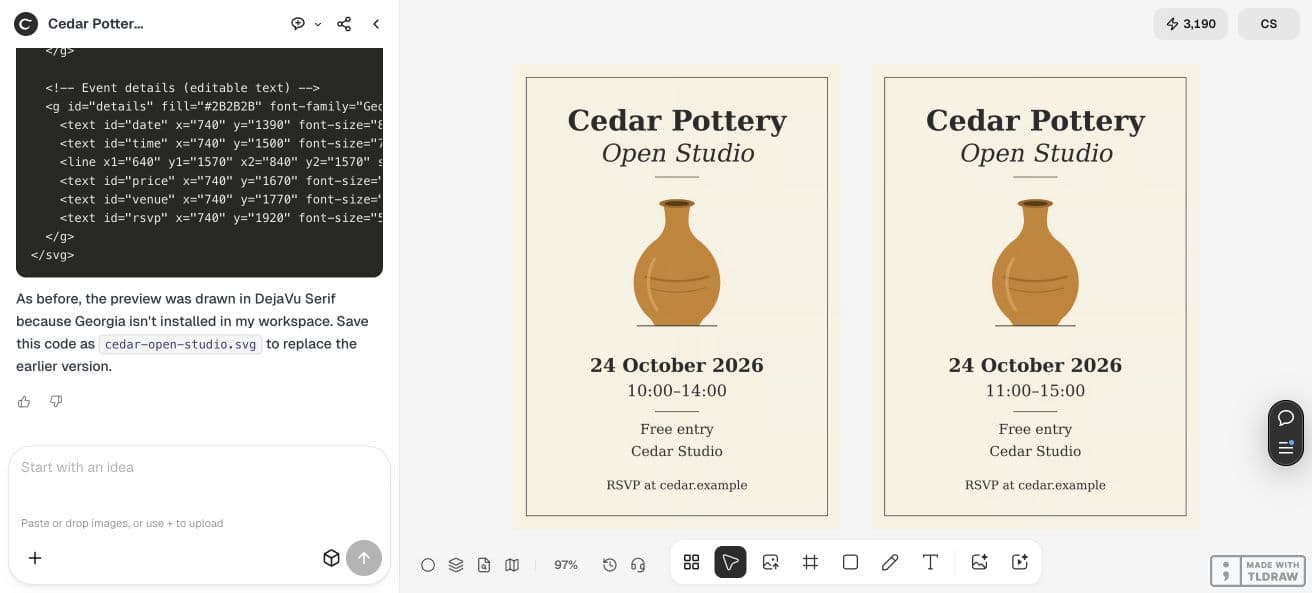
Change only the SVG text element with id="time" from 10:00–14:00 to 11:00–15:00. Keep the date, Free entry, venue, RSVP and every other SVG element unchanged. Provide the full revised markup and a separate PNG preview beside the original.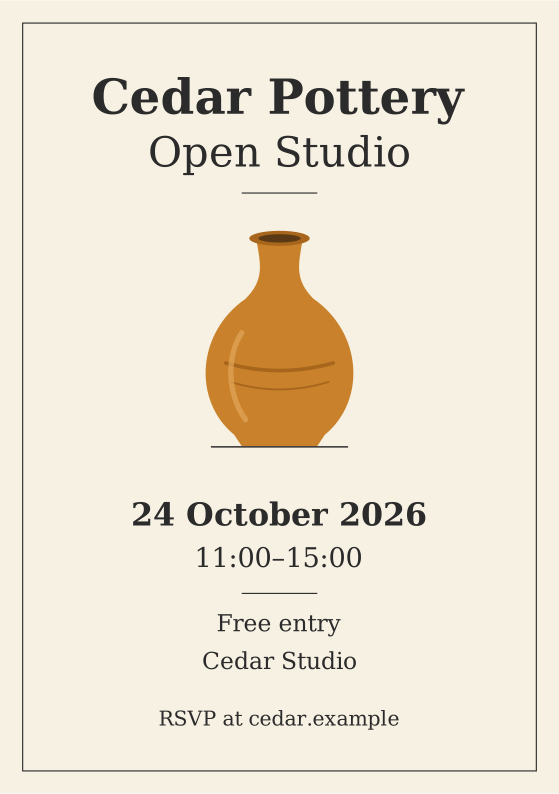
5. Compare the complete delivery package
Ask the seller or tool to demonstrate the change on the file you will receive. Include correction rounds, font dependencies and the final channel in the scope.
A web PNG may be enough for a one-time post. A recurring event flyer benefits from a retained source file and a repeatable export process. Choose according to the next correction you expect to make.
| Requirement | Evidence to request |
|---|---|
| Editable offer | Change one time or price without rebuilding the artwork |
| Source delivery | Open the actual template or SVG, including its font requirements |
| Final output | Review the exported size, text and printer or channel requirements |
6. Approve the file before expanding the order
Keep the approved source, exported preview and a short list of accepted facts together. Give the next editor the exact event details and describe which elements may change.
Use the banner-export guide for a separate channel-size check. For a flyer purchase, approve one successful correction and handoff before commissioning a whole series.
Frequently asked questions
Is the Ciyo canvas preview editable SVG?
The preview in this pilot is a PNG. The editable SVG markup was supplied in chat and saved separately; the example links open those saved files.
Does an SVG automatically make the flyer print-ready?
Check fonts, layout and the printer’s requested bleed, color and export settings. This pilot verifies one text correction, not a completed printer approval.
Test your next correction
Use a fictional event brief, ask for the file handoff you need and check one time change before expanding the campaign.