Buyer workflow
AI Headshot Generator: Test One Face Before Buying
A founder ordering portraits for a team needs a recognizable person, a consistent crop and a usable file. A handsome sample portrait answers only the style question. Test one person and one revision before buying a pack.
Our Ciyo demonstration uses a fictional adult. It shows the review workflow; it cannot prove likeness to a real employee.
1. Decide what you are buying
Separate a selfie-trained portrait pack from editing an existing photograph. BetterPic describes a selfie-upload workflow. Your supplier should explain its input requirements and what happens when the face is wrong.
For a team page, define crop, background, clothing policy and the person's own approval before ordering everyone.
2. Keep a reference you can compare
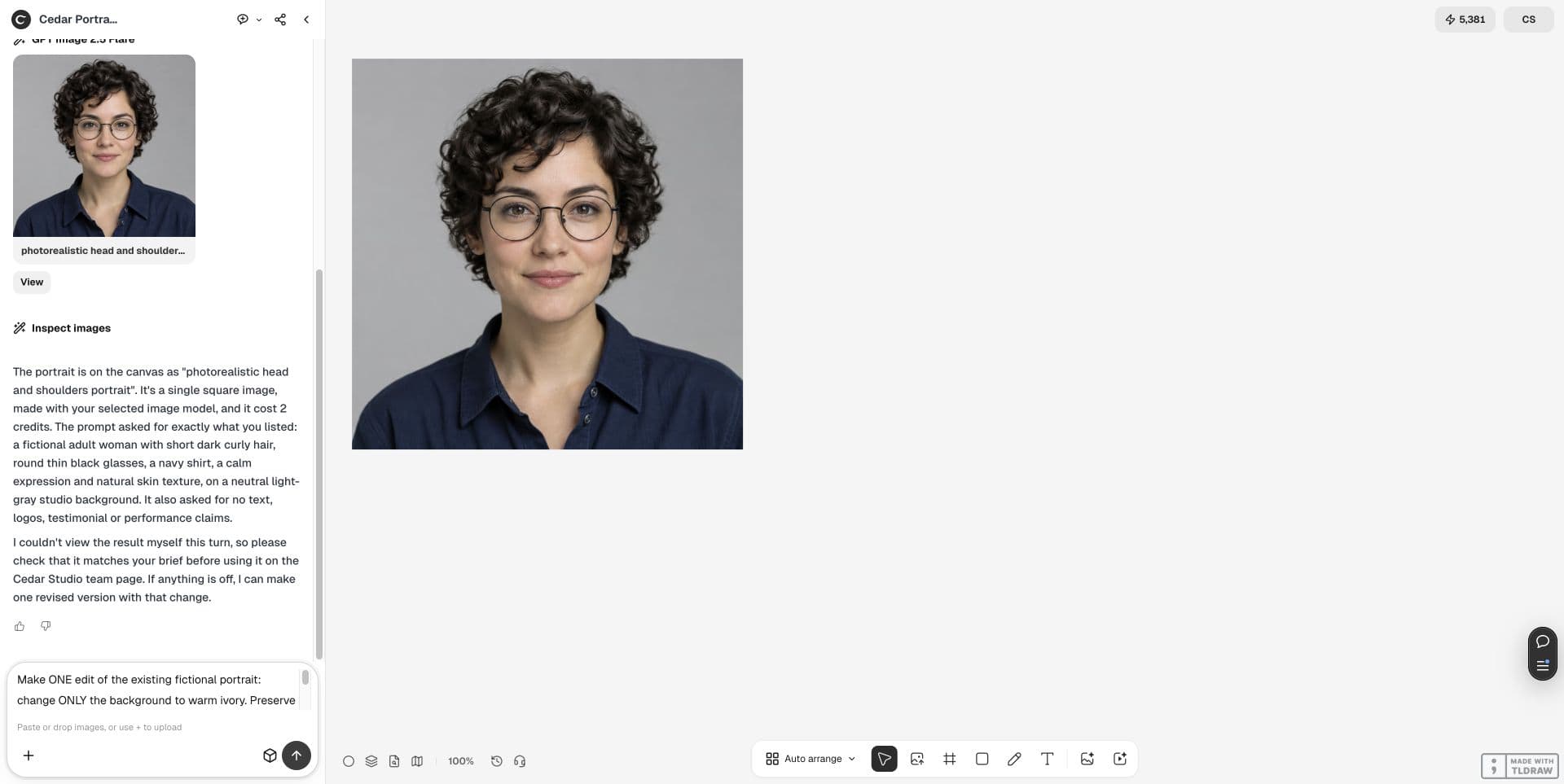
We generated one fictional woman with curly dark hair, round glasses and a navy shirt in Ciyo, then kept that source on the canvas. For your own pilot, use a photograph you have permission to edit.
Choose a clear reference with the face and glasses visible. A generated fictional reference is suitable for rehearsing a workflow, not validating real-person fidelity.
3. Ask for one narrow change
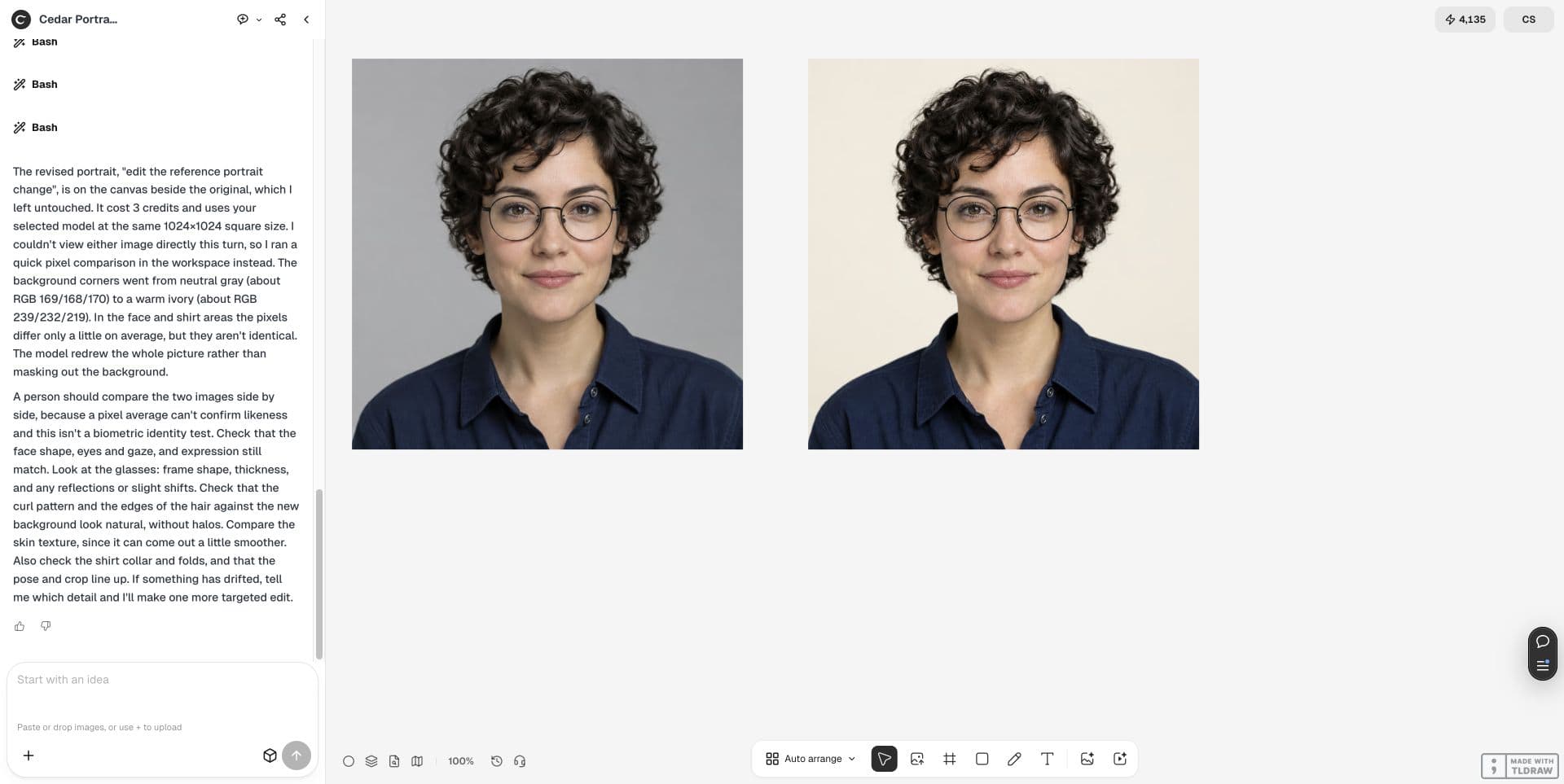
The live edit changed the gray background to warm ivory. Keep the original beside the result and state what must remain stable. Avoid combining a background change, new hairstyle and new outfit in your first test.
Change only the background to warm ivory. Preserve face, eyes, glasses, hair, skin texture, navy shirt, pose and crop. Keep the original and place one edit beside it. This is a fictional person; human comparison is required.4. Inspect the person before the background
The pair below retains recognizable hair, glasses and clothing while changing the background. Small texture and clothing differences remain possible. This is a visual observation of a synthetic example, not a biometric test.
Compare at full size and at the intended team-page size. Ask the person to approve the likeness; do not accept a result solely because the background looks cleaner.
| Check | Accept only when |
|---|---|
| Face and glasses | The person approves their likeness; frames and eyes remain coherent |
| Crop and clothing | The agreed head size and outfit remain usable |
| Export | The downloaded image fits the actual page without enlargement |
5. Buy against an acceptance brief
Ask whether rejected faces consume revisions, whether background-only corrections are included and which export sizes you receive. Make one approved portrait the style reference for the next person.
Record rejected candidates separately from accepted files. A pack containing many images is useful only if the people can approve enough of them.
6. Choose the workflow after the pilot
A Recraft promotional post dated October 7 distinguishes portrait-pack and prompt-based workflows. It offers a vendor perspective, not an independent comparison or a Ciyo endorsement.
Use the linked source for input expectations, and use your own pilot to decide whether the service meets your team-page brief.
Original post by recraft_support, October 7, 2026. This is promotional context about other workflows; the Ciyo pilot above is our own adaptation.
Frequently asked questions
Does this example prove identity preservation?
No. Both images use a fictional person. Test a permitted real reference and obtain that person's approval.
Should I buy a full team pack first?
Approve one portrait and a limited revision first, then apply the agreed style to the next person.
Run one small pilot
Keep the source beside the edit, review the details, then decide whether to expand the job.