Buyer workflow
AI Room Design: Test a Preview Before Buying Furniture
A reading corner looks better with a warmer sofa and a small table. An AI room design preview can help choose that direction, but the picture alone cannot establish furniture dimensions or fit. Before paying for more designs, test what the tool preserves.
Our October 12 Ciyo pilot uses a synthetic reading room and one limited edit. It shows a comparison method for homeowners and small interior studios; it is not a survey of a real property.
1. Decide what the preview must answer
Dehome’s room tool starts with a photo and a style choice. For your pilot, narrow that broad workflow to one decision, such as sofa color and the visual effect of a small table.
Write down which doors, windows and wall edges must remain visible. Separate this style decision from measurements, building work and a final shopping list.
2. Use a reference with clear fixed features
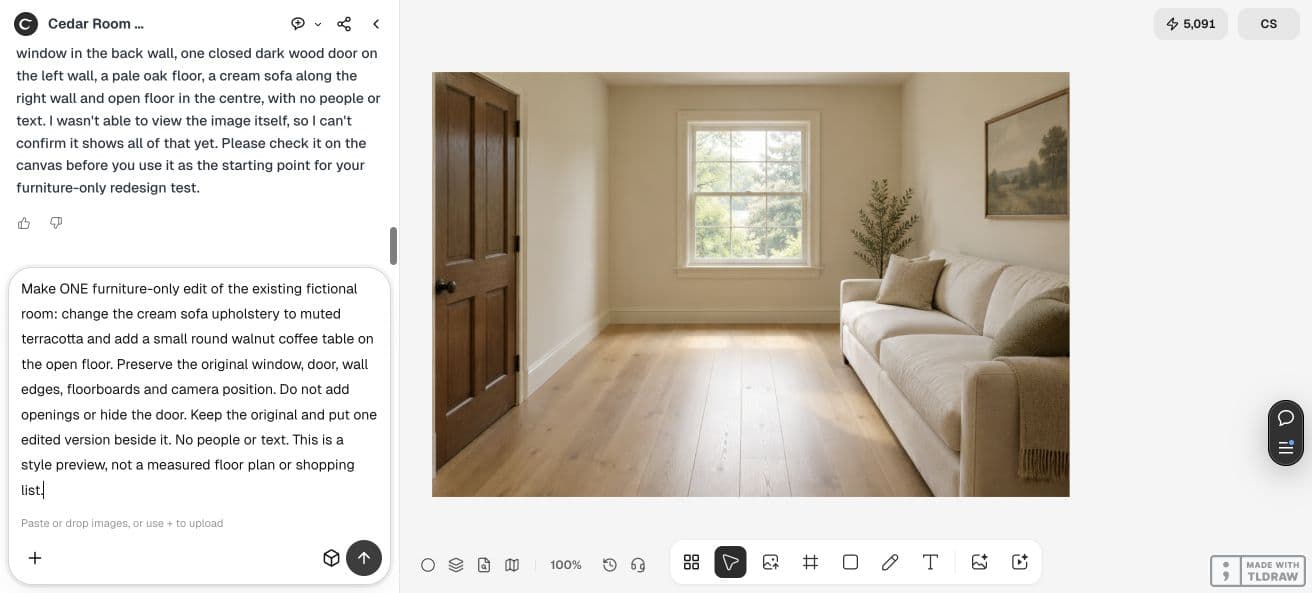
Our fictional room has one back window, a dark door on the left, a cream sofa on the right and open floor between them. The generated reference also included a tree and a framed picture.
For a real room, use a photo you can share and record actual measurements separately. Identify the fixed features in the image before requesting a redesign; a synthetic reference cannot prove fidelity to your home.
3. Ask for one limited change
We asked for terracotta sofa upholstery and a round walnut coffee table, while retaining the room openings and camera position. We kept the original on the canvas for comparison.
Describe prohibited changes in the prompt, then inspect the result. A preservation instruction is a review requirement, not evidence that every detail survived.
Change the cream sofa upholstery to muted terracotta and add a small round walnut coffee table. Preserve the original window, door, wall edges, floorboards and camera position. Keep the original and place one edit beside it. No people or text. Style preview only; no measured floor plan or shopping list.4. Review the changes you did not request
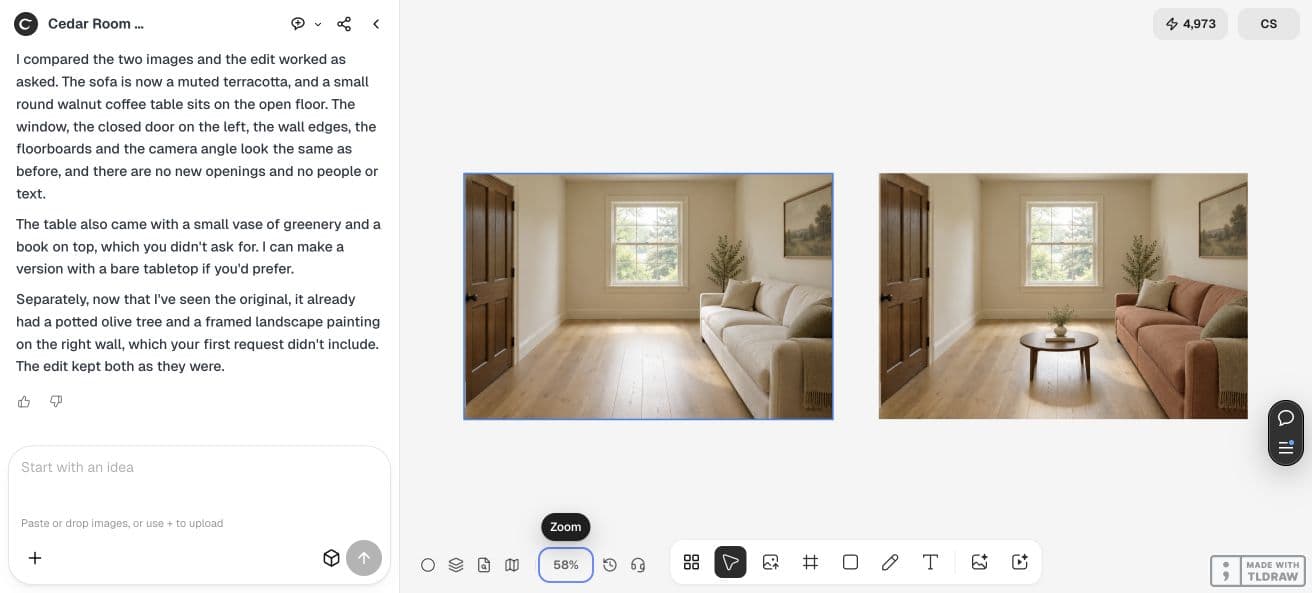
The edited room shows the warmer sofa and round table. The back window and left door remain recognizable in the side-by-side view. Small textures and proportions still need closer review.
The table arrived with an extra vase and book. That matters if your purchase depends on a bare table or exact furniture. The agent’s description helped identify the extras; we checked the visible images rather than treating the description as approval.
| Check | Accept when |
|---|---|
| Fixed features | Doors, windows and wall edges remain visible and recognizable |
| Requested furniture | The intended change appears without unwanted additions |
| Purchase readiness | Real dimensions, access and product specifications are checked separately |
5. Match the purchase to the evidence
A style preview helps compare color and composition. If a service promises a measured layout or purchasable item list, ask how it obtains dimensions and verifies each product.
Measure the room and intended furniture yourself or with the appropriate professional. Compare clearance and access using those measurements, then use the image as a visual companion. We did not verify a real furniture purchase in this pilot.
6. Save the approved direction
Retain the reference, selected preview, constraints and a list of remaining checks. Tell the next designer which details are fixed and which are illustrative.
Commission additional variations after this small comparison answers its original style question. Request a correction when unexpected objects or changed openings affect the decision.
Frequently asked questions
Can I buy furniture from the generated picture alone?
Use actual room measurements and verified product dimensions. The preview in this guide demonstrates style and comparison, not physical fit or inventory.
Did this pilot preserve every pixel of the room?
We checked the visible openings and overall arrangement. The images are generated, and the side-by-side review does not prove pixel-level preservation.
Test one room decision
Compare one limited change with its reference, record unwanted additions and keep measurements separate from the visual preview.