Buyer workflow
AI Tattoo Generator: Buy a Concept Your Artist Can Review
A tattoo consultation starts more clearly with a simple motif and a short brief than with dozens of unrelated generated images. Before buying an AI design package, find out whether the deliverable is a concept image, source artwork or an artist-reviewed stencil.
We tested a fictional ginkgo-leaf concept in Ciyo on October 12. The pilot covers image generation and one visual revision. A tattoo artist still decides how to redraw, place and apply a design.
1. Separate the concept from the artist’s work
BlackInk’s generator describes choosing a motif and style, then sharing a selected design with an artist. Use that handoff to define what you are buying.
Our request was an original single leaf, black outline, open interior and white background. It excluded lettering, skin photographs and extra symbols so that the consultation image would be easy to discuss.
2. Bring a brief with a clear decision
A current Jenova promotional post frames generated visuals as starting points for an artist brief. It promotes another service and supplies no verified Ciyo result. Our linework comparison is an independent pilot.
Write down the motif, preferred style and the question you want the artist to answer. Keep specialist decisions with the artist; this image workflow does not assess healing, suitability or long-term appearance.
October 12 Jenova promotion by u/Rude-Result7362. Our concept test is independent; the post provides no verified Ciyo performance or endorsement.
3. Ask for one readable concept
The first Ciyo result has a single fan-shaped leaf and curved stem, with open white space and no lettering. Its outline was finer than the bold contour requested.
We kept that image as the reference for a thicker-outline variation. The prompt below gives the next iteration a visible target instead of changing the whole motif.
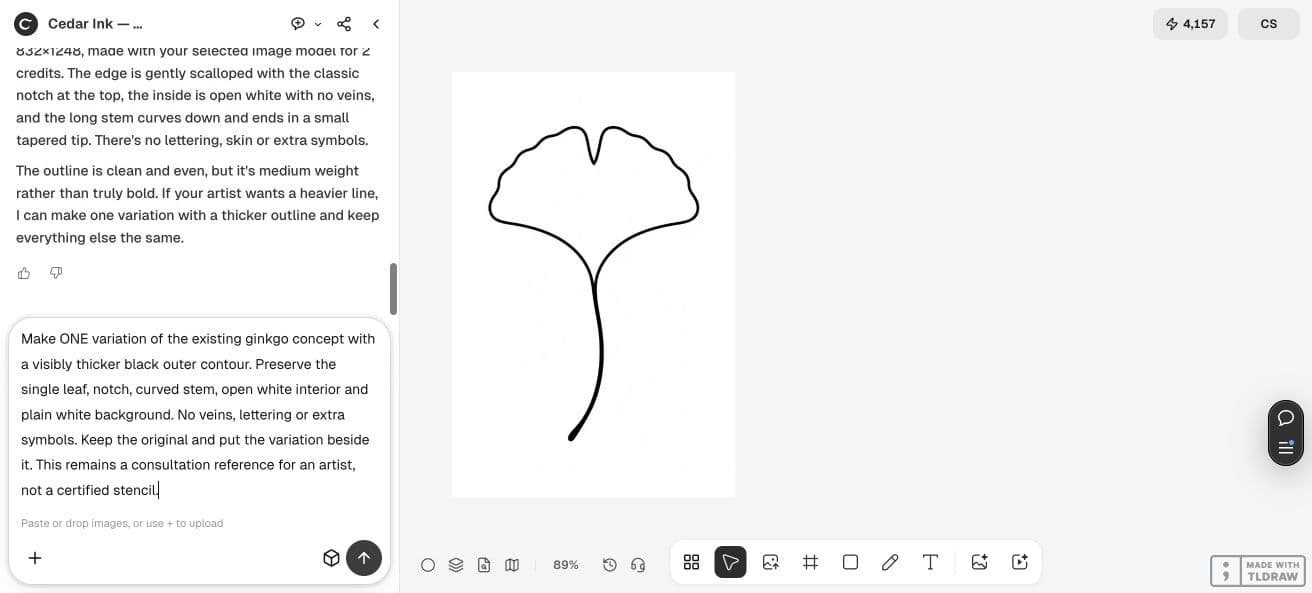
Make one variation with a visibly thicker black outer contour. Preserve the single ginkgo leaf, notch, curved stem, open white interior and plain white background. No veins, lettering or extra symbols. Keep the original and place the variation beside it. Consultation reference for an artist; no stencil certification.4. Compare the motif and the file
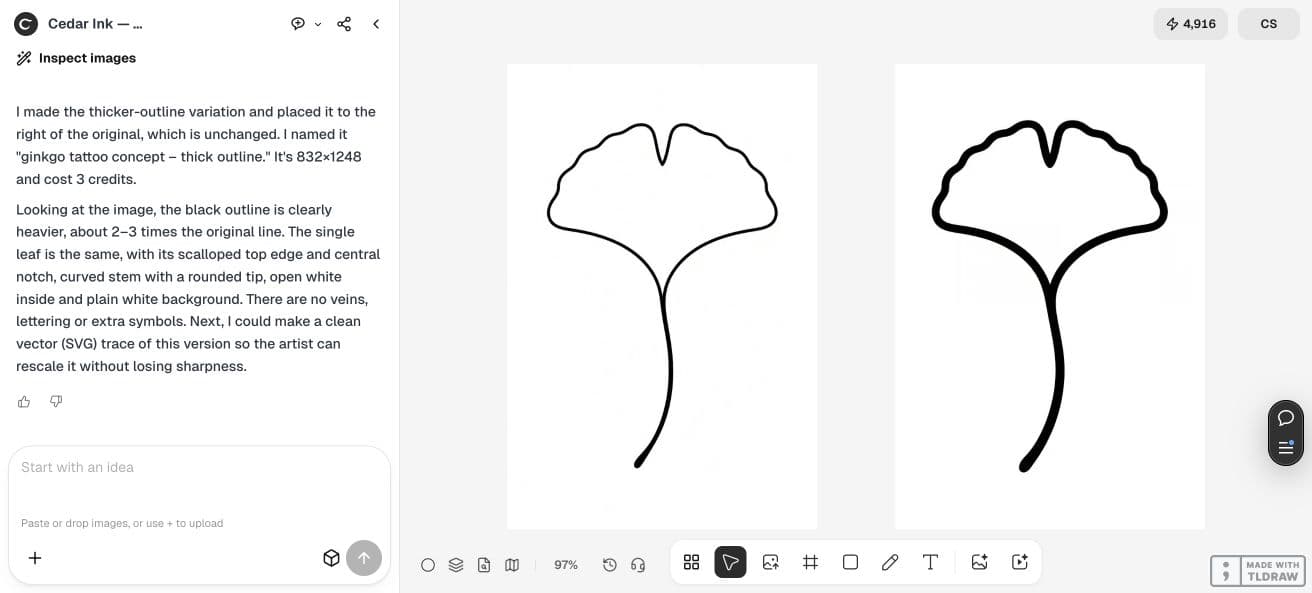
The second result visibly thickens the outline while retaining the leaf, notch and curved stem. This supports a discussion of the visual direction; it does not establish how that drawing will behave on skin.
Check the downloaded file separately. The canvas results are raster images. If your artist requests vector paths, a particular size or a stencil format, make that a separate deliverable and review step.
| Deliverable | Review question |
|---|---|
| Concept image | Does the motif match the brief without unwanted symbols? |
| Revision | Can one visual change retain the chosen composition? |
| Artist handoff | Has your artist specified the format and the work still required? |
5. Agree on revisions before ordering more
Keep the selected image and explain what the thicker outline improves for your discussion. Ask whether the quoted package includes source files, correction rounds and an artist’s adaptation.
This pilot shows one image revision. It does not certify a stencil, predict appearance over time or replace an artist’s assessment. Bring the concept as a reference and let the artist define the next stage.
6. Take a small, clear handoff to the consultation
Bring the original, selected variation and brief together. Identify which details matter to you and which choices you want to leave open for the artist.
Approve a useful concept before paying for a larger set. The revision-scope guide helps keep each visual change clear when comparing quotes or commissioning another round.
Frequently asked questions
Is this a ready-to-apply tattoo stencil?
It is a generated consultation concept. Your artist defines the redraw, placement, file format and application work.
Does a thicker outline prove that the design will age well?
No. The pilot demonstrates a visible image change only. Ask the artist to evaluate the design for the intended use.
Prepare a focused consultation image
Generate one motif, compare one requested change and save a clear brief for the artist’s review.