Buyer workflow
AI Video Ad Generator: Check Product Continuity Before Scaling
A small coffee brand needs a short moving product shot for an ad. Before buying a bundle of variations, test whether the tin stays recognizable through the motion and whether the delivered clip meets the brief.
We generated one fictional coffee-tin reference and one silent clip in Ciyo on October 12. The example is a product-motion pilot, with no measured campaign result or finished advertising offer.
1. Buy a defined clip before a campaign package
Write down the product reference, duration, framing, motion and audio requirements. Decide whether the quote covers a raw shot, a complete ad, captions or additional versions.
An October 7 freelance offer promoted AI product-video services with introductory review incentives. It illustrates why buyers should inspect a sample and define the scope; it provides no verified Ciyo result.
October 7 freelance promotion offering discounted work in exchange for a review. Our pilot is independent and supplies no ad-performance benchmark.
2. Choose visible product identity cues
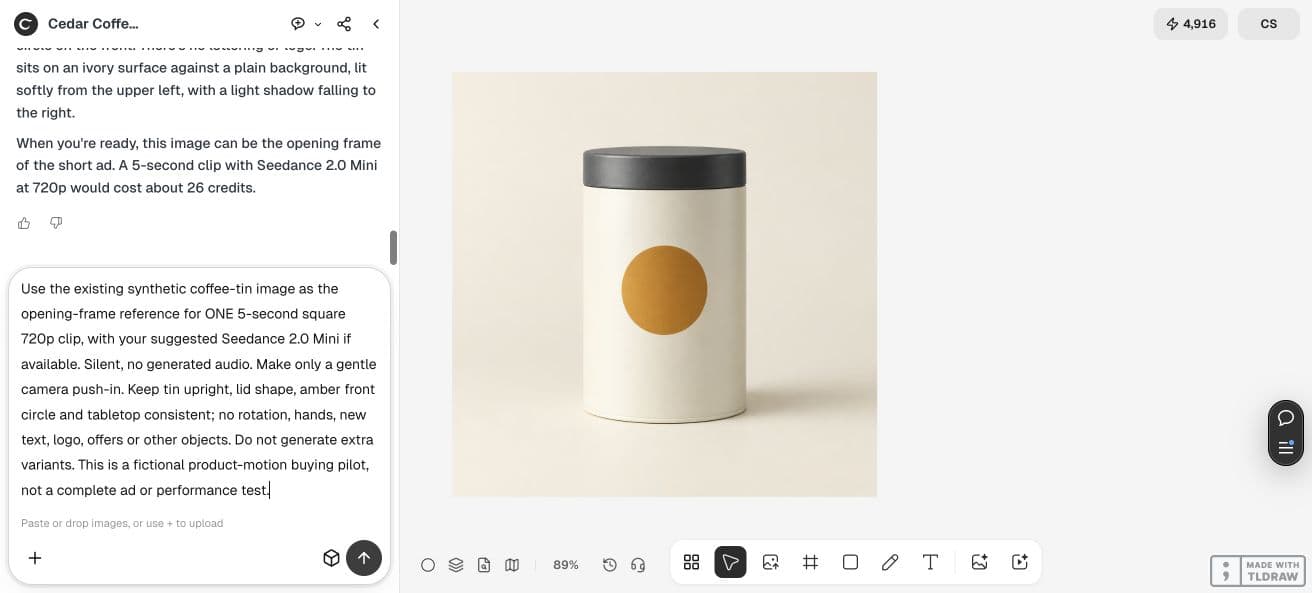
Our synthetic tin is upright and ivory, with a charcoal lid and a single amber circle on the front. These simple cues make changes easier to notice than a decorative scene with many objects.
For actual merchandise, use a permitted product image and list the label, lid, silhouette and finish details that must remain accurate. A fictional tin cannot validate preservation of your real SKU.
3. Limit the first motion test
We requested one five-second square clip, silent, with a gentle push-in and no product rotation. We excluded hands, new objects and generated sales copy.
Keep the first test small enough to review fully. Read the current generation quote and include corrections in the budget before asking for multiple ad variations.
Use this product reference for one five-second square clip with a gentle camera push-in. Silent; no generated audio. Keep the tin upright, lid shape, amber front circle and tabletop consistent. No rotation, hands, new text, logo, offers or other objects. Keep the reference and make no extra variants.4. Inspect the motion and the export
The downloaded pilot is 960×960 at 24 frames per second, approximately 5.04 seconds long, with one H.264 video stream and no audio stream. These are properties of this file, not a guarantee for every tool or setting.
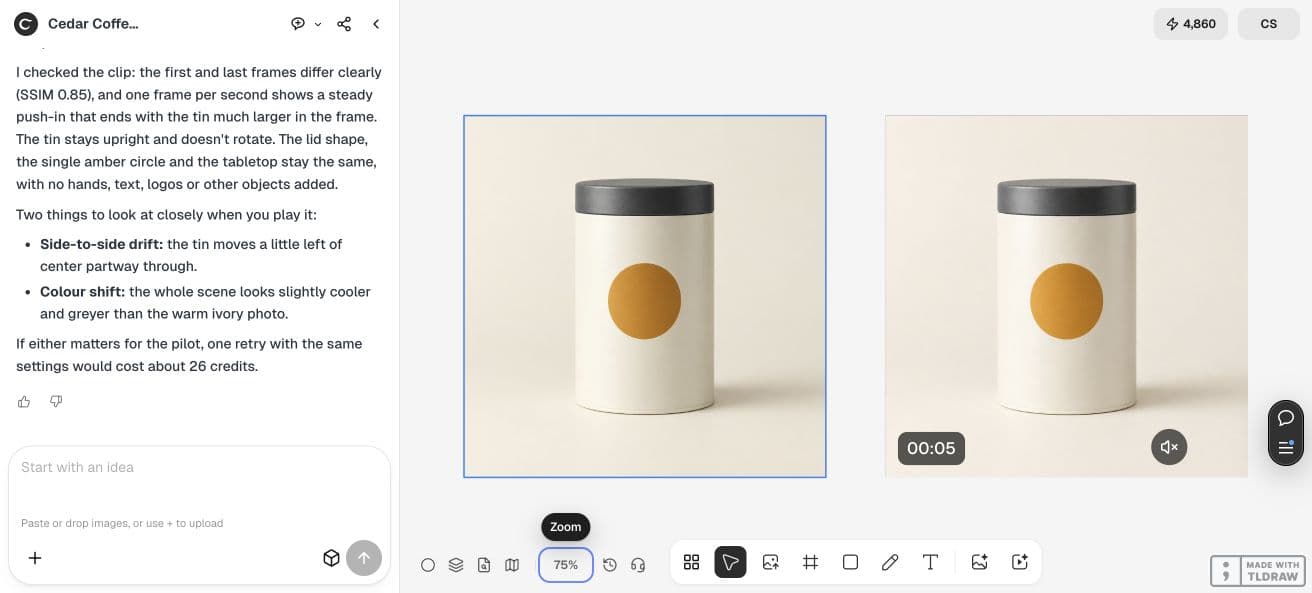
A one-frame-per-second review shows a push-in, a recognizable lid and a single front circle. The tin drifts slightly sideways and the scene becomes cooler in color. Review playback for your own acceptance; a generated description alone cannot approve the shot.
| Check | Accept when |
|---|---|
| Product continuity | Shape, label or markings remain recognizable through playback |
| Motion and framing | The requested movement stays within the agreed crop |
| Delivered file | Duration, dimensions, codec and audio match the intended handoff |
5. Separate clip approval from ad approval
A usable product shot still needs approved copy, the offer, channel framing and any planned sound or captions before it becomes a complete ad. This pilot contains none of those campaign claims.
Use the exported file for the next review rather than judging only the canvas player. If drift or color change affects product accuracy, request a focused correction before commissioning a larger set.
6. Scale from accepted work
Retain the product reference, approved clip, settings and remaining checks. Ask how the quote handles rejected outputs and which files are included in each variation.
Expand after one delivered shot passes the product and file checks. Evaluate campaign performance separately using real campaign data; generation success does not establish advertising results.
Frequently asked questions
Is the pilot a complete video advertisement?
It is a silent moving product shot. It does not include approved sales copy, an offer, narration or a measured campaign result.
Do the file dimensions prove product fidelity?
No. File properties verify the technical handoff. Review the product’s appearance throughout the actual clip as a separate check.
Approve one product shot
Run a small motion pilot, inspect the downloaded file and retain the product checks before commissioning additional ad variations.