Exhibition label design
Art Gallery Labels: Design From Approved Artwork Fields
An exhibition label should help someone identify the work beside it. A large artwork title cannot compensate for a missing artist, an ambiguous medium or dimensions mistaken for the label's own size. Prepare the information before deciding how the label should look.
We ran a fictional label brief in a Ciyo development workspace on November 21, 2026. Ciyo built an SVG with real text, rendered a 2000 × 1300 PNG proof and supplied the SVG source in chat. We downloaded the proof and saved the editable source separately. The artwork details are invented for this label exercise; they do not document a real object or exhibition.
Quick answer: keep the artwork record separate from the label layout
Start with approved artist or maker, title, date, medium and dimensions. Keep optional interpretation separate from those identifying fields. Then make a typography proof, compare every field, edit the source and check a physical sample under the intended viewing conditions.
This tutorial has five steps: collect the approved record, decide the hierarchy, create a flat proof, compare its text with the record, and prepare a real-size viewing check. The supplied English SVG is an editable fictional example, not a universal museum label specification.
| Step | Action | Evidence |
|---|---|---|
| 1 | Collect approved artwork fields | A single source of factual text |
| 2 | Decide reading hierarchy | An order and a target viewing context |
| 3 | Create a flat typography proof | A legible image and source text |
| 4 | Compare all fields and added content | A reviewed correction list |
| 5 | Set physical size and test in place | A real-size proof that still needs venue review |
1. Collect the artwork information without filling gaps by invention
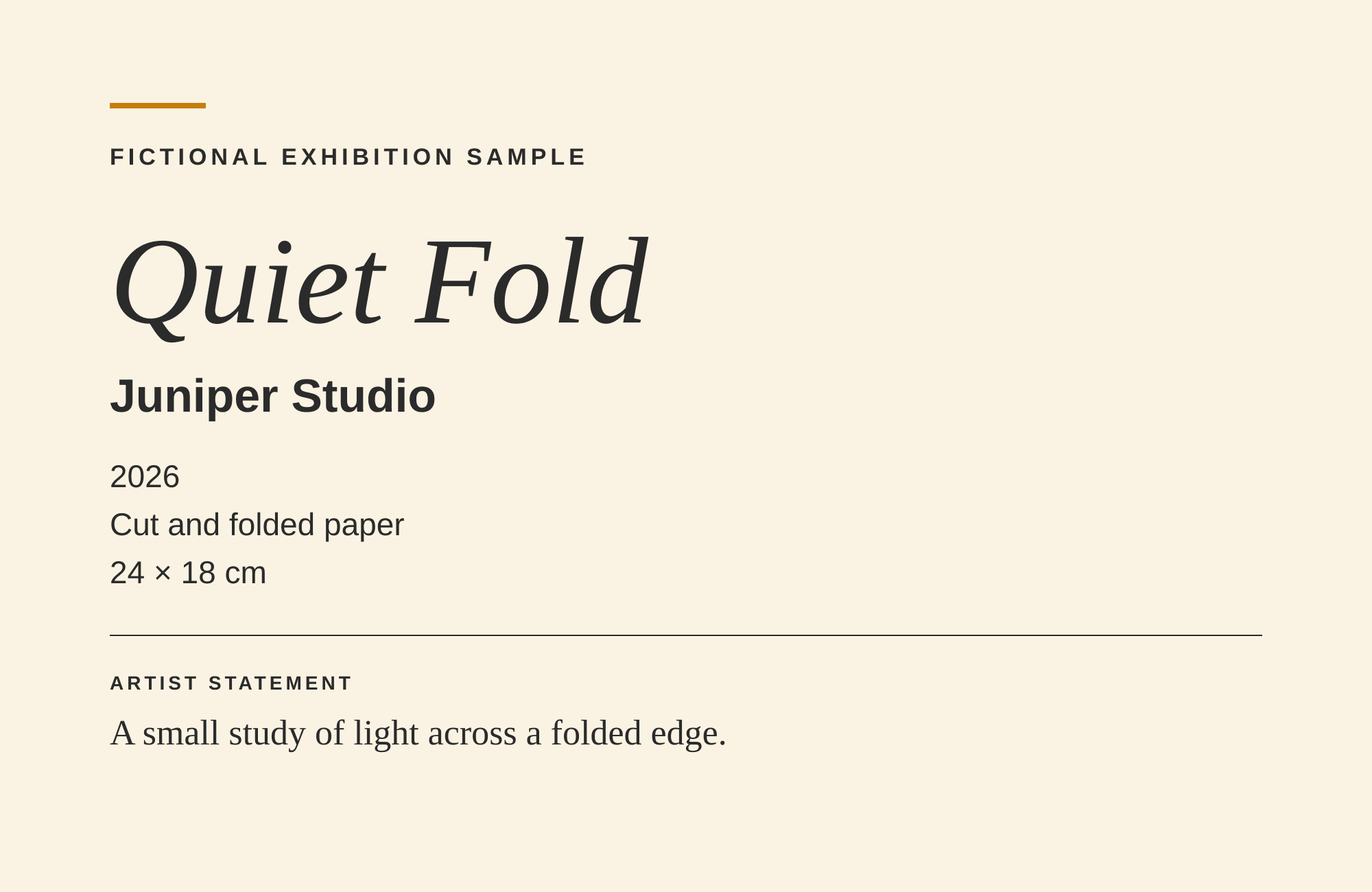
Our sample record identifies Juniper Studio as the fictional maker, Quiet Fold as the title, 2026 as the year, Cut and folded paper as the medium, and 24 × 18 cm as the artwork dimensions. Its short statement is A small study of light across a folded edge. The page must retain FICTIONAL EXHIBITION SAMPLE.
Museums & Galleries of NSW includes artist, title, date, medium and dimensions in its basic label structure and recommends consistent information order. Use your exhibition's approved record to decide the actual fields. An unprovided collection history, accession number or ownership claim should remain absent rather than being invented to make the label look institutional.
Here, 24 × 18 cm describes the fictional artwork. It is not an instruction to print the label at that size. Keeping artwork dimensions and label dimensions in different parts of the brief prevents a common production mistake.
| Field | Sample content |
|---|---|
| Maker | Juniper Studio |
| Title | Quiet Fold |
| Year | 2026 |
| Medium | Cut and folded paper |
| Artwork dimensions | 24 × 18 cm |
| Statement | A small study of light across a folded edge. |
2. Choose hierarchy for the person reading beside the work
Decide which information the reader should find first and how the rest follows it. Our proof emphasizes the title, then the maker, with year, medium and dimensions on distinct lines. A separate divider introduces the statement. This is one deliberate hierarchy, not a required order for every exhibition.
Use consistent alignment and spacing across a set of labels so readers do not have to learn a new structure at each work. Keep a short factual label separate from a room introduction or longer interpretive panel when they serve different purposes.
Plan the actual reading distance, lighting and placement before selecting final physical type sizes. Shrinking a visually pleasing image can make its body text too small. The proof's pixel dimensions alone say nothing about the reading conditions in a gallery.
3. Ask Ciyo for a flat typography proof
Specify exact approved wording and ask for a flat label rather than a room mockup. A staged gallery view can hide text and create the impression that installation has been checked when it has not.
In our run, Ciyo chose a scripted SVG and PNG rendering instead of an image model so the text could remain exact in source. It supplied the PNG as an image file and pasted the SVG in its reply because it did not save that vector file to the board. The downloadable SVG below was materialized from that chat source outside Ciyo.
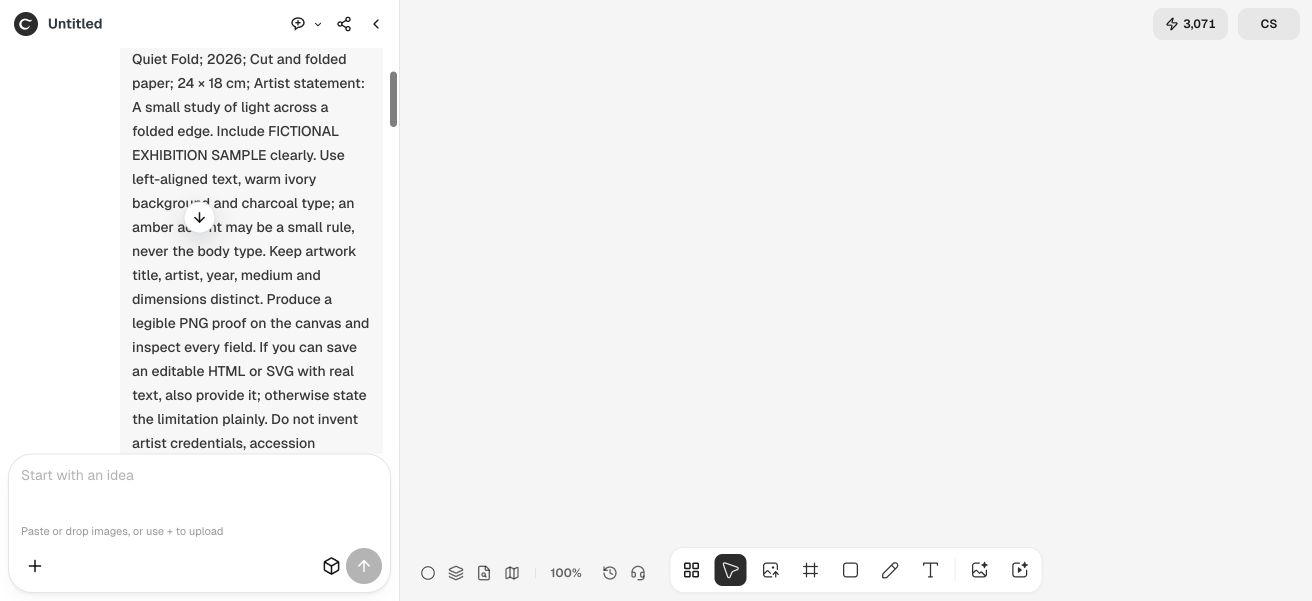
Create a flat label typography proof from these approved fields: [maker], [title], [year], [medium], [artwork dimensions] and [optional approved statement]. Keep each field distinct and preserve wording exactly. Use [palette and alignment] with an intentional reading hierarchy. Do not invent provenance, collection, pricing, credentials or accession numbers. For fictional content, clearly label it FICTIONAL EXHIBITION SAMPLE. Provide an image proof and editable source text if supported; identify what was actually saved and report real dimensions. Do not claim a physical installation or accessibility certification.4. Compare the proof and editable source against the record
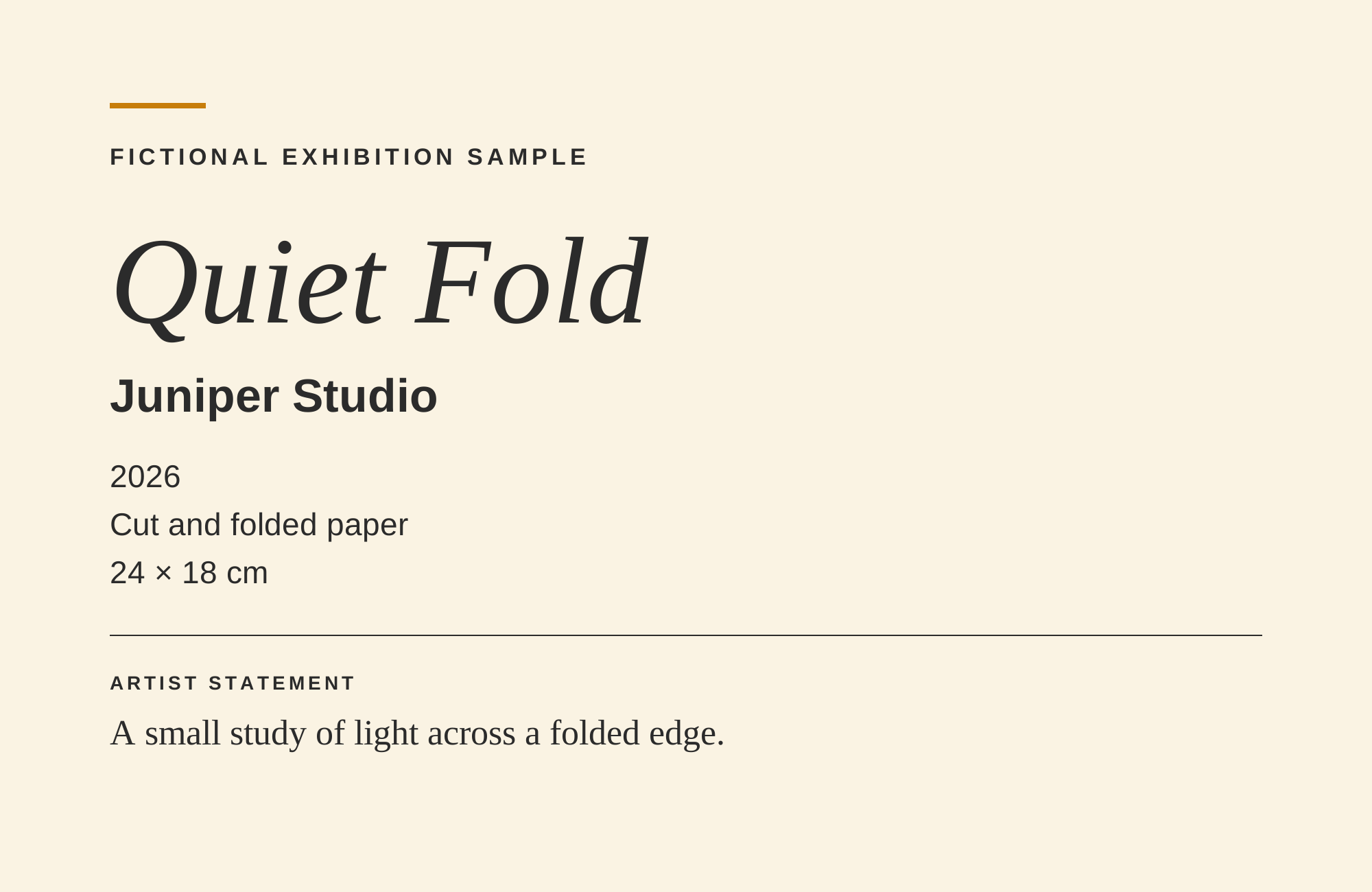
The downloaded PNG is 2000 × 1300 pixels. It shows the title, maker, year, medium, artwork dimensions and statement, with the fictional disclosure above them. The extra elements are a small amber rule, a charcoal divider and the ARTIST STATEMENT heading. None adds an unsupported factual claim.
We checked the separate SVG and found eight real text elements, including those fields and headings. The source contains no script. That makes wording and font properties editable in source, while the PNG remains a fixed raster proof.
Review characters that can be easy to miss: the multiplication sign in 24 × 18 cm, units, capitalization, italics and the boundary between title and maker. A proof that spells a name incorrectly is not approved merely because its visual balance looks right.
5. Set the real label size and review it in context
Choose the intended physical label dimensions in your production tool, then inspect the resulting type sizes. Do not infer them from a browser's image zoom percentage. The supplied SVG has a 2000 × 1300 coordinate space; its font-size values scale with the entire artwork.
Print a real-size sample and review it where visitors will read it. Check the longest line, glare, contrast, mounting position and whether the label competes with the artwork. The supplied file has not undergone a physical print or installation test.
Font availability also matters. This SVG names Liberation Sans and Liberation Serif with common fallbacks. A system using another font can produce different line lengths. Reopen the final rendered file and review it after changing type, dimensions or language.
Adapt a label set without losing its source of truth
A small artist-run show can maintain a simple approved record for each work. A multi-artist exhibition should have a clear reviewer for names, titles and medium descriptions before a design set is duplicated. For multilingual labels, translate interpretation carefully while preserving approved names, dates and units.
Keep the factual record and editable design together, with a version identifier that lets the installer tell which proof is current. This workflow improves reviewability; it does not replace a venue's own curatorial, accessibility or production requirements.
Art gallery label questions
Does 24 × 18 cm specify the label size?
No. In this fictional example it describes the artwork. The label's physical print dimensions must be chosen separately and checked with a real-size proof.
Is the downloaded PNG editable as text?
No. The PNG is a raster proof. The separately saved SVG contains real text elements that can be edited in source or a suitable vector tool.
Did Ciyo use an image model for this proof?
The run reported that it built a text-based SVG with a script and rendered the PNG. We preserve that distinction rather than describing it as an image-model generation.
Has this label been certified for museum accessibility?
No. We checked the digital fields and proof. Physical size, viewing distance, lighting, language and venue requirements still need an actual review.
Start with the approved artwork record
Bring exact label fields to Ciyo and request a flat proof. Compare the wording, keep an editable source and test the intended physical size before production.