Performer cue sheets
Band Setlist Template: Count Song and Changeover Time Separately
Adding song durations does not tell you how long a performance block takes if the gaps between songs are missing. A setlist should separate the music from the changeovers so the running order remains easy to revise and check.
We generated a fictional four-song setlist proof in Ciyo on November 22, 2026. Its PNG retains the supplied titles and timing fields. We independently verified the arithmetic: 13 minutes of songs plus three 20-second changes makes a 14-minute block. The HTML, CSV and PDF are separate editorial companions. No rehearsal, stage-reading or live-performance test was performed.
Quick answer: a source you can check, then a visual proof
List songs in order, store song duration and change-after duration separately, and calculate elapsed starts from both. Do not add a final changeover unless the block actually includes one. Use a visual proof for hierarchy, then verify the timing in a separate source.
Follow five steps: define the task, prepare the source, request a visual proof, inspect the actual output and prepare a separately reviewed working file.
1. Decide the block and running order
Our fictional Juniper rehearsal block contains Juniper Dawn, Paper River, Amber Room and Last Lantern. Musicnotes' set-list guidance describes an ordered sequence of pieces for performance. Our timing table is an original extension of that basic ordering idea, not an integration with the Musicnotes app.
A performer cue sheet is different from a public event timetable. It can include short internal cues and elapsed starts, while an audience schedule needs the actual event's approved public times. Keep those documents separate so a fictional rehearsal estimate does not become a published promise.
2. Store durations in seconds before formatting them
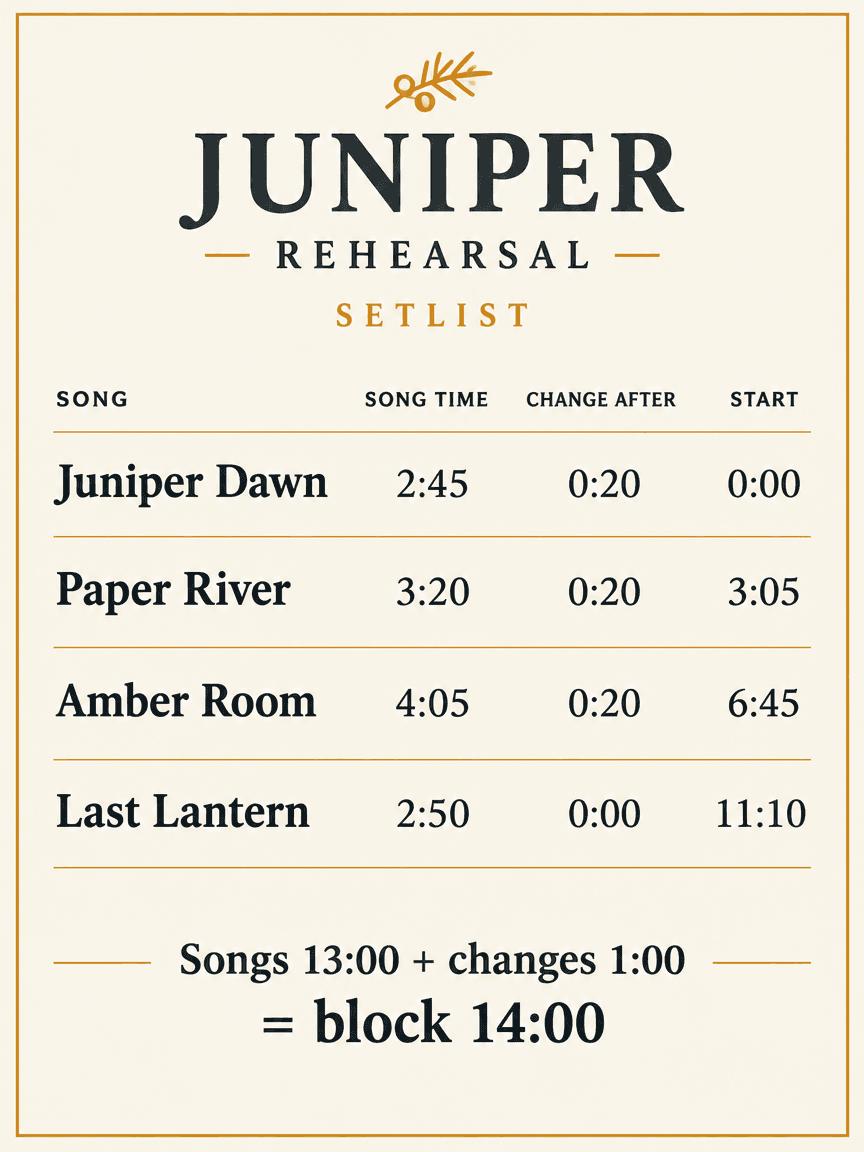
The song durations are 165, 200, 245 and 170 seconds: 2:45, 3:20, 4:05 and 2:50. They sum to 780 seconds, or 13:00. The first three songs each have a 20-second change after them; the final song has zero. The complete block is therefore 840 seconds, or 14:00.
The CSV preserves the raw seconds as separate fields and supplies elapsed starts. It does not contain spreadsheet formulas. If you change a duration or order, recalculate subsequent starts and the total. For a real event, replace these estimates with your own rehearsed arrangement and measured transitions.
| Song | Song time | Change after | Elapsed start |
|---|---|---|---|
| Juniper Dawn | 2:45 | 0:20 | 0:00 |
| Paper River | 3:20 | 0:20 | 3:05 |
| Amber Room | 4:05 | 0:20 | 6:45 |
| Last Lantern | 2:50 | 0:00 | 11:10 |
3. Request a legible setlist proof in Ciyo
Use a separate project and supply the fictional titles and exact timing fields. Ask for a flat page with the running order, song time and change-after time clearly separated. Keep cues short; long prose can bury the next song when someone needs a quick glance. For the run shown, we used Image Generator with GPT Image 2.5 Flare, portrait 3:4, 1K and one image. Check the displayed credit quote before starting your own run.
The copyable prompt below is for a raster visual proof. It does not make the model a reliable calculator, create an editable timing sheet or establish stage legibility. Keep the timing source outside the image and compare every number after generation.
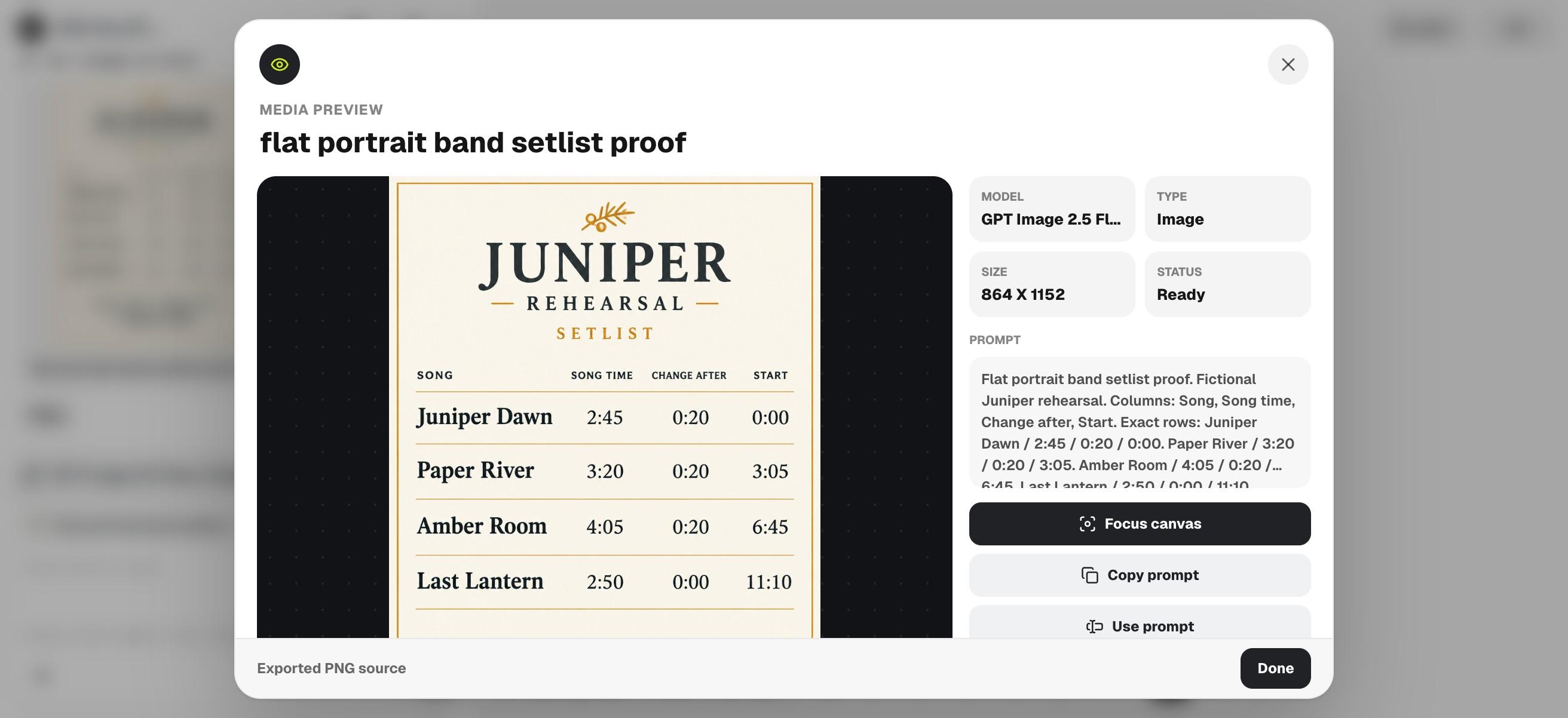
Flat portrait band setlist proof. Fictional Juniper rehearsal. Columns: Song, Song time, Change after, Start. Exact rows: Juniper Dawn / 2:45 / 0:20 / 0:00. Paper River / 3:20 / 0:20 / 3:05. Amber Room / 4:05 / 0:20 / 6:45. Last Lantern / 2:50 / 0:00 / 11:10. Footer: Songs 13:00 + changes 1:00 = block 14:00. Large clear charcoal type, ivory, small amber accent. No extra songs or invented timing. Visual proof only, not a stage test.4. Verify the sequence and every timing field
Read the four titles from top to bottom, compare each duration and ensure that the last row has no extra changeover. Check whether the design makes Song time and Change after visibly different. A misplaced value can look plausible while moving all later starts.
The actual PNG preserves the four titles, song times, three 0:20 changes, final 0:00 change and elapsed starts 0:00, 3:05, 6:45 and 11:10. Its footer shows Songs 13:00 + changes 1:00 = block 14:00. The arithmetic was checked separately from the image. This visual proof still needs your real rehearsal and stage-distance review before use.
5. Rehearse and revise the separate working source
The English HTML, CSV and PDF contain the same fictional order and timings. They were assembled independently from the Ciyo image. Use the CSV for raw values and the HTML for editable presentation; after a revision, make sure the printed copy and data agree.
For a solo performer, a short running order may be enough. For a band, review transitions and cues together and identify the version everyone will use. Measure your own setup changes and spoken sections if they belong inside the block. No real rehearsal or timing result is claimed for these sample values.
Choose the workflow and review the final file
Choose a spreadsheet or setlist tool for repeated timing changes and checked calculations. Use an image proof to explore a clear visual order once the numbers are settled. Keep a final paper rehearsal and distance check in your process; neither a generated page nor an arithmetic check proves live usability.
Download the English working files
These English companions are separately assembled editorial files. They preserve the source information or blank fields described above; they are not exports from Ciyo's image-generation step. Review and adapt them before use.
Practical questions
Why is the block 14 minutes rather than 13?
The songs total 13:00 and three 20-second changes add 1:00. No change follows the final song.
Does the CSV recalculate after an edit?
No. It stores raw seconds and example elapsed starts without formulas. Recalculate and recheck them when you change the source.
Was the setlist used on stage?
No. All titles and durations are illustrative; stage reading and real rehearsal timings remain your own checks.
Keep the gaps visible in the plan
Approve the running order and timing source, then explore a clear setlist proof in Ciyo before rehearsing your real block.