Ciyo · Practical design
Bookmark Maker: Design a Useful Author-Event Handout
A bookmark is easy to treat as a tiny book cover. That can leave the reverse covered in promotional copy and the important title unreadable. A good event handout earns its narrow space by being useful after the event.
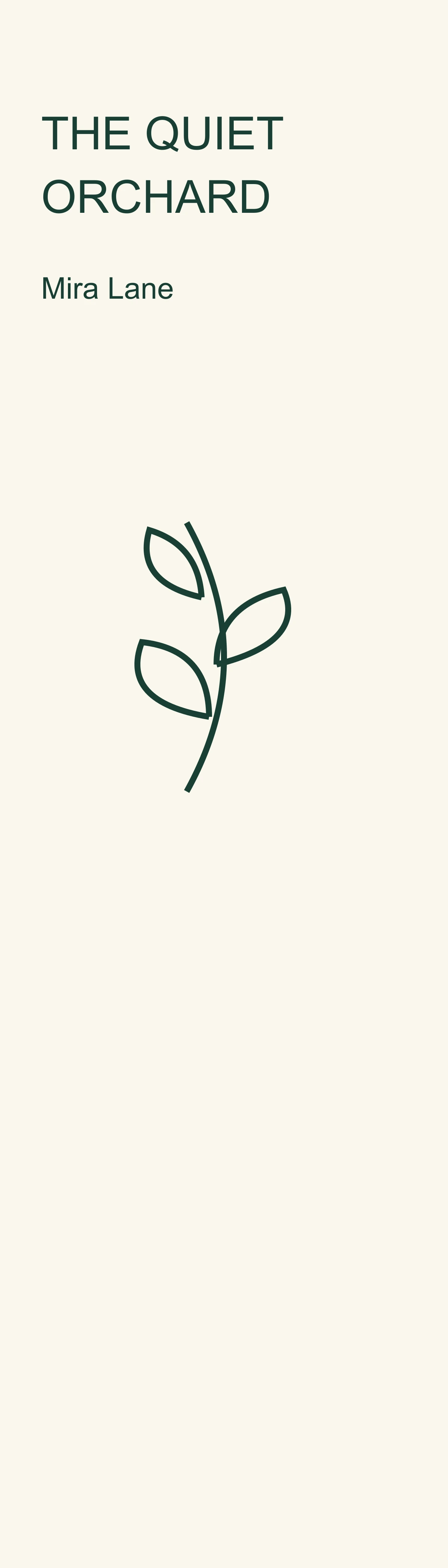
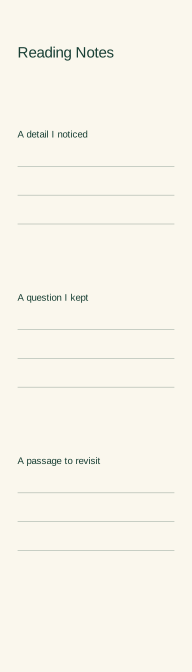
We asked Ciyo’s development agent for a fictional bookmark for The Quiet Orchard by Mira Lane on November 5, 2026. The exercise uses original invented book details and a notes section; it does not describe a real publication or measured promotional result.
Quick answer: give each side a different job
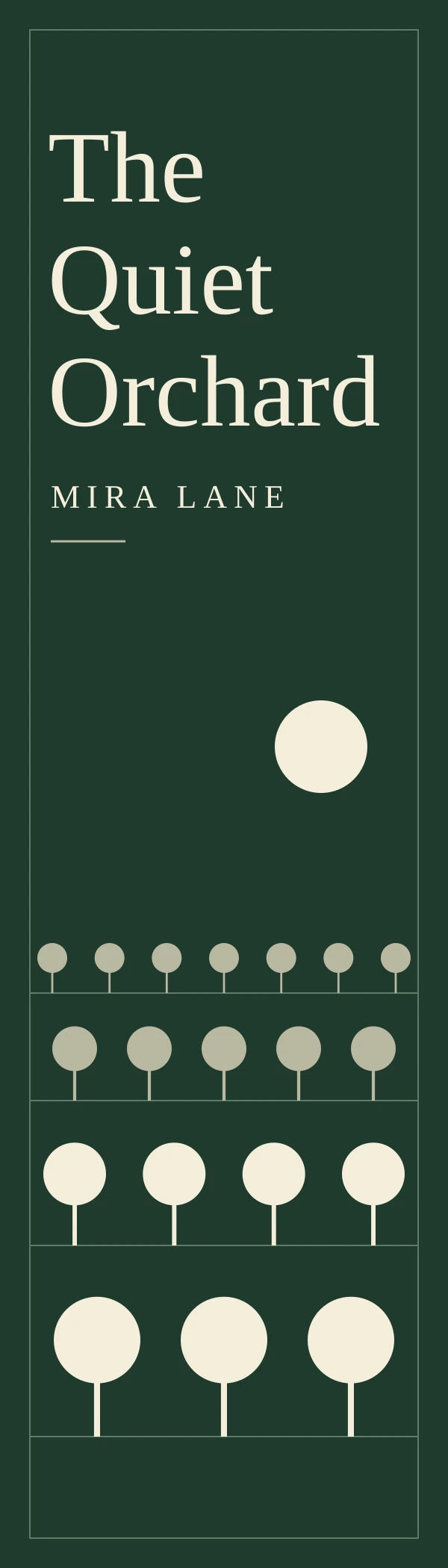
Use the front for the book’s identity and the reverse for something the reader can use. Keep the title readable, preserve the author’s name and test the front/back alignment at the intended finished size.
A narrow format rewards simple art and short copy. For an author event, three reading prompts and handwriting lines may be more useful than another block of sales text. Choose the design according to the handout’s purpose, not the amount of empty space you can fill.
1. Define the finished strip and approved facts
Our example is 2 × 7 inches, with 600 × 2100 pixel review previews. The dimensions are a design choice, not a universal bookmark standard. Confirm the printer’s finished trim, bleed and safe area before reusing the layout.
The only book facts are the title The Quiet Orchard and author Mira Lane. No review quote, award, ISBN or website is supplied. Leaving those items out keeps the design honest and avoids making invented publishing details look official.
| Side | Content | Acceptance check |
|---|---|---|
| Front | The Quiet Orchard / Mira Lane | Title and author readable at actual size |
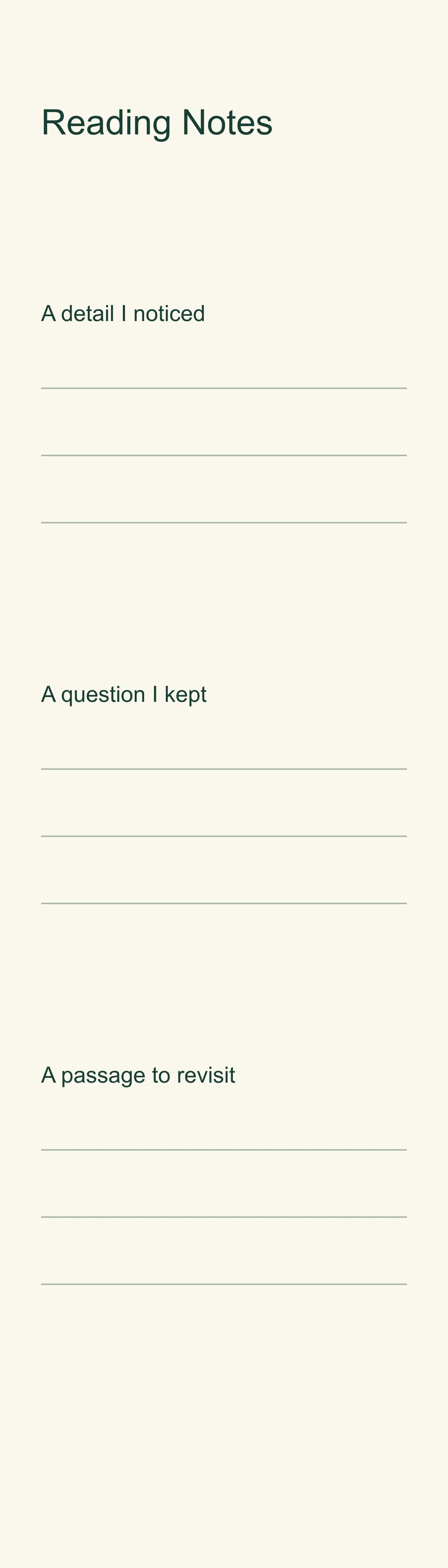
| Back | Three reading prompts | Usable handwriting space |
| Both | 2 × 7 inches | Matching trim boxes |
| Preview | 600 × 2100 pixels | Aspect ratio 2:7, no stretching |
2. Build a narrow-format brief
Ask Ciyo for two flat sides, an original orchard motif and type that remains editable in a source file. Explain which side carries the title and which side carries the notes. Request a preview and inspect the delivered dimensions rather than judging a tilted mockup.
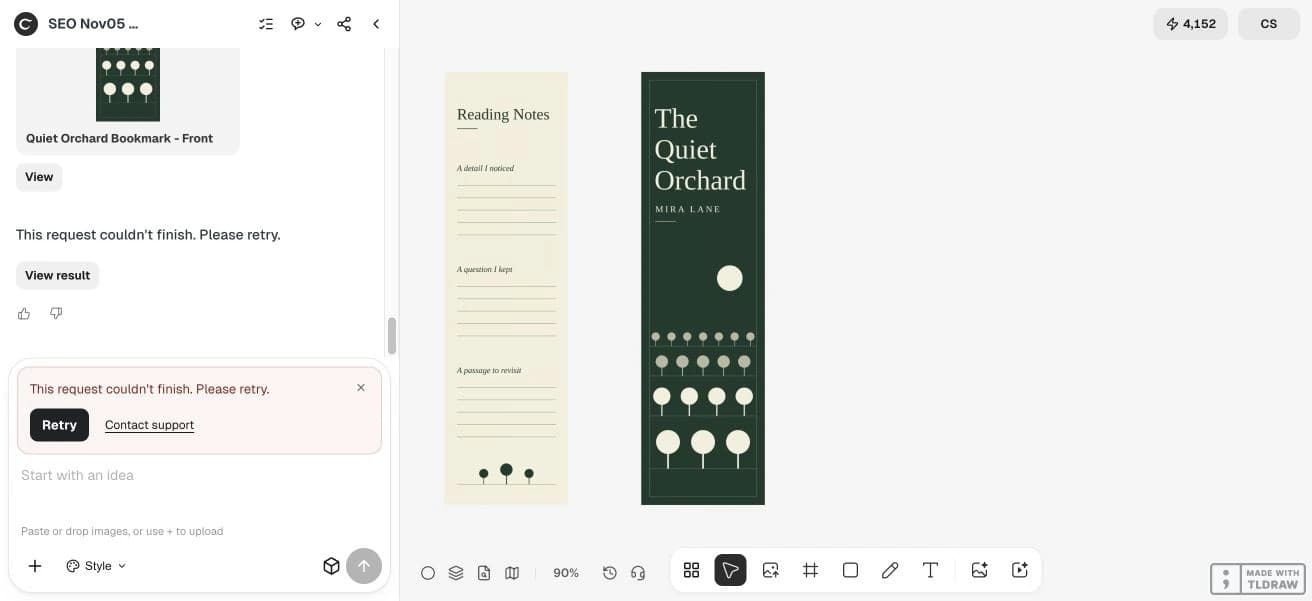
Ciyo saved two 600 × 2100 PNGs showing the front and reading-notes back, then the agent returned a generic failure. No usable SVG download was delivered. The PNGs are review images with flattened text. The source worksheets linked below were authored separately outside Ciyo.
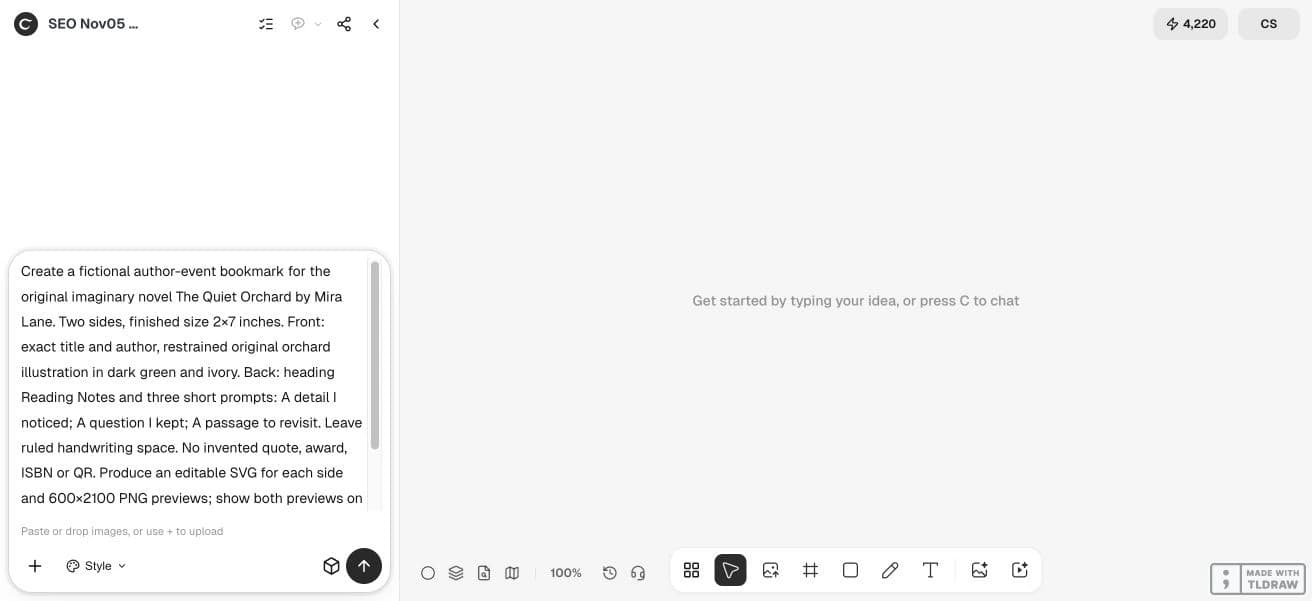
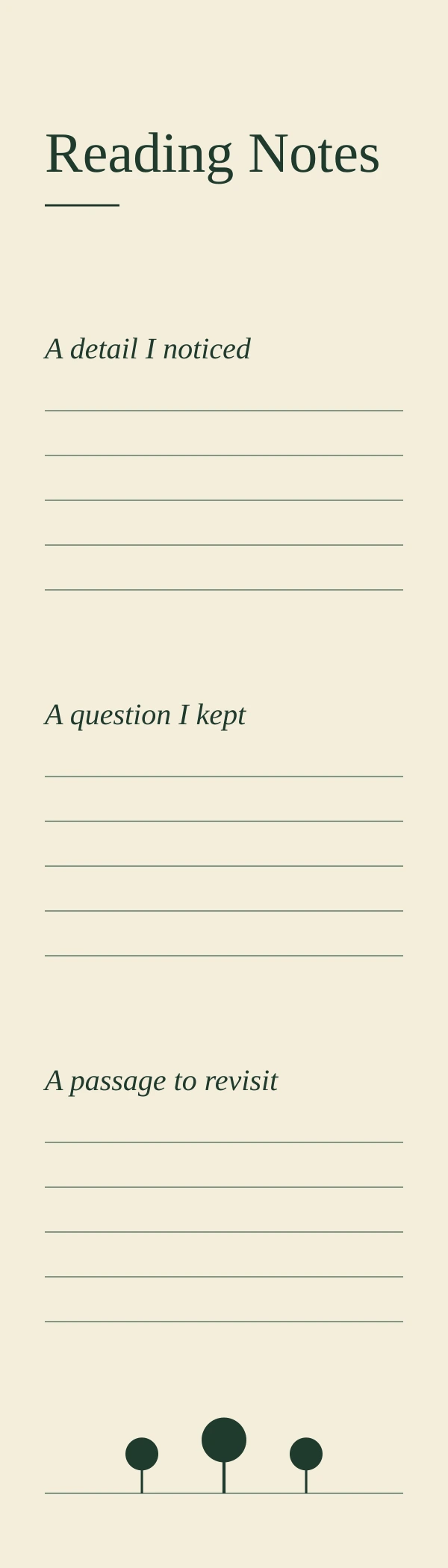
Create a fictional author-event bookmark for the original imaginary novel The Quiet Orchard by Mira Lane. Two sides, finished size 2×7 inches. Front: exact title and author, restrained original orchard illustration in dark green and ivory. Back: heading Reading Notes and three short prompts: A detail I noticed; A question I kept; A passage to revisit. Leave ruled handwriting space. No invented quote, award, ISBN or QR. Produce an editable SVG for each side and 600×2100 PNG previews; show both previews on the canvas and supply files only through supported delivery. Verify long-title readability, orientation and final dimensions. Do not publish.3. Make the title readable without stretching it
Break a long title at a natural phrase and keep the author line visibly separate. Compare the design at actual size. A small browser thumbnail can hide awkward spacing and letterforms that become hard to distinguish in print.
Use the cover as a visual reference rather than pasting a miniature cover into every available space. One matching motif or palette can connect the bookmark to the book while giving the narrow layout its own hierarchy.
4. Give the reverse a useful reading task
The example uses A detail I noticed, A question I kept and A passage to revisit. These prompts create a reason to retain the handout without claiming that it increases sales. Leave enough blank line length for a few handwritten words.
For a library event, replace the prompts with approved session information or a reading-list reference. If you include a QR code, generate and decode it as data, check the final printed size, and keep a readable destination nearby.
5. Check the sheet and the cut
Keep the front and back aligned to the same trim box. Check the duplex flip setting on one disposable sheet before printing a stack. Measure the finished strip and confirm that text does not sit where trimming variation could remove it.
Our workflow is a digital design and file-review example; a physical duplex proof remains necessary. A small offset that seems harmless on a full sheet can look obvious on a narrow bookmark. Avoid borders close to the edge when the printer cannot guarantee tight registration.
The linked bookmark worksheet files are original editorial examples authored outside Ciyo, not product exports. Their sample copy is English. Open the SVG in a compatible editor to revise the text; fonts may substitute. These are digital reading proofs without a physical print test or printer approval.
Questions before you start
Should a bookmark copy the entire book cover?
It can share a motif and palette, but a narrow handout needs its own hierarchy. Check the title at actual size.
Can I use a quote from the book?
Use copy you are authorized to reproduce and verify the wording. This fictional example contains no quotation.
Is 2 × 7 inches mandatory?
No. It is the example size. Follow the selected printer and the intended use.
Why do the back and front need a test print?
Duplex settings and registration can rotate or shift one side. A digital image does not establish physical alignment.
Start with one clear brief
Bring your approved facts and references to Ciyo. Inspect the saved result before using it in print or a campaign.