Practical creative workflows
Gift Certificate Design: Keep the Value and Terms Explicit

A gift certificate has two jobs: look like a considered present and tell staff what the holder can redeem. A decorative layout is incomplete if the value, identifier or redemption wording is hard to find.
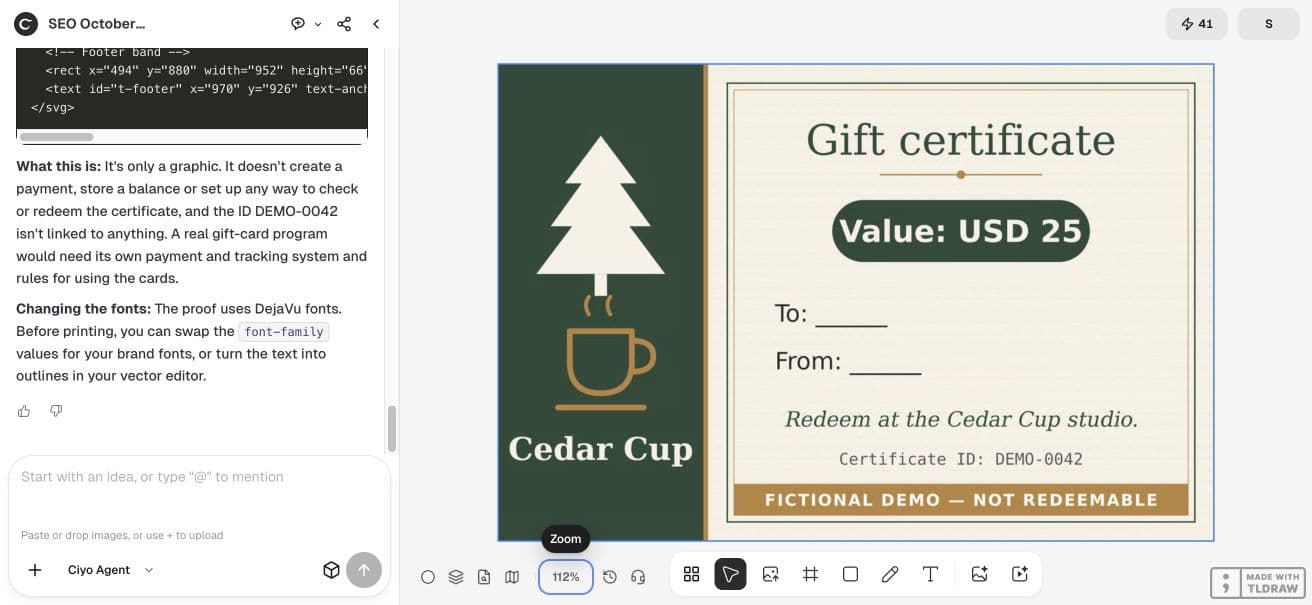
For this worked example, we prepared a fictional Cedar Cup studio certificate worth USD 25. It has a clearly marked demo identifier and blank recipient fields. It is not redeemable, and no real payment or certificate system is connected.
Approve the certificate facts before styling
Make a short source list: issuer, value, identifier, recipient and sender fields, and the approved redemption wording. Keep currency beside the amount. Ask the person responsible for the certificate program to supply any expiry, exclusions or redemption conditions before creating a real version.
Our fictional list is deliberately small. The certificate says Cedar Cup, Gift certificate, Value: USD 25, Certificate ID: DEMO-0042, To: ______, From: ______, Redeem at the Cedar Cup studio. and FICTIONAL DEMO — NOT REDEEMABLE. We did not ask the agent to invent expiry dates or policy terms.
| Field | Approved example | Review question |
|---|---|---|
| Value | USD 25 | Are currency and amount together? |
| Identifier | DEMO-0042 | Can staff distinguish it from the value? |
| Recipient / sender | Blank writing fields | Is there room to fill them? |
| Redemption | Redeem at the Cedar Cup studio. | Is this the supplied wording? |
| Status | FICTIONAL DEMO — NOT REDEEMABLE | Is the limitation visible? |
Request a physical layout and an editable source
Start a new Ciyo project and describe the intended dimensions alongside the copy. Our source is a 150×100 mm SVG with a 1500×1000 viewBox. The separate PNG proof is 1772×1181 pixels. The vector source retains editable text; the proof makes the composition easy to inspect.
Use the same fictional constraints in your first request so the output remains safe to share as a tutorial example. For a real program, replace the copy with approved business details before asking for decoration.
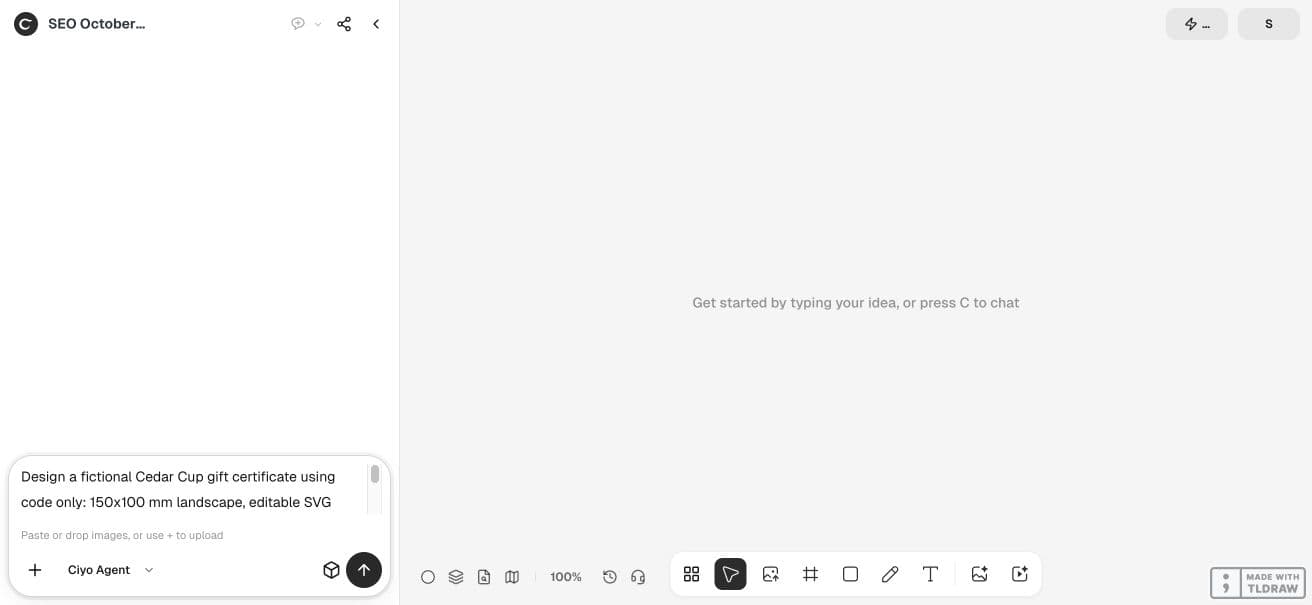
Design a fictional Cedar Cup gift certificate using code only: 150x100 mm landscape, editable SVG source, 1772x1181 PNG digital proof. Exact approved text: Cedar Cup; Gift certificate; Value: USD 25; Certificate ID: DEMO-0042; To: ______; From: ______; Redeem at the Cedar Cup studio. Footer: FICTIONAL DEMO — NOT REDEEMABLE. Do not invent expiry, refunds, legal terms, discounts or redemption rules. Maintain a separate supplied-copy checklist and verify all exact phrases appear in SVG text nodes. Place the proof on the canvas and offer PNG download; if SVG download is unavailable show the complete SVG in your reply as a code block. Explain a certificate graphic does not create a payment or redemption system. No paid image generation.Read the result in the order a customer would
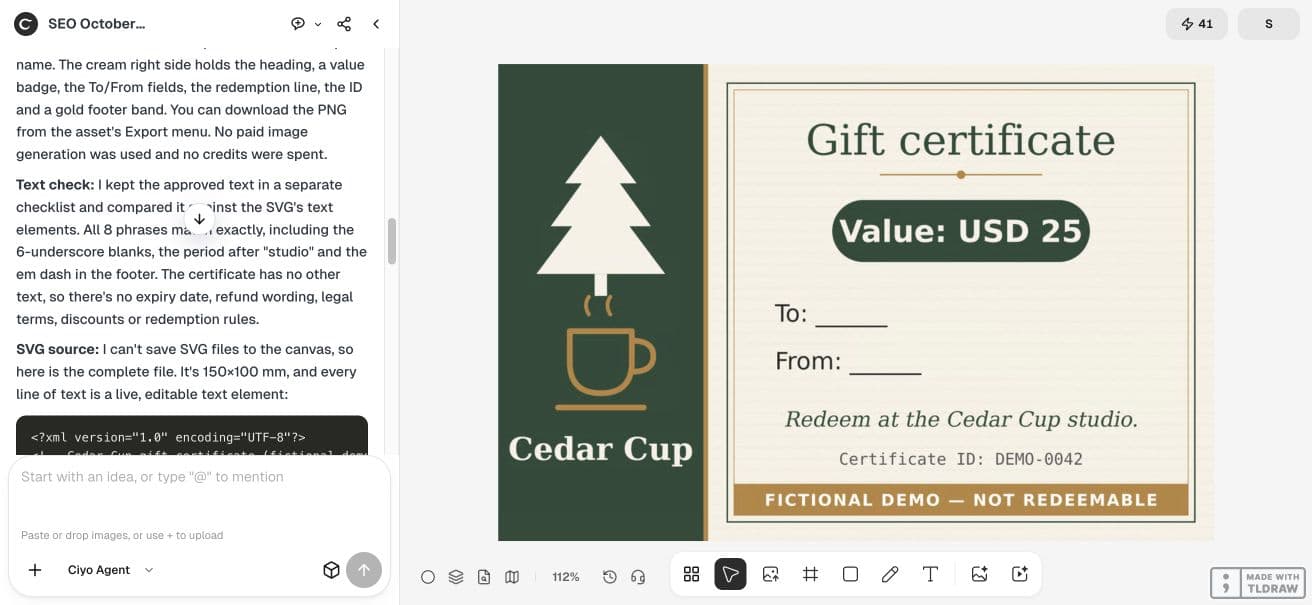
Our live result uses an ivory card with a prominent value, a separate identifier and writing lines for the recipient and sender. The non-redeemable demo notice remains part of the design. Read the amount first, then the issuer and redemption line, then the fields staff need.
The retained SVG contains the eight supplied phrases and the requested physical dimensions. Checking text in the source catches omissions, but it does not catch every visual problem: inspect the rendered proof for contrast, overlaps and usable writing space as well.
Keep graphic creation separate from issuing certificates
This workflow prepares artwork. The printed identifier does not create a balance, prevent duplication or record redemption. If your business uses a certificate system, generate or validate the identifier there and check the artwork against that approved record.
Keep the editable source and latest proof together
Keep the editable source alongside the delivered proof. If you revise the value, check both the amount text and any wording that refers to it. Do not leave an old PNG in a staff folder beside a newly edited source.


Proof the physical card before producing a stack
Print one sample at the intended size and check writing space, trim, paper handling and the readability of the identifier. Give the printer the approved source and follow its requested bleed and export setup; our digital dimensions alone do not establish a production-ready print file.
No certificate was issued or physically printed in this example. The completed result is a checked fictional graphic that you can use to plan your own approved certificate layout.
Practical questions
Does this create a redeemable certificate?
No. It creates artwork. The example is explicitly non-redeemable and has no payment or redemption connection.
Can the agent choose an expiry date?
Supply approved program terms yourself. This example intentionally contains no invented expiry date.
Is the PNG the editable master?
No. Keep the SVG source for text and layout changes, and create a fresh proof after a revision.
Prepare a certificate from approved facts
Start with one checked example in Ciyo. Keep the source and inspect the exported result before using it in your own project.