Practical creative workflows
Craft Fair Price Tags: Keep Prices and Print Size Correct

A craft-fair shopper should be able to connect the object, item name and price without asking you to decode a tiny handwritten card. A small tag needs a clear price and a trustworthy source, not a complicated promotion.
We used fictional Cedar Cup products to make six tags on an A4 sheet. Ciyo retained the item table, built editable SVG text, caught a padding problem and rendered a sharper digital proof. Nothing was physically printed; the sheet remains a demonstration to adapt and test.
Approve the item and price table first
List the exact customer-facing name, SKU, currency and price for each item. Ask the inventory owner to check that list. A design tool cannot establish your actual selling price or the required local pricing disclosures.
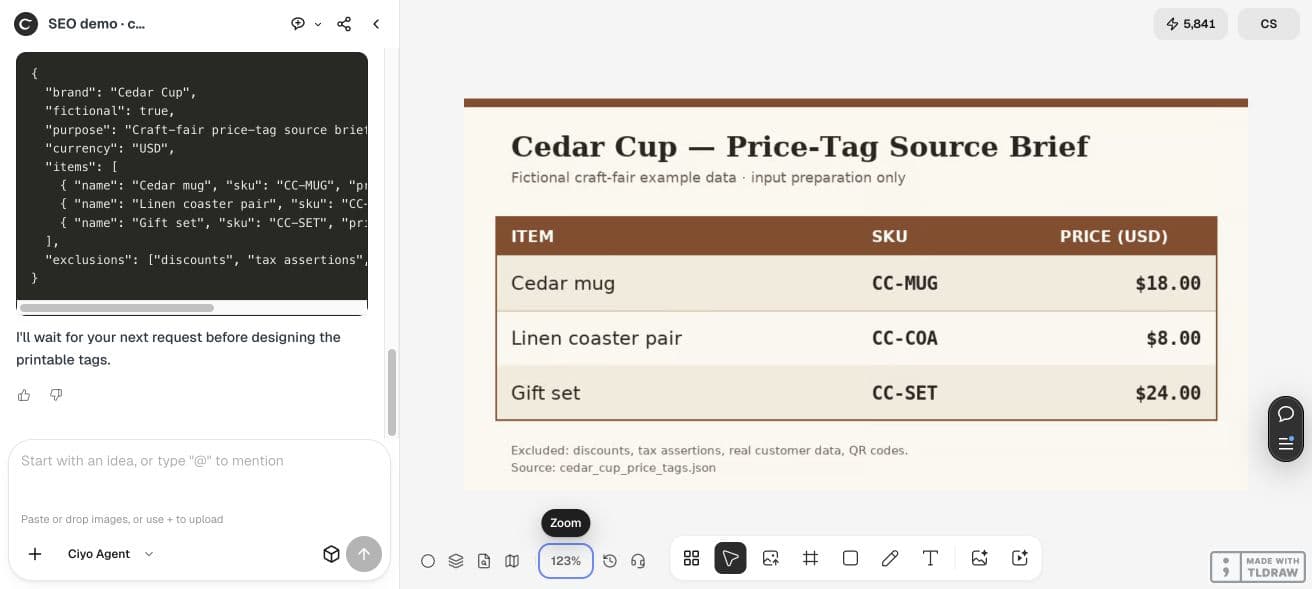
The illustrative inputs are Cedar mug / CC-MUG / USD $18.00, Linen coaster pair / CC-COA / USD $8.00, and Gift set / CC-SET / USD $24.00. No discount, tax statement or real customer data appears in this example.
| Item | SKU | USD price |
|---|---|---|
| Cedar mug | CC-MUG | $18.00 |
| Linen coaster pair | CC-COA | $8.00 |
| Gift set | CC-SET | $24.00 |
State the physical dimensions before designing
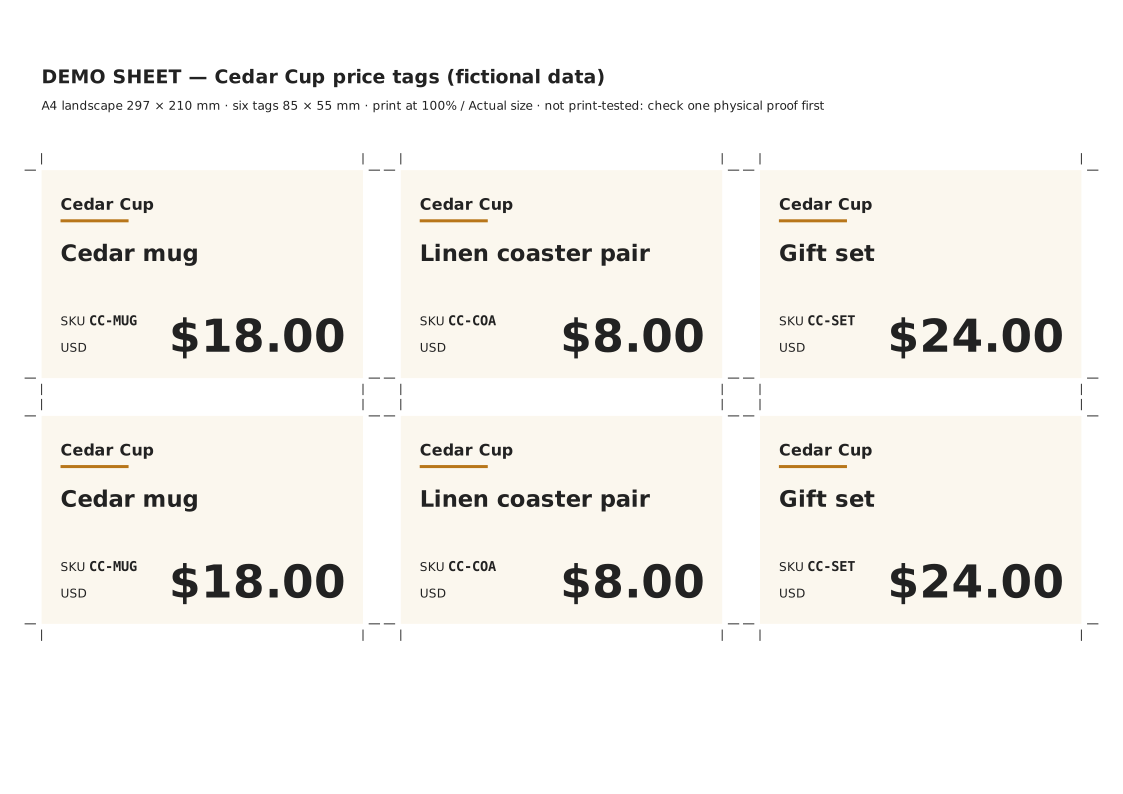
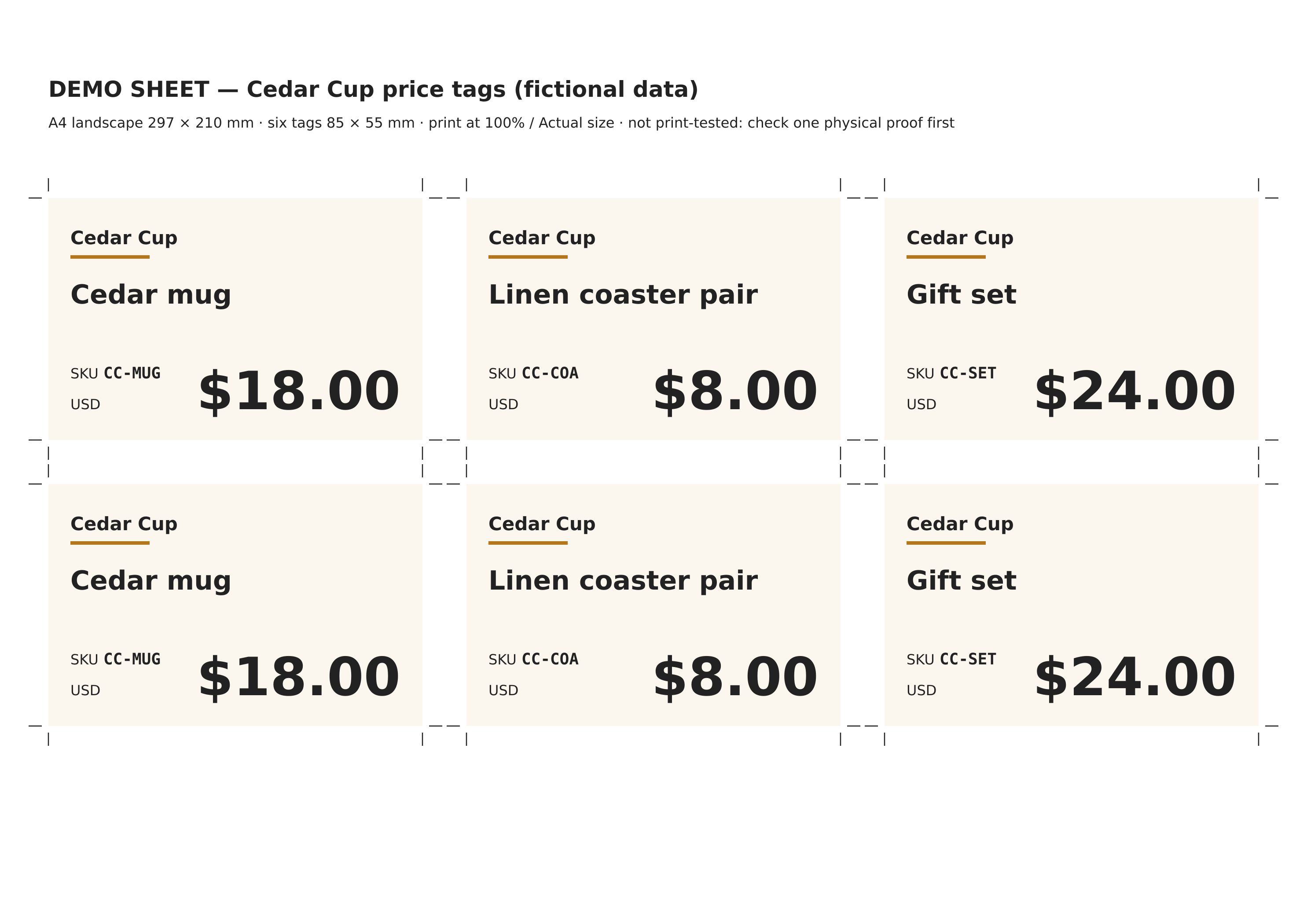
Our page is A4 landscape, 297×210 mm, with six 85×55 mm tags in three columns and two rows. The SVG’s viewBox uses the same numeric dimensions, so its units correspond to the declared millimetre page size.
We requested two tags per item, content padding of 5 mm and crop guides outside the content. Confirm that your printer’s usable page area can handle the chosen arrangement; an SVG size declaration alone does not prove physical output.
Use this approved item, SKU, currency and price table unchanged. Make an editable A4 landscape SVG, 297×210 mm, with six 85×55 mm tags: two per item. Keep 5 mm content padding and crop guides outside the tags. Use real text, check each item/SKU/price occurs exactly twice, render a sharp digital proof and inspect the whole sheet. Do not claim a physical print test.Keep the price prominent and the source traceable
The example uses a large price, a readable item name and a smaller SKU for stock handling. The USD label stays explicit. Avoid shrinking the longest name until it becomes unreadable just to keep a decorative layout.
Ciyo inserted the source values unchanged as real text. We parsed the retained SVG and confirmed each item name, SKU and price appears exactly twice. The source file contains the six tags explicitly, which makes checking and editing straightforward.
Review padding with the actual rendered font
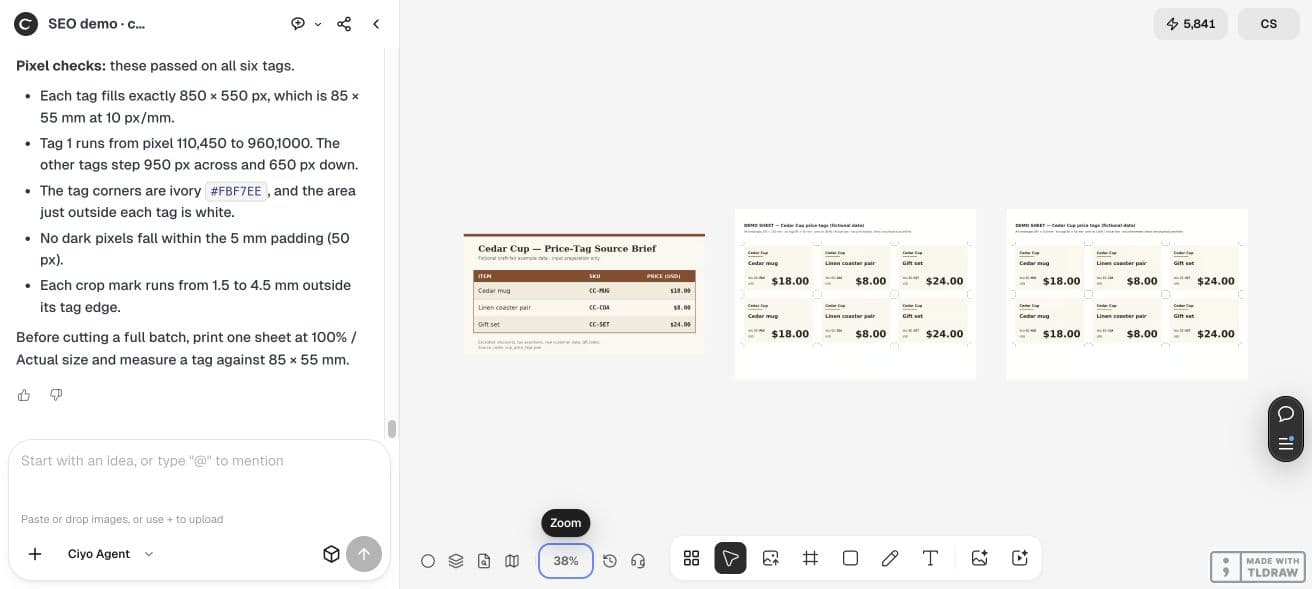
Ciyo measured the text and caught the dollar glyph dipping into the bottom padding. It raised the price and currency baselines before accepting the layout. The longest name also remained inside the content area.
The first render was 594×420, useful for broad layout but too small for fine type review. We requested a separate 2970×2100 digital proof of the same final SVG. The source hash stayed unchanged. That sharper PNG supports inspection without pretending it is a print test.
Print one proof at actual size
Open the SVG in a tool that respects its physical page dimensions. Print one sheet at 100% or Actual size and measure a tag against 85×55 mm. A fit-to-page setting can change the physical size while leaving the design visually convincing.
Check cut positions, small text, price readability and the object-to-tag match before printing a batch. Font substitution in another editor can alter text width; review the new render and physical proof after any such change.
Keep revisions tied to the approved price list
Update the source table first when a price changes, then revise both copies of that item’s tag. Recheck counts and print one proof. Keep the old file distinct so a helper cannot place outdated prices on the stall.
For your local market, confirm the required price presentation with the appropriate source. This fictional layout supplies no legal pricing guidance. Its repeatable value is the connection between approved data, editable text and checked physical dimensions.
Practical questions
Are the displayed prices real?
No. They are fictional demonstration prices in USD. Replace them with your approved values.
Does a 2970×2100 PNG guarantee an A4 print?
No. Physical size depends on print settings. Use the SVG’s declared page dimensions and measure a proof.
Were these tags printed?
No. The layout and sharper render were checked digitally. Print one physical proof before a batch.
Prepare one checked price-tag sheet
Bring your approved item table into Ciyo, verify every price and print one measured proof before cutting the full batch.