GPT-6 Astra · Creator workshop
GPT-6 Astra Consistent Characters: Build a Reference Sheet
A recurring character needs more than a name in the prompt. Readers recognize proportions, colors, clothing and small details. If each scene reinterprets those choices, a comic or creator series can look like unrelated illustrations.
Build an approved reference first, then use it to direct each scene. Our fictional fox courier makes the checks easy to see without relying on a real person’s likeness.
Define what makes the character recognizable
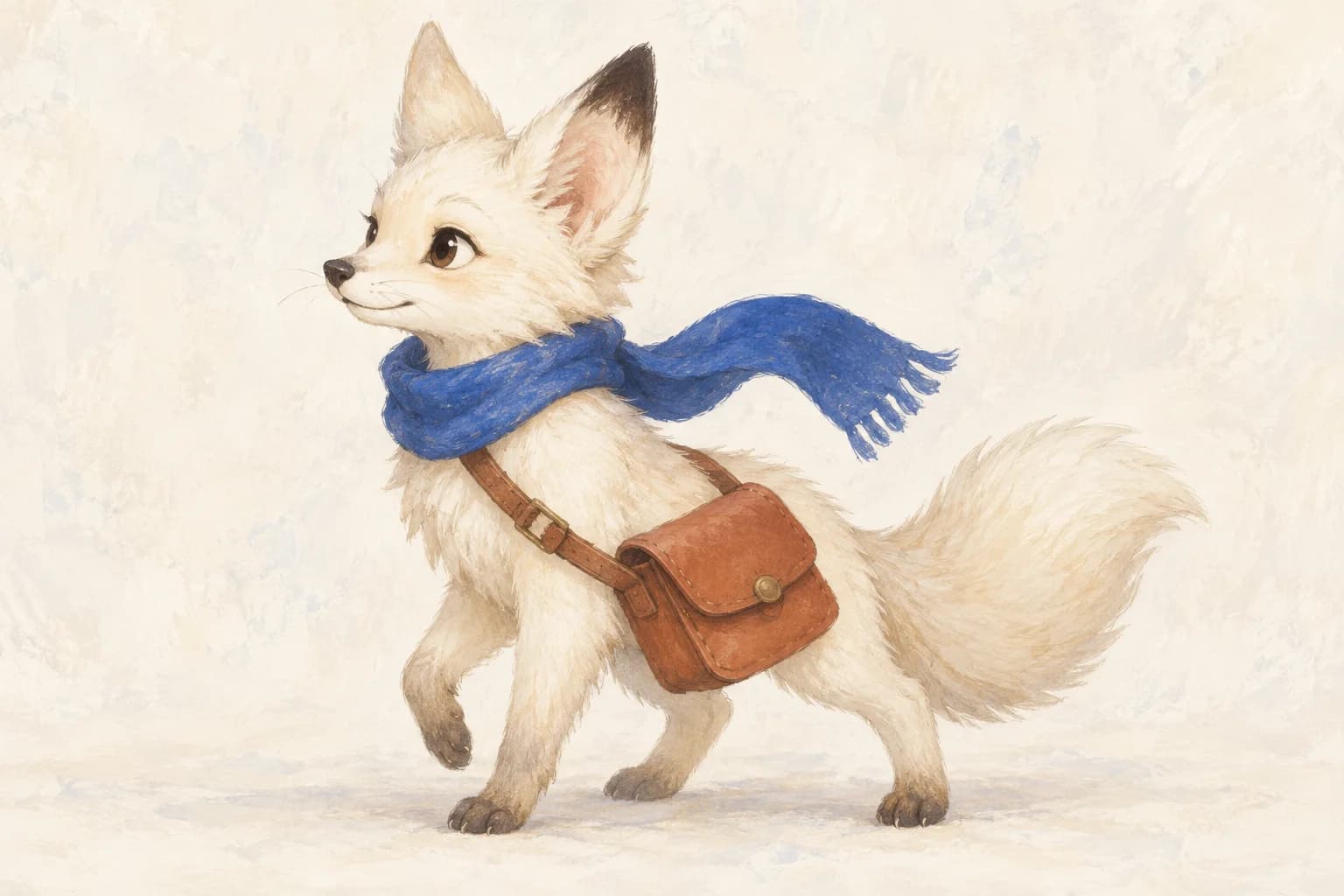
Write a compact identity description before requesting scenes. For the fox: cream fur, one dark ear tip, a cobalt scarf, a terracotta bag and a small rounded body. Ask Astra to compare that description with the approved reference and flag contradictions before preparing a scene brief.
Keep the description limited to what identifies the character and use it consistently in later prompts. Clear invariants make scene changes easier to distinguish from unintended redesign.
Approve one reference before expanding
Begin with one clear full-body view in neutral light. Inspect the face, hands or paws, accessories and proportions. A beautiful close-up alone does not define footwear, body shape or the back of a costume.
If you need another view, generate it from the approved reference and compare it carefully. A generated turnaround is an interpretation, not proof of a consistent three-dimensional model.
| Element | Fixed decision | Allowed variation |
|---|---|---|
| Silhouette | Small rounded fox | Pose |
| Palette | Cream, cobalt, terracotta | Scene lighting |
| Signature | One dark ear tip | Camera angle |
| Accessory | Scarf and messenger bag | Natural cloth movement |
Give each scene its own brief
Keep identity instructions stable and vary only the action and setting. Refer to the image explicitly. A style reference should influence the treatment; it should not replace the character’s face or outfit.
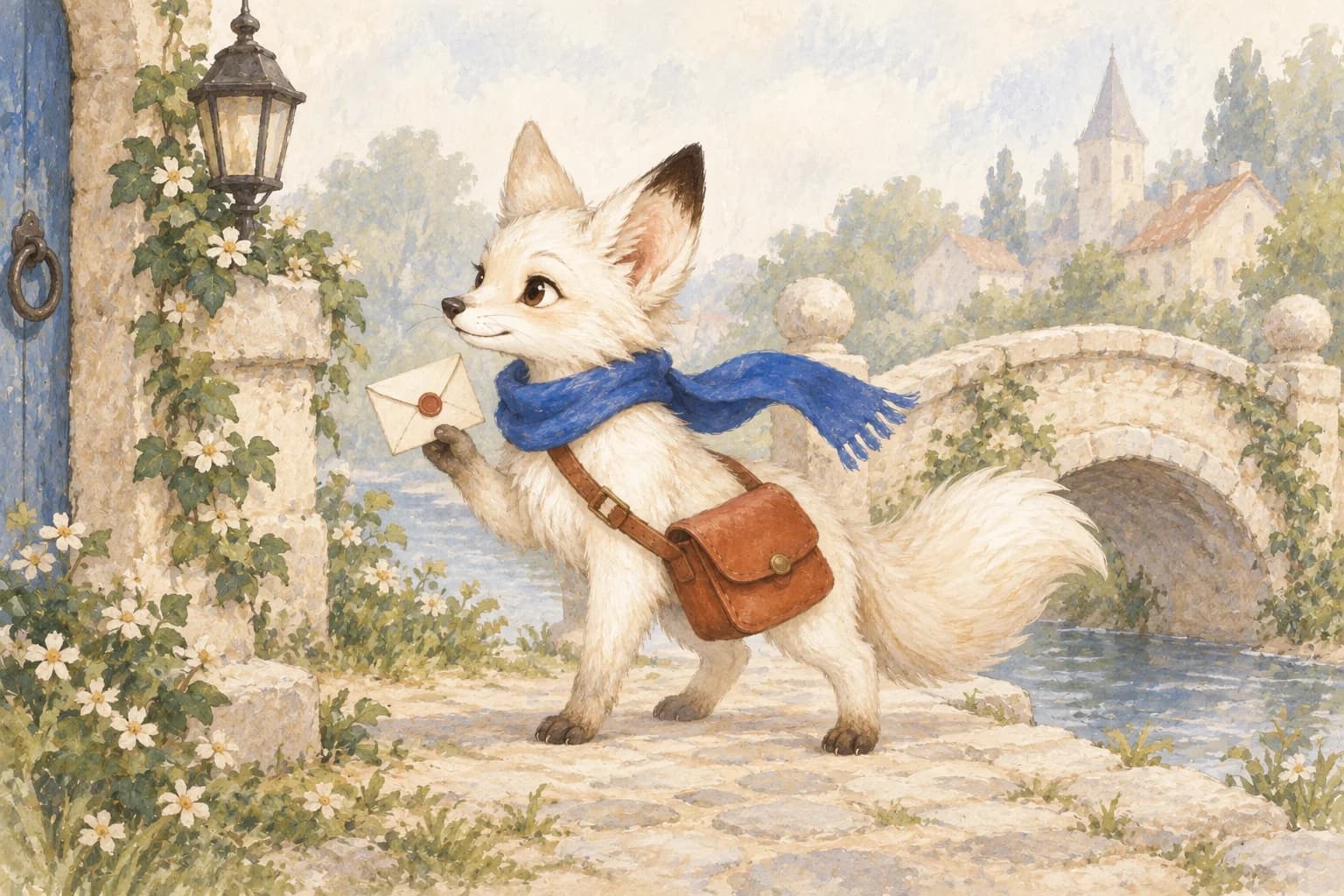
Use the attached approved fox courier as the identity reference. Preserve its proportions, cream fur, dark ear tip, cobalt scarf and terracotta bag. Show the fox pausing beside an ivory bridge, holding one small envelope. Keep the same painted illustration style. Make a single scene with a clear full-body silhouette and no text.Build the series on one Ciyo board
Upload the approved reference, then generate one scene at a time with that image attached. Keep successful results beside the source. Compare the character at similar scale before approving another scene.
If a scene fails, revise the specific mismatch. Do not automatically attach every previous image: a scene with the wrong scarf can become a conflicting reference. Select a small set of clean, consistent inputs.
Check continuity between scenes
Compare face shape, accessory placement and relative body size across the sequence. Then check environmental continuity: a bag should not switch shoulders accidentally, and a character approaching a bridge should not emerge from an unrelated setting.
Compare our source illustration with the new scene above. The cream fur, ear tip and scarf remain recognizable, but the bag gains an extra pocket. This is exactly why a coherent-looking scene still needs a detail review. We would revise that accessory before treating the pair as approved campaign assets.
Know when a reference workflow is insufficient
Image references can guide a small illustrated sequence. They do not create a rigged character, a reusable animation model or a guaranteed identity lock. Complex action and exact continuity may require manual illustration or a separate animation workflow.
For a client handoff, export the approved reference, the selected scenes and the identity record. That package gives the next designer a clear starting point instead of a folder of unexplained variants.
Create character scenes in Ciyo
Bring one approved character reference to Ciyo and create a scene while checking identity, accessories and proportions.