GPT-6 Astra · Creator workshop
GPT-6 Astra Storyboard Prompts: From Script to Clear Frames

A storyboard is a sequence of decisions about what the audience sees. Generating a grid of cinematic pictures is easy to request; making the action understandable from frame to frame takes a little more direction.
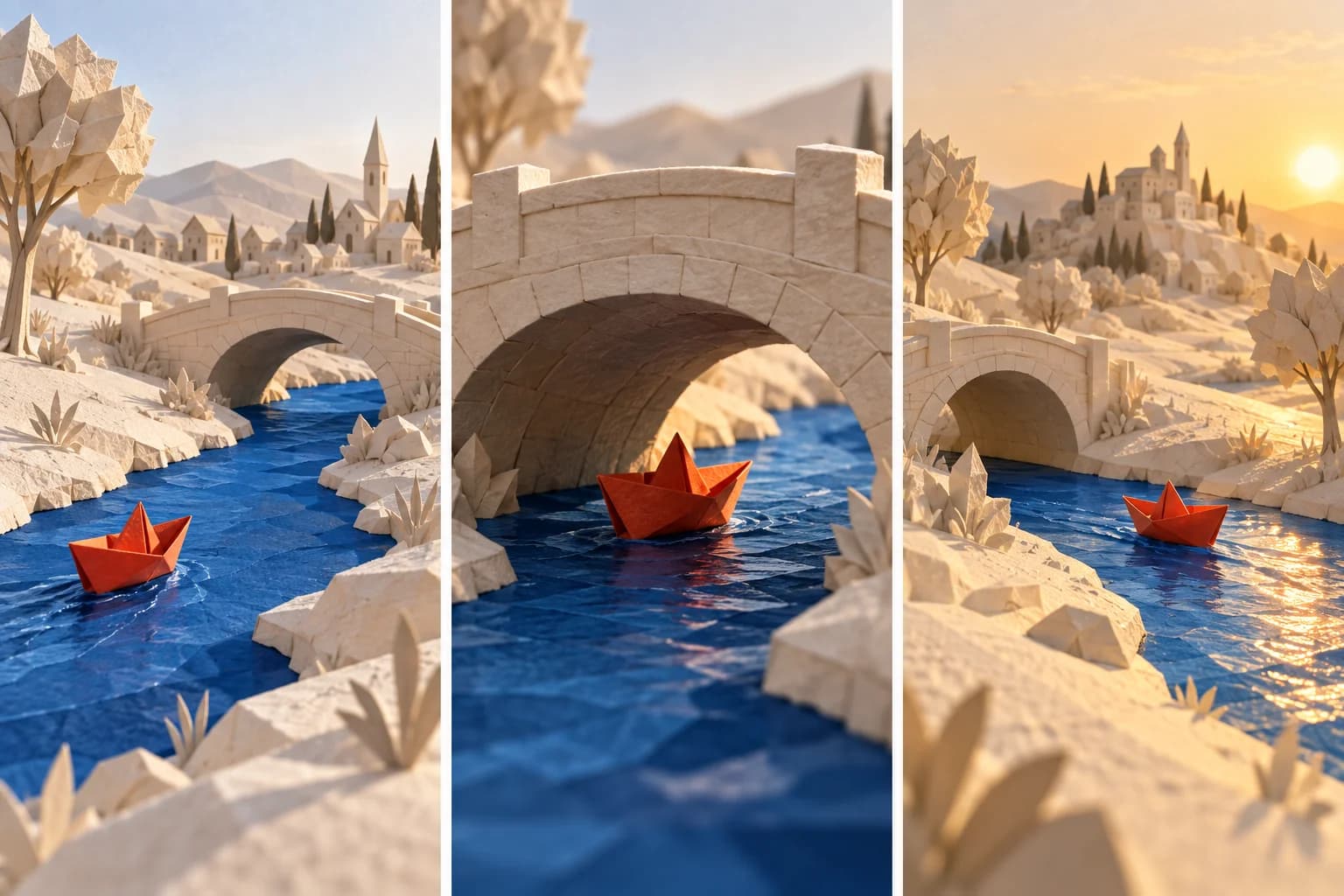
Our example follows a paper boat approaching, passing under and leaving a bridge. Three beats are enough to expose continuity mistakes before a longer video becomes expensive.
Separate story beats from camera choices
Ask Astra to summarize the action first, then assign a shot to each beat. Record what the viewer learns from the frame. “Cinematic close-up” is a camera preference; “the boat clears the arch” is a story event.
One beat can need several shots, and one shot can cover several beats. For a first test, choose the smallest sequence that communicates the action without narration.
Write a shot table you can review
Record the subject, action, framing and continuity requirement for each shot. A camera adjective alone does not explain what changes during the scene. Keep movement direction consistent unless the story needs a deliberate reversal.
| Shot | Action | Continuity requirement |
|---|---|---|
| 1 · Wide | Boat approaches the bridge | Boat moves left to right |
| 2 · Closer | Boat passes beneath the arch | Same boat, bridge and stream |
| 3 · Wide | Boat emerges into sunlight | Preserve travel direction |
Prompt one frame at a time
Start with the establishing frame. Once it is approved, use it as a reference for the next frame. Requesting all frames in one image can help explore rhythm, but separate files are easier to revise and use as video references.
Plan three storyboard frames for a terracotta paper boat moving left to right through a cobalt stream beneath an ivory bridge. Keep the boat, bridge, light and paper materials consistent. Describe one action and one camera position per frame. Produce a reference brief for the first wide frame. No captions or decorative frame labels in the artwork.Build the sequence in Ciyo
Generate and arrange the frames in reading order on the canvas. Place the shot descriptions beside them with text controls. Review the sequence with someone who has not read the script; ask them to describe what happened.
If the story is unclear, revise the shot choice before increasing image detail. A beautiful close-up cannot replace an establishing view when the viewer does not know where the action takes place.
Check the cut with a continuity record
Sketch a top-down plan of the stream and bridge. Mark the boat’s travel line and keep the proposed cameras on one side of it for this simple sequence. Columbia’s film glossary explains how this convention preserves screen direction. If you deliberately cross the line, plan the transition instead of letting unrelated generated views choose it for you.
Review adjacent frames as a pair. Record where the boat leaves one frame and enters the next, its relative size, and the bridge opening it passes through. The table below is our proposed inspection record, not a report that the illustration passed every check.
| Cut | Compare | Revision trigger |
|---|---|---|
| 1 → 2 | Boat approaches the same arch from screen left | Boat reverses or a second bridge appears |
| 2 → 3 | Exit side and downstream setting | New bank, changed bridge or unexplained time jump |
| All frames | Light direction and boat proportions | Light changes or the boat is redesigned |
Use the storyboard to guide a video test
Choose an approved still as a reference in Ciyo’s available video generator. Describe a short action and check the duration, resolution and credit quote. Start with one shot whose motion you can judge.
The three-panel illustration shows the intended beats, but its final panel changes the light and distant setting. Flag those differences if the scene is meant to happen continuously. This is a planning example, not an extracted video sequence or proof of a model’s continuity.
Keep timing and sound in the production notes
A static frame cannot communicate the exact duration, camera speed or sound design. Add those decisions to the shot table before the final render. If several clips need assembly, plan that work in an editing application.
Deliver separate frames, the shot table and the chosen motion instructions. That makes the storyboard useful for a creator, an animator or a client approving the concept.
Create storyboard frames in Ciyo
Generate the establishing frame in Ciyo, then use it to guide the next shot in your storyboard.