GPT-6 Astra · Practical Ciyo workflows
GPT-6 Astra + GPT Image 2.5 for Product Photography
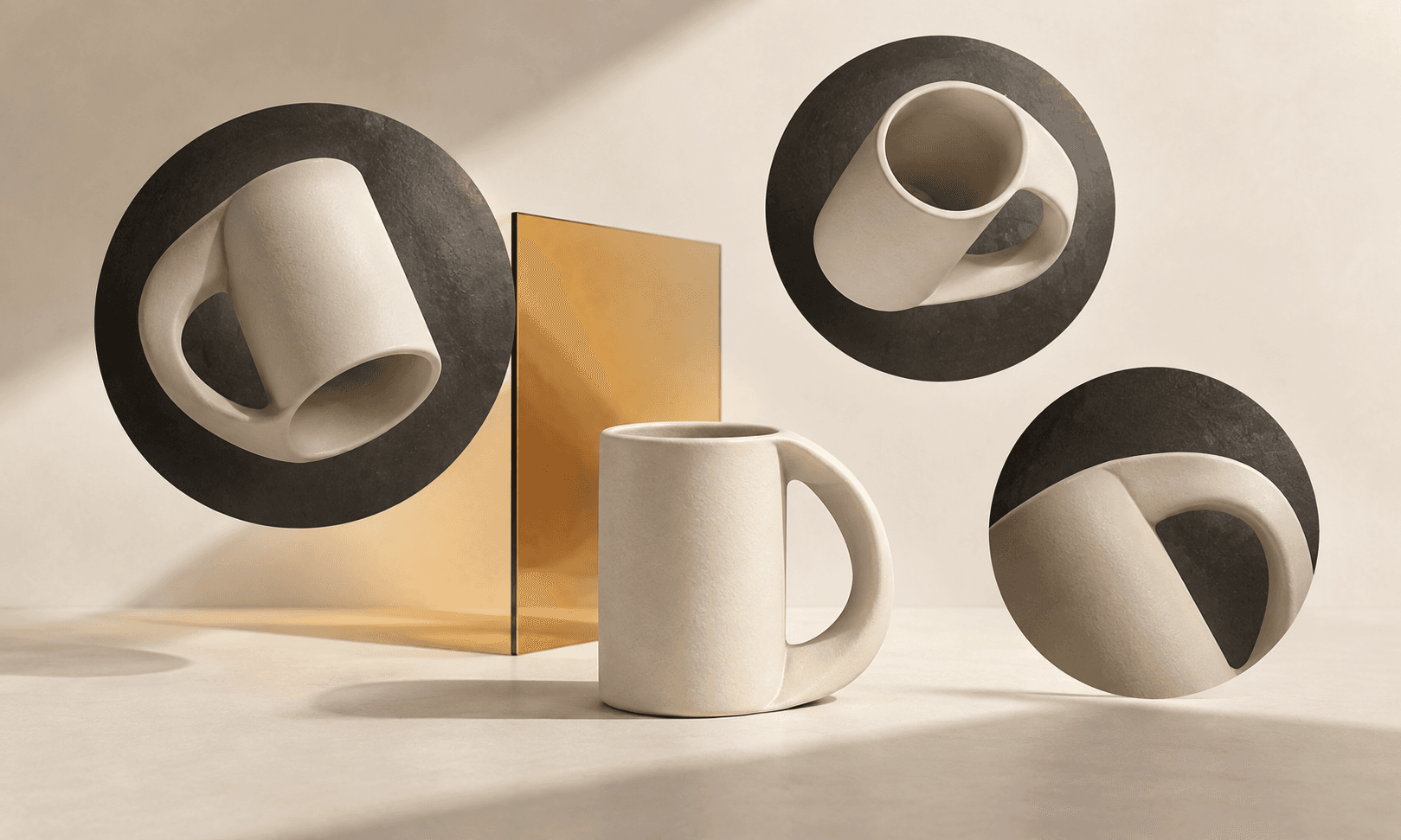
A product page needs several different answers from its images: what the object looks like, how large it is, what its details are, and where it belongs. Five attractive variations of the same hero shot leave most of those questions unanswered. Start with the questions, then decide which images to make.
GPT-6 Astra can turn your product references into a photography brief inside Ciyo, while GPT Image 2.5 creates or edits the still images. This guide uses a fictional ceramic travel cup to build a useful ecommerce set: one approved hero, a few purposeful supporting views and a review against the real product.
A creator connects Astra’s visual analysis to GPT Image 2.5
Miko’s sponsored X tutorial describes analyzing an inspiration photo with Astra, turning its lighting and color treatment into a structured brief, then passing that brief and a product image to GPT Image 2.5 on Higgsfield. The post also describes saving an approved character reference for reuse. Its attached image illustrates the creator’s reference/style workflow; it is not a Ciyo output.
The useful idea for product photography is to give the references separate jobs. Let the real product control identity, while an inspiration image guides the light and setting. In Ciyo, ask Astra to explain that distinction before a GPT Image 2.5 request. A style reference should not replace the cup’s actual proportions or supply facts about its materials.
Sponsored creator tutorial on X describing Astra → structured style brief → GPT Image 2.5 on Higgsfield. Our Ciyo product-photo exercise is an independent adaptation.
Start with the product facts you can actually verify
Upload a clear photograph of the real cup, plus another angle if the lid or handle matters. Write down the approved dimensions, material and color. Ask Astra to separate visible observations from facts you supplied. A picture can show a matte surface; it cannot establish dishwasher safety or thermal performance.
Make a short identity checklist before generating: rounded handle, short cylindrical body, flat lid and one approved glaze. If a detail is obscured in every reference, supply a better photograph instead of asking the model to invent it. Keep the original reference on the canvas so comparisons remain easy.
Build a shot list around buying questions
The table is an editorial example, not a required marketplace template. A clean product view answers identity, a detail view answers construction, and an in-use view answers context. Pick the smallest set that covers your actual page. A shop with one cup does not need twenty nearly identical images.
Give every shot one job. For the scale image, use known dimensions or a controlled scene rather than an invented hand that may distort size. For the lifestyle frame, avoid adding accessories that buyers could mistake for items included in the purchase.
| Shot | Buyer question | Review before use |
|---|---|---|
| Clean hero | What exactly am I buying? | Correct silhouette, color and included parts |
| Lid detail | How is it constructed? | No invented hinge, seal or mechanism |
| Scale view | Will it fit my space? | Use verified dimensions; check proportions |
| Desk scene | Where might I use it? | Props are clearly contextual |
| Packaging view | What arrives with it? | Show only the real package and contents |
Pair Astra’s shot plan with GPT Image 2.5
Open the Astra entry above, replace its starter with the brief below, and attach your references. In the image Models menu, choose GPT Image 2.5 Flare or Sunburst. Astra directs the conversation; the selected image model creates the pixels. Start with one hero image so you can correct the product before repeating it across the set.
Inspect the first result at a useful zoom level. Count components, compare handle attachment points and read any visible lettering. If the base image is wrong, fix it now. Reusing a flawed hero as the reference for a whole campaign makes the same error more expensive to unwind.
OpenAI describes Flare as an everyday generation option and Sunburst as a choice for editing precision. Use that distinction to choose a starting point, then judge the actual cup image. A more detailed model choice does not excuse an invented lid or unreadable label. Use Ciyo’s Models controls to choose the image model, supported quality and size for the request.
Plan a five-image ecommerce set for the ceramic cup in my attached reference. Treat the first image as product identity, not a style suggestion. Preserve its handle, lid, body proportions and glaze. The approved facts are: [insert dimensions, material and included parts]. List missing information without guessing. Propose one shot per buying question: identity, detail, scale, context and package contents. Start by planning the hero; do not generate the whole set yet. After I approve the plan, use GPT Image 2.5 Flare for one hero image. Wait for my product-identity review before creating supporting views.Review continuity across the page
Place the selected images beside each other in Ciyo. A detail crop can be correct by itself but still look like a different product when its glaze is warmer than the hero. Compare repeated features across the set, then identify the smallest revision that would bring an outlier back into line.
Use a simple accept, revise or replace decision. An awkward background usually calls for an edit. A changed lid geometry may require a new base image. Do not accept a product error merely because the overall lighting is attractive.
| Check | Accept when | Otherwise |
|---|---|---|
| Identity | The same product appears in every image | Replace inaccurate renders |
| Color | The approved color remains recognizable | Adjust lighting or return to the reference |
| Evidence | The scene supports the stated facts | Remove unverified props or claims |
| Delivery | Each crop serves its page position | Recompose for the actual placement |
Export a set another person can understand
Name files by their purpose: cup-hero-approved, cup-lid-detail-approved and cup-desk-context-approved. Keep the approved facts and the selected references with the project. That record lets a teammate create a new crop without reopening the question of what the product should look like.
Use the exported assets in your store’s actual page editor, then review the complete product page on a phone. Ciyo supplies the creative workspace; your storefront controls publication, image placement and checkout. Read the destination’s current image requirements before uploading, especially when a marketplace distinguishes a main image from secondary scenes.
Frequently asked questions
Can GPT-6 Astra take real product photographs?
It can help analyze supplied references and prepare or refine an image workflow. AI-generated images are synthetic assets, so compare them with the real product before using them as sales material.
Should I generate every ecommerce image in one request?
Approve the identity and visual direction in a first frame before expanding. That makes corrections easier and gives later requests an explicit reference.
Put this workflow on your canvas
Use the “Try GPT-6 Astra in Ciyo” link to open an editable starter. Add your own references and constraints before sending. Choose the image or video model and supported settings for the asset you want to create.