GPT-6 Astra · Creative workflows
GPT-6 Astra Image Prompts: References, Layouts and Edits

A good image prompt tells the workflow what must remain true. For a product campaign, that means the product's identity, the placement of the subject, the space required for copy and the one change you want to make next. A longer string of style adjectives rarely settles those decisions.
Astra can reason about text and image inputs and use supported image-generation tools. The image-producing tool matters, so record it alongside the prompt. The sample below was made with Codex's image-generation tool for this article; it is an editorial illustration, not a comparison of Astra against another model.
Assign a job to every reference image
Use one reference for product identity and another, if necessary, for lighting or composition. Name their roles explicitly. Otherwise the workflow may interpret a competitor's mood-board image as the object to reproduce, or preserve its layout when you only wanted its soft lighting.
For the fictional Still lamp, identity means a terracotta mushroom silhouette. Composition means placing it on the right and keeping the left side quiet. For a real campaign, replace the illustrative identity description with approved product images and precise constraints.
| Reference | Preserve | Do not assume |
|---|---|---|
| Product photo | Shape, proportions, finish and visible details | Its background must also be copied |
| Mood reference | Lighting and tonal direction | Its product or brand should appear |
| Layout sketch | Subject position and copy-safe area | It proves the final typography is correct |
Write a layout brief that can be checked
Begin with the placement and use of the image. A website hero needs a different crop from a square social card. Describe the empty area as deliberately as the subject: ‘left third free of objects for a two-line headline’ is reviewable; ‘good for marketing’ is not.
Here is the product illustration used in this series. It gives us a concrete reference for discussing copy space and identity. It does not establish that the same prompt will produce this exact image in another tool or session.
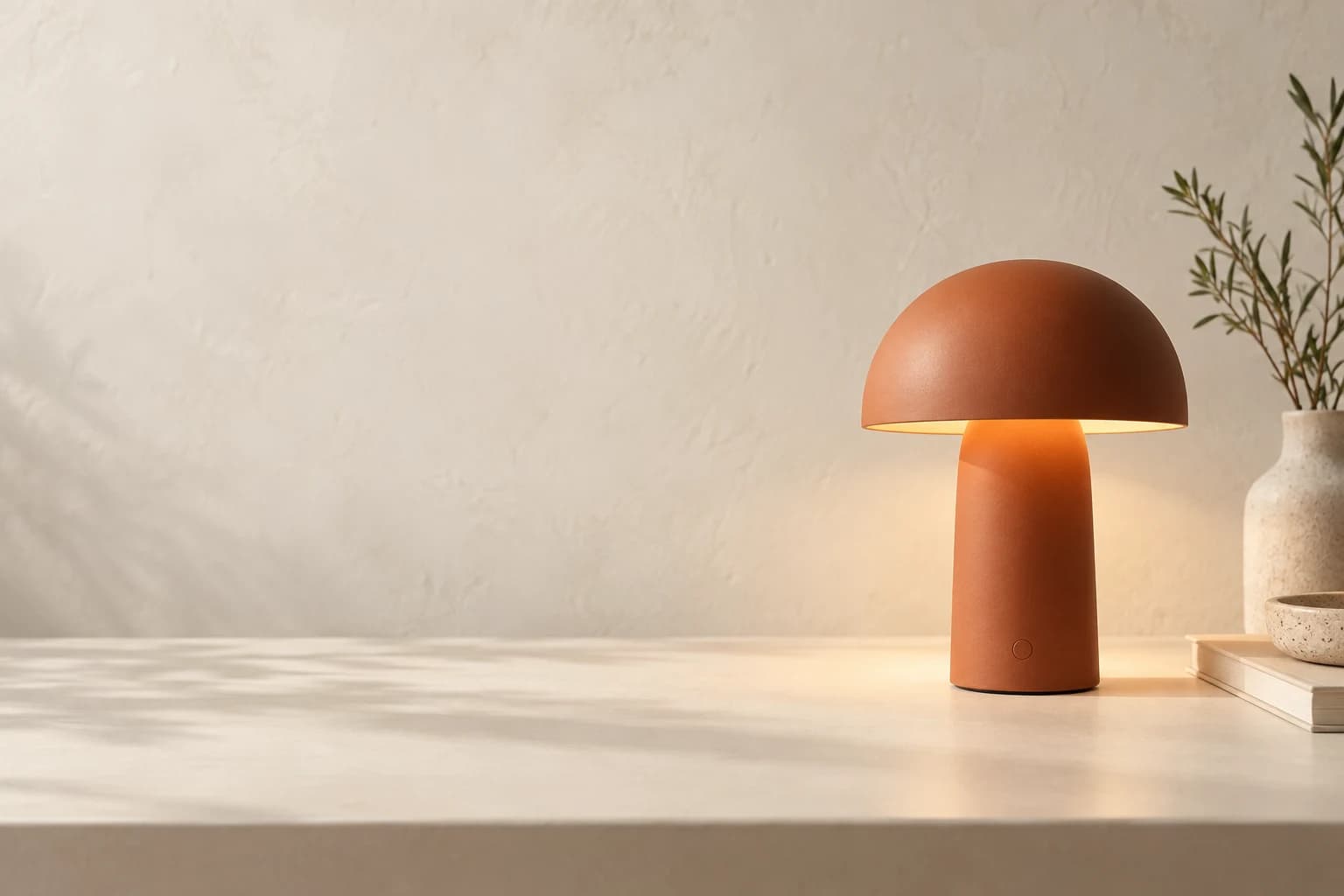
Create a landscape hero image for a fictional Still desk lamp. Place one matte terracotta mushroom lamp in the right third of an ivory desk. Soft daylight and a subtle warm glow. Preserve clean, plausible lamp geometry. Leave the left third free of objects for a headline. No text or logos inside the image. If a real product reference is attached, preserve its silhouette and finish rather than inventing a replacement.Keep exact marketing copy editable
If a headline must be exact, adding it as live text in the final page or design file gives you a dependable correction path. You can change a price, translate a line or alter the reading order without regenerating the product image. This is particularly useful when a campaign has several markets.
Image generation can still help explore integrated poster typography. Inspect every character before using the result. Do not describe a raster poster as an editable layout simply because its text looks clean.
Ask for one controlled revision
After selecting a promising image, name both the change and the invariants. ‘Make it warmer’ could alter the lamp color, the background or the light. ‘Warm only the background light; keep the terracotta finish and product geometry unchanged’ gives you a narrower comparison.
Keep the original and revised files. Compare silhouette, shadows, product details and crop before accepting an edit. Tool behavior varies, and an instruction to preserve something is a requirement to check, not a guarantee.
Edit the supplied campaign image. Change only the background illumination to a slightly warmer late-afternoon tone. Preserve the lamp silhouette, terracotta surface color, position, desk, crop and empty space on the left. Return the edited image and state which requested constraints could not be verified. Do not add text or new objects.Judge a series for consistency
A campaign is a set of related images. Put three selected outputs side by side and compare product identity, camera height, light direction and saturation. A beautiful outlier may still be the wrong campaign asset.
The community discussion below is useful because it looks beyond a single image toward visual-page consistency. Use it to sharpen your review criteria, while keeping the poster's examples separate from your own results.
| Criterion | Question to answer |
|---|---|
| Identity | Is it unmistakably the same product? |
| Layout | Does the intended copy fit without covering the subject? |
| Continuity | Do light, color and perspective feel related? |
| Delivery | Is the selected crop usable at the required dimensions? |
Turn the approved brief into an asset
Save the reference roles, selected image and final edit instruction together. That small record is more useful for the next campaign than a disconnected list of favorite prompts. It also makes a handoff to a colleague easier: they can see what was approved and what is still open.
You can carry this brief into Ciyo's image workflow. Choose the available generation or editing option in the product and check its settings. Ciyo does not need to be presented as an Astra interface for the brief to be useful.
Put your visual brief to work
Bring your product reference, layout brief and one-change edit instruction to Ciyo's image workflow.