GPT-6 Astra · Creator workshop
GPT-6 Astra SVG and Logo Design: Choose the Right Workflow
An image with a transparent background is not necessarily a vector logo. A file named SVG can also contain an embedded bitmap. Before asking for a logo, decide whether you need an editable geometric mark, a raster concept or traced vector paths.
Each route can be useful, but they produce different kinds of source material.
Understand what Astra can produce directly
Astra’s documented output modality is text, which can include SVG code. It also supports image-generation tools. Code-authored geometry and generated raster art are distinct outputs even when both look like a logo on screen.
Ciyo’s image workflow can create concepts, and its available Vector action can convert suitable raster artwork. This article does not claim that Ciyo runs Astra or that tracing reconstructs a designer’s original construction.
Pick the file type for the next task
A simple symbol made from circles and paths is a good candidate for code-authored SVG. A painted illustration is usually better treated as raster artwork. Tracing can help convert a clean concept, but inspect the resulting paths before delivery.
| Route | Useful for | Limitation |
|---|---|---|
| SVG code | Simple geometric symbols | Requires code and visual review |
| Raster generation | Exploring visual directions | Pixels do not become editable paths |
| Vector conversion | Tracing a selected clean concept | May create excessive or rough paths |
Begin with a small geometric brief
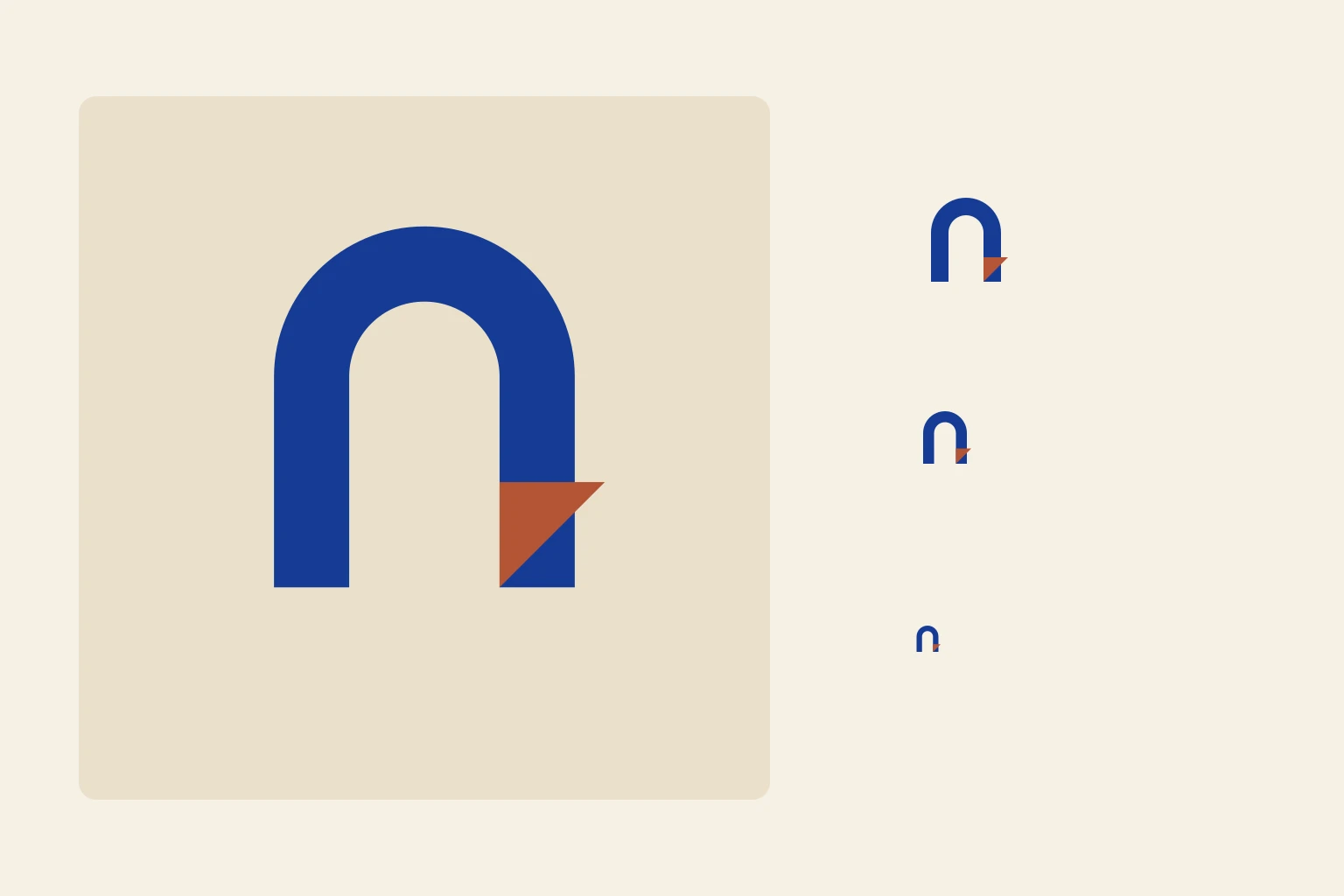
Ask for one mark with a limited palette and a strong silhouette. For our fictional paper studio, an arch and a folded corner are enough to explore a direction. Avoid requesting a full identity system before checking the basic symbol.
Design a simple geometric mark for a fictional paper-art studio. Use an arch and one folded corner. Produce standalone SVG with a viewBox and basic paths, without scripts, external assets or embedded raster images. Use one cobalt fill and a transparent background. Explain the geometry so a designer can adjust it. Do not claim trademark clearance.Use Ciyo for the raster-to-vector route
Generate a clean concept with a plain background and a small number of shapes. Select an approved image and use Vector if conversion fits your deliverable. Check the quoted cost before running a metered action.
Open the exported SVG in a vector editor and inspect the paths. A visually smooth preview can conceal hundreds of unnecessary nodes. Simplify where appropriate and verify that small gaps remain open at icon size.
Test the mark beyond the large preview
Review it in one color, on light and dark backgrounds, and at small sizes. Look for narrow joints that disappear, uneven optical balance and a silhouette that resembles an unintended object.
The included SVG is an original code-authored teaching asset. It contains editable geometry, but it is not a Ciyo vectorization result or a performance comparison of models.
Prepare a handoff with honest boundaries
Keep the source file, selected colors and usage notes together. Do not promise that generated concepts are unique, registered or suitable for every commercial use; those questions require separate review.
A successful workshop result is a clear direction and an inspectable file. A client-ready identity still needs decisions about typography, spacing, variants and applications.
Explore logo concepts in Ciyo
Explore a simple visual mark in Ciyo and inspect the selected concept before choosing a vector-conversion workflow.