Monthly tracking-sheet design
Habit Tracker Printable: Use the Correct Month Length

A monthly tracker can have a neat grid and still include a day that does not exist. It can also leave a blank cell ambiguous: was the activity skipped, or was nothing recorded? Resolve the month and the meaning of a mark before decorating the sheet.
We ran a fictional November 2026 tracker brief in Ciyo on November 21, 2026. Ciyo used a drawing script to produce an exact-number PNG proof. We reviewed that image and separately prepared a one-page PDF, editable HTML and date-headed CSV. All progress cells remain blank; this is a layout demonstration with no claim about health or behavior change.
Quick answer: validate the month, then define the marks
For November 2026, use days 1 through 30 exactly once. Give each habit its own row and keep a short legend: blank means not recorded, tick means done, and dash means intentionally skipped. A non-existent date must not become a usable progress cell.
Follow five steps: fix the month, choose the rows and legend, create an exact-number proof, prepare the reusable source, and inspect the final print scale. The supplied English companions are static November examples, not an automatic calendar or progress database.
| Step | Action | Expected result |
|---|---|---|
| 1 | Check month and year | The correct number of valid dates |
| 2 | Define rows and mark meanings | A blank master with a clear legend |
| 3 | Create and inspect the proof | Every day number appears once in order |
| 4 | Prepare editable source | Dates and values remain inspectable |
| 5 | Review a real-size copy | Usable writing room and no stray date cells |
1. Fix the month and year before counting columns
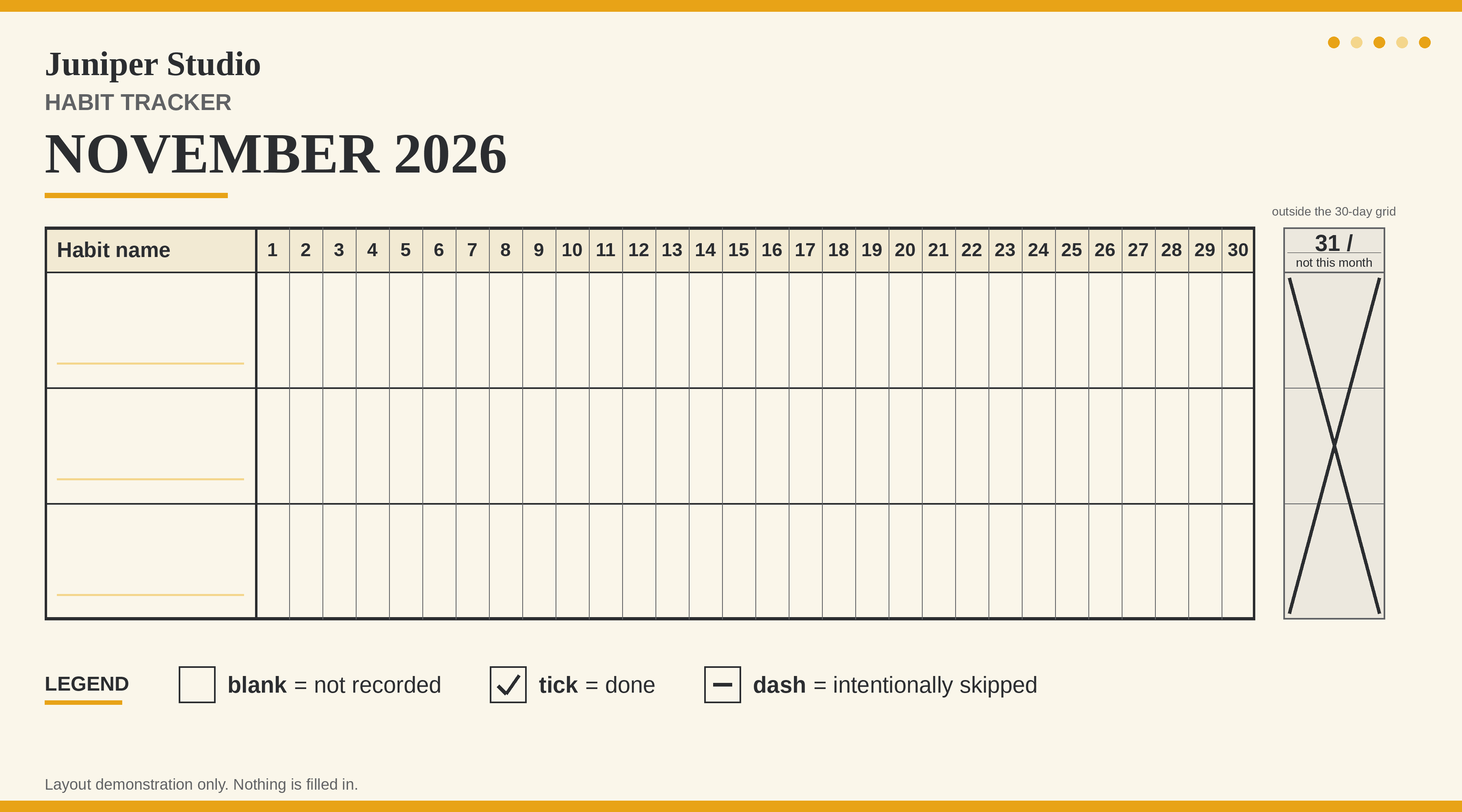
This example is explicitly November 2026. We checked its month length with a calendar calculation: 30 days. The proof request included a separate crossed-out day-31 area outside the active grid so the exclusion would be visible. The final editorial companions simply provide the 30 valid date columns.
Do not update a heading from November to December and assume the table has changed with it. A static design keeps its old cells until someone edits them. The supplied CSV makes that limitation obvious by naming each date from 2026-11-01 through 2026-11-30.
A photo calendar answers another layout question: how dates, images and month structure fit together. This tracker focuses on one mark per habit and valid date, with no invented progress.
2. Choose a small row set and a usable legend
We requested three blank habit-name rows. The row labels are intentionally empty so the master does not imply that someone has agreed to particular activities. Add names only when the person using the sheet has chosen what to record.
Keep blank, done and intentionally skipped distinct. A blank cell contains no record; a dash records a deliberate skip. Do not turn those different states into the same conclusion when you later look back at the sheet.
This example does not calculate streaks, rates or success scores. If you add a calculation elsewhere, define how missing records and skips should affect it before reporting a result. The existence of a tracking sheet is not evidence of a beneficial outcome.
3. Ask for exact numbering and inspect the result
Ciyo chose a scripted drawing workflow for this request rather than an image model. It returned a 3600 × 2000 landscape PNG with three blank rows, days 1–30 and the excluded day-31 box. The legend sits outside the grid so its example marks are not mistaken for filled progress.
We inspected the actual image and checked the sequence, including 7, 8 and 27. The run reported that its OCR pass had missed or misread some of those digits even though the correct numbers were visible. That is a useful reason to inspect a numbered design directly rather than treating one recognition result as final approval.
The proof is still a raster file. Its exact pixels do not make it an editable spreadsheet, and the script used to draw it is not an automatic calendar feature in the supplied image.
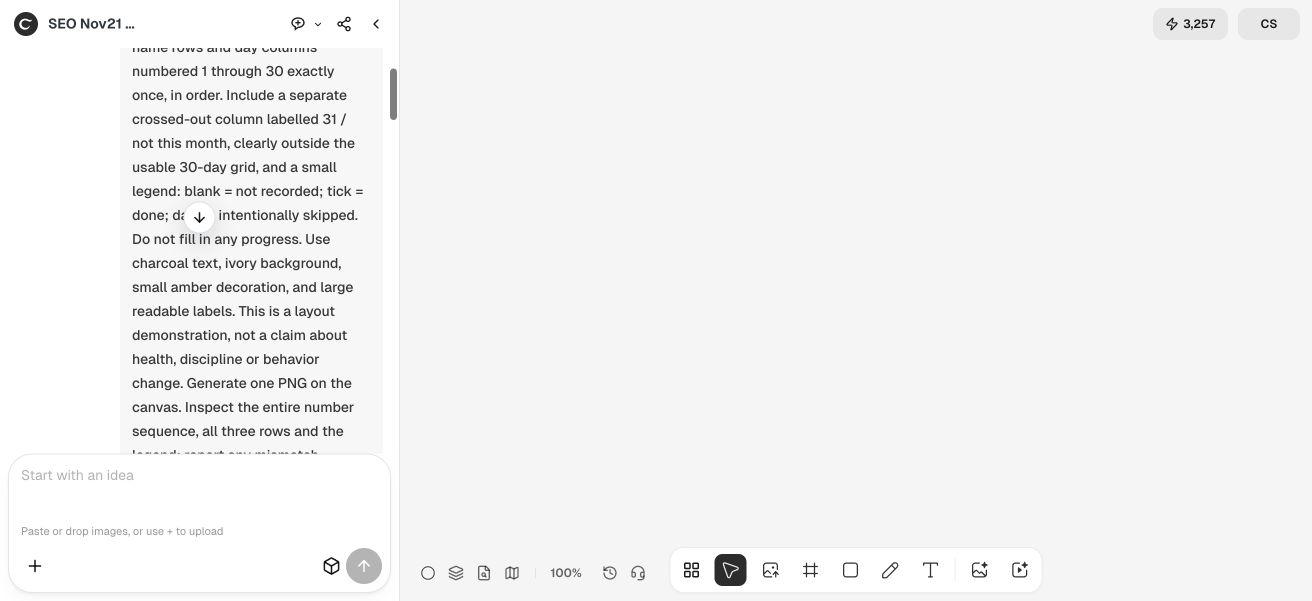
Create a blank tracker proof for [month and year], which has [verified number] valid days. Use [number] blank habit-name rows and number every valid day once in order. Define blank = not recorded, tick = done, dash = intentionally skipped. Do not fill progress. Keep any non-existent date outside the usable grid or omit it. Use a deterministic layout for exact labels when appropriate, inspect all day numbers and report actual output dimensions. Identify the method honestly and do not claim automatic calendar behavior, an editable spreadsheet or a physical print test.4. Keep the reusable versions separate from the image proof
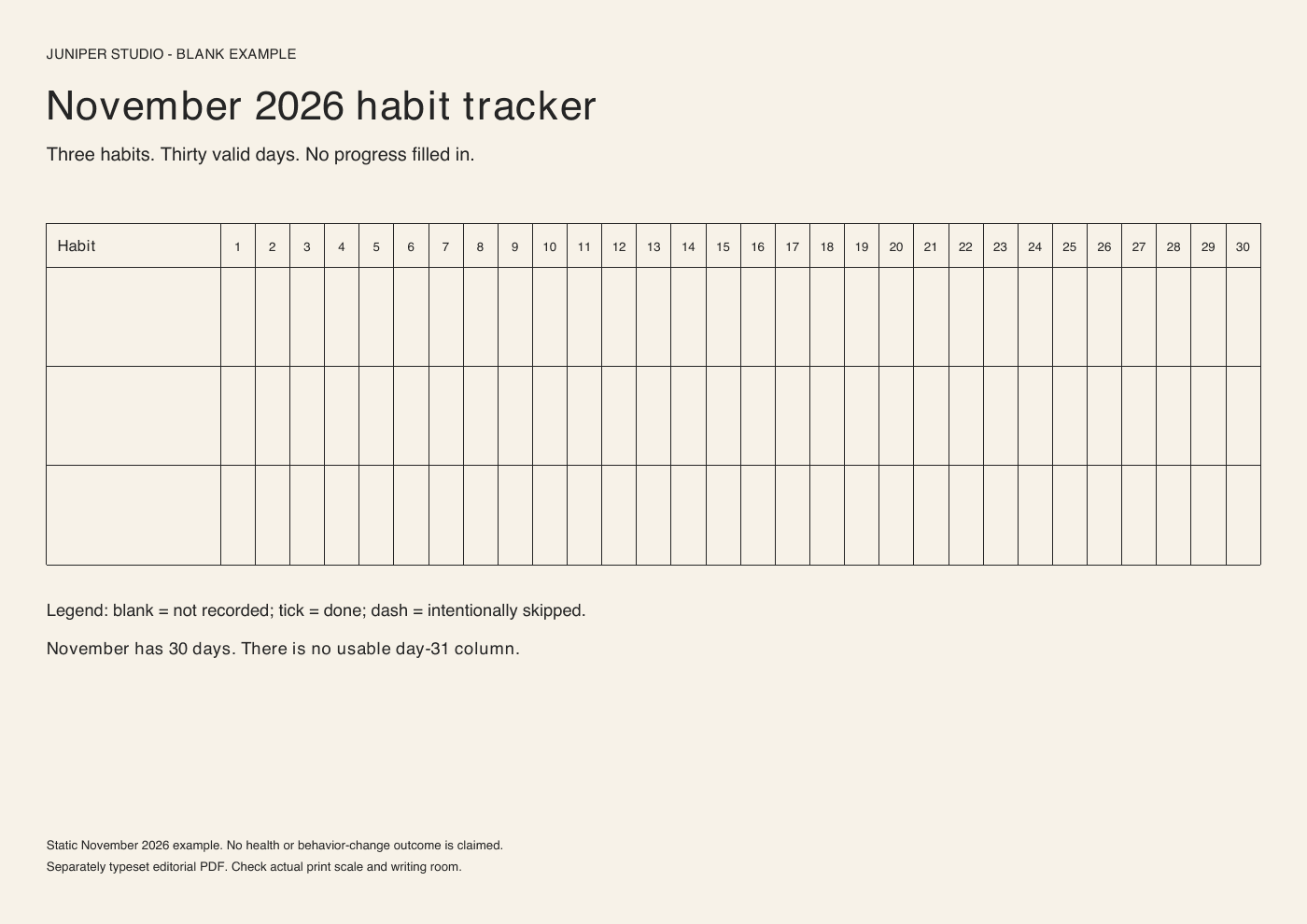
Our separately assembled PDF has one A4 landscape page. It shows three blank rows, the thirty day numbers and a legend, with no active day-31 column. We reopened it, extracted its text and inspected the rendered page. No physical print was made for this article.
The HTML companion contains editable table source. The CSV contains one Habit column plus 30 explicit November date columns and three blank rows. It has no formula or automatic marking behavior. These are editorial companions built outside Ciyo, not spreadsheet or document exports from the raster proof.
Preserve a blank master before recording anything. If you adapt the source for another month, rebuild and check the date headers as well as the visible title. A changed month is a meaningful data change, even if the rest of the design stays similar.
5. Check the final size and the states someone will actually use
Thirty columns can become small when a landscape page is shrunk. Print a real-size sample and check the room for a tick or dash, the habit-name area and the last date at the far edge. Fit-to-page settings can change the effective cell size.
Keep the legend with the sheet. A mark that seems self-explanatory today can become ambiguous when the sheet is reviewed later or handed to someone else. If you use a different symbol, update its definition before making copies.
For digital entry, choose a source format that supports your intended editing process. This PDF is a blank printable rather than a tested fillable form, and the CSV is a static table rather than a habit-tracking application.
Adapt the recording task without adding unsupported outcomes
An individual can keep a few chosen activities on one sheet. A studio can adapt the rows for an agreed routine. A recurring series should create a new checked month rather than copying last month's title over unchanged columns.
Keep the purpose and definitions narrow. This demonstration proves that the supplied layouts can present the chosen dates and states clearly; it does not establish that tracking changes behavior or guarantees a particular result.
Habit tracker printable questions
Why does the sample have thirty dates?
It is explicitly for November 2026, which has 30 days. The companions do not automatically change their date columns when the heading is edited.
What is the difference between blank and skipped?
In this example, blank means no record was made, while a dash means an intentional skip was recorded. Keep that legend with the sheet.
Was the Ciyo proof generated by an image model?
The run used a drawing script to preserve the exact number sequence and returned a PNG. It is a raster proof, not an editable spreadsheet or automatically recalculating calendar.
Has the PDF been tested on paper?
No. We checked its one-page digital file, text and rendered layout. Print at the intended size to review cell size, writing room and printer margins.
Start with the month and the meaning of a mark
Bring a verified month length and a simple legend to Ciyo. Review the exact-number proof and preserve a separate blank source for each month.