Practical design workflow
Lesson Plan Template: Connect Each Objective to an Activity and a Check
A lesson plan can list many activities without explaining what the learner should be able to do afterward. The missing link is often a small observable check, rather than another decorative section.
This fictional adult paper-folding workshop runs for thirty minutes. Its original HTML and CSV examples connect each objective to an activity and something the instructor can actually observe. Ciyo supplies the visual planning step, while the source keeps the instructional details editable.
Quick answer: read across each row
A useful row answers three connected questions: what should the participant do, what activity gives them practice, and what will the instructor look for? If those answers do not match, redesign the activity before styling the page.
The four steps below define a narrow objective, explore a readable visual hierarchy, prepare the editable plan and check its timing and evidence. The example does not claim a measured learning gain or replace a real instructor's judgment.
| Minutes | Objective | Activity | Observable check |
|---|---|---|---|
| 0–5 | Recognize the reference fold | Inspect a finished sample | Point to two aligned edges |
| 5–20 | Make one aligned fold | Watch once, then fold a sheet | Chosen edges meet without a visible gap |
| 20–30 | Explain and repeat | Describe the step, then repeat independently | Name the alignment step and make a second fold |
1. Write an objective you can observe
For this workshop, replace a broad phrase such as understand folding with make one fold whose chosen edges align. That gives the instructor a concrete action to demonstrate and inspect. It also exposes the materials required: paper, a reference sample and room for each participant to try.
Do not mistake an observable task for proof of everything a learner understands. A participant may produce a neat fold by following another person without being able to repeat the process. The final row therefore asks for an explanation and a second independent attempt. Record what happened rather than inventing a success percentage.
2. Explore the teaching-page hierarchy in Ciyo
Create a fictional project and request one page that keeps the objective, activity and check in the same row. Inspect the current model settings and quote before generating. Judge whether an instructor can find the current phase quickly while speaking to the room.
Compare any generated text against the source. Extra assessment claims, changed time ranges or an attractive column with no writing space are reasons to revise the design. The visual proof does not validate the pedagogy, and it should not turn a classroom planning task into a claim about student outcomes.
On November 27, 2026, we used Ciyo’s production Image Generator with GPT Image 2.5 Flare, aspect ratio 3:4, 1K and one image. The displayed quote for this run was 2 credits. Check the quote in your own session.
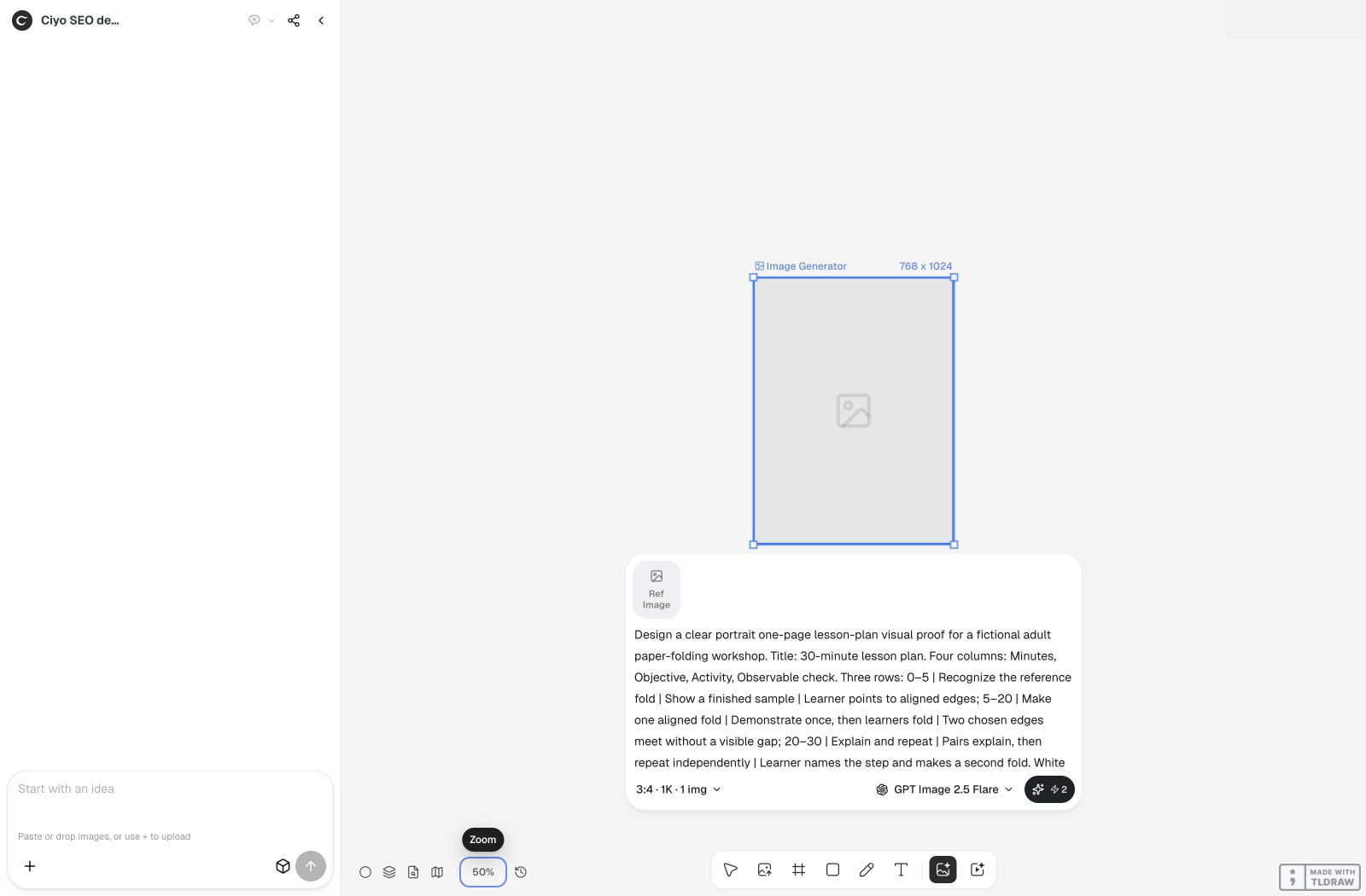
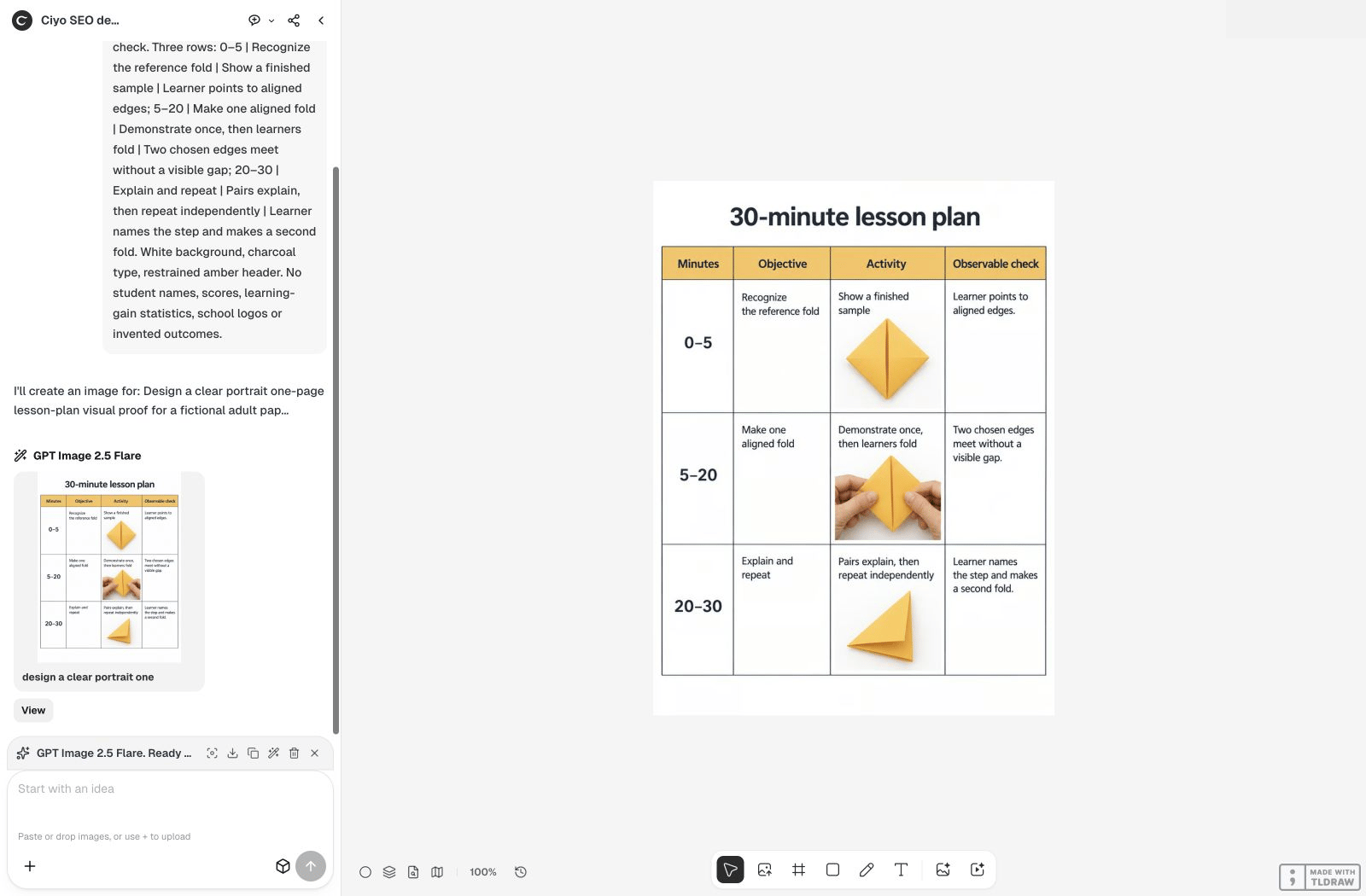
Design a clear portrait one-page lesson-plan visual proof for a fictional adult paper-folding workshop. Title: 30-minute lesson plan. Four columns: Minutes, Objective, Activity, Observable check. Three rows: 0–5 | Recognize the reference fold | Show a finished sample | Learner points to aligned edges; 5–20 | Make one aligned fold | Demonstrate once, then learners fold | Two chosen edges meet without a visible gap; 20–30 | Explain and repeat | Pairs explain, then repeat independently | Learner names the step and makes a second fold. White background, charcoal type, restrained amber header. No student names, scores, learning-gain statistics, school logos or invented outcomes.3. Keep the lesson content editable
The three time blocks and observable checks remain visible. The model also added folded-paper illustrations in the activity cells. Use the worksheet for the editable lesson plan.
Open the HTML plan and replace the example with the actual activity, audience and materials. Save the edited HTML; keep the CSV as a separate structured source if your team prefers rows. Editing one file does not update the other. Both are independently authored examples, not Ciyo exports.
The time ranges are elapsed minutes from the session start. They cover 0–30 without overlaps: five minutes, fifteen minutes and ten minutes. If setup, introductions or cleanup need their own time, include them deliberately rather than treating the thirty-minute label as permission to overrun.
4. Rehearse the transitions and the check
Walk through the plan with the actual materials. Check that a participant can see the demonstration and still have time to attempt the task. If a phase takes longer, shorten another activity or change the overall session length; do not silently remove the check that connects the activity to the objective.
After the workshop, note observed difficulties and revise the next version. Distinguish a plan, an instructor observation and a measured outcome. The fictional example supplies a planning structure only. It has no student data and makes no claim that the workshop has been delivered successfully.
Choose a planning tool by the work you need to edit
Canva's lesson-plan guide connects objectives, activity order and assessment. A document or spreadsheet is useful when you need frequent text revisions, while a visual proof can help you choose a readable layout. Verify any collaboration or teaching features in the tool you actually use.
A learner worksheet answers a different question: where will the participant write or show their work? Keep that deliverable separate from the instructor's lesson plan, and make sure the two versions refer to the same task.
Lesson-plan questions
Does a completed template prove learning?
No. It records a plan. Observe the real activity and keep any outcome claim tied to evidence from the actual learners and task.
Can I use another session length?
Yes. Change the time ranges and check for gaps or overlaps. Include preparation and transitions rather than scaling every phase mechanically.
Can Ciyo choose the learning objective?
It can help explore wording or presentation, but the instructor must define and review the actual objective, activity and evidence for the audience.
Start with one objective you can check
Write the activity and observable check beside the objective, explore the layout in Ciyo and rehearse the editable plan before teaching.