Practical creative workflows
Add a Product-Photo Watermark Without Hiding the Item
A shop watermark should be readable without becoming the most noticeable thing in the product photo. If it crosses a label or handle, it can hide the detail someone came to inspect.
Our fictional Clay & Co example uses an existing editorial mug image, not a customer photograph. Ciyo builds a transparent stamp, tests a deliberately poor placement and moves that same stamp into clear background.
Keep an unmarked master
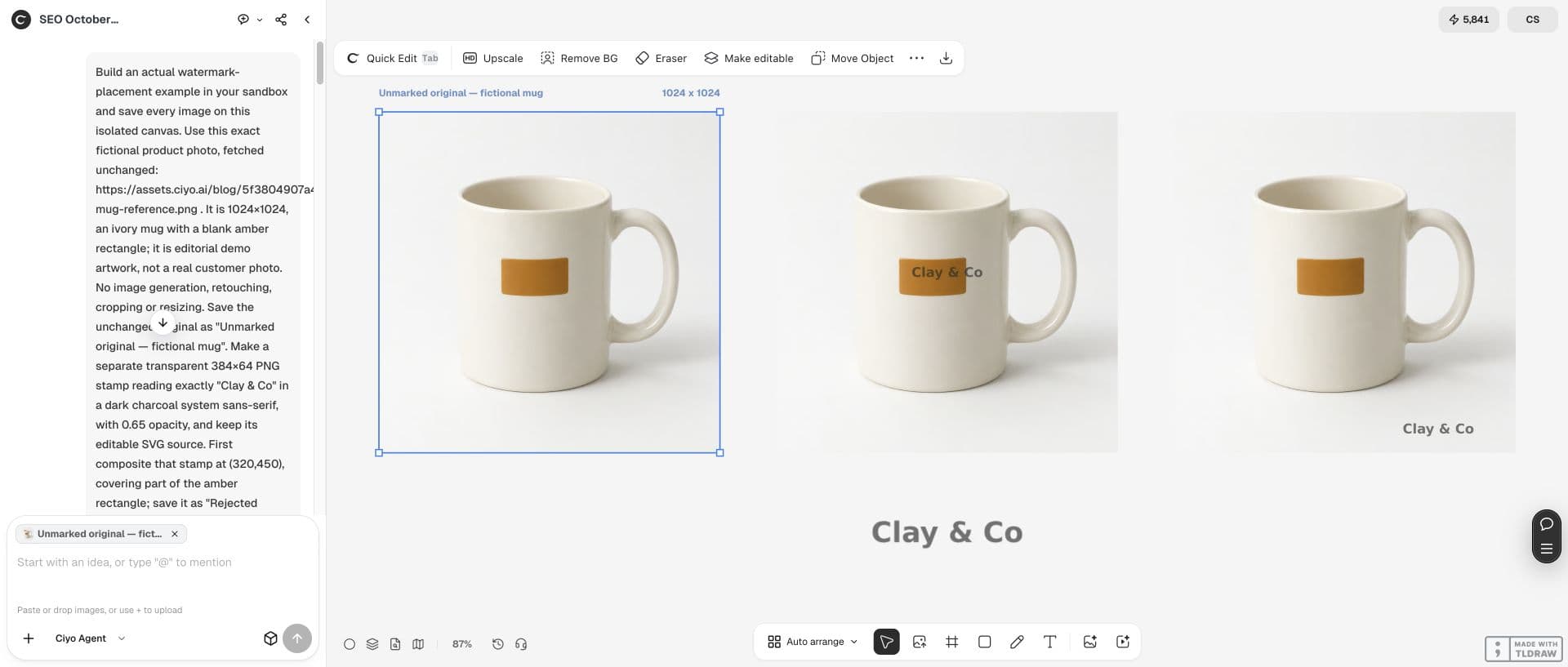
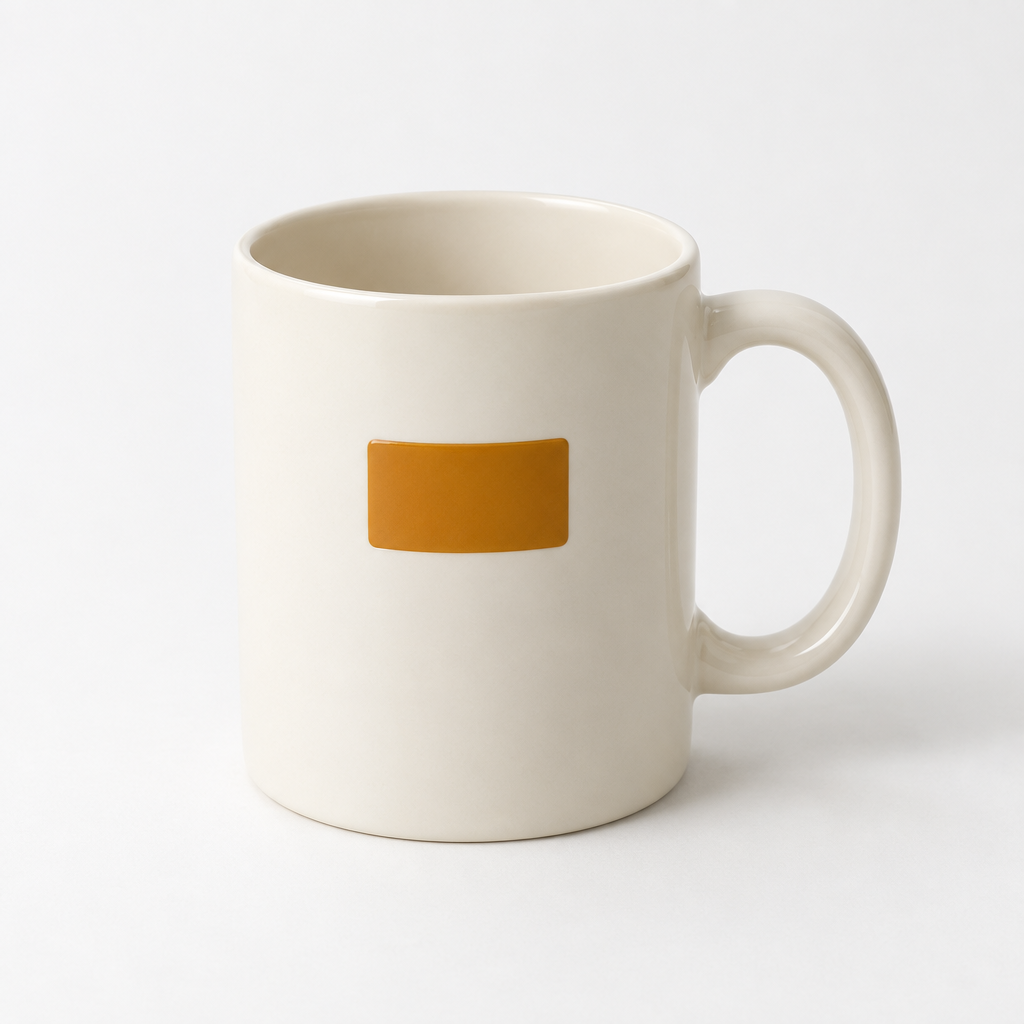
Start with the original photo and save a separate export for visible branding. Our 1024×1024 source shows an ivory mug with a blank amber rectangle. No new image generation, retouching, crop or resize is part of this example.
The left image on the board is the unchanged source. Keeping it lets you compare product details and produce a clean version when another destination calls for one. Check that destination’s requirements before sending a marked image.
Treat position and opacity as separate decisions
Choose where the mark can sit before tuning its strength. In this run the text stamp says Clay & Co, uses charcoal #2B2B2B and occupies a transparent 384×64 canvas. Its maximum alpha is 166, corresponding to the chosen 0.65 opacity.
A September 27 Reddit announcement by the Utiliome creator discusses watermark controls. It is context for reviewing position, size and opacity; our Ciyo comparison is an original demonstration, not a result or endorsement from that post.
Published September 27, 2026 by u/qr-build. This is the creator’s announcement for Utiliome, another product, with controls for size, position and opacity. Its privacy claims describe that product; they are not claims about Ciyo. The placement comparison here is our own demonstration, with no endorsement or campaign result implied.
Reject a placement that covers the label
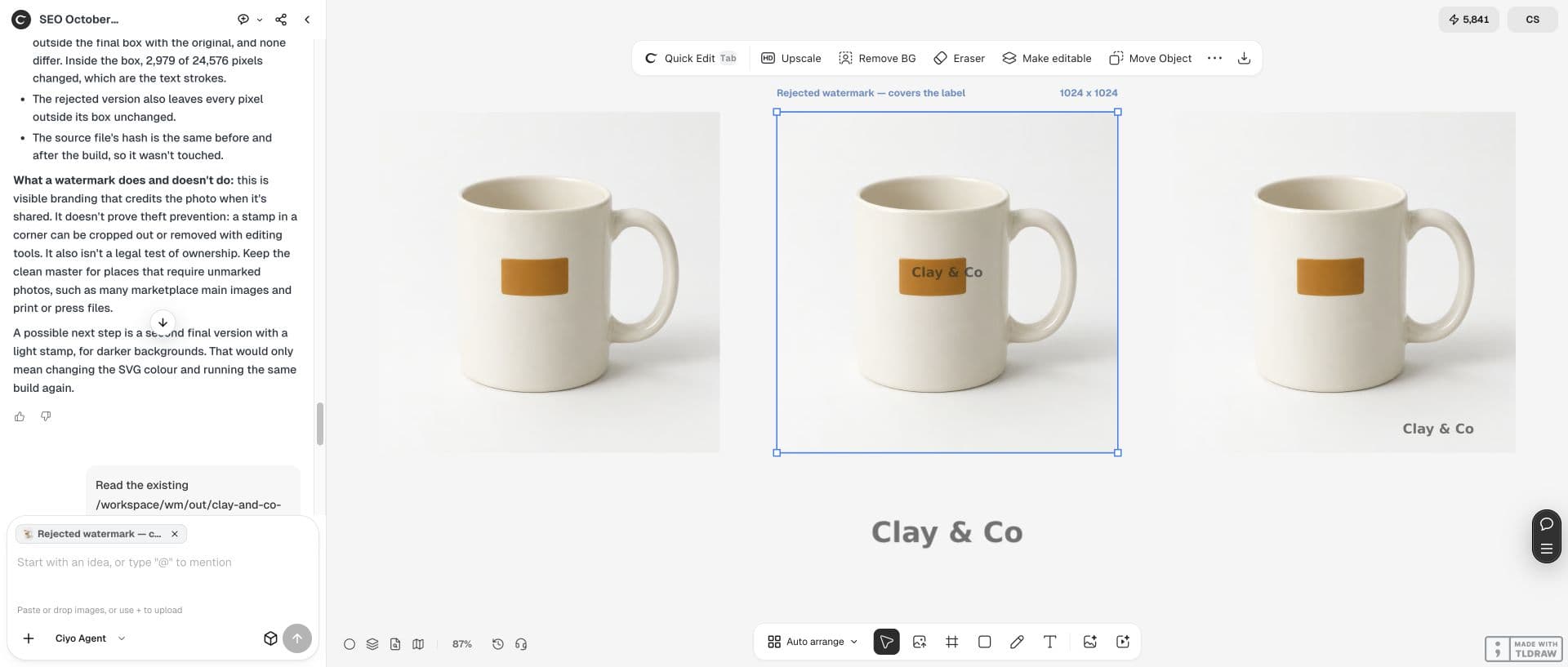
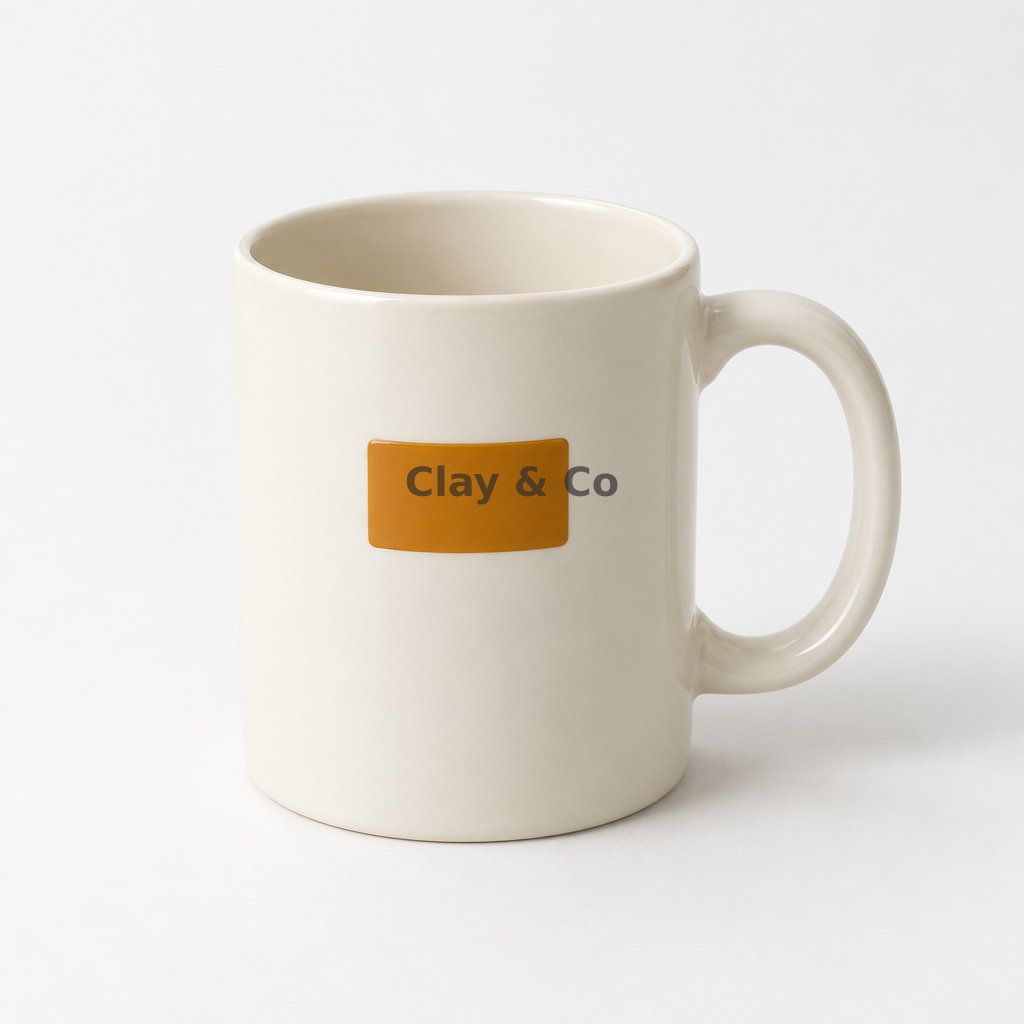
The first composite puts the stamp at (320,450). It crosses the blank amber rectangle and visually reads like printing on the mug rather than a separate shop credit. We retain it as a rejected comparison.
Ask Ciyo to composite the same stamp in a different location instead of generating another mug. The fixed source and stamp make the effect of placement easier to judge.
Use the supplied 1024×1024 original unchanged. Build a transparent 384×64 stamp reading "Clay & Co" in charcoal #2B2B2B, with opacity 0.65; keep an editable SVG source. Save one rejected composite at (320,450), then place the same stamp at (600,920) and save a separate final PNG. Do not generate, retouch, crop or resize the photo. Save the original, both composites and stamp on the canvas. Verify that pixels outside the final stamp box are unchanged.Move the mark into empty background
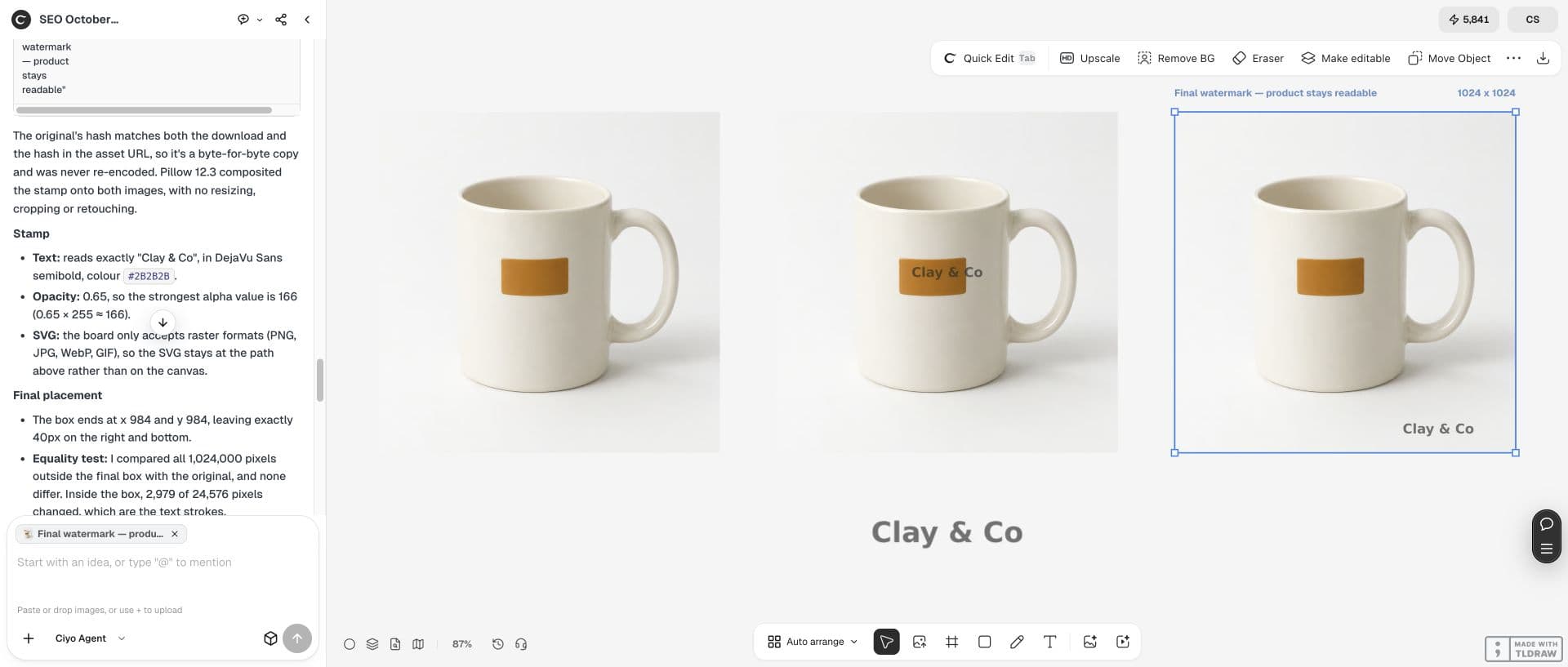
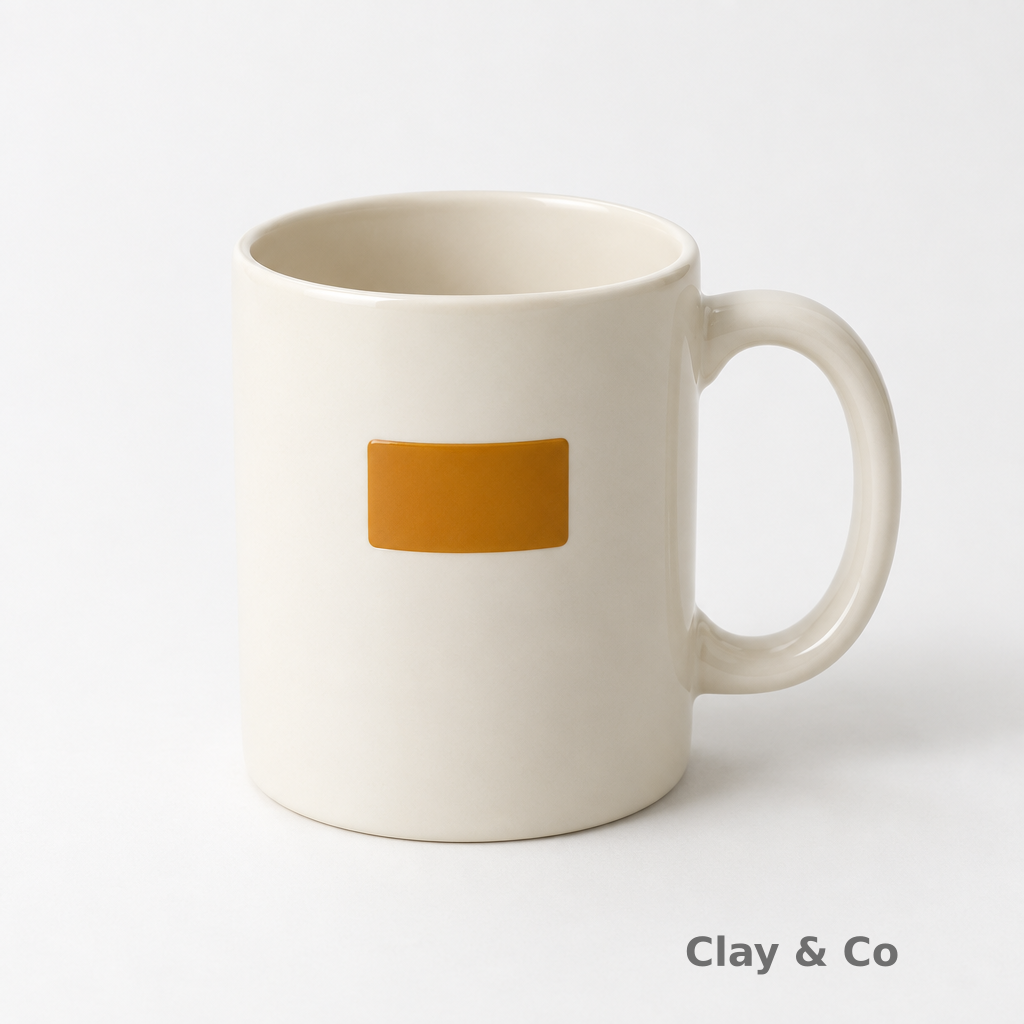
The accepted example places the 384×64 stamp at (600,920), so its box ends at (984,984). On the 1024×1024 photo that leaves 40px on the right and bottom. These are measured coordinates from this example, not universal spacing rules.
At the intended listing or social preview size, confirm the product label, handle and silhouette remain readable. If the background is busy, a different placement or colour may be needed.
| Version | Stamp origin | Review |
|---|---|---|
| Unmarked master | None | Original photo unchanged |
| Rejected overlay | (320,450) | Covers the amber rectangle |
| Final overlay | (600,920) | Empty background; 40px right/bottom margins |
| Reusable stamp | 384×64; opacity 0.65 | Transparent PNG plus editable SVG |
Compare the final export with the original
The final PNG remains 1024×1024. An independent pixel comparison found all 1,024,000 pixels outside the final stamp box unchanged; 2,979 pixels inside it changed. The visible mug and amber rectangle are preserved.
Download the rejected and accepted composites and inspect them at your delivery size. The final PNG is flattened; the separate transparent stamp and SVG source let you make another placement without editing the clean master.
Store the stamp separately from the photo
Keep the original, transparent stamp, editable stamp SVG and branded export as separate files. SVG font fallback can alter the lettering slightly on another machine; the downloadable PNG stamp preserves the rendered example.
This corner mark is visible branding. The demo does not establish theft prevention or ownership. A corner stamp can be cropped or edited away, so judge this workflow by legibility and preservation of the photographed item.


Practical questions
Is this watermark editable on the Ciyo canvas?
The saved composites are flattened PNGs. The separate SVG contains editable stamp text; keep it with the transparent PNG and master photo.
Should every photo use these coordinates?
No. They fit this 1024×1024 source and 384×64 stamp. Inspect the empty space and final display size for each photo.
Does the stamp prove ownership or prevent copying?
The example demonstrates visible branding and legibility. It provides no ownership or theft-prevention test.
Place the mark where the product stays readable
Open Ciyo with your clean photo, compare two placements and export the branded version separately from the master.