Application document design
Resume Template Design: Keep Dates and Text Verifiable

A resume can look tidy while a date is wrong, a role has changed or the text cannot be selected. The first design decision is therefore how to preserve the applicant's approved information through the visual work and into the file they actually submit.
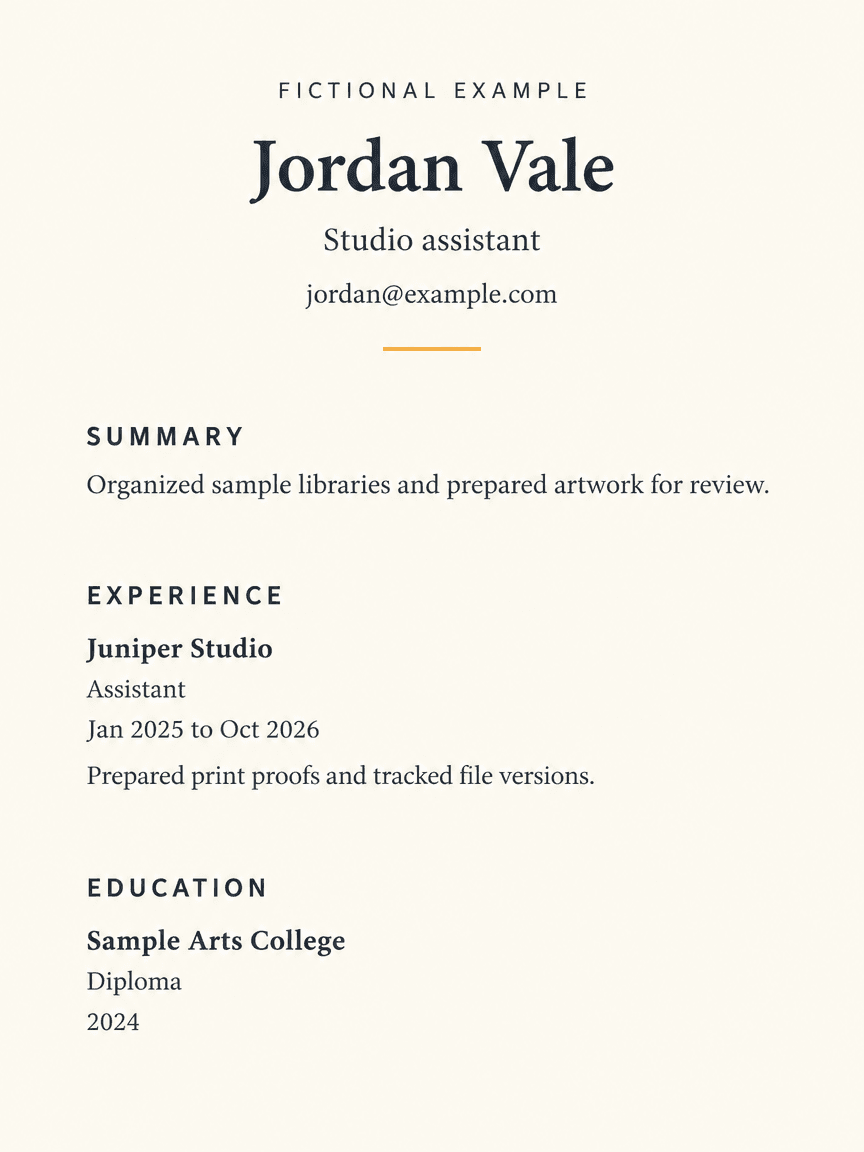
We generated a fictional studio-assistant resume in a signed-in Ciyo development workspace on November 22, 2026. Its downloaded PNG retains the supplied headings, dates and qualifications, but the letters are part of the image. The HTML, selectable-text PDF and facts sheet below were assembled separately. This is a document-design example, with no applicant-tracking-system certification or hiring-result claim.
Quick answer: a source you can check, then a visual proof
Use one column, clear section headings and an authoritative facts sheet. Generate a visual proof only after the facts are approved; compare every date and phrase, then put the approved copy into a text-based source for submission. Follow the employer's actual file requirements.
Follow five steps: define the task, prepare the source, request a visual proof, inspect the actual output and prepare a separately reviewed working file.
1. Choose the application before choosing the layout
Start with the role description and the recipient's submission instructions. Our fictional Jordan Vale is applying for a studio-assistant role, so the sample emphasizes preparing print proofs and tracking file versions. A different applicant should choose their own relevant evidence rather than reuse those fictional responsibilities.
Canva's resume page is a useful source of layout examples. A template is a starting arrangement, not evidence that its content is accurate or that a particular employer's software will handle the exported file. Prefer a simpler structure when a decorative column or icon makes the reading order uncertain.
2. Keep a small facts sheet outside the image
Write the name, contact route, job titles, employers, date ranges, education and approved descriptions in plain text before generating. In this example, Juniper Studio, Sample Arts College and Jordan Vale are fictional. Keep the visible fictional-example label while reviewing the sample and replace every invented fact before using it.
The source JSON preserves Jan 2025 to Oct 2026 and the 2024 diploma date as supplied. Check consistency with your real records. Do not ask a generator to fill a gap with an award, qualification, employment period or measured achievement. An unavailable fact should stay out until you can verify it.
| Field | Supplied example | Check |
|---|---|---|
| Role | Studio assistant | Matches the intended application |
| Experience | Juniper Studio - Assistant | Employer and title remain distinct |
| Date range | Jan 2025 to Oct 2026 | Both endpoints survive |
| Education | Sample Arts College - Diploma - 2024 | No extra qualification appears |
3. Ask Ciyo for a flat visual proof
Create a separate Ciyo project and open Image Generator. Our run used GPT Image 2.5 Flare, portrait 3:4, 1K and one image. Describe a flat page with a single reading column, generous margins and exact supplied wording. A photographed sheet on a desk makes factual inspection harder.
The copyable prompt reproduces the demonstrated request. Replace all fictional fields together. The image-generation step provides a raster proof; it does not produce the editable source, a certified resume or the PDF linked below. Review the displayed credit cost before starting your own run.
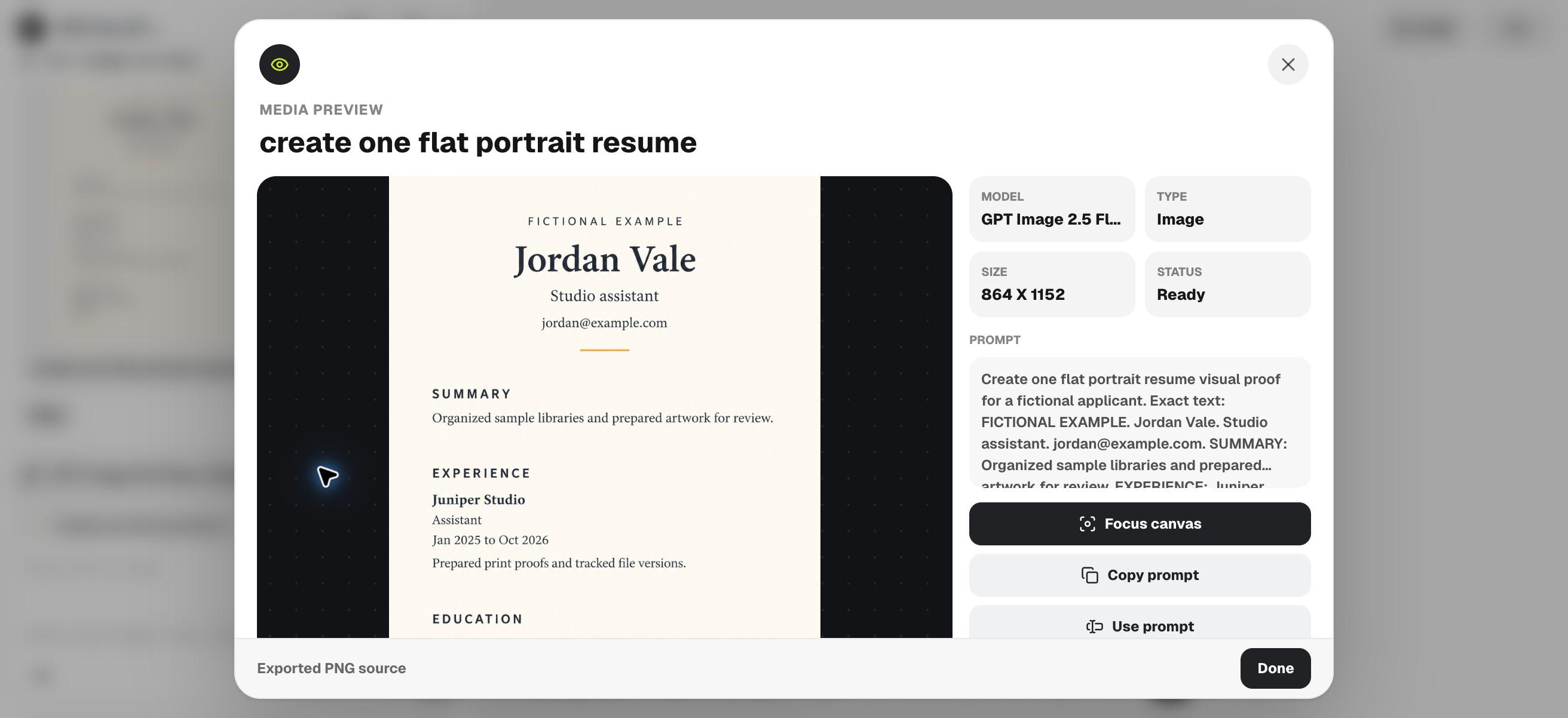
Create one flat portrait resume visual proof for a fictional applicant. Exact text: FICTIONAL EXAMPLE. Jordan Vale. Studio assistant. jordan@example.com. SUMMARY: Organized sample libraries and prepared artwork for review. EXPERIENCE: Juniper Studio — Assistant — Jan 2025 to Oct 2026. Prepared print proofs and tracked file versions. EDUCATION: Sample Arts College — Diploma — 2024. Use a single-column layout, clear headings and generous margins. Ivory background, charcoal text, tiny amber rule. Do not invent employers, credentials, awards or results. This is an image proof only, not an editable resume, ATS certification or PDF.4. Inspect the downloaded proof against the facts
Download the actual source through Export active asset and Export Source file. Our PNG visibly includes the supplied name, contact, summary, experience period and education line in a single column. That observation applies to this output, not every future generation.
Read the smallest text at a realistic viewing size. Mark missing punctuation, changed dates, repeated headings and any added claim. A readable image can help choose hierarchy, but selecting its apparent text will not turn the pixels into editable paragraphs. Keep a correction list rather than approving the whole page because its styling looks finished.
5. Rebuild the final copy as selectable text
Use the English HTML companion as a separate source, replace its fictional details and export a submission file using a tool that preserves text. The supplied PDF is an independently assembled sample whose text was checked by extraction. It is not a Ciyo export and has not been submitted to an employer or tested in an applicant-tracking system.
Open your final file, select and copy a paragraph, then compare its reading order and dates with the source. Check page breaks, links and the exact accepted file type. For a first application, prioritize a clear one-page account of relevant experience. A reviewer helping several applicants should keep each person's facts and approval separate.
Choose the workflow and review the final file
Choose a document editor when the main work is frequent text revision or a required employer format. Choose a Ciyo image proof when you need to explore visual hierarchy before rebuilding the document. Revisit the final export after every substantial copy change; a previously checked PDF does not prove the new version is correct.
Download the English working files
These English companions are separately assembled editorial files. They preserve the source information or blank fields described above; they are not exports from Ciyo's image-generation step. Review and adapt them before use.
Practical questions
Does the Ciyo image become an editable resume?
No. This run produced a PNG. Use a separate text-based source for editable paragraphs and check the final file you submit.
Is the sample ATS compatible?
No ATS compatibility was tested or certified. Follow the employer's requirements and inspect text selection and reading order in your own export.
Can I keep the sample experience?
Use only your own verified experience. Every person, organization and qualification in the companion is fictional.
Start with the facts, then explore the page
Prepare your approved resume copy, generate one visual proof in Ciyo and keep the final application in a reviewed text-based source.