Music-release visuals
How to Check a Spotify Canvas Loop Before Upload

A short animation can look calm until it restarts. A drifting subject, a disappearing reflection or a brightness change at that boundary can interrupt the visual even when the file has the right duration.
We created Amber Drift, a fictional music-release visual, in a live Ciyo project and downloaded its actual six-second MP4. We inspected the file and decoded its frames independently. This tutorial uses that real output to separate three decisions: whether the file meets the stated dimensions, whether its movement repeats convincingly, and whether the artist’s final upload works. No Spotify listing was changed.
Quick answer: review the downloaded cycle, including the restart
Brief one restrained motion, download the delivered video and inspect the file itself. Then watch it in a player that repeats, paying attention to the transition from the final frame back to the first. A still poster cannot establish that transition.
The five steps below take you from a small visual brief to a checked handoff. The downloadable example lets you repeat the inspection without generating a new clip.
| Step | Action | Question it answers |
|---|---|---|
| 1 | Confirm the current placement requirements | What file are you preparing? |
| 2 | Choose one repeatable movement | What should continue through the boundary? |
| 3 | Download and inspect the actual MP4 | What did the export contain? |
| 4 | Compare the end and beginning | Does the restart need revision? |
| 5 | Review the final destination preview | Does this version work in the intended placement? |
1. Start with the current Spotify Canvas file requirements
Spotify’s guidance, checked on November 18, 2026, specifies a vertical 9:16 file, 3–8 seconds long, between 720 and 1080 pixels tall, in MP4 or JPG format. For this moving example, we chose a six-second MP4 at 540 × 960: the height is 960 pixels and the ratio is 9:16.
Read the height requirement carefully. Swapping width and height, or exporting a taller version just because it has more pixels, changes the file contract. Confirm the current guidance again when preparing your own release.
Keep the visual’s job small. Amber Drift uses a boat and quiet curved lines rather than captions or a rapid sequence of scenes. It is original fictional artwork, with no artist photograph, lyric synchronization or claim about listener response.
2. Brief a movement that can return to its starting state
In a new Ciyo project, describe the subject, the movement and what must remain stable. A gentle repeating motion is easier to assess when the camera and main composition stay fixed. Keep the request specific enough that you can identify a failure: a boat that changes shape, a reflection that pops or a line that jumps.
Our Design agent built a procedural animation and revised the boat, reflection and timing during the live run. This was a code-based motion task in the Design agent, not a demonstration of a named video-generation model. The agent’s reasoning remains billable usage; this example does not establish a free workflow.
The prompt below is an adaptable brief. Replace the fictional subject and palette, then retain the explicit request for an actual exported video. Ask for review material separately so labels do not become part of the release visual.
Create an original vertical visual for [fictional or authorized music release]. Use [one subject] with [one gentle repeating movement] against [simple background]. Keep the camera fixed and the subject’s shape stable. Prepare an actual six-second 540 × 960 MP4 with no audio, no words, no logos and no rapid cuts or flashing. Design the motion to return naturally to its starting state. Put the video, a separate still poster and a separate boundary-review image on the Ciyo canvas. Describe what you checked and any remaining uncertainty. Do not claim pixel-perfect encoded continuity, Spotify acceptance or listener results, and do not upload to Spotify.3. Download the video and check what was actually exported
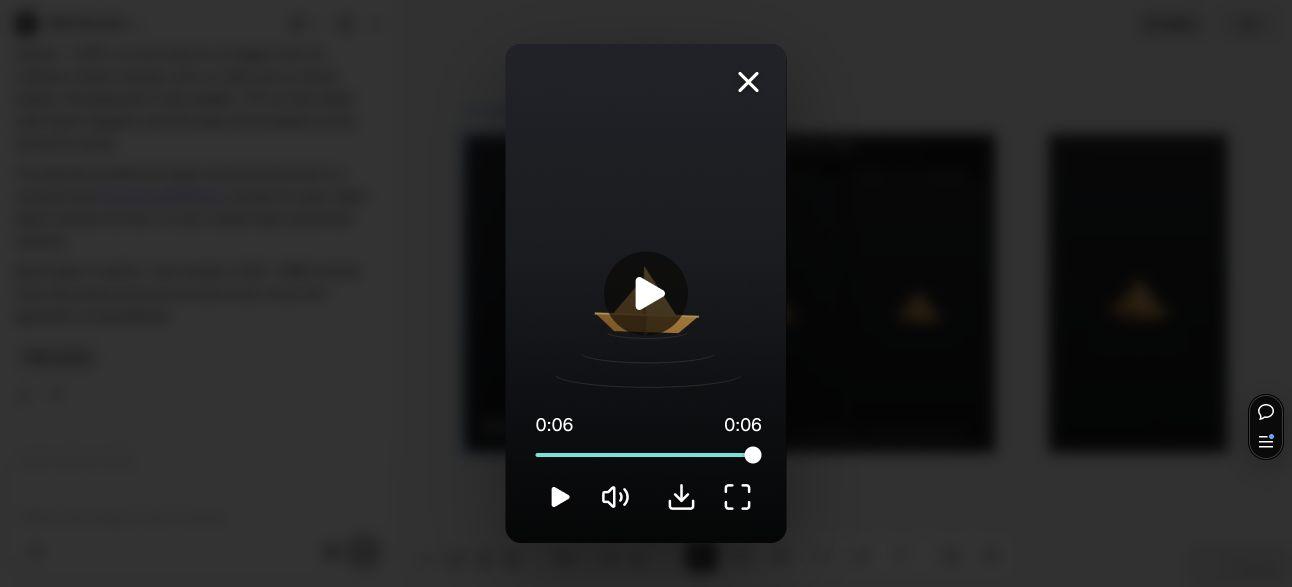
Select the video result, open its media preview and download the MP4. Keep the poster and review image separately named. The live preview played our clip through to six seconds; it did not automatically loop. That observation verifies playback of one cycle, not repeated playback across several restarts.
Independent inspection of the downloaded file found 180 frames at 30 frames per second, a six-second duration, 540 × 960 pixels, H.264 video and no audio stream. The file was 186,082 bytes. These are properties of this particular export, not requirements that every creator must copy.
The supplied poster is 1080 × 1920 and is useful as a still reference. Its dimensions do not describe the MP4, and it is not the 540 × 960 video checked here. This is why inspecting the actual downloaded file matters more than reading an adjacent image’s title.
4. Compare the encoded boundary rather than trusting a loop label
Watch the downloaded clip with repeat enabled in your player. Follow a stable landmark, then the moving subject and its reflection. Look for a sudden change in position, shape, speed or brightness at the restart. A smooth movement within the clip can still end in the wrong state.
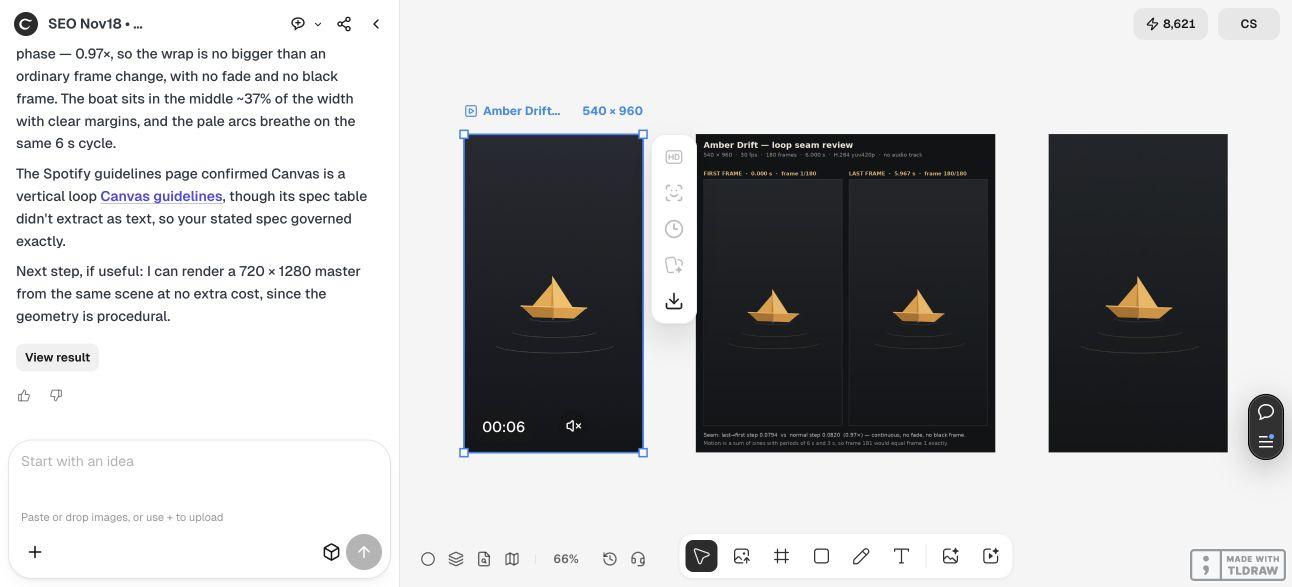
We also decoded the actual H.264 export into 8-bit grayscale frames and measured the average absolute pixel change across the whole frame. The largest ordinary adjacent-frame change was about 0.1277 on a 0–255 scale; the last-to-first change was about 0.1341, or 1.05 times that maximum. That diagnostic does not justify calling the encoded boundary pixel-perfect.
The number is not a visual quality score. A large still background can dilute a small but noticeable jump, and grayscale excludes color differences. The source animation’s intended periodicity and the agent’s own proof calculations are different evidence from this decoded-file check. Judge the actual movement as well as the measurements.
The two frames below are the first and last decoded frames from the delivered MP4. They look close as stills, but the final frame should normally lead into the first as the next motion step; they do not need to be identical. If a visible hitch remains, revise the movement or timing, export again and repeat the same inspection.


5. Hand off the checked version and review the destination preview
Give the artist or release manager the exact video you inspected, the still reference and a brief note naming the unresolved checks. A solo creator can keep a small versioned folder; a release team should record which video belongs to which track and which person approves the artwork.
A creator comfortable with code can use frame inspection to investigate a suspected boundary. A beginner can still perform the essential visual check with a repeating player. Neither route makes an upload successful by itself: confirm the current Spotify workflow and inspect the actual preview before publishing.
Our demonstration ends with a downloadable clip and an honest export check. We did not upload it to Spotify, verify a real artist account, observe phone-specific cropping or measure engagement. Use those as separate next steps for your own authorized release.
Spotify Canvas loop questions
Does a six-second duration prove that the loop is smooth?
No. Duration and the last-to-first transition are separate checks. Inspect the downloaded file with repeat enabled and watch the subject, reflection and brightness at the restart.
Why is the example 540 × 960 rather than 1080 × 1920?
The Spotify guidance checked for this article specifies 720–1080 pixels tall at 9:16. The actual 540 × 960 video is 960 pixels tall. Its separate 1080 × 1920 poster is a still reference, not the video’s dimensions.
Did Ciyo’s preview automatically repeat?
It played the actual clip to six seconds and stopped during our observation. Use a repeat-capable player for the boundary check; one successful playthrough does not establish repeated continuity.
Do the decoded-frame numbers prove a visible jump?
No. They show that the encoded last-to-first difference was slightly larger than the largest ordinary frame step under one grayscale, whole-frame method. That method can miss localized or color changes, so visual inspection remains necessary.
Is the download accepted by Spotify?
No upload was performed. We inspected the actual file’s properties and boundary as a fictional artwork example. Current platform checks and the real destination preview remain part of your release process.
Make the repeat boundary part of your brief
Start a Ciyo project with one subject and one restrained movement. Download the actual export, check its properties and inspect the restart before preparing the release handoff.