Event table-number artwork
Table Number Template: Check the Whole Set Before Printing

The first table-number card can look finished while the set still has a missing number, an awkward two-digit card or a 6 that becomes confusing when turned around. Approve the sequence and the shared layout together, rather than using card 1 as evidence for every other card.
For fictional Juniper Supper Club, we made a real Ciyo visual review sheet with numbers 1–12. An earlier agent attempt failed without a saved image; the built-in Image Generator then produced the checked sheet. We separately created twelve editable SVGs, a manifest and a twelve-page 5 × 7 inch PDF proof. No physical printing or table-distance test occurred.
Quick answer: approve all twelve numbers and all twelve source files
Write the expected sequence first, then compare every visual and exported file with it. This example expects exactly 1 through 12, one of each. The separate editable package contains twelve SVGs plus a CSV manifest, and the PDF contains twelve pages with the same sequence. Cards 6 and 9 have an orientation underline.
Follow these five steps. The Ciyo contact sheet establishes the visual direction; the individually checked source and PDF files establish what the downloadable set actually contains. A square review sheet is not the same thing as twelve print-size pages.
| Step | Action | Keep |
|---|---|---|
| 1 | Write the complete expected sequence | The table list and intended card size |
| 2 | Create a visual set proof in Ciyo | The whole contact sheet, not only card 1 |
| 3 | Inspect one- and two-digit cards | Sequence, orientation and spacing checks |
| 4 | Verify the editable and PDF package | Twelve unique sources and twelve matching pages |
| 5 | Test the actual printed presentation | Your own scale, stock, holder and viewing-distance check |
1. List the tables before choosing a decorative treatment
Juniper Supper Club needs tables 1–12. The list is a fictional example, not a seating plan for a real event. Confirm your own table identifiers before design work, including any special names or tables that intentionally skip a number.
Choose the intended physical size and holder together. Our companion set uses portrait 5 × 7 inch cards. That is a selected format, not a universal requirement. Check the actual holder's visible area and any part it covers before deciding how low a number or accent may sit.
A gallery can help compare styles, but keep the sequence and legibility as the acceptance criteria. A restrained ivory field, charcoal numerals and a small amber rule make the example easy to inspect. Names, reservation times and guest assignments belong to a separate task rather than being added to these number-only cards.
2. Generate a complete visual proof in Ciyo
Request the whole sequence in a stated reading order. For twelve cards, a four-column by three-row sheet makes it practical to compare rows without opening twelve separate previews. Specify consistent margins, clear numerals and the orientation treatment for 6 and 9.
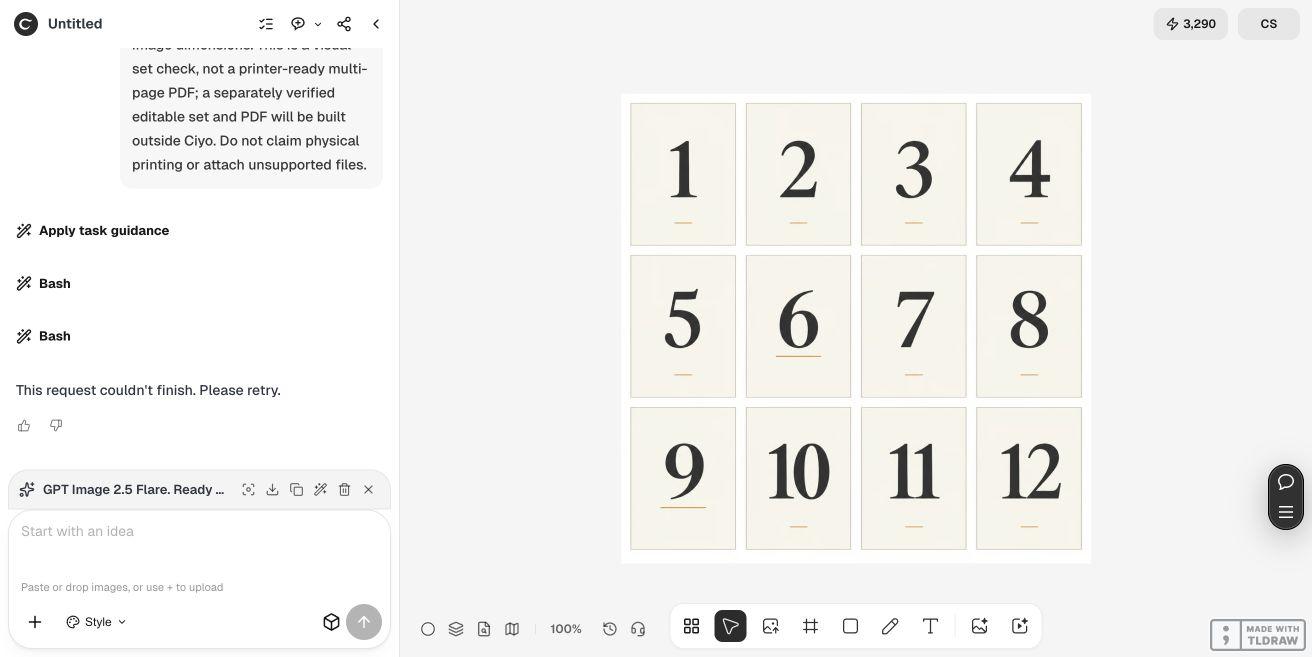
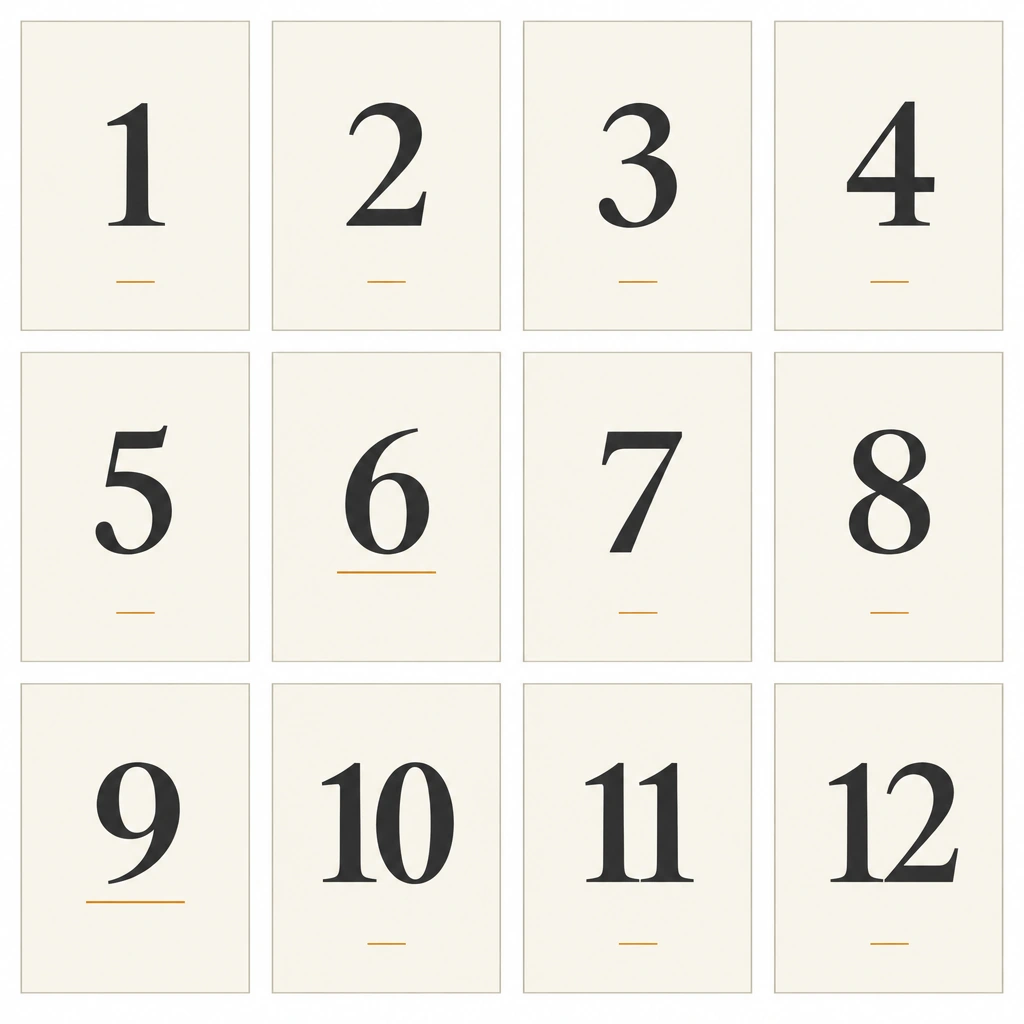
The first live agent request failed before saving a sheet. We retained its failure and used Ciyo's built-in Image Generator in the same project. With GPT Image 2.5 Flare, a 1:1 ratio, 1K and one image selected, it saved an actual 1024 × 1024 PNG. The source shows all twelve numbers in the requested reading order.
This image is a visual set proof. It does not supply editable text or establish each card's physical dimensions. We use separate original editorial companions for the editable package and PDF rather than calling a raster contact sheet a print-ready template.
Create a flat visual review sheet of [complete table-number list], arranged in [columns × rows] and numbered in this exact reading order: [row-by-row sequence]. Each number appears once only. Use [card proportions and palette], crisp large numerals, consistent margins and [orientation treatment for 6 and 9]. Keep complete card edges and clear gutters. No perspective mockup, venue scene, logo, extra text or decorative script. This is a visual contact sheet; editable sources and print files will be prepared and verified separately.3. Read the whole sequence, including 6, 9 and the two-digit cards
Read the sheet row by row against the expected list: 1, 2, 3, 4; 5, 6, 7, 8; 9, 10, 11, 12. Then check for duplicates and omissions independently. A correct count of twelve cards could still hide a repeated number and a missing one.
We inspected the actual Ciyo image and found one of each expected number in that order. The 6 and 9 have underlines, and the 10, 11 and 12 remain inside their card edges. The forms and accents are visually consistent enough for this proof; the exact editable geometry belongs to the separate source files.
Compare the longer numbers with the single-digit cards. Keep a common alignment and enough room around the widest label. Do not approve a new range such as 1–60 by checking only this twelve-card example: the different digits and additional files need their own complete-set review.
4. Verify the source package and every PDF page
The downloadable ZIP contains twelve separately created editorial SVG cards and a CSV manifest. Each SVG has one number as editable text, a 5 × 7 inch size and a 500 × 700 coordinate space. Open the source in an appropriate editor to change the type or palette, then inspect the export because font substitution can alter spacing.
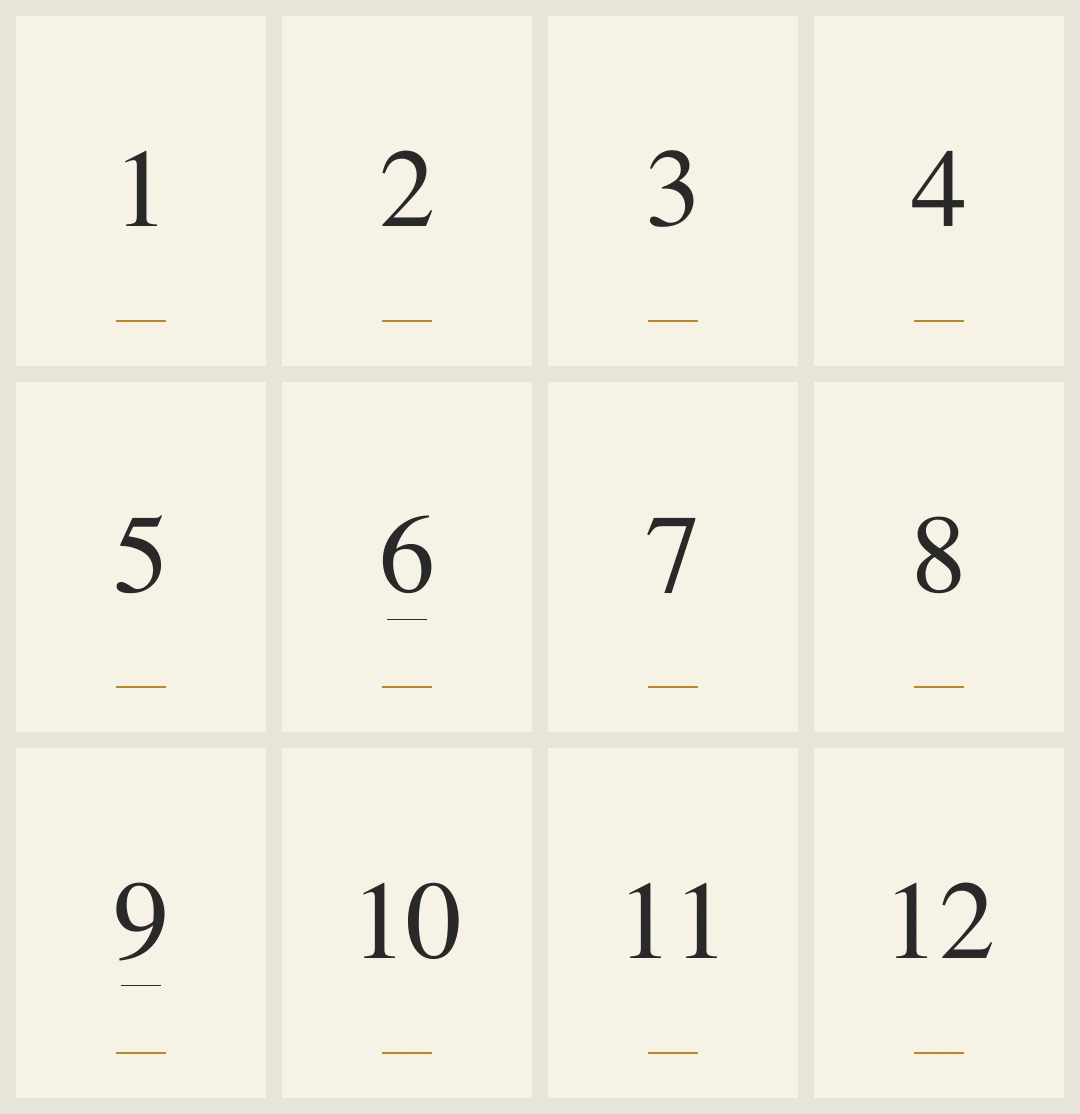
The separate PDF proof has twelve 360 × 504 point pages, corresponding to 5 × 7 inches. We extracted the number from every page and checked that the sequence is exactly 1–12 with twelve unique values. We also rendered every page and inspected the contact sheet below. The editable SVGs and PDF use the same simple direction but are separate editorial constructions, not source files attached by Ciyo.
Keep the manifest with the set. Its filenames run from table-01.svg through table-12.svg, making the expected package explicit. Recheck the ZIP after any revision: a corrected preview does not remove an older wrong source file from a download automatically. The proof has no bleed or crop marks, and a print provider may need a different production setup.
5. Test the printed card in its actual holder and setting
Print a sample at the intended size and compare it with the holder's visible area. Check whether the stand hides the orientation line or amber accent, whether the number is readable at the relevant viewing distance and whether the card remains stable. A large screen preview cannot establish those physical conditions.
For a small dinner, one approved set and a manifest may be sufficient. An event team should identify who checks the complete table list, who approves print production and who places the cards. If the seating plan changes, update the identifiers and repeat the set check rather than leaving an old file in circulation.
We have not printed, trimmed or placed these cards in a venue. The supplied assets are a checked digital example. Use the full set to review sequence and spacing, then complete the actual paper and distance checks before the event.
Table-number set questions
Does the download include every number from 1 to 12?
The ZIP contains twelve SVG cards and a manifest, and the separate PDF has twelve pages. We checked the source numbers and extracted PDF sequence for exactly 1–12 with no duplicate or missing value.
Is the Ciyo contact sheet the editable template?
It is a flat PNG visual proof. The editable SVG package and PDF proof are separately created editorial companions with their own checks.
Why are 6 and 9 underlined?
The underline provides an orientation cue. Check the actual holder and placement so it remains visible; the digital proof does not establish a physical viewing-distance result.
Is the PDF ready for every print provider?
It is a checked 5 × 7 inch proof with no bleed or crop marks. Confirm the provider's current production requirements and inspect a physical sample before ordering.
Can I extend the range without design skills?
An SVG-capable editor can change the source text, but a longer range needs a new manifest and a complete sequence and spacing review. This example establishes no fixed production time or guarantee for unreviewed numbers.
Approve the set rather than only the first card
Give Ciyo the full sequence and a clear visual system. Review every number, then verify the editable package and actual print proof before the cards reach the tables.