Practical design workflow
Timesheet Template: Make Breaks and Overnight Dates Explicit
An entry from 22:00 to 02:30 is easy to misread when the end date is missing. A time record needs the date boundary and the break rule before it needs a polished header.
This original example uses two fictional entries and fixed-offset time arithmetic. You get editable HTML and CSV source, with manually checked example totals. It does not calculate wages, payroll obligations or legal compliance.
Quick answer: record the dates, then subtract the stated break
Use full start and end dates, not only clock times. Calculate elapsed minutes from end minus start, then subtract the explicitly recorded break minutes for this example. Do not infer a break from a long shift or use a wrapped clock value to hide a missing end date.
The four steps below prepare the source, explore the visual layout, check the arithmetic and save a usable record. The examples assume the same fixed time offset throughout. They do not handle daylight-saving changes or decide whether a real break is paid.
| Entry | Start | End | Break | Elapsed | Net |
|---|---|---|---|---|---|
| T1 | 2026-11-24 09:00 | 2026-11-24 17:30 | 30 | 510 | 480 |
| T2 | 2026-11-24 22:00 | 2026-11-25 02:30 | 15 | 270 | 255 |
1. Define the record before making a form
Keep one entry per continuous recorded interval. Write the start date/time, end date/time and break minutes explicitly. If your actual process has several breaks, preserve their source records and state how their minutes are combined. Unknown break time is not automatically zero.
Keep the time convention with the record. The example uses one fixed offset so the date difference is enough to demonstrate the calculation. For a real record that crosses time zones or a clock change, use a time-aware system and the relevant verified rules rather than copying this simplified arithmetic.
2. Explore the record's visual hierarchy in Ciyo
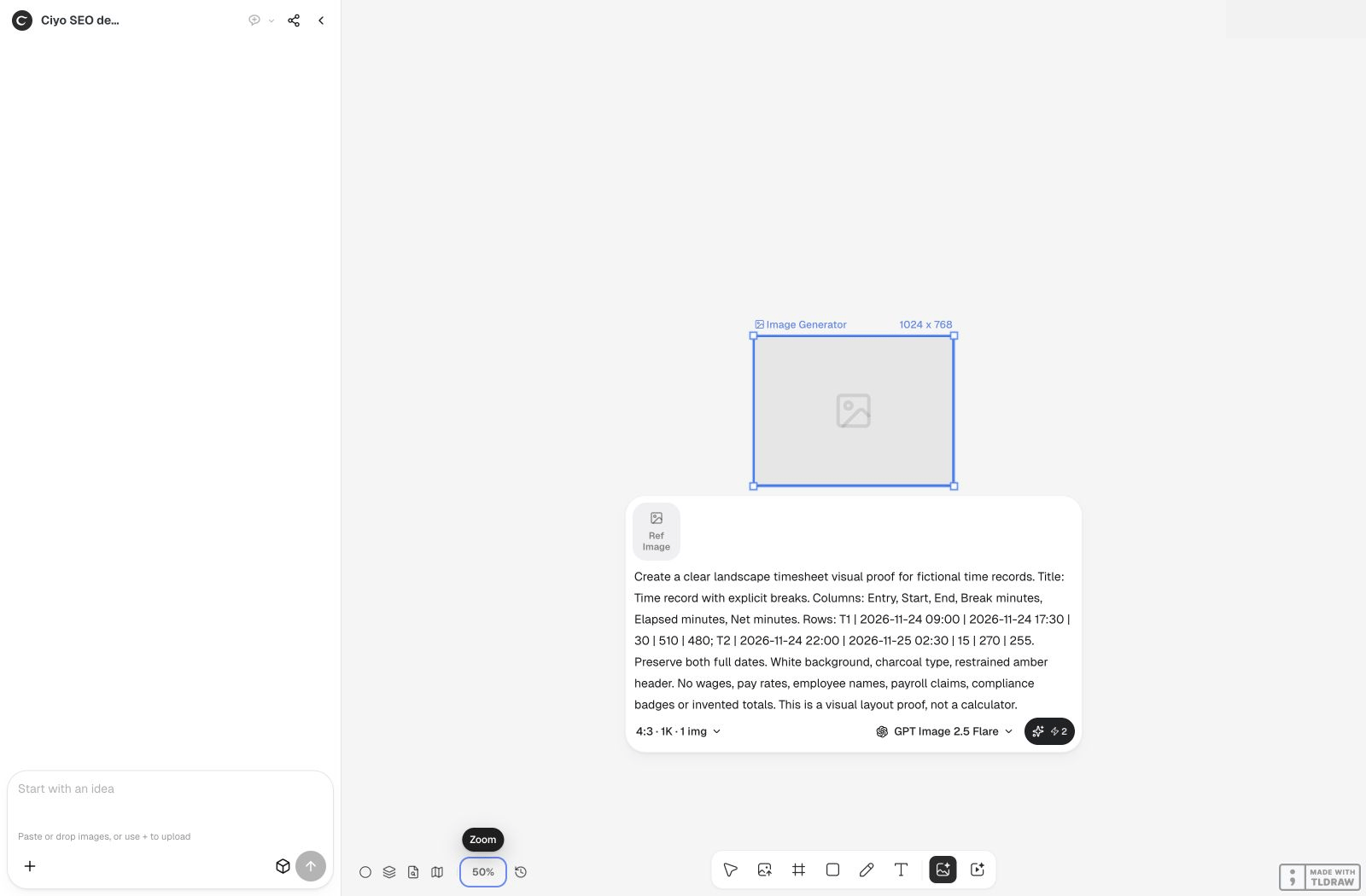
Create a fictional project and request a simple table with dates large enough to read. Inspect the current model settings and quote before generating. The purpose is to compare column width, whitespace and the distinction between input times and derived totals.
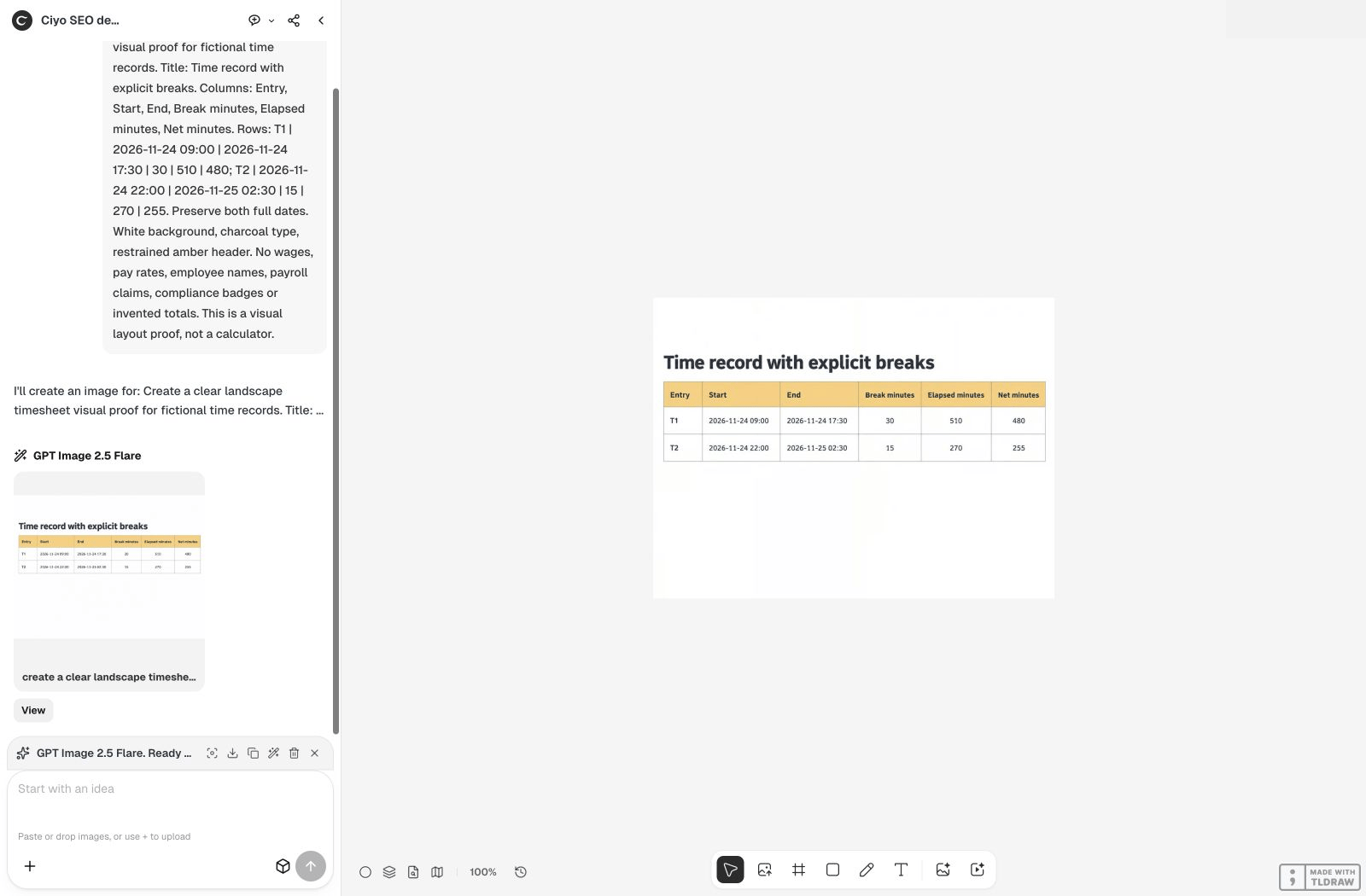
Check that the overnight row still shows November 25 as its end date. A plausible image can shorten dates or change a number. The visual result is not a calculation engine, and this workflow does not treat it as evidence of a correct time total.
On November 27, 2026, we used Ciyo’s production Image Generator with GPT Image 2.5 Flare, aspect ratio 4:3, 1K and one image. The displayed quote for this run was 2 credits. Check the quote in your own session.
Create a clear landscape timesheet visual proof for fictional time records. Title: Time record with explicit breaks. Columns: Entry, Start, End, Break minutes, Elapsed minutes, Net minutes. Rows: T1 | 2026-11-24 09:00 | 2026-11-24 17:30 | 30 | 510 | 480; T2 | 2026-11-24 22:00 | 2026-11-25 02:30 | 15 | 270 | 255. Preserve both full dates. White background, charcoal type, restrained amber header. No wages, pay rates, employee names, payroll claims, compliance badges or invented totals. This is a visual layout proof, not a calculator.3. Check elapsed and net minutes separately
The image retained the next-day end date and the 480- and 255-minute net values. Recompute the elapsed and net times from the source when changing either record.
For T1, 09:00 to 17:30 is eight hours thirty minutes, or 510 minutes. Subtract the stated 30-minute break to get 480 minutes. For T2, 22:00 to midnight is 120 minutes and midnight to 02:30 adds 150, giving 270. Subtract 15 to get 255 minutes, or four hours fifteen minutes.
Check that end follows start and that the break is not negative or longer than the interval. Those checks catch data errors; they do not determine an employment policy. The two example net values sum to 735 minutes, or twelve hours fifteen minutes. Keep the individual rows so a reviewer can reconstruct that total.
4. Edit the source and keep totals in step
Open the HTML, edit the cells and choose Save edited HTML. Keep the CSV as a separate structured source. These are static example files: changing a time does not automatically recalculate its total. Recalculate and edit the derived cells yourself, or move the source into an appropriate spreadsheet or time system.
Print one proof and verify that the date and time remain together on each row. On a narrow screen, scroll the table sideways to read every column. Check the record against its original time evidence before using it in any real process. The download is independently authored and is not a Ciyo export.
Choose a time tool when calculation is the main job
Vertex42's timesheet guide demonstrates spreadsheet-based time-in/out and break records. Its template is subject to its own license and is not redistributed here. A spreadsheet or time-recording product is a better fit when you need formulas, approvals or repeated reporting.
A workshop timetable describes a plan for the future. A timesheet records what happened. Keep those purposes separate: planned durations should not silently replace actual start, end and break records.
Time-record questions
Does the download calculate automatically?
No. The example totals are static and independently checked. Editing time cells requires recalculating the totals yourself or using a spreadsheet/time system with suitable formulas.
Does it handle daylight-saving time?
No. The example assumes one fixed offset. Use a time-aware record and verify the actual time-zone rules for an interval that crosses a clock change.
Is this a payroll-compliance template?
No. It demonstrates elapsed-minute arithmetic and a readable layout, without deciding pay, break treatment, employment rules or compliance.
Make the date boundary visible
Prepare complete time records, explore their layout in Ciyo and verify the arithmetic in editable source before using the form.