Practical preparation lists
To-Do List Printable: Write the Next Action Clearly

A task labeled Workshop can sit on a list for days because it does not say what to do next. A printable to-do list is more useful when each row names an action you can actually complete and leaves space to mark the result.
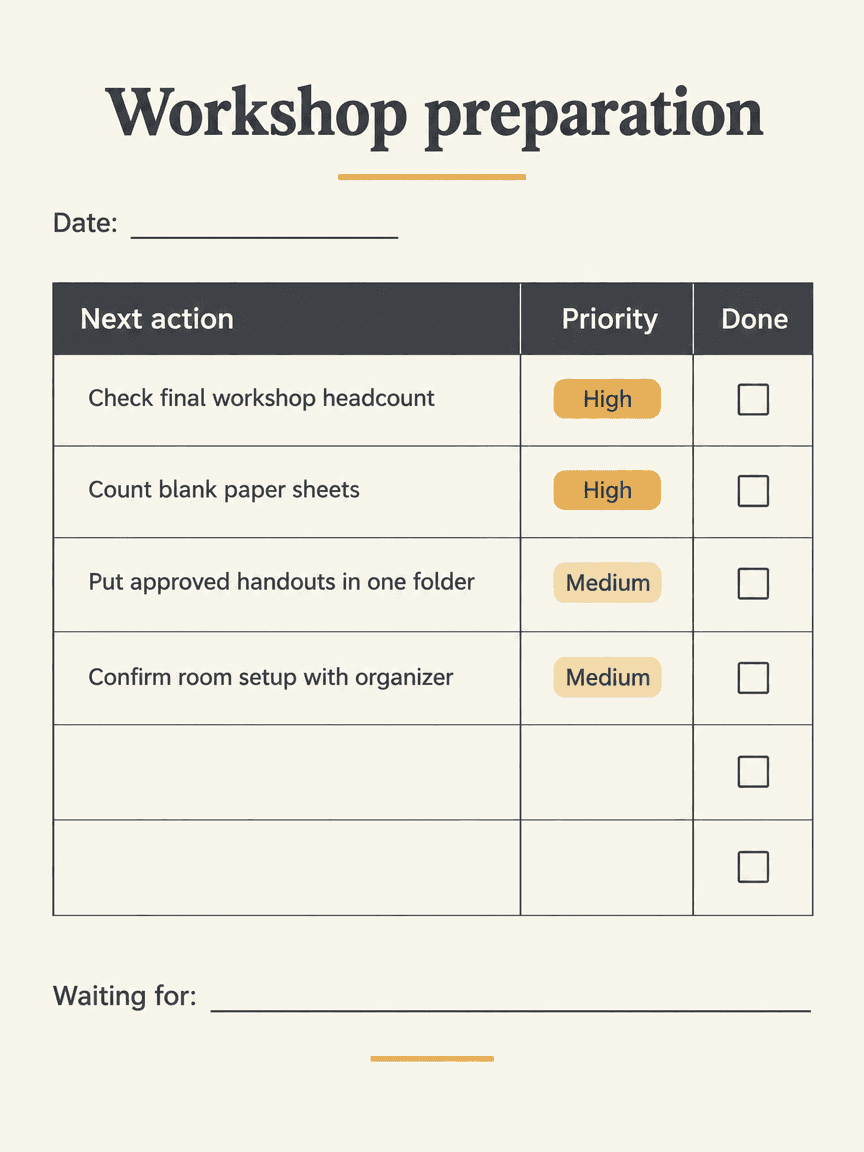
We generated a fictional workshop-preparation list in Ciyo on November 22, 2026. The PNG preserves four actions, priorities, six empty completion boxes, two blank rows and a Waiting for line, but omits the requested fictional-example label. The English HTML and PDF below are separate editorial companions with that disclosure. No productivity improvement, time saving or behavior change was measured.
Quick answer: a source you can check, then a visual proof
Write the next observable action, give it a priority only when that helps, and keep a separate completion box. Use a visual proof to check hierarchy and writing room; keep the working list editable and revise it when an action changes.
Follow five steps: define the task, prepare the source, request a visual proof, inspect the actual output and prepare a separately reviewed working file.
1. Turn the project into actions
Our sample begins with Check the final workshop headcount, Count blank paper sheets, Put approved handouts in one folder and Confirm the room setup. These are actions with recognizable endpoints. They are not four alternate names for the workshop itself.
Canva's document-template collection is a source of general page-layout examples. The action wording here is an original editorial method, not a measured productivity finding. This one-off preparation list also has a different purpose from a monthly habit tracker, which records repeated behavior across dates.
2. Decide what each row needs
Keep the action text wide enough to read without tiny type. The sample adds an order number, a priority and a Done field. Two blank rows allow a reader to add their own actions. A Waiting for line catches a dependency that should not be mistaken for a completed task.
Use priorities sparingly. If every row is marked High, the column does not help decide what comes next. For your own list, distinguish an action you can perform from a response you are waiting to receive. Rewrite a vague item before adding another icon or status category.
| Broad topic | Next action | Observable finish |
|---|---|---|
| Attendees | Check the final workshop headcount | Approved count recorded |
| Materials | Count blank paper sheets | Available quantity noted |
| Handouts | Put approved files in one folder | Reviewed files are together |
| Room | Confirm the setup with the organizer | Confirmation received or dependency noted |
3. Brief a printable hierarchy in Ciyo
Create a separate project and ask for a flat workshop-preparation list with the exact actions. Request a wide action column, a clear priority field and empty completion boxes. A short title and date line are enough context; decoration should not compete with the action text. For the run shown, we used Image Generator with GPT Image 2.5 Flare, portrait 3:4, 1K and one image. Check the displayed credit quote before starting your own run.
The prompt below creates an image proof, not a task-management service or a synchronized checklist. Keep the action source separately. Review the displayed cost and settings before generating, and do not include private attendee or organizer information in an illustrative layout request.
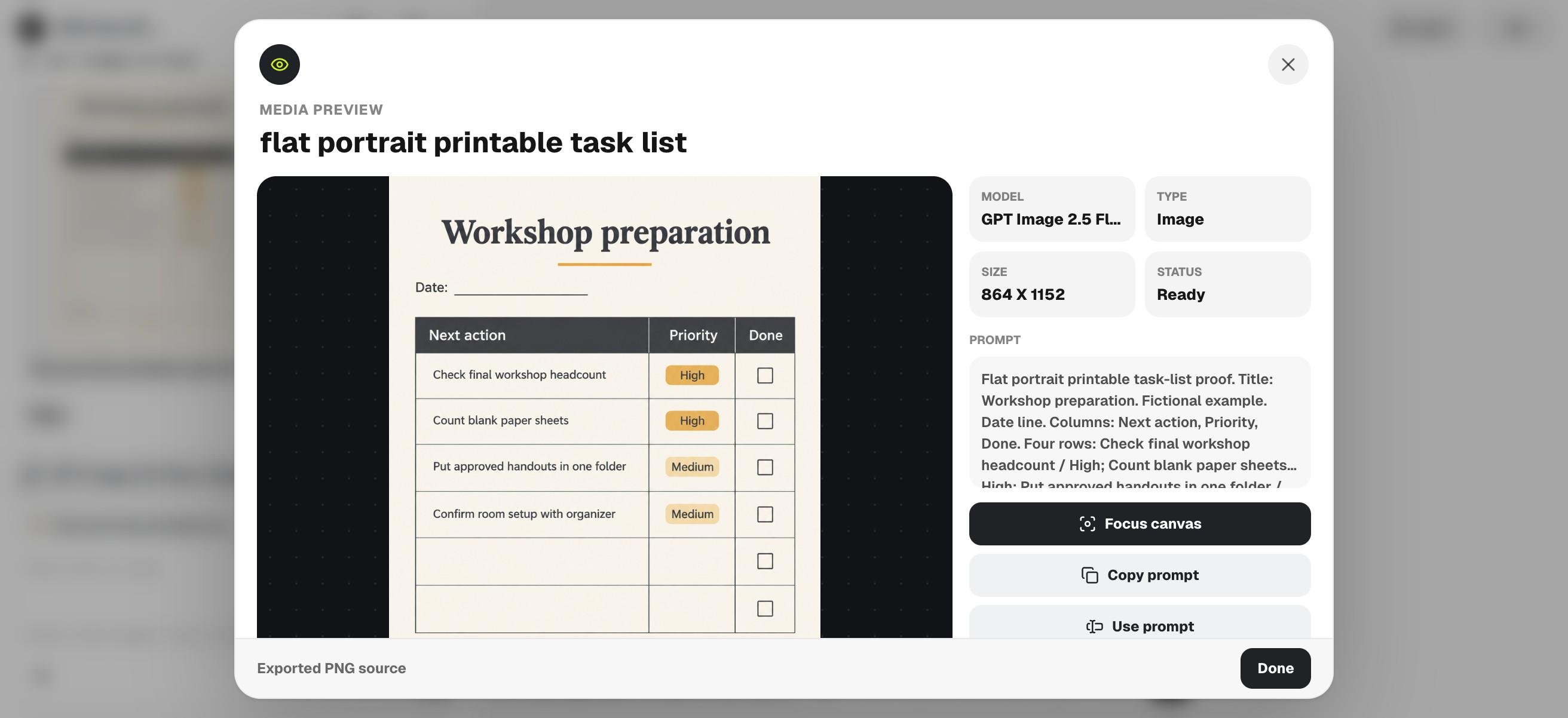
Flat portrait printable task-list proof. Title: Workshop preparation. Fictional example. Date line. Columns: Next action, Priority, Done. Four rows: Check final workshop headcount / High; Count blank paper sheets / High; Put approved handouts in one folder / Medium; Confirm room setup with organizer / Medium. Empty completion boxes. Two extra blank rows. Waiting for line. Ivory, charcoal, small amber accent. No completed ticks, productivity claims or extra tasks.4. Check that the list can actually be marked
Read each action and find its corresponding completion box. Check whether the box is empty and large enough to mark on the intended print. Look for repeated tasks, truncated verbs and decorative marks that resemble completed ticks.
The downloaded PNG contains the four supplied actions, High/High/Medium/Medium priorities, two additional blank rows and empty completion boxes. It also includes Date and Waiting for lines. It omits the requested fictional-example label, so the working companion restores that disclosure. This output review does not establish that a printed list improved anyone's work.
5. Use a dated source and update the next action
The English HTML preserves the actions as editable text; the PDF is a separate printable example. Replace the fictional preparation details, add a date and print one sample. These files were assembled independently from Ciyo's raster proof and contain no reminders, notifications or automatic status updates.
For personal preparation, keep only the fields you use. For a shared event, decide who owns each action in your working process rather than assuming a printed checkbox assigns responsibility. When an item is blocked, write the next follow-up or dependency instead of marking an unfinished task complete.
Choose the workflow and review the final file
Choose a task app when reminders, assignments or a shared live status are the main need. Choose a printable list for a small set of actions you want to review on paper. Use Ciyo when the unresolved question is the list's visual hierarchy, then test the final sheet at its intended size.
Download the English working files
These English companions are separately assembled editorial files. They preserve the source information or blank fields described above; they are not exports from Ciyo's image-generation step. Review and adapt them before use.
Practical questions
Does the printable send reminders?
No. It is a static example with editable HTML and a PDF; no reminder or task synchronization feature is included.
Should every item be High priority?
Only use priorities that help you make a decision. Revisit the action and dependency if all rows appear equally urgent.
Was productivity measured?
No. The guide demonstrates a design and wording process without claiming time savings or improved completion rates.
Make the next action visible
Write a short set of checkable actions and explore their hierarchy in Ciyo before printing a reviewed working copy.