Travel planning layout
Travel Itinerary Template: Label Time Zones and Leave Transfer Gaps

A travel itinerary template is hard to follow when local times and transfer gaps are implicit. Label the time zone next to the plan and reserve travel space between activities before making the page look finished.
We generated a fictional single-zone studio visit in Ciyo's development workspace on November 23, 2026. The output retains five time ranges, UTC+08:00 and the not-a-booking label. The separately authored English downloads are planning examples; no route, opening time, reservation or travel duration was checked for a real trip.
Quick answer: keep the source and inspect the proof
State the date and time zone, list activities in order, and label transfer buffers explicitly. Check the visual proof against the source, then replace the fictional schedule with confirmed arrangements in editable text.
Follow five steps: define the task, prepare a checkable source, generate a visual proof, inspect the actual output and use the separately authored working files.
1. Distinguish a plan from a booking
Our heading says FICTIONAL PLAN — NOT A BOOKING. Sample studio visit takes place on Monday 30 November 2026 and uses UTC+08:00 throughout. Sample hotel and studio are placeholders, with no address or reservation implied.
Canva's itinerary collection is a layout reference. A template cannot confirm transportation, access or operating hours. Gather your actual booking references and verified arrangements before distributing a real itinerary, and decide who maintains its latest version.
2. Put transfer space into the timeline
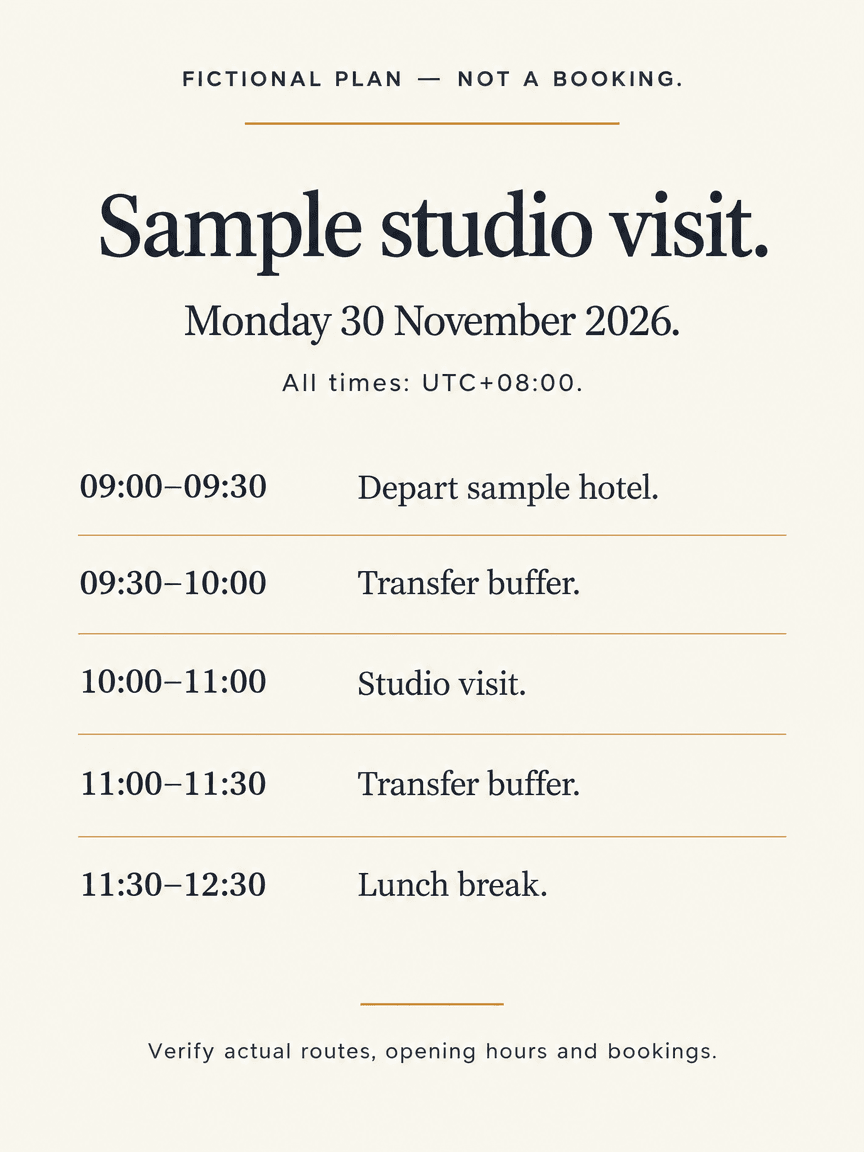
The five sample ranges run from 09:00 to 12:30: depart sample hotel, transfer buffer, studio visit, transfer buffer and lunch break. Two 30-minute gaps are explicitly labeled Transfer buffer. They are illustrative allowances, not measured journey times.
This example stays in one time zone. If your actual trip crosses zones, identify the local zone for each entry and verify the date as well as the clock time. Do not reuse UTC+08:00 merely because it appears in the sample.
| Time (UTC+08:00) | Fictional plan | Check before real use |
|---|---|---|
| 09:00–09:30 | Depart sample hotel | Actual departure arrangement |
| 09:30–10:00 | Transfer buffer | Verified route allowance |
| 10:00–11:00 | Studio visit | Confirmed access |
| 11:00–11:30 | Transfer buffer | Verified route allowance |
| 11:30–12:30 | Lunch break | Actual opening hours |
3. Generate one flat visual proof in Ciyo
Create an isolated Ciyo project and open Image Generator. Our authenticated development run on November 23, 2026 used GPT Image 2.5 Flare, Medium quality, portrait 3:4, 1K and one image. Select the controls before entering the complete prompt, then review the displayed credit quote. Our run showed 2 credits; check your own current quote.
The copyable prompt is the actual English request. Replace the fictional details consistently and retain the stated constraints. The result is a raster image proof; the editable downloads below were assembled independently and are not Ciyo exports.
Create one flat portrait travel itinerary layout proof. Exact text: FICTIONAL PLAN — NOT A BOOKING. Sample studio visit. Monday 30 November 2026. All times: UTC+08:00. Rows: 09:00–09:30 | Depart sample hotel. 09:30–10:00 | Transfer buffer. 10:00–11:00 | Studio visit. 11:00–11:30 | Transfer buffer. 11:30–12:30 | Lunch break. Footer: Verify actual routes, opening hours and bookings. Clear ivory and charcoal layout, restrained amber divider. Do not invent transport numbers, addresses, confirmations or maps.4. Compare the actual output with the source
The PNG preserves all five time ranges in order, the single-zone label and the explicit fictional/not-a-booking wording. The footer asks readers to verify actual routes, opening hours and bookings. The model adds punctuation after several lines.
These observations concern text retention and layout only. No real transfer was timed and no booking was made. A visually coherent schedule does not establish that a destination is open or that a connection is feasible.
Ciyo media preview: inspect the model and original request
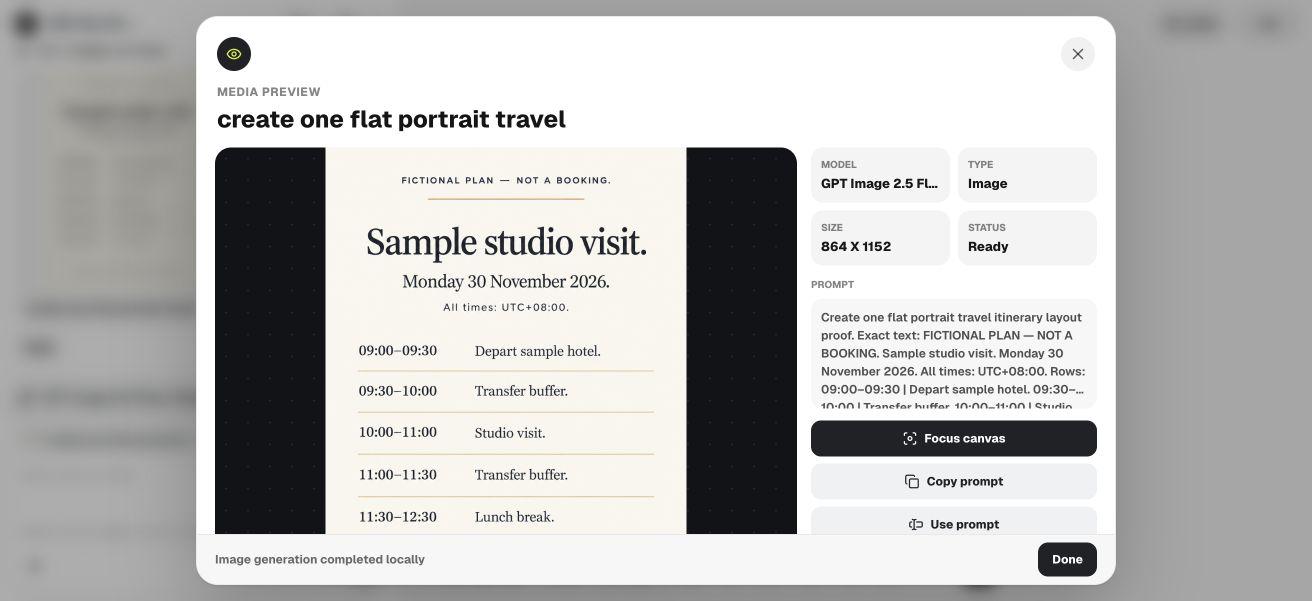
Open the generated asset in Ciyo’s media preview to compare the result with the model details and original English prompt. This whole-product capture shows that review step; the readable prompt and output inspection above remain the reference for small text.
5. Maintain the confirmed plan in editable files
The English HTML is a printable single-zone plan. The CSV repeats the date and UTC+08:00 in every row and adds a blank confirmation/reference column. That repetition keeps the zone attached when someone sorts or copies an individual entry.
Replace the sample details, check the chronological order and review the final page after a change. Keep sensitive reservation details in an appropriate private version rather than adding them to a public illustration. These downloads do not provide live transport updates.
Choose the source you will maintain
Use an editable itinerary for confirmed arrangements and a Ciyo proof for layout exploration. A single-zone workshop visit needs less structure than a multi-city trip. Add zone and confirmation detail only where it serves the actual plan, and verify every real travel assumption.
Frequently asked questions
Are the transfer buffers verified journey times?
No. They are fictional 30-minute placeholders. Check actual routes and allow for the conditions of your trip.
Does this include a booking?
No. The image and working files explicitly identify a fictional plan. No reservation or transportation purchase was made.
What changes for a trip across time zones?
Label the zone for each entry and verify the local date and time from the actual arrangements. This demonstrated sample uses UTC+08:00 throughout.
Explore an itinerary with visible transfer gaps
Start with your approved source, generate one visual proof and inspect the actual result before preparing the final working file.