Trip preparation
Travel Packing List Template: Track Quantities and Which Bag Holds Them
A travel packing list template can tell you what to bring without telling you where it is packed. Add quantities and bag locations so the last check can be specific: two pencils in the day bag, rather than a vague tick beside stationery.
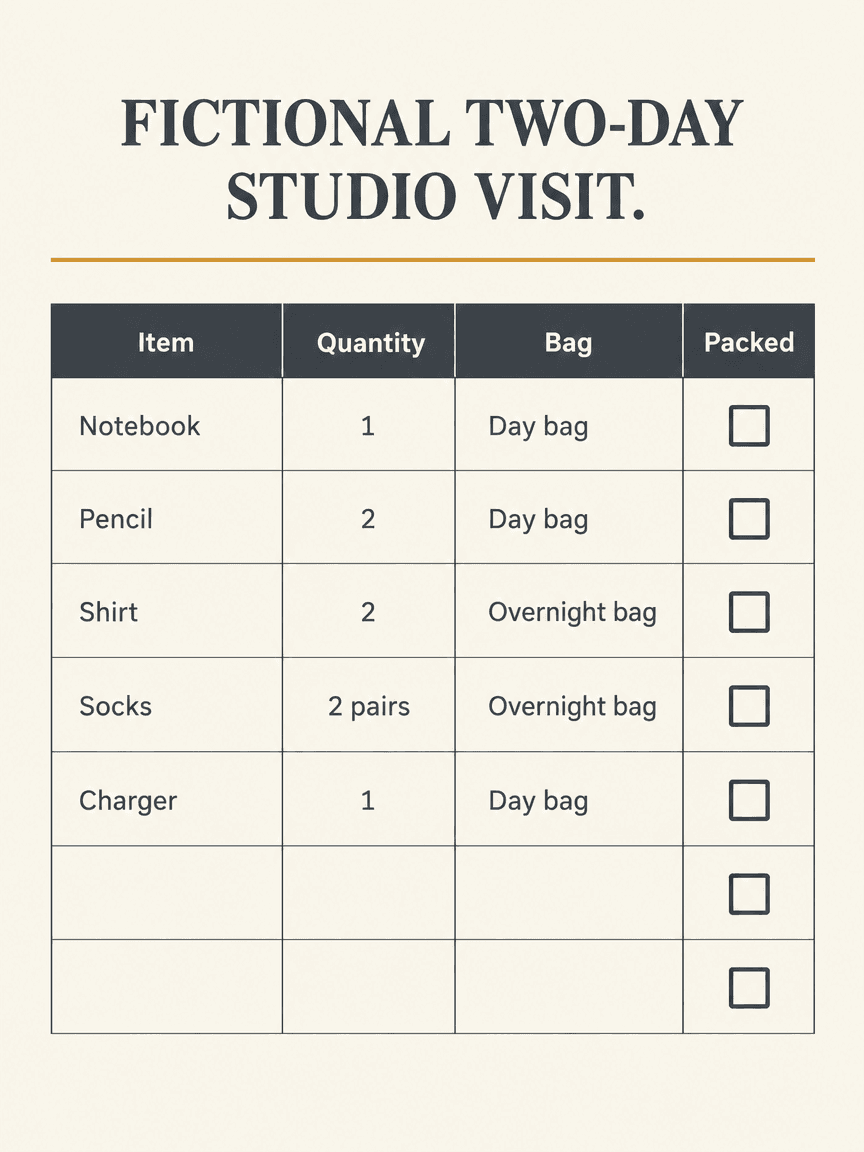
Our November 23, 2026 Ciyo run used a fictional two-day studio visit with five listed items and two blank rows. The output retains the quantities, bag assignments and empty checkboxes. The English HTML and CSV were separately authored; this example does not establish airline, destination, medical or weather requirements.
Quick answer: keep the source and inspect the proof
Use Item, Quantity, Bag and Packed. Keep units attached to quantities, assign a bag before marking completion and leave room for additions. Inspect a visual proof, then use the editable list while packing the actual belongings.
Follow five steps: define the task, prepare a checkable source, generate a visual proof, inspect the actual output and use the separately authored working files.
1. Define the visit before choosing items
The sample covers a fictional two-day studio visit: one notebook, two pencils, two shirts, two pairs of socks and one charger. It is a compact layout example, not a complete travel checklist for a particular traveler or destination.
Canva's packing-list templates offer presentation references. Your actual itinerary, accommodation and applicable carrier instructions determine what belongs on the list. Verify any restricted-item, weight or destination rules from the relevant provider rather than treating a generated list as authority.
2. Keep quantity and location separate
Notebook, pencils and charger go in Day bag; shirts and socks go in Overnight bag. Socks use 2 pairs rather than an ambiguous 2. A separate Bag column lets you relocate an item without rewriting its description.
The Packed box should remain empty until you check the actual item in the intended bag. Agree on how shared belongings are recorded if several people travel together. Do not mark a generated illustration as evidence that a bag has been packed.
| Item | Quantity | Bag |
|---|---|---|
| Notebook | 1 | Day bag |
| Pencil | 2 | Day bag |
| Shirt | 2 | Overnight bag |
| Socks | 2 pairs | Overnight bag |
| Charger | 1 | Day bag |
3. Generate one flat visual proof in Ciyo
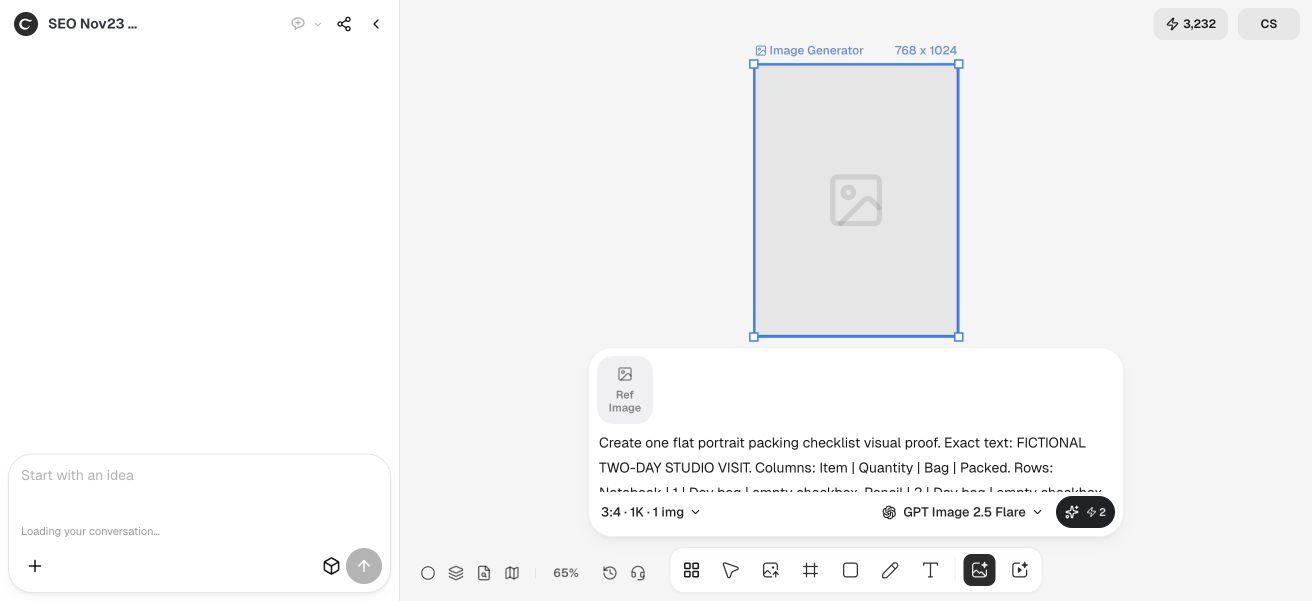
Create an isolated Ciyo project and open Image Generator. Our authenticated development run on November 23, 2026 used GPT Image 2.5 Flare, Medium quality, portrait 3:4, 1K and one image. Select the controls before entering the complete prompt, then review the displayed credit quote. Our run showed 2 credits; check your own current quote.
The copyable prompt is the actual English request. Replace the fictional details consistently and retain the stated constraints. The result is a raster image proof; the editable downloads below were assembled independently and are not Ciyo exports.
Create one flat portrait packing checklist visual proof. Exact text: FICTIONAL TWO-DAY STUDIO VISIT. Columns: Item | Quantity | Bag | Packed. Rows: Notebook | 1 | Day bag | empty checkbox. Pencil | 2 | Day bag | empty checkbox. Shirt | 2 | Overnight bag | empty checkbox. Socks | 2 pairs | Overnight bag | empty checkbox. Charger | 1 | Day bag | empty checkbox. Leave two blank rows. Ivory, charcoal, small amber rule. No airline, luggage weight, border, medical or weather claims. This is a visual layout proof.4. Compare the actual output with the source
The actual PNG includes all five supplied items, their quantities and bag assignments. It has two additional blank rows and seven empty checkboxes. The heading retains the fictional two-day studio-visit label and adds a period.
Check units as well as numerals: 2 pairs of socks is not the same entry as two individual socks. Review the Bag cells for row shifts. Nothing in the output verifies a physical item or a travel requirement.
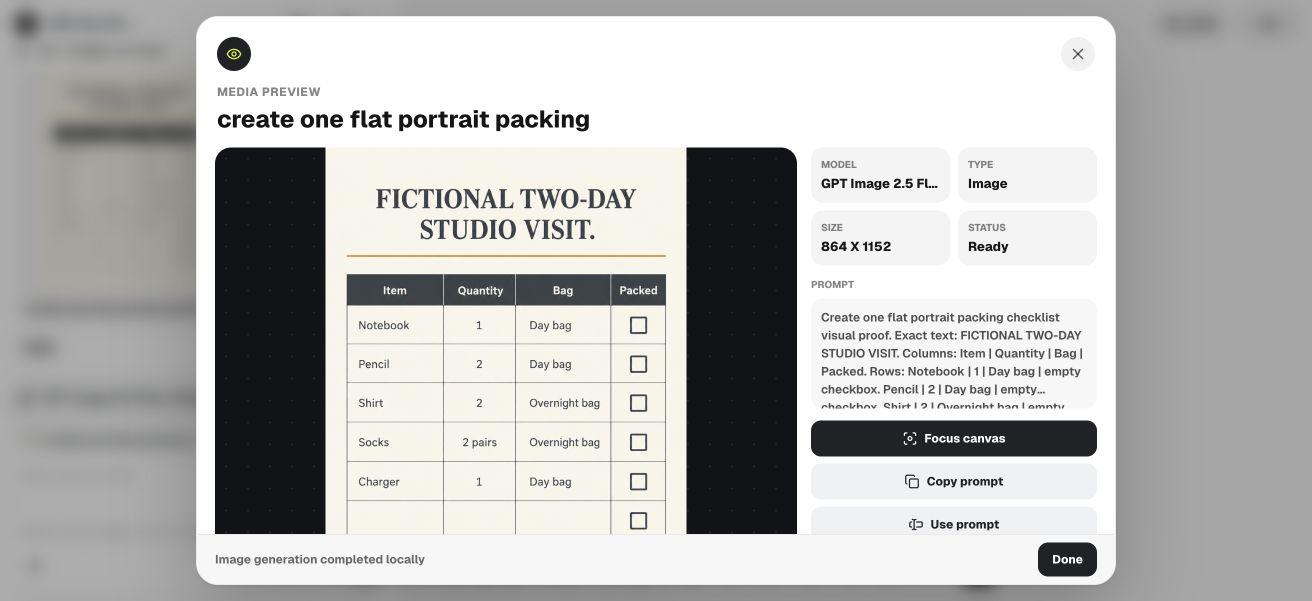
Ciyo media preview: inspect the model and original request
Open the generated asset in Ciyo’s media preview to compare the result with the model details and original English prompt. This whole-product capture shows that review step; the readable prompt and output inspection above remain the reference for small text.
5. Use the editable list during the physical check
The English HTML provides the seven-row printable, and the CSV keeps the five item rows plus two empty rows with blank Packed fields. Both are independent sources rather than editable layers exported by Ciyo.
Customize the list for the actual trip, then check each item against the bag holding it. If you move the charger, update its location before the final check. Keep a reusable blank version separate from a dated trip's completion marks.
Choose the source you will maintain
Use a spreadsheet when you need to sort items by bag or revise quantities repeatedly. A printed sheet can help with the final physical check. Use Ciyo to explore visual spacing, while keeping real packing decisions in an editable source.
Frequently asked questions
Is this a complete list for a two-day trip?
No. It is a fictional five-item layout example with two blank rows. Adapt it to your actual arrangements and needs.
Are the checkboxes already marked?
No. All seven are empty in the demonstrated image. Mark completion only after checking the actual item and its bag.
Does it check airline baggage rules?
No. Verify the applicable carrier and destination instructions separately. The files contain no baggage-rule service.
Create a quantity-aware packing-list proof
Start with your approved source, generate one visual proof and inspect the actual result before preparing the final working file.