
Write a useful prompt
Three campaign briefs and the checks each output needs.
Choose your model and format, describe the result, and take the request into Ciyo.
Opens an unsent draft. Review the model and quote in Ciyo before sending. Existing unfinished drafts are preserved.
Name the subject, placement and exact wording. Describe the composition and what must stay unchanged. For still-image edits, attach your reference after opening the canvas.
These choices are written into an editable request. They do not replace your saved model settings. Check the requested 2.6 model and generation quote in Ciyo, then send. If an unfinished draft exists, Ciyo keeps it instead of overwriting it.
Check spelling, subject details and output dimensions. Play a GIF through the loop boundary and check its actual timing and file size. A nine-frame loop is suited to small motion; use a video workflow for longer action or sound.
This retained example shows all nine frames from a Sunburst GIF made in Ciyo. Compare the balloon position across frames; inspect a complete loop before publishing your own.
Read the example and limits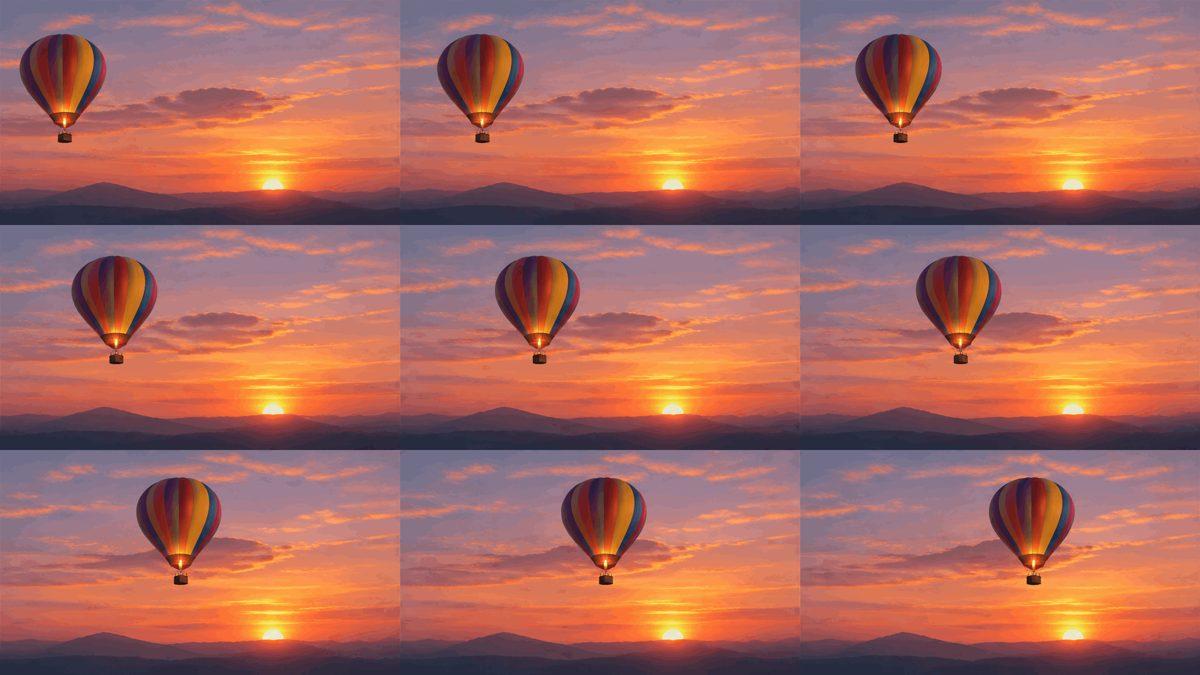
Ciyo uses prepaid credits, with no subscription. Media generation has a quote based on the request. Conversation, planning and creative reasoning can consume credits separately; opening this page or preparing a draft does not generate media.
View pricingNo. The controls prepare a request. Open in Ciyo carries it to an unsent, editable canvas draft. Generation starts only after you send; account access and sufficient credits are required for paid work.
Not for this text-to-GIF route. The current integration accepts no image references for Animated GIF. Use a text description, or discuss a separate image-to-video workflow in Ciyo.
They are included as explicit instructions in your draft, not saved directly to the workspace model menu. Check your active model policy before sending; an existing restricted policy may need to be changed.
Three campaign briefs and the checks each output needs.

Compare the intended roles and limits of the two models.