Canvas workflow · Editable copy
Add Editable Text to an AI Image

The workshop image is approved, but the headline changes. If the words are baked into the picture, a small copy edit becomes an image-editing task. A separate text object lets you correct the wording while keeping the selected artwork.
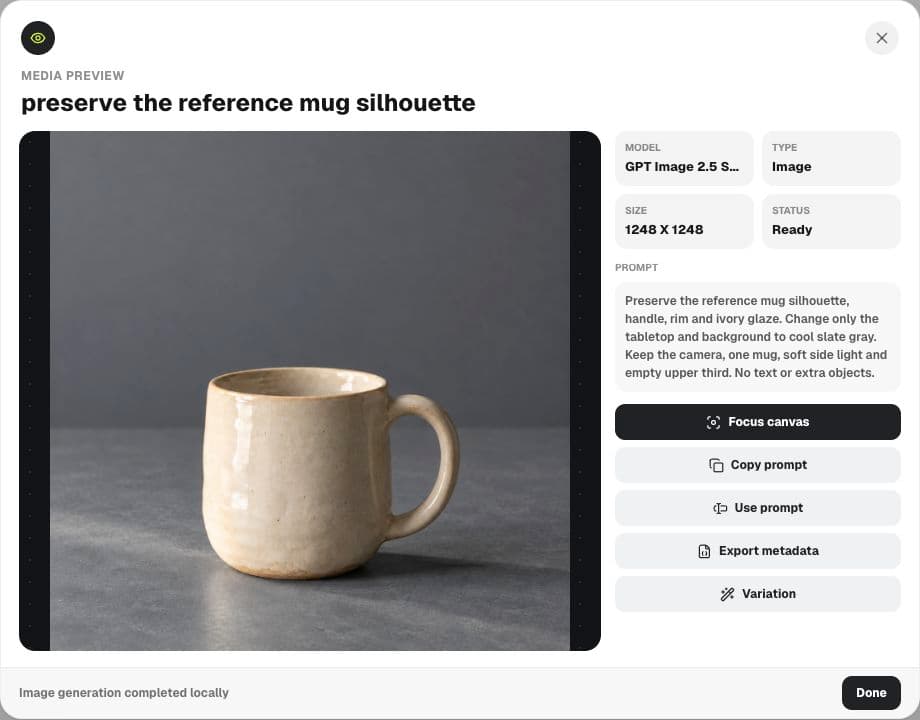
This walkthrough adds ‘Make your first mug’ to a fictional Still ceramics image in Ciyo. It covers the manual Text tool, legibility and the export boundary. The example was performed on the development site on September 17, 2026; the screenshot shows an actual editable object.
Reserve space before you add words
Choose an image with a calm area large enough for the intended message. Our mug occupies the lower portion of the square, leaving a relatively even background above it. That space gives the headline a place to sit without covering the handle or rim.
Write the real headline first. A composition that fits four words may not fit a long date, venue and offer. Put supporting detail in the accompanying caption or another deliberate text area; shrinking everything until it fits usually weakens the message.
Use Text in the canvas toolbar
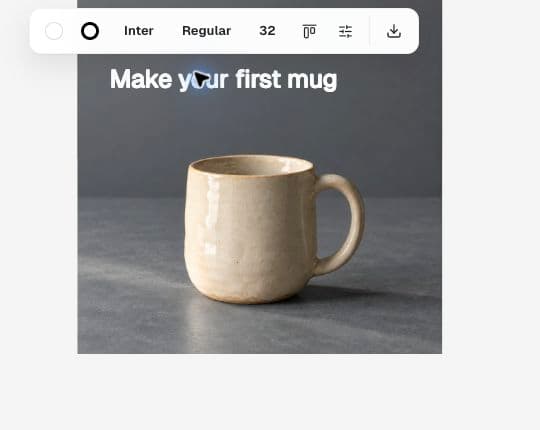
Choose Text in the bottom toolbar, then click the intended position on the canvas and enter the headline. Finish editing to select the new object. It should expose text controls rather than image-editing controls.
In this session, asking the agent to create editable text returned an explanation that the action must be performed with the Text tool. We therefore added the headline manually. Do not assume that a chat request executes every action available in the canvas.
Make your first mugAdjust the text object, not the picture
Select the headline and use its Fill, font and size controls. We used a white fill over the slate background and reduced the size until the full line fit inside the image. The correct size depends on your composition; a number copied from another board is only a starting point.
Keep some space between the words and the image edge. Check the longest word and any descenders, accents or punctuation. A bright highlight behind one part of a white headline can make that part disappear even when the rest reads well.
Prove the words are still editable
Double-click the text object and correct a word or replace the line. Finish editing, then read the entire headline again. This simple check catches accidental misspellings and confirms that you are editing text rather than asking an image model to redraw letters.
If the image itself already contains words, adding a text object does not remove them. Start with a text-free image or deliberately repair the original lettering first. Otherwise two versions of the message may overlap.
| Change | Useful action |
|---|---|
| Headline wording | Edit the text object |
| Headline color or size | Use the selected text styles |
| Mug or background appearance | Edit the image separately |
| Move both together | Select the intended canvas objects and inspect the composition |
Check at the size your audience sees
Zoom out until the square is close to its expected viewing size. Read the headline without leaning in, then inspect whether the mug still has enough visual weight. A large editing view can hide weak contrast and crowded margins.
Keep the accepted image and editable text in the project. For another language, replace the text and review its line breaks rather than assuming the same width will work. The original artwork can stay unchanged if the composition still supports the translated copy.
Export the intended deliverable
An image source file and a canvas composition are different deliverables. Ciyo's active-asset Source file option downloads the generated image; it does not promise to include a separate headline placed on the canvas. In our example, the downloaded source remained the text-free mug image.
If a teammate needs to continue design work, hand over the source image and exact headline separately with placement notes. If you need one flattened campaign graphic, use the appropriate composition export and open the resulting file to verify that all intended objects are present. Do not approve an export solely because the canvas looked correct.
Editable text questions
Can Astra add the text shape from chat?
In this demonstrated session the agent directed us to the manual Text tool. The walkthrough uses that supported canvas action.
Will downloading the image include my headline?
The active-asset Source file export downloads the image source. A separate canvas text object is not part of that source; inspect your composition export when you need both in one file.
Do I need another image generation to change a word?
No, when the wording is a separate text object you can edit that object directly.
Keep your next headline editable
Bring a text-free image to Ciyo and add your verified campaign message with the Text tool.