Buyer workflow
AI Brochure Generator: Check Fold Order and Files Before Paying
A pottery studio needs a brochure that introduces its workshop and tells visitors how to book. A convincing cover is only one part of the purchase: the outside must fold into the right order, the inside must explain the steps, and the delivered file must survive a correction.
This fictional Cedar Pottery pilot uses Ciyo to make two SVG sheets and test one collection-time change. The canvas shows flat PNG previews; editable SVG source arrives in chat. The linked files preserve that original English demonstration. They are review examples, with equal-width panels, rather than approved print layouts.
Buy the handoff you will actually use
Write down whether you need a digital handout, an editable document or a printer-approved PDF. These are different deliverables. A picture of a folded brochure does not supply either side of the flat artwork, and a flat PNG cannot provide editable text by itself.
Xara describes customizable brochure templates and PDF delivery. Use that kind of explicit file description when comparing tools, then test the promised output with a small brief. Ask how you will correct a booking address after the initial design is accepted.
Map the six panels before choosing a style
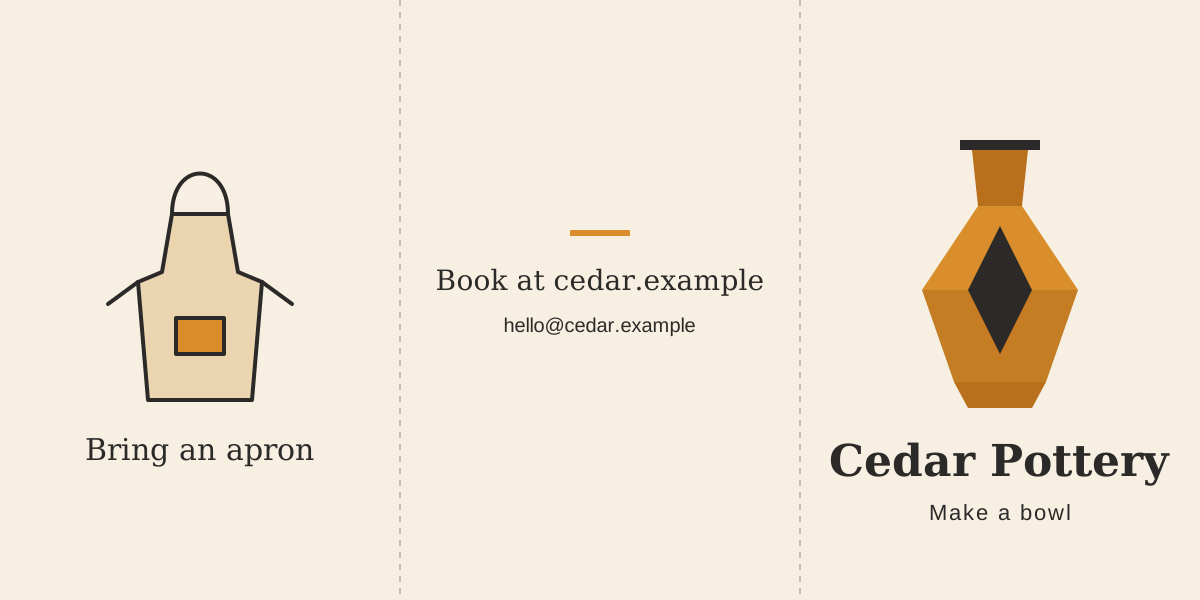
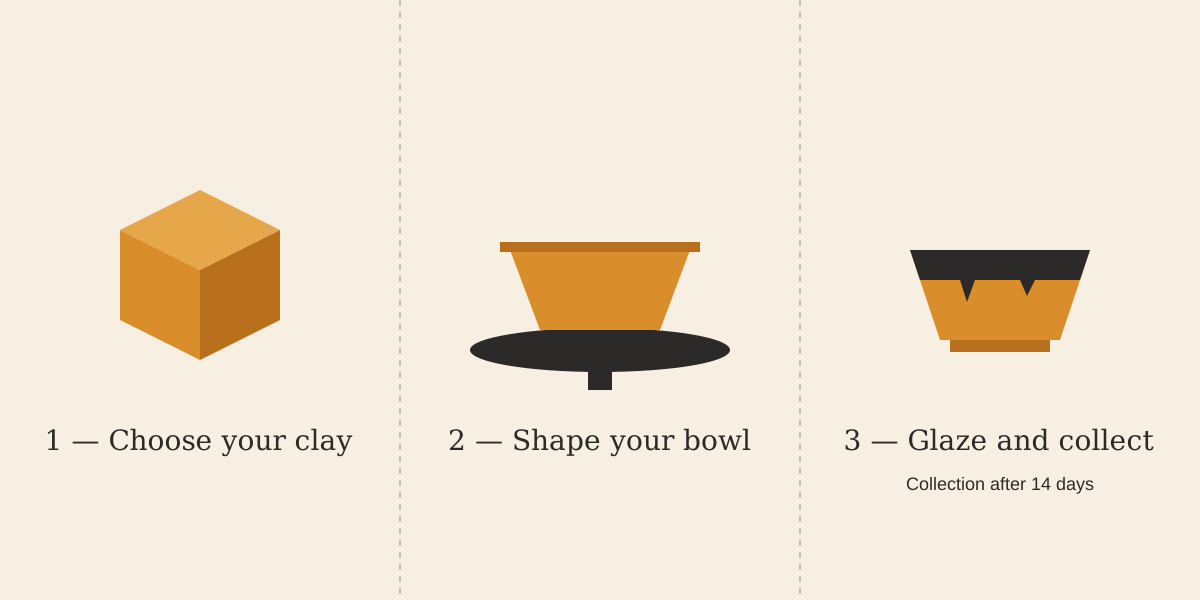
For this review sample, the outside runs flap, back, cover from left to right. The inside runs clay, shaping, glazing and collection. Put every supplied detail in the map, including the booking address. This is a content-order test; use your printer’s template to set physical dimensions and folds.
The pilot deliberately uses two 1200×600 sheets with three equal 400-pixel panels and guides at x=400 and x=800. A real folding job can need different panel widths. Confirm the selected fold and paper with the printer before adapting this example.
| Sheet | Left panel | Middle panel | Right panel |
|---|---|---|---|
| Outside | Bring an apron | Book at cedar.example; hello@cedar.example | Cedar Pottery; Make a bowl |
| Inside | 1 — Choose your clay | 2 — Shape your bowl | 3 — Glaze and collect; collection after 14 days |
Give Ciyo a bounded first brief
Start a separate project and supply the wording, panel order and delivery format together. For this simple illustration, the Design agent created vector artwork rather than using an image-generation model. The original English brief and both flat previews are visible below.
The prompt is intentionally small enough to audit. Replace the fictional details with approved copy before a real campaign, and keep promises, dates and prices out unless you have supplied them.
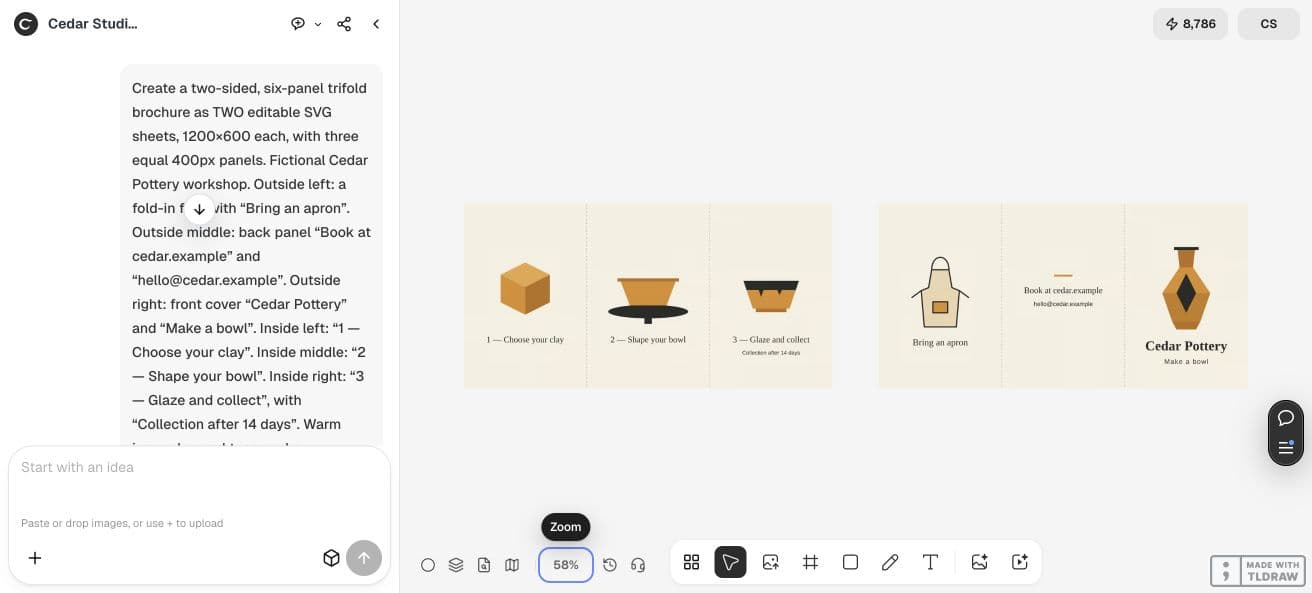
Create two editable SVG sheets, each 1200×600, with three equal 400-pixel panels. Fictional Cedar Pottery brochure. Outside left: Bring an apron. Outside middle: Book at cedar.example and hello@cedar.example. Outside right: Cedar Pottery and Make a bowl. Inside left: 1 — Choose your clay. Inside middle: 2 — Shape your bowl. Inside right: 3 — Glaze and collect, plus Collection after 14 days. Use ivory, charcoal and amber vector shapes. Keep wording as SVG text and fold guides separate. Put PNG previews on the canvas and supply both complete SVG sources in chat. Add no prices, dates or claims. This is a review sample, not printer-approved artwork.Open the source, not just the canvas preview
Save each complete SVG source from chat as its own file, then open it in the editor you intend to use. In our saved outside sheet, five text elements hold the supplied copy; the inside has four. Artwork, text and fold guides are separate groups. The linked samples let you check those elements yourself.
Select the booking line as text. Check that the illustrations remain vectors and that no missing font changes line breaks or pushes a line across a fold. The source names Georgia and common sans-serif fonts; another computer may substitute a font. Reopening a file is part of the buying test, not an optional polish step.
Test one correction before expanding the job
We asked Ciyo to change the inside note from collection after 14 days to collection after 21 days and preserve everything else. Comparing the two saved source strings confirms that replacing this one phrase accounts for the entire difference. The outside source remains the earlier file.
Compare the old and new inside previews, then reopen the revised SVG. A successful text correction is useful evidence for this handoff; it does not prove every future revision will stay isolated. If a request changes unrelated content, identify the extra change before buying a larger batch.
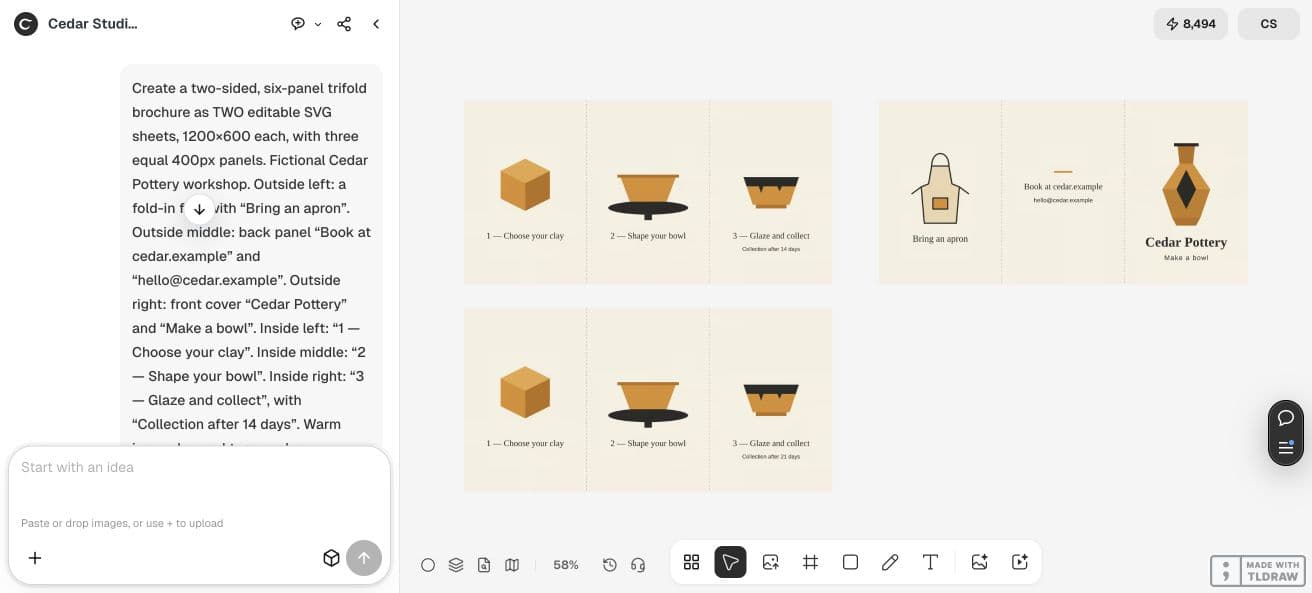
Revise only the inside sheet. Change Collection after 14 days to Collection after 21 days. Keep all other wording, shapes, positions, colors, fonts and fold guides unchanged. Supply the complete revised inside SVG source and add its PNG preview beside the previous version. Keep the outside sheet unchanged.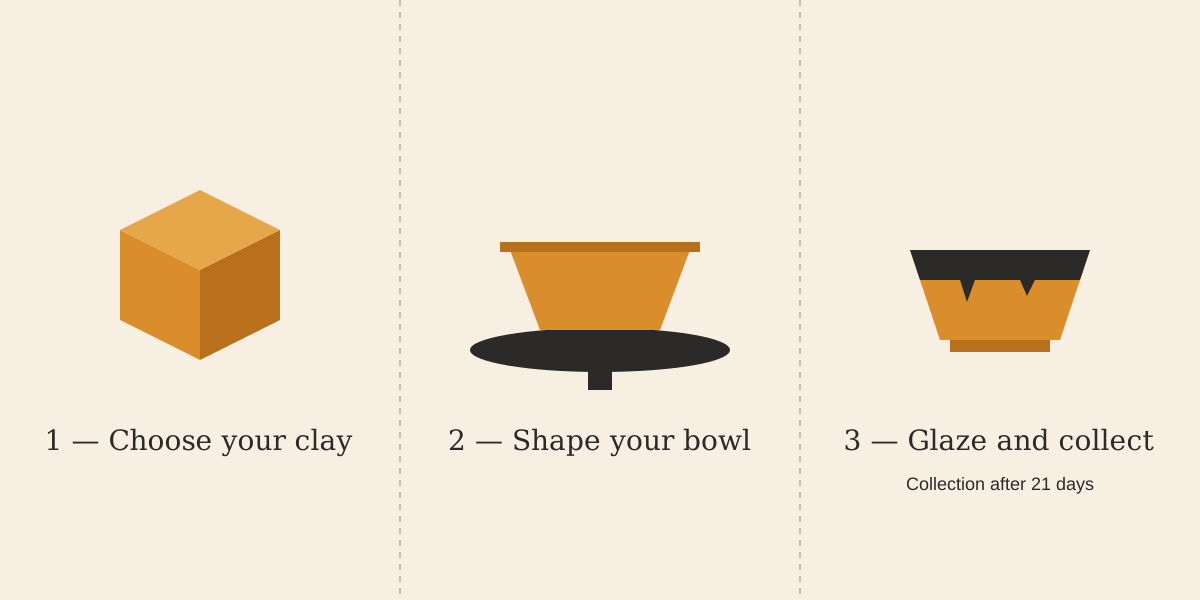
Separate content approval from print approval
Approve the panel story and the corrected facts first. Then adapt the artwork to the printer’s actual template, check font handling, bleed and safe areas, and obtain a folded proof. Our equal-panel pilot has not been physically folded or reviewed by a printer. It establishes source delivery and one correction, not production readiness.
When comparing paid tools, count a brochure as accepted only when its handoff matches your next step. Keep the original source, the approved revision and the printer’s specification together. If you only need a digital handout, say so and avoid buying a print promise you have not tested.
Brochure buying questions
Is a brochure PNG an editable source file?
A PNG contains pixels. Our canvas previews were PNGs; the editable text and vector shapes were in SVG source supplied separately in chat. Ask for the actual source and reopen it before relying on editability.
Can I send these sample SVGs straight to a printer?
These are content-review examples with equal-width panels. They have no printer approval. Use the chosen printer’s template and check folds, physical size, bleed, fonts and a proof before production.
What should I test before buying more brochures?
Test both sides, the panel story, the actual source handoff and one factual correction. Confirm that the corrected line changes while the approved wording and illustration remain intact.
Test your brochure handoff
Start with approved workshop copy and one review-sized brochure. Check the delivered source and a correction before expanding the campaign.