Practical product imagery
Ghost Mannequin Photography: Prepare the Missing Views
A mannequin can make the outside of a shirt easy to understand while hiding exactly the fabric an editor needs to show inside the collar. Removing the mannequin leaves a reconstruction problem, not an empty space that a product listing can safely fill with any plausible texture.
This guide reviews the source requirements for ghost mannequin photography and a reference-led editing process in Ciyo. Photoroom documents a dedicated Ghost Mannequin tool; Ciyo uses general image editing for this task. We do not claim that its generated reconstruction proves the construction or fit of a real garment.
The aim is a reviewable apparel image: enough source evidence to know what should be there, a narrow edit request and a clear point at which another photograph is the better next step.
Quick process: capture, specify, edit, compare, export
Collect a front view and the actual hidden interior. Mark the mannequin as the removal target, describe the parts that must remain and request one edit. Compare the neckline, shoulder line, seams and lining before approving an export.
For a garment with no interior reference, use the result as a concept until the missing construction is photographed. A convincing invented neck label is still an invented product detail.
| Stage | Input | Useful output |
|---|---|---|
| Capture | Garment and hidden interior | A matched pair of source photos |
| Specify | Removal target and protected details | One bounded editing brief |
| Edit | Original source and references | A candidate image |
| Compare | Candidate beside the originals | An accept, revise or reshoot decision |
| Export | Approved candidate | An inspected file for its intended placement |
1. Photograph the garment before asking AI to reconstruct it
Use an evenly lit front view with the entire garment visible. Keep the camera level with the area you are presenting; a steep angle can make the shoulders or hem appear tapered. Photograph the real collar interior and any lining that will become visible when the mannequin disappears.
Keep the same garment, colorway and lighting across references. An interior view from a similar shirt can introduce the wrong seam, label or facing. Include a back view only when it answers a construction question; more images are useful when they agree.
For a small resale shop, taking another quick photograph may cost less effort than repeatedly rejecting invented stitching. An agency should ask the client to approve the source set before retouching begins.
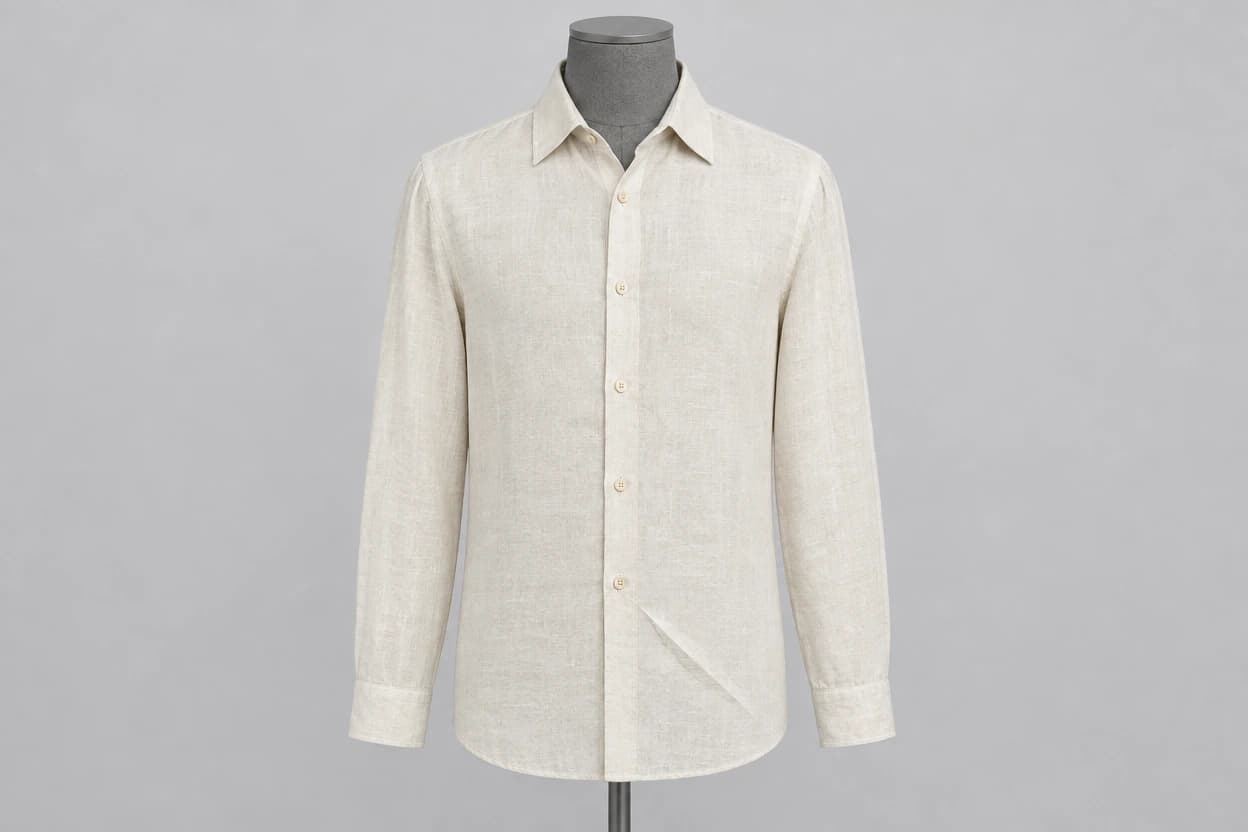
Our synthetic source exercise also exposed a count error before editing: the source-generation request specified five buttons, but the visible front had five placket buttons plus a collar-band button. The edit brief therefore protected the six buttons actually present. A prompt’s requested count is not a substitute for inspecting its source.
2. Define the removal target and the protected construction
Import the source images into a clean Ciyo project and preserve untouched copies. Ask for a single image edit with the actual garment as the reference. State that only the visible mannequin and its supports should be removed.
A useful brief names the features that distinguish this item: collar opening, number of buttons, sleeve length, seam placement and fabric pattern. Do not ask for a more flattering silhouette if the deliverable is meant to describe the item being sold.
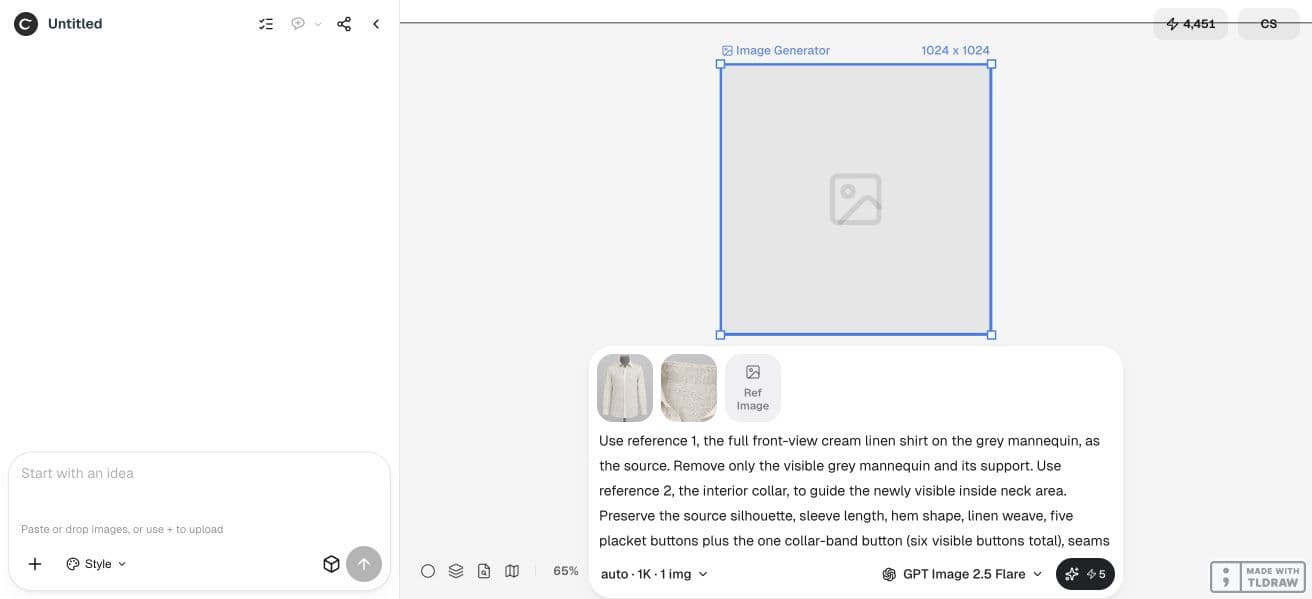
Use the front photograph of [garment] as the source. Remove only the visible mannequin and its supports. Use the attached actual interior photograph to guide the collar and lining revealed by the removal. Preserve the garment silhouette, shoulder width, sleeve length, button count, seams, fabric texture, color and printed details. Do not invent labels or hidden construction. If the interior references do not support an area, identify that limitation before generating. Return one candidate for review.3. Review a single candidate before expanding the set
Use a model available in the live Ciyo interface and check the Generation quote. Keep the task to one candidate while you establish whether this source can support the edit. The product has no dedicated Ghost Mannequin button in this workflow.
Keep the result beside the original at the same viewing scale. First compare the outer shape, then inspect the newly visible interior. A tidy cutout can pass the first check while the second exposes an impossible collar or an extra seam.
If the result changes the garment, return to the original source and narrow the request. Editing the last imperfect candidate again can compound the error; it does not make an invented detail more trustworthy.
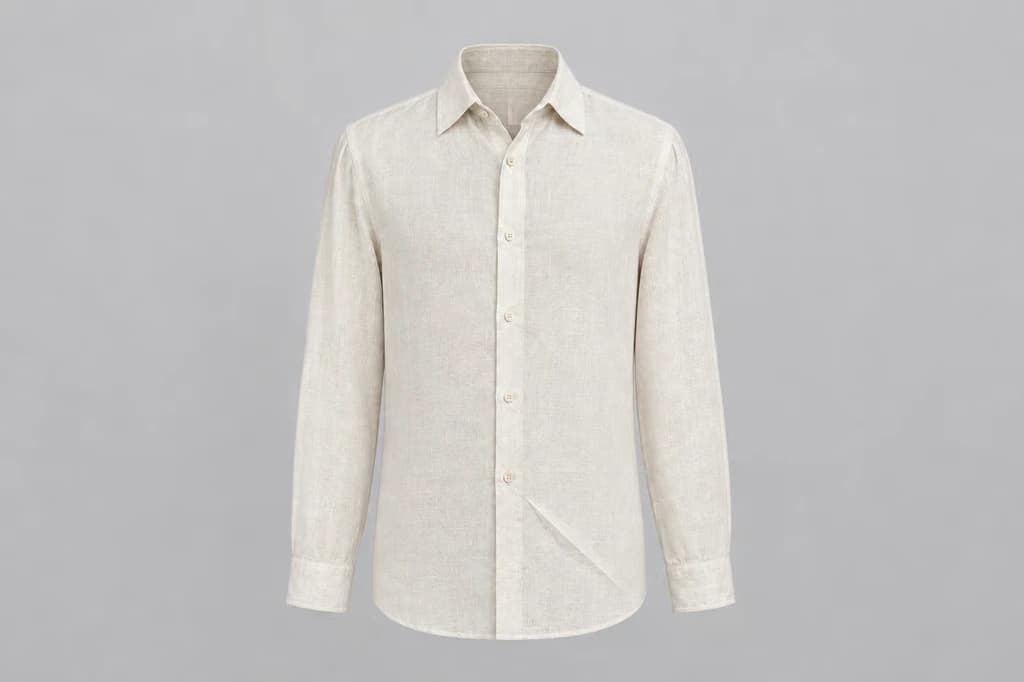
Our one-candidate edit removed the visible mannequin and pole while retaining six visible buttons and the lower diagonal crease. The newly exposed inner collar is inferred from the second synthetic reference. That is useful for a tutorial, but it is not independent evidence that a real lining or neck seam has been reconstructed accurately.
4. Inspect the opening, not just the outside edge
Check whether the inside fabric joins the outside naturally. Look for abrupt texture changes, mirrored lettering, repeated seams and a collar opening that no longer matches the photographed garment. Compare the shoulder and armhole widths with the original.
For a real listing, a synthetic tutorial garment cannot validate accuracy. Use your own garment and actual construction photographs. An illustrative concept can explain the inspection method, but it cannot establish that a particular manufacturing detail survived.
| Area | Accept when | Stop when |
|---|---|---|
| Silhouette | Widths and lengths agree with the source | The cut has been made slimmer or longer |
| Collar interior | Visible construction is supported by a real view | The model invents a label or joins fabric incorrectly |
| Fastenings | Count and placement agree | Buttons, zips or openings appear or disappear |
| Fabric | Pattern, weave and finish remain credible | Prints bend or texture becomes uniform |
5. Export only for the placement you checked
Inspect the finished image at the intended display size and on the actual destination background. A pale garment on a pale surface may need a different presentation from a dark coat. Check the downloaded file instead of assuming a preset guarantees its dimensions or transparency.
If a required area remains unsupported, hand the original photos and the specific missing-view request to a photographer or retoucher. Keep the rejected candidate as a review note, rather than quietly treating it as approved.
Compare total task cost using all attempts, not only the final generation. Ciyo generation uses Ciyo credits, and Design agent planning can also incur Billable LLM usage.
Practical questions
Can one front photo be enough?
It can support a concept, but it cannot reveal hidden construction. Capture the actual collar interior and any lining needed for the intended view before treating the result as an accurate listing image.
Does Ciyo have a Ghost Mannequin preset?
This guide uses Ciyo’s general reference-image editing. A dedicated preset with that name is not part of the demonstrated workflow.
Will AI preserve fit and fabric exactly?
No such guarantee is established here. Compare the candidate with the actual garment and its source photographs, especially newly revealed areas.
How long should the edit take?
Time depends on source preparation, generation and review. This guide supplies no measured turnaround promise. Missing interior photos are often the first issue to resolve.
Prepare the interior view before removing the mannequin
Start with one permitted source image and a clear acceptance check. Keep the original beside the result and approve the complete export before using it.