Image editing · Controlled review
AI Image Extender: Add Copy Space Without Losing the Product
An approved square product shot may be too tight for a wide hero image. Extending the surroundings can make room for a headline, but a plausible wider picture is not proof that the product stayed unchanged.
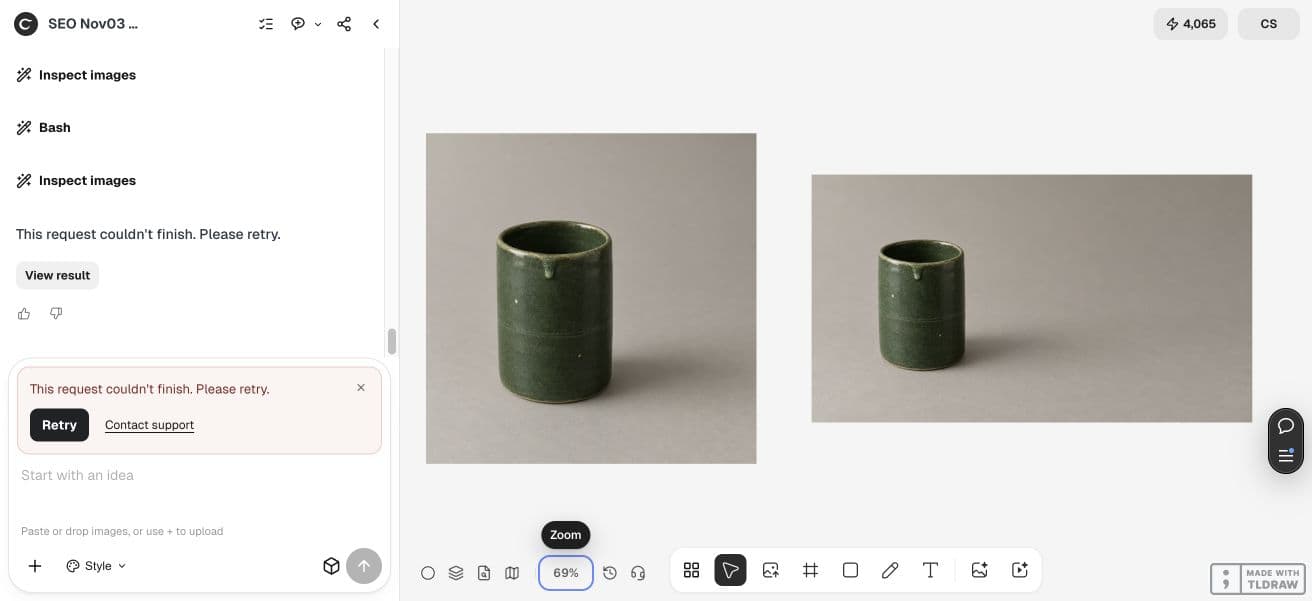
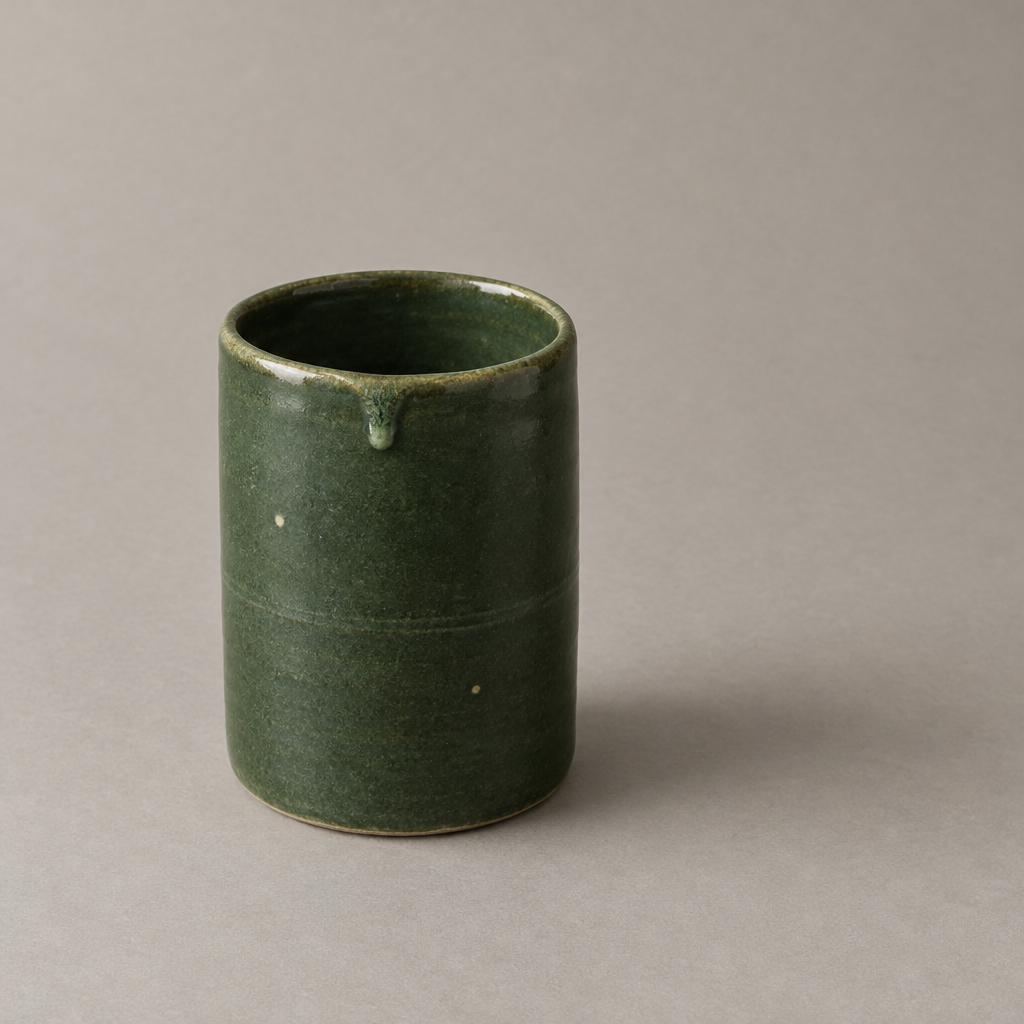
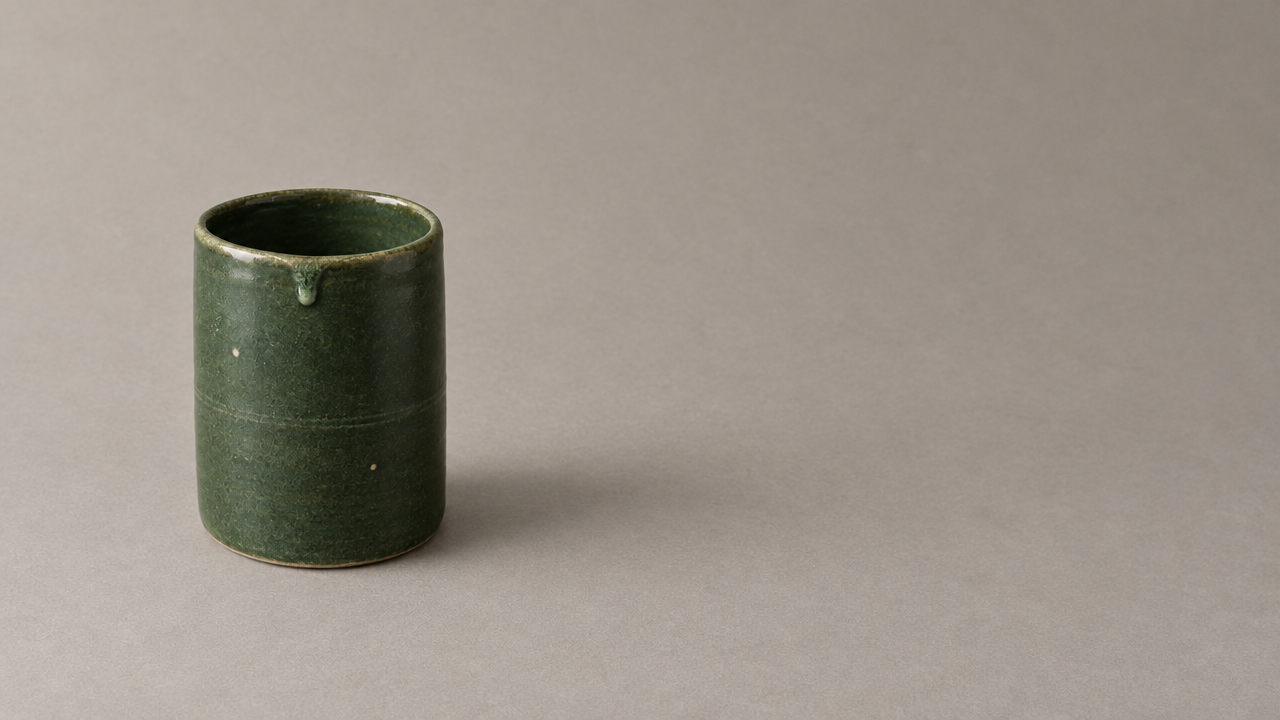
The run saved the square source and the wide attempt, then failed before completing a deterministic fallback or inspection board. The wide image adds right-hand space, but product scale and surface marks differ; it is not evidence of pixel preservation. Both actual files are shown below. The original-pixel fallback is a suggested next method, not a completed output in this run.
Quick answer: specify the empty space and compare the subject
Keep the source, request space on the side where the headline will sit, and compare the source region with the result. Check outline, opening, surface marks, label details and shadows. Treat new surroundings as invented, not as recovery of a scene outside the camera frame.
If the approved product must remain exact, use the original pixels in a deterministic composition and inspect the join. A prompt or reference image does not by itself lock the subject. Choose preservation before choosing the prettiest background.
1. Save the approved source before extending it
Use the highest-quality authorized source available and record the final placement you need. Ask whether a wider composition is necessary or whether the page layout can put text outside the photograph. Avoid enlarging merely to fill an arbitrary design box.
Our square source contains a dark-green pot on warm gray paper, with a visible opening, a glaze drip and small pale marks. Those features make useful comparison points. For a real product, text, controls, seams and shape may be material facts that cannot drift.
2. Request a wider composition with a clear purpose
The example asks for a landscape image with the pot left and copy space right. Name the side and what must remain recognizable. Keep the request separate from generating the headline; exact copy is easier to check when added independently.
This demonstration uses an agent reference-edit request. Ciyo’s current pricing also lists an Expand operation, but this is not a hands-on evaluation of that separate control. The test does not establish identical behavior across every editing route or model.
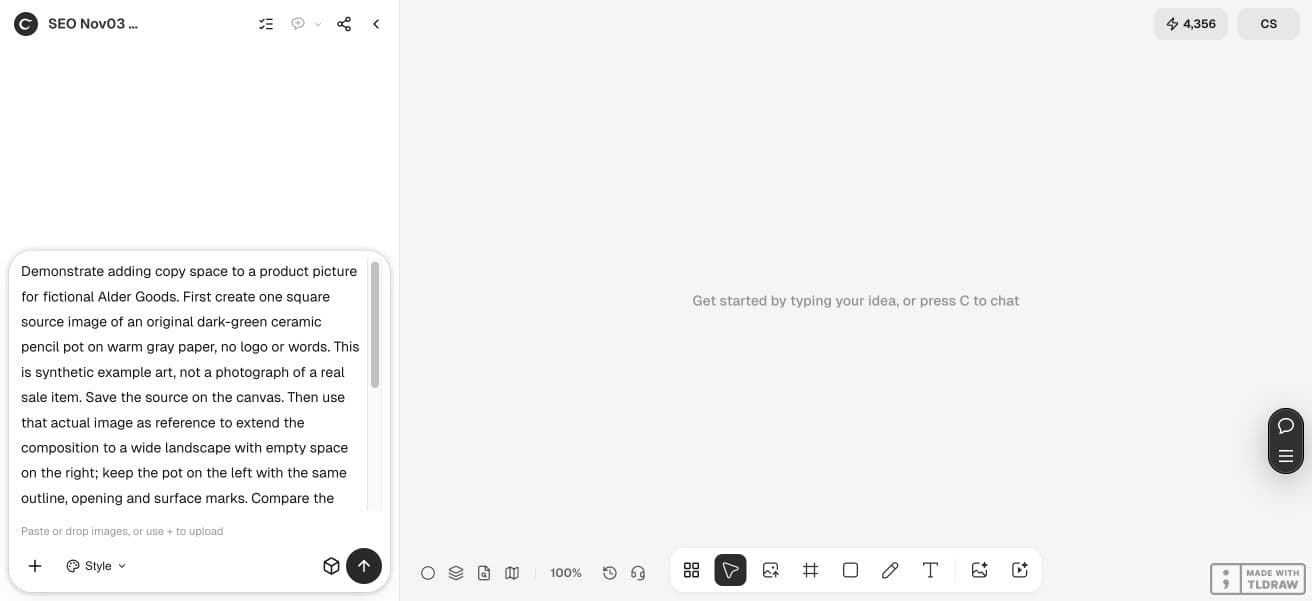
Use the attached source to make a wider landscape composition. Add empty warm-gray background on the right for a headline; keep the pot on the left. Preserve the outline, opening, glaze drip, pale marks and believable contact shadow. Do not invent labels or extra product parts. Keep the source and result side by side. Report changes honestly; a reference is not a pixel lock. One attempt only, then use a deterministic source-pixel composition if exact preservation is required.3. Compare identity before judging the new background
In our generated wide attempt, the pot remains visually recognizable and the right side becomes usable empty paper. That is a helpful composition result, but visual resemblance alone is not pixel identity. The source and generated attempt are separate files with different dimensions.
Compare at the same apparent subject scale. Look at the rim, drip and tiny marks instead of only the overall green silhouette. Reject a result that changes material product facts, even if the wider image is attractive.
| Area | Check | Reason to reject |
|---|---|---|
| Subject | Outline, opening, markings and any label | Different shape, text or material detail |
| New background | Texture scale and light direction | Visible seam or contradictory lighting |
| Contact area | Grounding shadow and edges | Floating product or duplicated shadow |
| Copy space | Actual headline at destination size | Busy texture or insufficient contrast |
4. Use original pixels when similarity is insufficient
A deterministic fallback keeps the approved product pixels and builds space around them in a composition tool. It can use a simple matching backdrop or a separately generated background, provided the transition is inspected. Identify this extra assembly step clearly.
Do not blur away an important product edge to hide a seam. A plain studio backdrop is often easier to extend honestly than a detailed shelf or patterned fabric. If the join remains distracting, choose a different layout or photograph rather than repeatedly rerolling.
5. Add the headline and inspect the final placement
Place the actual words into the empty region as separate text. Check that the intended crop still preserves both the product and enough quiet space. A wider file can still fail when the destination trims it differently.
For exploratory editorial art, a plausible generation may be sufficient. For a product listing or regulated detail, original-pixel preservation and the appropriate human approval matter more. Our synthetic example does not prove fidelity for a real product or every image extender.
Practical questions
Does an AI extender recover what was outside the photo?
No. New surroundings are generated or composed. They are not evidence of the actual scene beyond the original frame.
Will a reference image lock my product pixels?
Do not assume so. Compare identity details and use a deterministic original-pixel composition when exact preservation is required.
Did this test use Ciyo’s separate Expand control?
No. It used an agent-led reference-edit request with GPT Image 2.5 Flare. The separate Expand operation was not evaluated here.
What if the seam remains visible?
Try a simpler background or another layout, or use a suitable new photograph. Repeated generation is not a substitute for checking the join.
Start with an approved source
Specify the final placement and side for copy space, then review subject identity and the background seam before using the image.