Product photos · Tested
AI Image Combiner for Products: Four Ways to Merge Two Photos, Measured
Combining two photos is one of the most common AI image jobs: your product and a nicer setting, a person and a new background, two shots into one scene. Most AI image combiners do it by drawing a new picture that contains both. For a holiday snap that is fine. For a product you sell, it is a problem, because the product in the new picture is a redrawing, not your product.
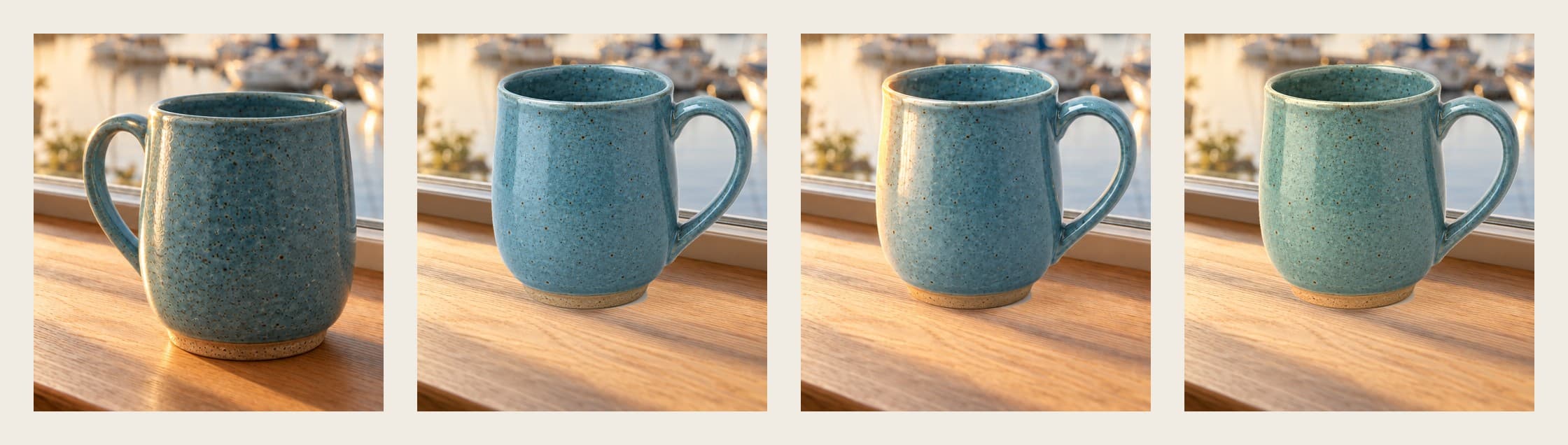
On September 30, 2026 we put a fictional potter's mug on a sunny windowsill in Ciyo, four different ways, and measured what changed on the mug each time. The regenerated version changed its shape. A light-only edit changed its speckles. A cut-out with a colour grade kept every pixel of the mug.
Two photos, one post
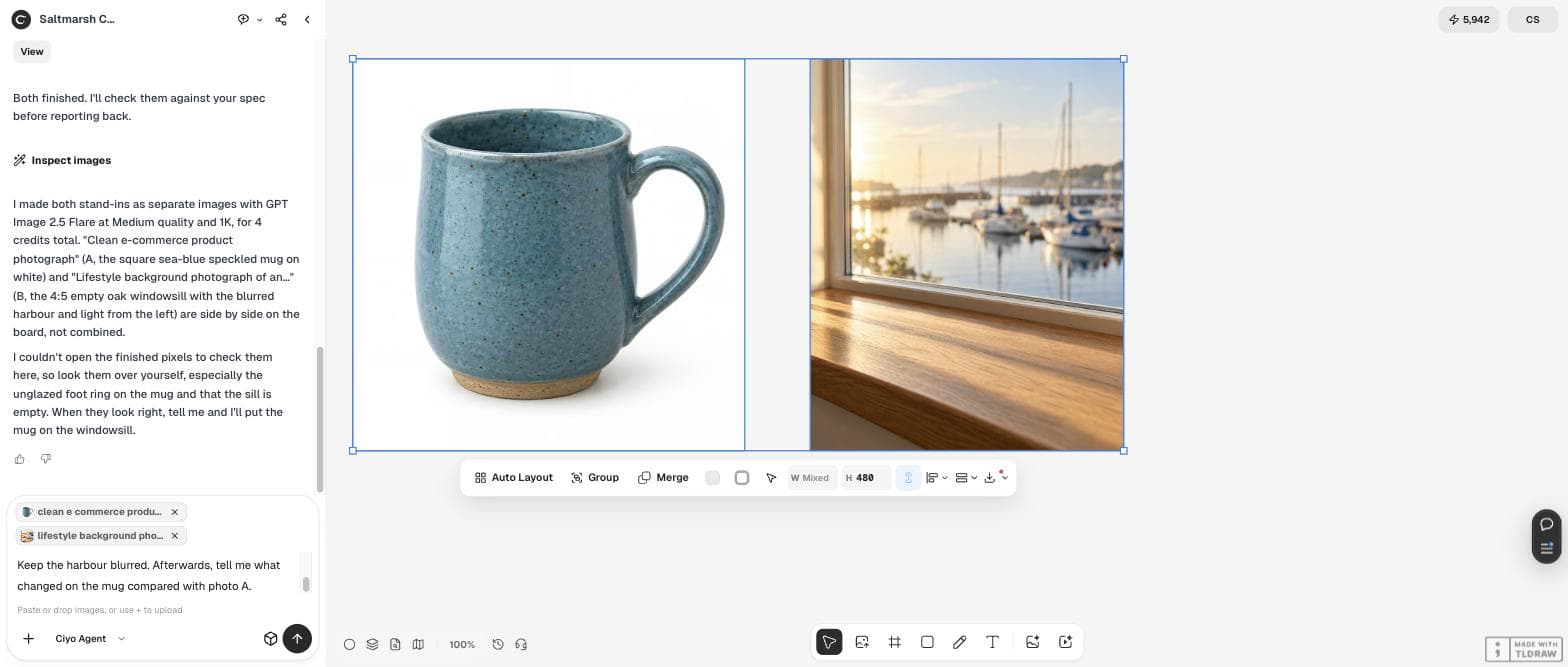
Saltmarsh Ceramics is a fictional one-person pottery that sells speckled stoneware mugs online. The job: take the clean product photo of a mug (photo A) and a photo of an empty oak windowsill with a harbour outside (photo B), and make one 4:5 Instagram post with the mug on the sill.
For the test we made both photos as stand-ins in Ciyo with GPT Image 2.5 (4 credits). With your own shop, use your real product photo and your real setting. Then select both pictures on the board: in Ciyo, every selected picture appears as a chip in the chat box and goes to the agent with your message.
Try 1: let the model combine them
We asked for the obvious thing: put the mug on the sill, match the morning light, add a contact shadow, and keep the mug exactly the same. GPT Image 2.5 made a convincing picture with warm light and a real shadow, for 4 credits.
The mug was not the same mug. Its body is straighter and the handle is smaller (it also turned to the left, towards the window, as we had asked). The agent, measuring pixels, found the blue almost unchanged but the whole mug about a third darker and “taller for its width than in A (about 0.99 vs 0.91)”. It was also honest about what it could not check by numbers: the handle direction, the handle curve, the foot ring and the shadow.
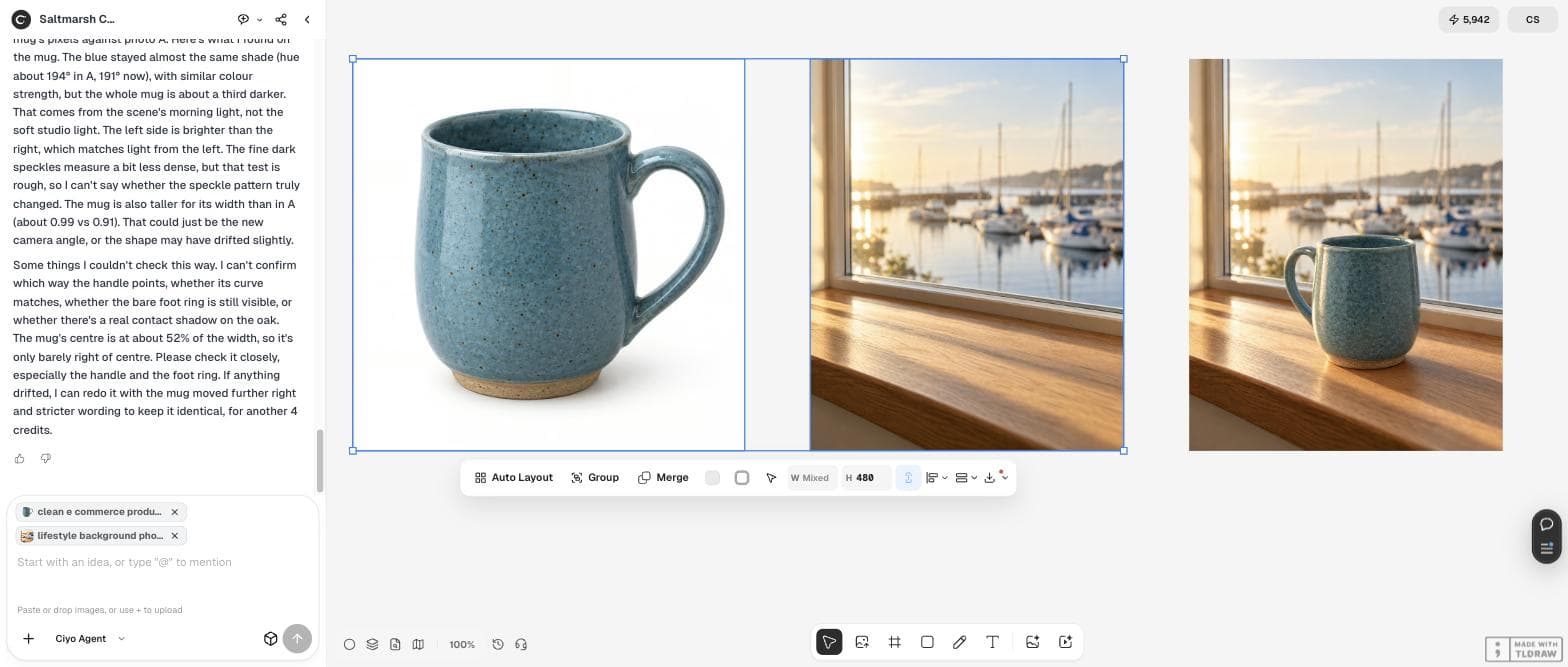
They look right. Now combine the two selected pictures into one 4:5 Instagram post: put the mug on the windowsill, a little right of centre, handle facing the window. Match the morning light from the left and give the mug a real contact shadow on the oak. The mug must stay exactly my mug: same speckles, same blue, same handle curve, same bare foot ring. Keep the harbour blurred. Afterwards, tell me what changed on the mug compared with photo A.Try 2: paste the real pixels
For a shop listing, the product has to be the product. So we asked for the opposite approach: cut the mug out of photo A, place those exact pixels on the sill, and only paint a shadow and some warm light around it. The agent did this in its workspace with Python, for 0 credits.
It reported exactly what it changed: about 89,000 mug pixels copied from photo A at 46% size, a 1 to 2 pixel softened edge, a contact shadow, a soft shadow to the right and a faint glow to the left, all outside the mug. It also named the two trade-offs. A flat cut-out cannot turn in 3D, so the handle points away from the window, as in photo A. And the mug keeps photo A's soft studio light, so it looks slightly cooler than the golden oak around it.
Looking at it, the shape drifted: my mug has a rounder belly and a bigger handle, and this one is straighter. For a shop listing that's not OK. Make version 2 differently: cut the mug out of photo A and place those exact pixels on the sill (same place, sized to sit naturally), then only add a soft contact shadow and a little warm light from the left around it, without redrawing the mug. Tell me which pixels you changed.Try 3: a light-only edit still redraws
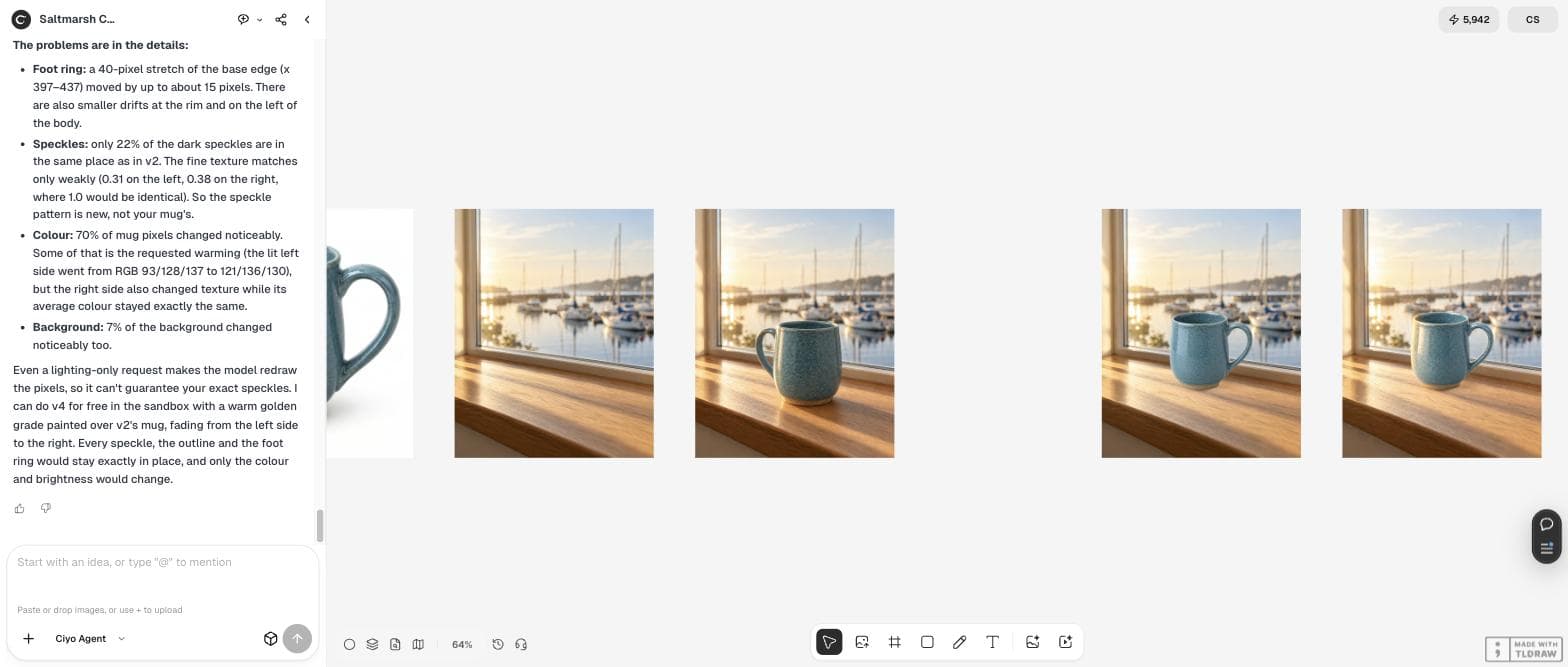
Try 2 kept the mug but looked a little pasted. So we asked GPT Image 2.5 to edit version 2 and change only the light on the mug (3 credits), and asked the agent to measure the result against version 2.
The outline held: the two mug shapes overlap by 97.4%, and the handle stays within about 4 pixels. The surface did not. Only 22% of the dark speckles are in the same place, part of the foot ring moved by up to 15 pixels, 70% of the mug's pixels changed noticeably and so did 7% of the background. The agent's verdict: “It's not safe for a product listing.” Even a light-only request makes the model draw the pixels again.
Try 4: grade the colour, keep the pixels
The agent suggested the last step itself: a warm golden colour grade over version 2's mug, strongest on the left, in its workspace, for 0 credits. A grade changes colour and brightness but not position, so every speckle stays where it was.
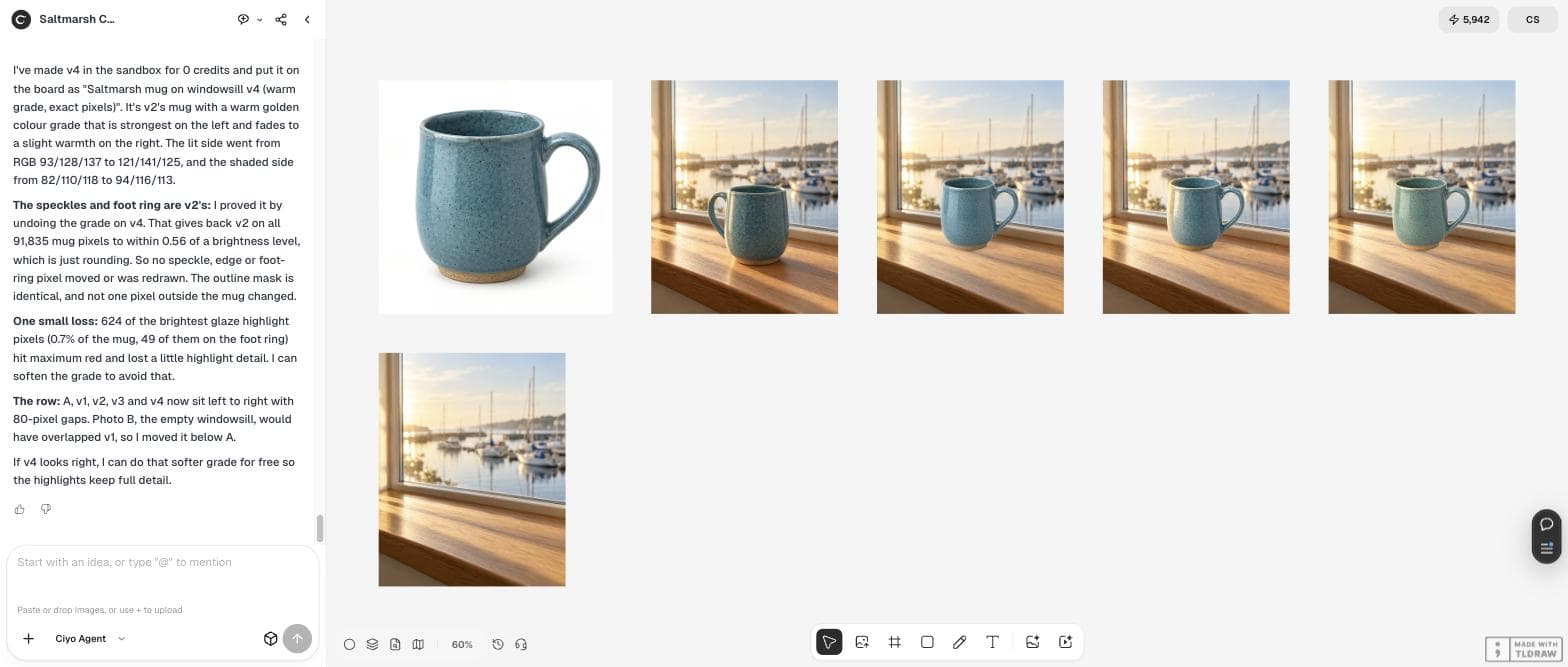
It proved it: undoing the grade gives back version 2 on all 91,835 mug pixels to within 0.56 of a brightness level, and not one pixel outside the mug changed. The one cost: 624 of the brightest highlight pixels (0.7% of the mug) hit maximum red. It offered a softer grade to keep them.
Which way to combine, and when
Pick the method by what must stay true. If the scene matters more than the exact object, for example a mood picture or a concept, let the model combine. If the object is what people buy, paste its real pixels and change only light and colour around it.
| Method | Credits | What changed on the mug | Use it for |
|---|---|---|---|
| 1 Model combines both photos | 4 | Shape, handle size, brightness | Concepts and mood pictures |
| 2 Paste the real pixels | 0 | Nothing; only the oak around it | Listings, with a small light mismatch |
| 3 Model edits the light only | 3 | 78% of speckles moved; foot ring up to 15 px | Not for listings |
| 4 Paste plus colour grade | 0 | Colour only; reversible to within 0.56 levels | Listings and ads |
Before you post a combined picture
Compare the product in the new picture with your original at 100% zoom: outline, handle or strap, logo, texture and colour. Check that the shadow falls away from the light. And if the product is shown differently from what a buyer will receive, do not use that version for a listing. Keep the originals on the board, so you can always show what changed.
Next steps for your product photos
Once one scene works, use the same method for other angles and seasons, and keep a clean cut-out of each product ready for the next post.
Combining photos with AI
Does an AI image combiner keep my product the same?
Not reliably. In our test the model's combined picture changed the mug's shape and handle, and even a light-only edit moved 78% of the speckles. Pasting the product's real pixels kept it exact.
How do I combine two photos in Ciyo?
Put both on the board, select them (every selected picture shows as a chip in the chat box), and describe the result. Say whether the model may redraw the product or must keep its pixels.
Why does the pasted product look flat?
It keeps the lighting of its original photo. A colour grade over the product, warmer on the side of the light, fixes most of it without moving any pixel.
What did the test cost?
11 credits in total on September 30, 2026: 4 for the two stand-in photos, 4 for the first combine, 3 for the light edit, and nothing for the pasted and graded versions.
Combine your photos in Ciyo
Select your product photo and your scene, tell the Ciyo Agent to keep the product's pixels, and compare every version on one board.