Practical creative workflows
Turn an AI Logo into a Favicon Pack That Works at 16 Pixels

A café wordmark that looks elegant on a sign can become a dark smudge in a browser tab. A favicon needs a recognizable symbol and actual small-file exports, not just a zoomed-out logo preview.
The fictional pottery shop uses a simple cup silhouette with an open handle. Keep that defining opening visible while preparing the website’s actual small icon files.
Choose the symbol instead of shrinking the whole wordmark
Open the logo in Ciyo and identify the part people can recognize without reading the business name. Remove the tagline and secondary ornament from the favicon version. Retain the full wordmark for the website header.
A separately simplified icon can be more faithful to the brand than a miniature copy of every detail. Keep its silhouette and approved colour relationships consistent with the original.
Prepare a clean master
Use the Vector tool when the source needs vectorisation, then inspect the exported SVG. Check for a background rectangle, clipped parts and stray marks. Vectorisation does not automatically simplify an overcomplicated drawing.
Keep generous space around the symbol. Do not crop to the outermost painted pixel if that leaves the handle pressed against the edge. Save the master before making size-specific versions.
Use the cup symbol from this logo to prepare a favicon master. Keep the handle opening, remove the wordmark, use charcoal on ivory, and center the symbol in a square. Show previews at 16, 32 and 64 pixels. Identify any detail that disappears rather than claiming every size passes.Export real files for each role
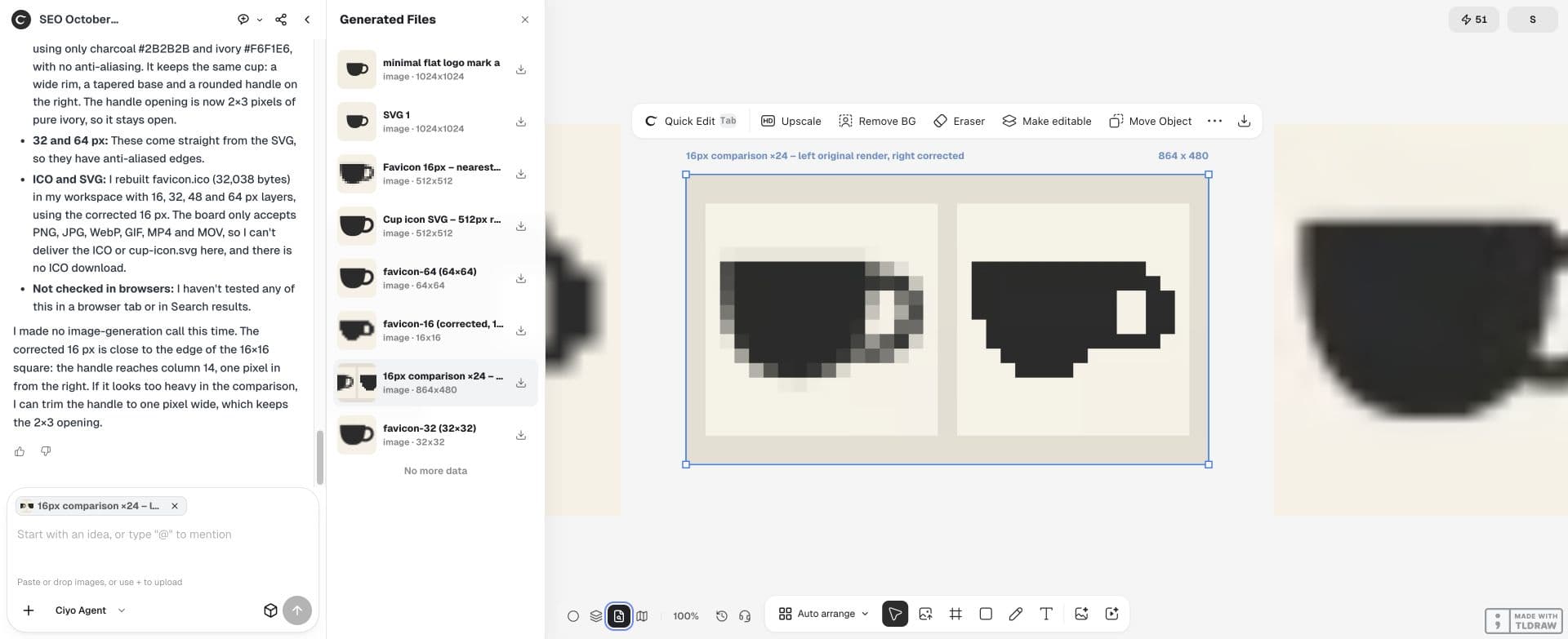
Ask the design agent’s file workspace to make PNG outputs at the sizes you need and a genuine ICO containing the requested small sizes. Renaming a PNG to .ico changes the filename, not the encoded format.
A larger PNG may serve other website surfaces, while a small ICO serves browser use. Check your website platform’s requirements and keep the file roles in the handoff clear.
| File | Example size | Inspection |
|---|---|---|
| PNG preview | 16 × 16 | Silhouette and open handle |
| PNG preview | 32 × 32 | Edges and centering |
| Larger PNG | 64 × 64 | Square dimensions and brand colours |
| ICO | 16 and 32 pixel entries | Actual encoded entries, not just filename |
Review every size at its native display size
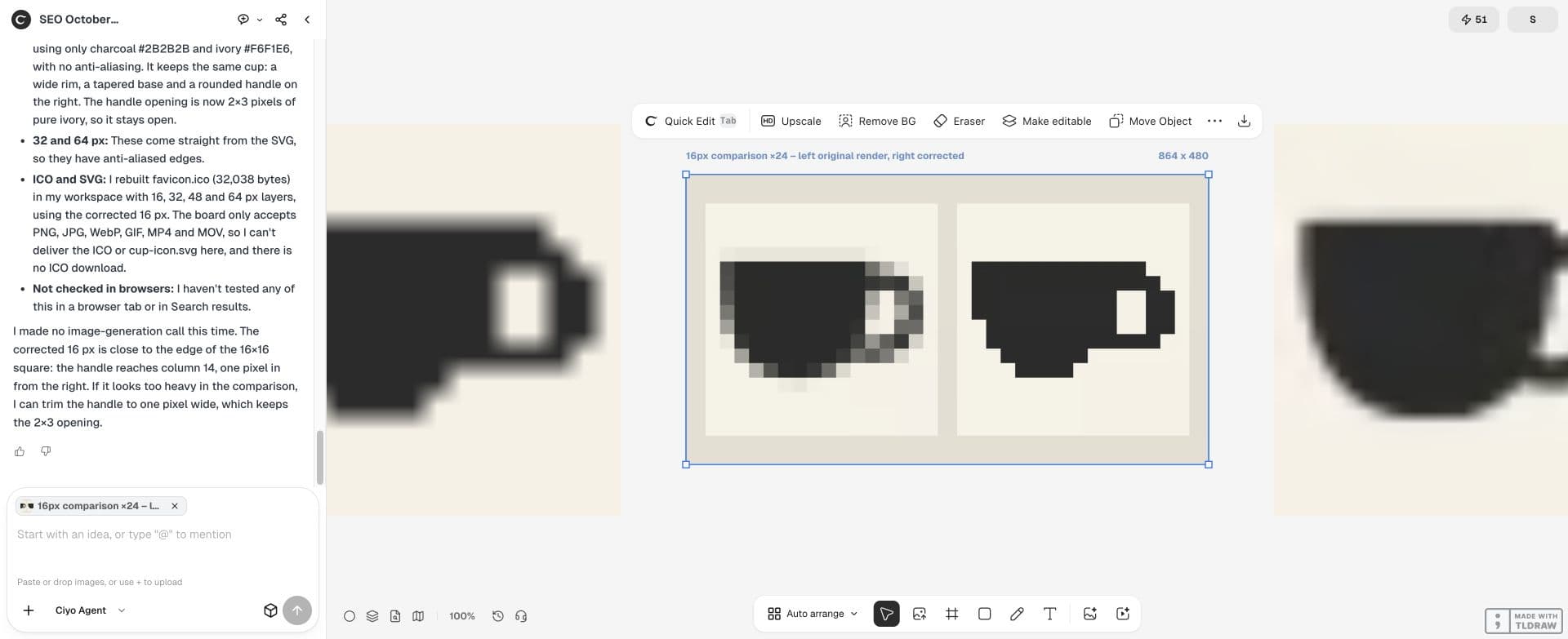
Place the previews on a plain page at one image pixel per screen pixel, then check both light and dark surroundings. Enlargement is useful for diagnosing edge pixels but cannot replace the native-size test.
If the handle closes at 16 pixels, widen that opening or simplify the interior. Do not keep making the large master more detailed. Record which small version needs a deliberate adjustment.
Test the website link and the file response
Give your site maintainer the files and the intended icon link. Open the served file directly to confirm it exists and has the correct content type. Then load the test page and check its browser tab.
Google’s favicon guidance adds search-specific requirements: a square icon, a crawlable home page and icon URL, and a stable URL. Browser display and appearance in Google Search are separate checks; neither guarantees the other.
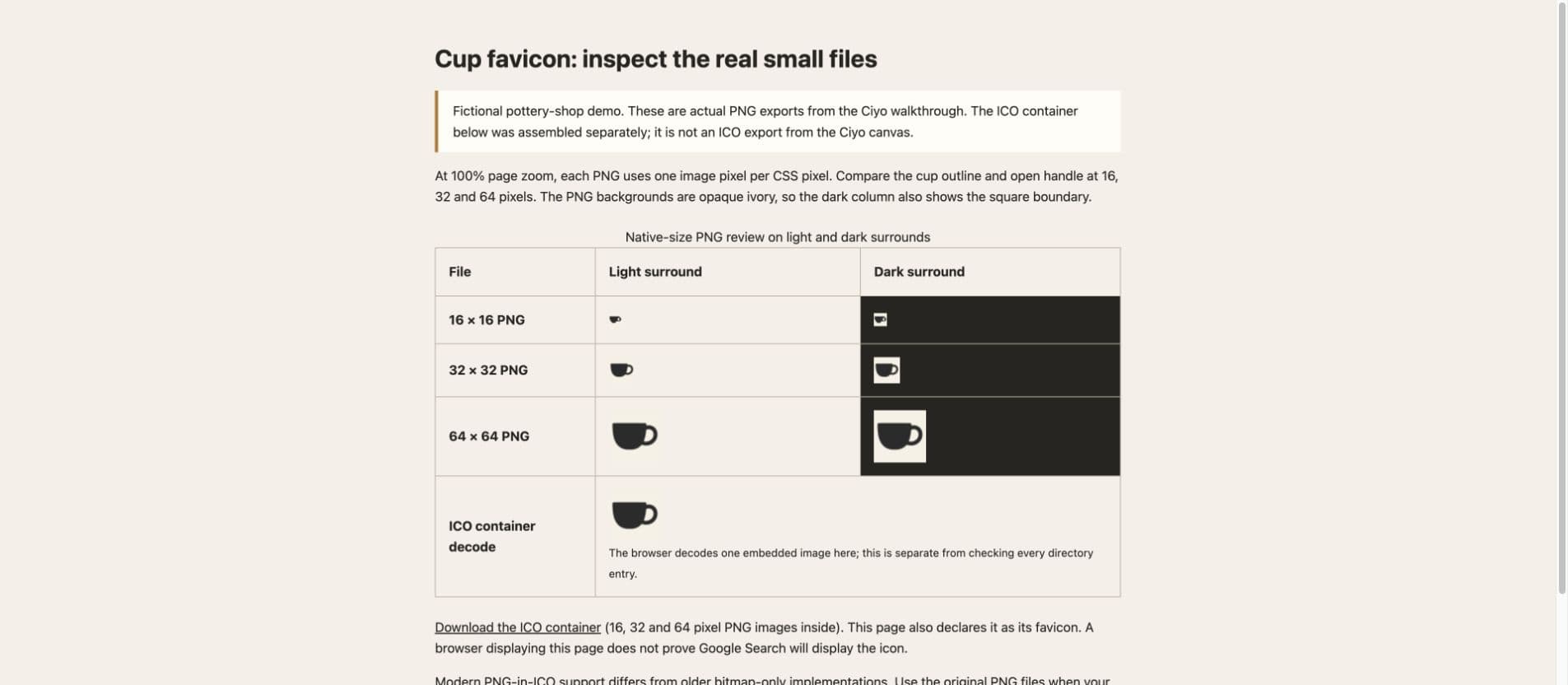
The separate browser test page displays the actual 16, 32 and 64 pixel PNGs at one image pixel per CSS pixel. It also decodes the 64 pixel image from an ICO container assembled separately from the unchanged PNGs. File inspection confirms all three embedded sizes and exact payloads. This is a Chrome test of the sample files, not proof that Google Search will show the icon or that every browser chooses the same embedded size.
Keep a small-icon version in the brand handoff
Save the icon master, exported files and approved native-size preview with the full logo. A future designer should know which symbol passed the small-size review and which colours it uses.
When the website still shows an old icon, inspect the link and served file before redrawing the mark. Cached browser state or delayed search processing is a different problem from an unreadable design.


Practical questions
Can I just rename a PNG to ICO?
No. The file needs ICO encoding. Inspect the exported file and its contained sizes.
Does the favicon need the business name?
Usually a simple recognizable symbol reads better at small sizes. Keep the full wordmark for larger surfaces.
Will Google show the new icon immediately?
No. Google must process the crawlable icon and home page, and its guidance does not guarantee display.
Make the small version first
Bring your logo to Ciyo and review the symbol at native favicon sizes before handing the files to your website maintainer.