Ciyo workflow
AI Mascot Generator: Test the Cutout and the Second Pose
A small business buying a mascot needs more than a charming first image. The character should remain recognisable in another pose, and the files should work on the backgrounds where the business will use them.
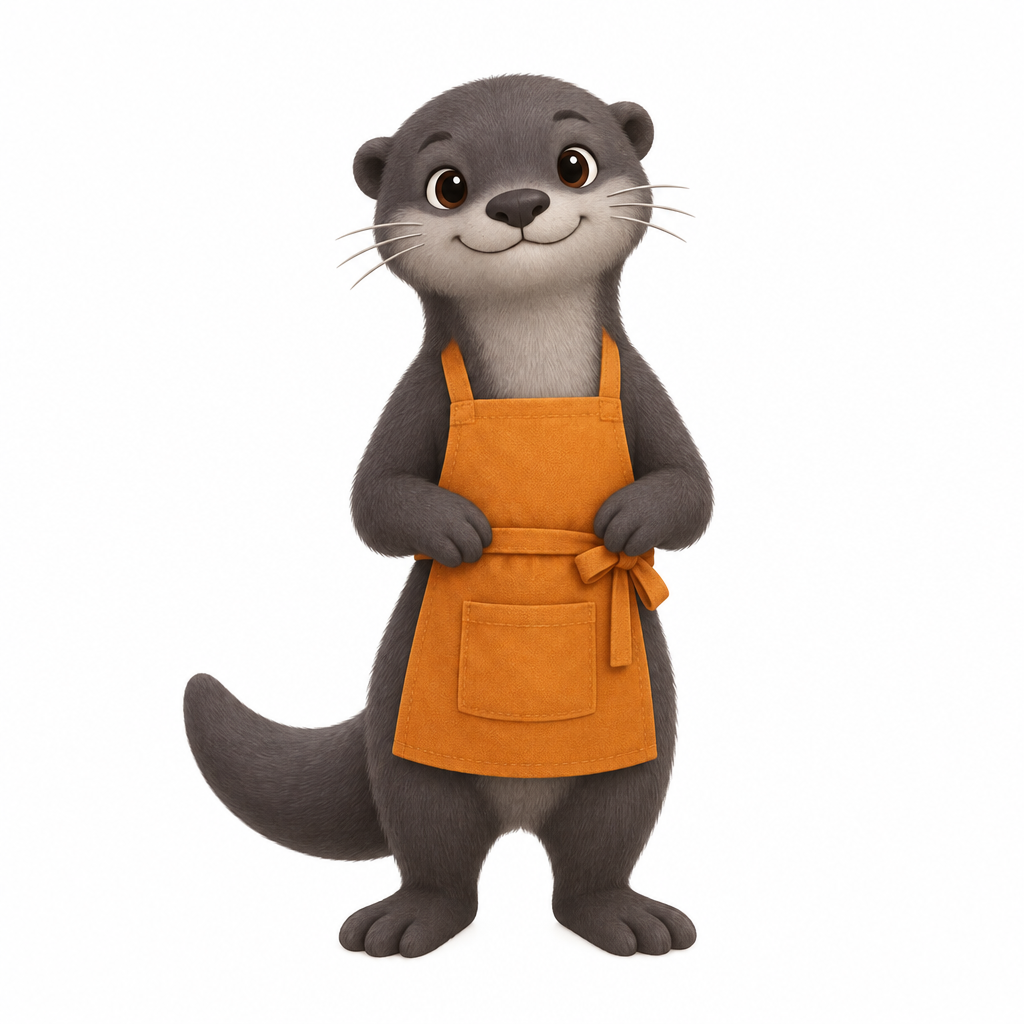
We tested fictional Pip Studio’s charcoal otter in Ciyo: one original, a transparent cutout and one waving pose. The second pose kept the main identity features, but it remained a separate white-background raster. The cutout and pose solve different parts of the handoff.
Choose identity features you can actually compare
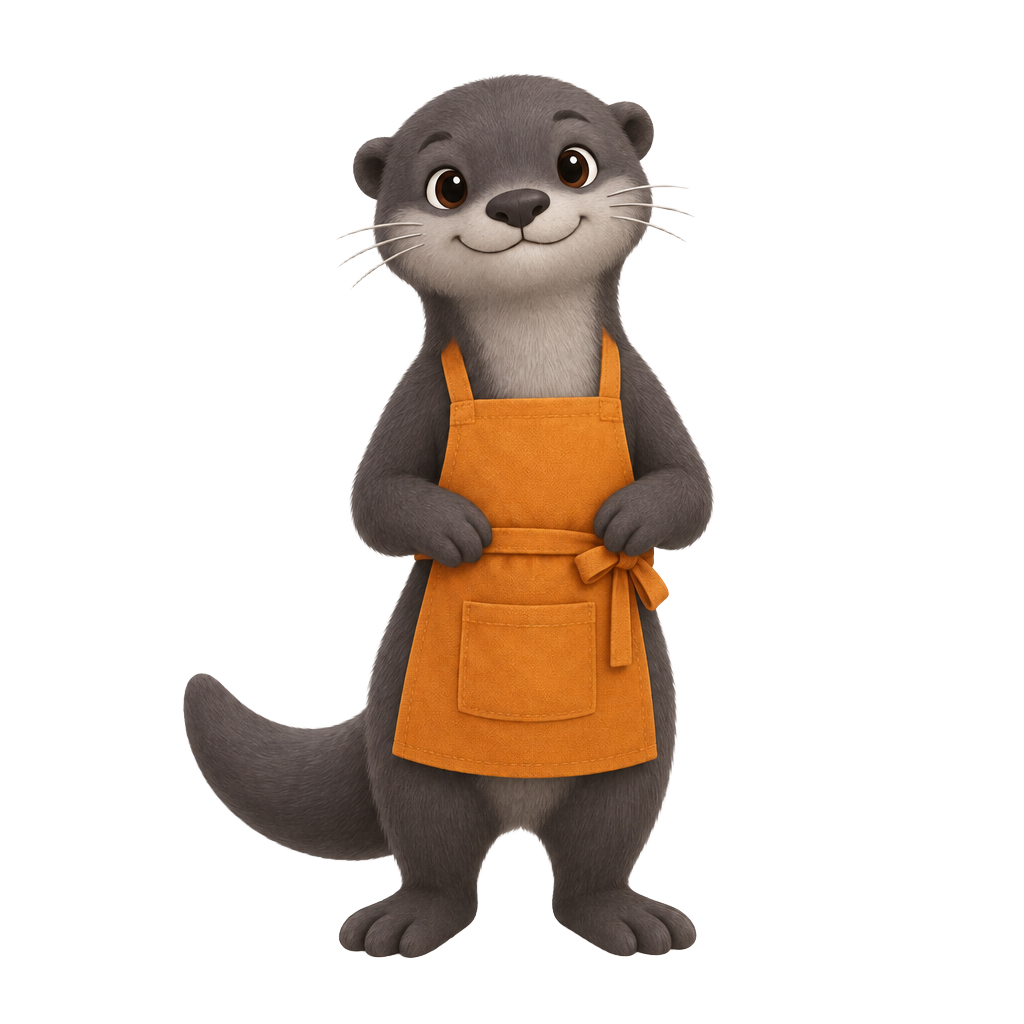
Pip Studio is a fictional neighbourhood craft workshop. Its mascot brief specifies a charcoal otter, rounded ears, three whiskers per cheek and an amber apron with a pocket. These details give the review a concrete checklist.
Start with one pose and one intended placement. This pilot does not create a vector logo, a complete brand system or animation-ready rigging. A raster character concept should be judged against the assets you need next.
| Part of the handoff | What to inspect |
|---|---|
| Character identity | Ears, face, whiskers, fur and apron |
| Transparent cutout | Real alpha, fine edges and usable background |
| Second pose | Recognisable character with the requested gesture |
| Delivery scope | Raster files versus editable vector or animation assets |
Create one original before asking for a set
The live original was generated with GPT Image 2.5 Flare and saved as a 1024×1024 image. It shows a full-body otter in an amber apron, without text or logos. Its downloaded PNG has no alpha channel and a white background.
The first prompt asks for transparency if supported. The observed result was white-backed; we tested Remove Background as a separate operation instead of treating that first image as transparent.
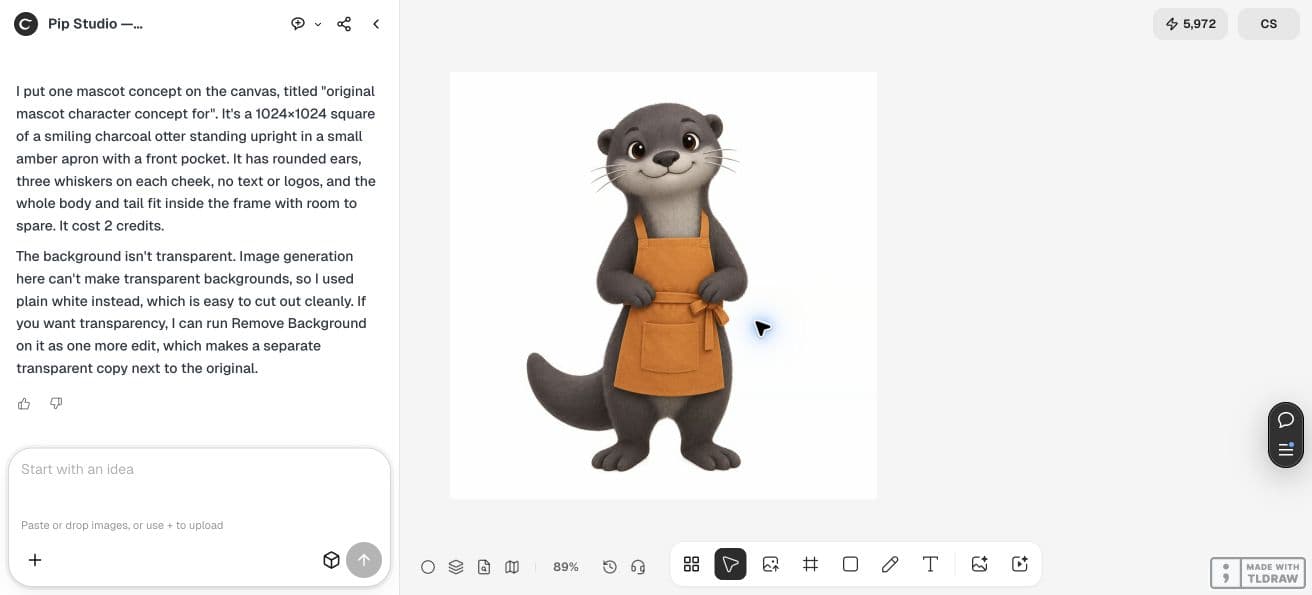
Create one original mascot concept for fictional Pip Studio, a neighborhood craft workshop: a friendly charcoal otter with a small amber apron, rounded ears, three whiskers per cheek, no text or logos. Generate exactly one square image with a transparent background if supported. This is a first concept, not a logo or trademark clearance. Keep the full body visible with space around it. Put the result on the canvas.Download the cutout and test a dark background
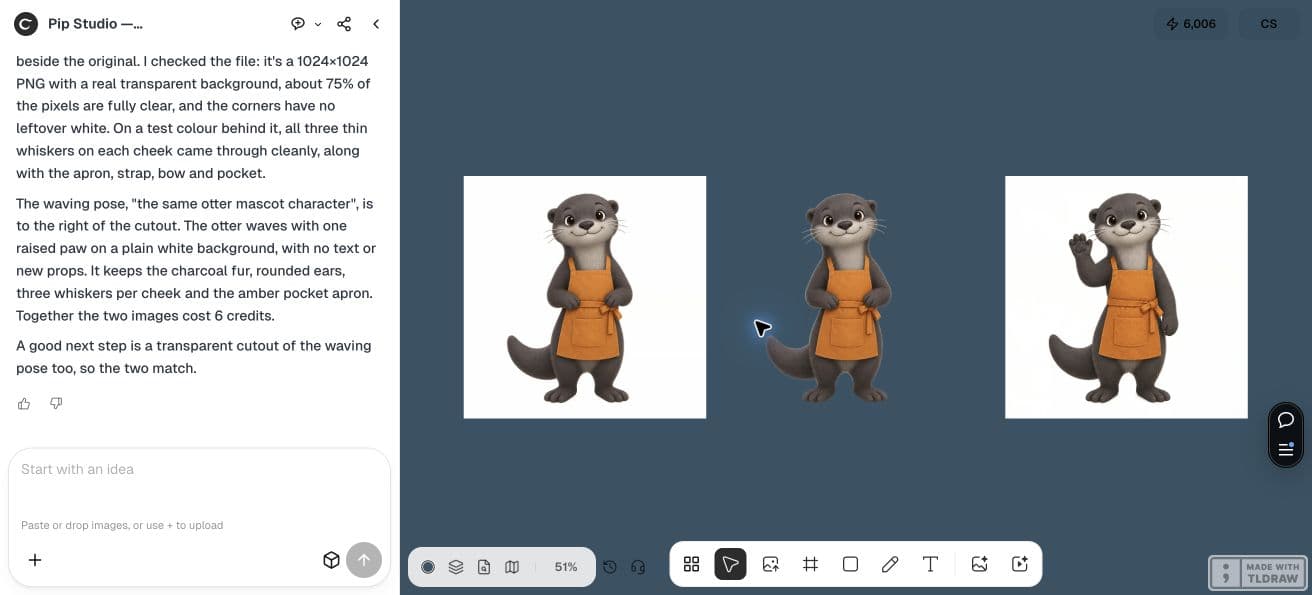
Remove Background created a separate 1024×1024 PNG. Our downloaded file has an alpha channel, with 783399 of its 1048576 pixels fully clear. The original and the waving pose have no alpha channel.
The dark canvas below makes the distinction visible: the middle cutout sits directly on blue, while the original and pose retain white squares. Inspect thin whiskers, fur and apron edges at the size you will use. Pale edge pixels can be visible against a dark background; transparency alone is not a perfect-edge guarantee.
Use the original as a visual reference for the next pose
We requested exactly one waving pose, with the original image as its visual reference. The inspected result keeps the rounded ears, charcoal fur, three whiskers on each cheek and amber pocket apron, while raising one paw.
It is a new raster, not a pixel-identical rearrangement of the first image. The arm, fabric and silhouette change. Review those differences before asking for a larger set, and request a separate cutout if the new pose also needs transparency.
Create a separate transparent copy of this otter with Remove Background. Keep the original unchanged, preserve the whiskers and apron, and put the cutout beside it. Then make exactly one additional waving pose using the original otter image as the visual reference. Preserve charcoal fur, rounded ears, three whiskers per cheek and the amber pocket apron. Use a plain white background for the pose. Do not add text or new props.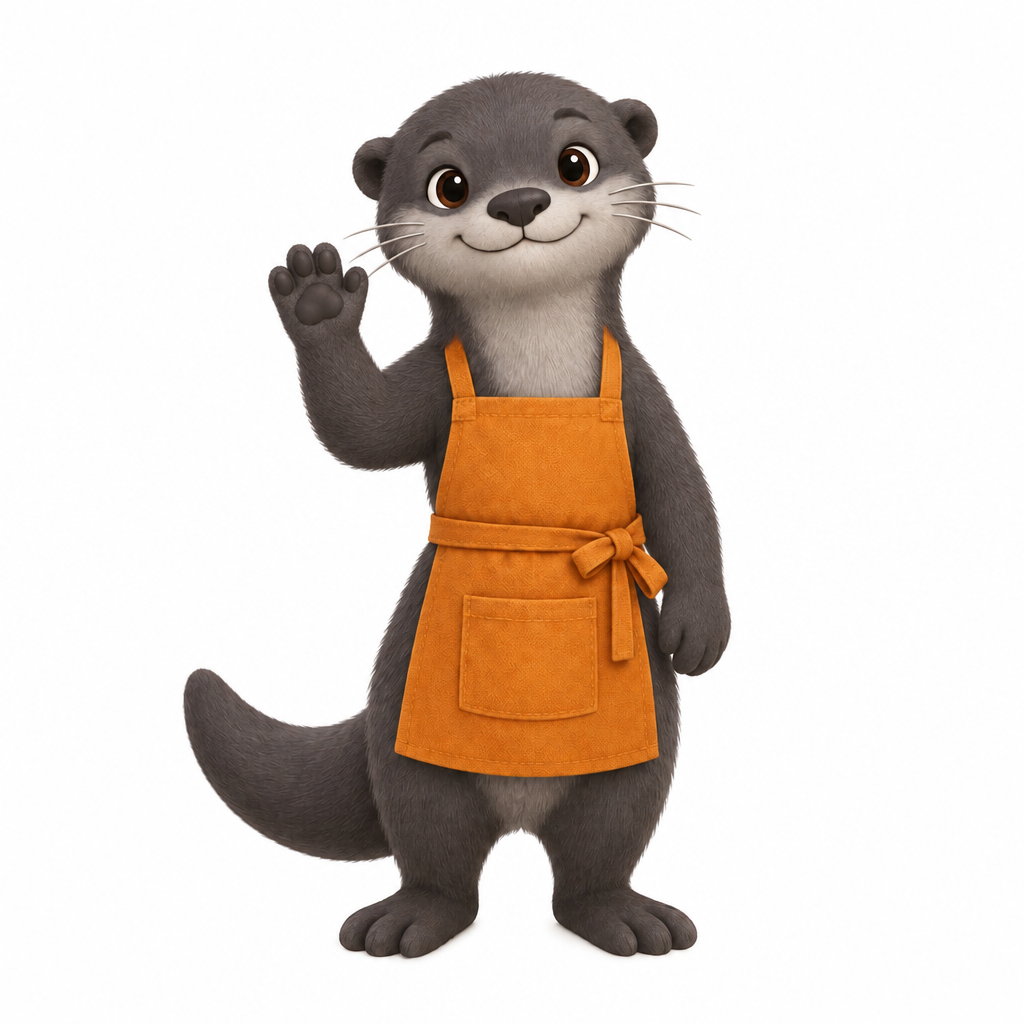
Buy the assets you need next
Keep an approved identity checklist and one accepted reference image with the files. If your next step needs a scalable logo, editable paths or animation layers, request and test those deliverables separately. This pilot establishes three raster files only.
Check the task cost
Check each Generation quote and include Billable LLM usage when estimating the task. A second pose and background removal are separate operations. Count accepted, usable assets instead of assuming that one generation buys a complete character package.
Mascot buying questions
Does a PNG file always have a transparent background?
No. In this pilot the original and waving-pose PNGs are opaque. Only the separate Remove Background export has an alpha channel.
Does the second pose become an editable vector mascot?
No. It is another 1024×1024 raster image. Vector artwork, animation layers and rigging are separate deliverables that this test does not establish.
Test one mascot before commissioning a set
Choose recognisable identity features, one reference image and the next placement. Inspect a cutout and a second pose before expanding the package.