Ciyo · Practical design
AI Photo Restoration: Check the Face Before Accepting the Repair
A repaired portrait can look clearer while becoming less faithful to the person. Small changes to the mouth, eyes or a familiar mark can matter more than removing a crease. A pleasing image is not evidence that lost detail has been recovered.
On November 5 we used a synthetic portrait with simulated paper damage in Ciyo’s development workspace. The agent request failed; a separate Quick Edit completed and removed the visible cardigan crease and background scuff. This is a fictional example, not a historical photograph or proof of exact identity preservation.
Quick answer: accept only changes you can justify
Preserve the original scan, identify the damage you want removed, and ask for one conservative edit. Compare the face before accepting the repair. If the tool changes identity or fills an unknown area with a plausible invention, keep that version out of the archival master.
A specialist manual repair can be the better choice when a scratch crosses a face or a missing feature has no reference. For a creative reinterpretation, a generated result may be acceptable if it is clearly labeled. Those are different goals.
1. Preserve a clean source and name the uncertainty
Save the highest-quality authorized scan without overwriting it. Keep a separate working copy and record whether damage is a scratch, stain, fading or missing paper. Scanning again may reveal information that a low-resolution upload hides.
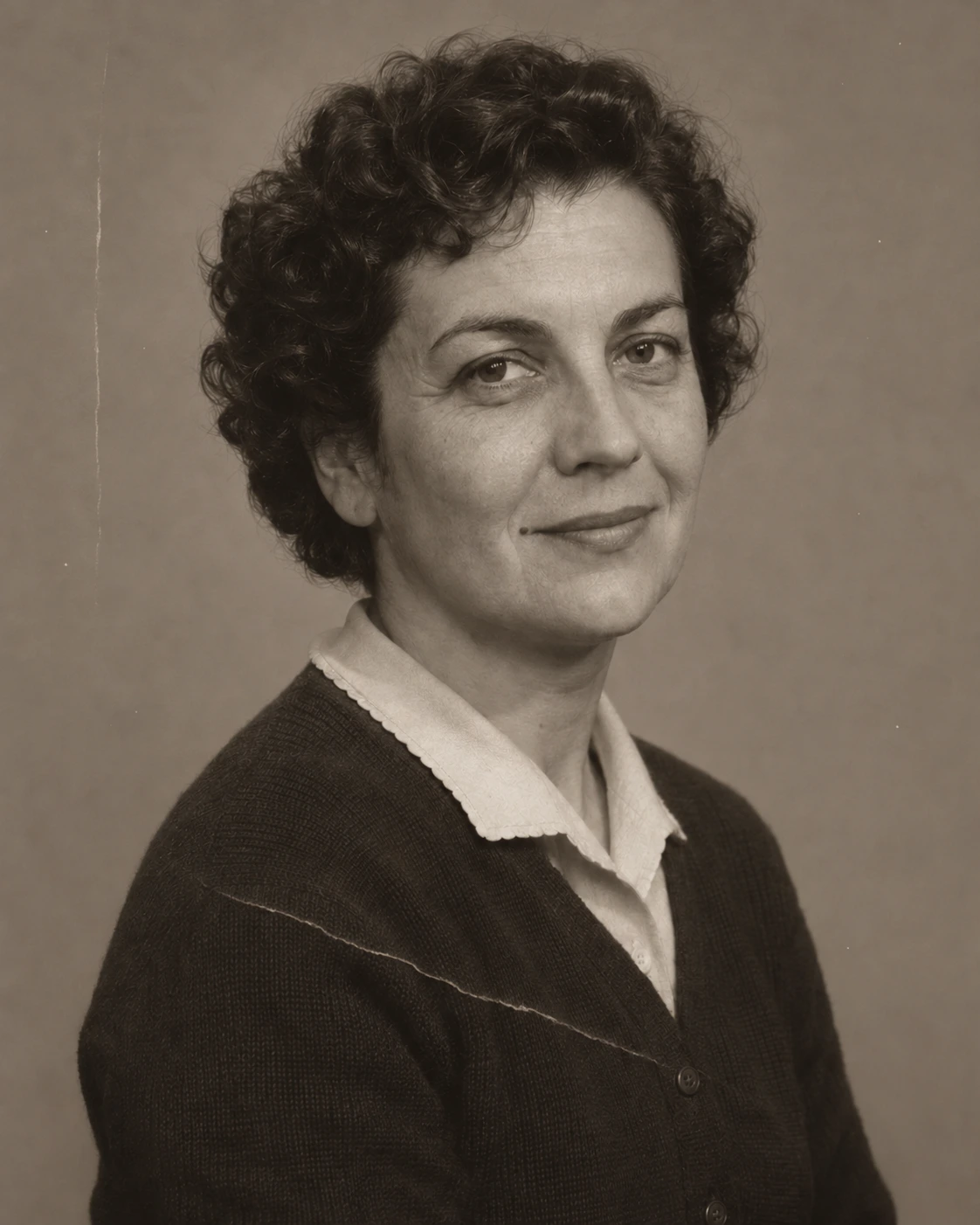
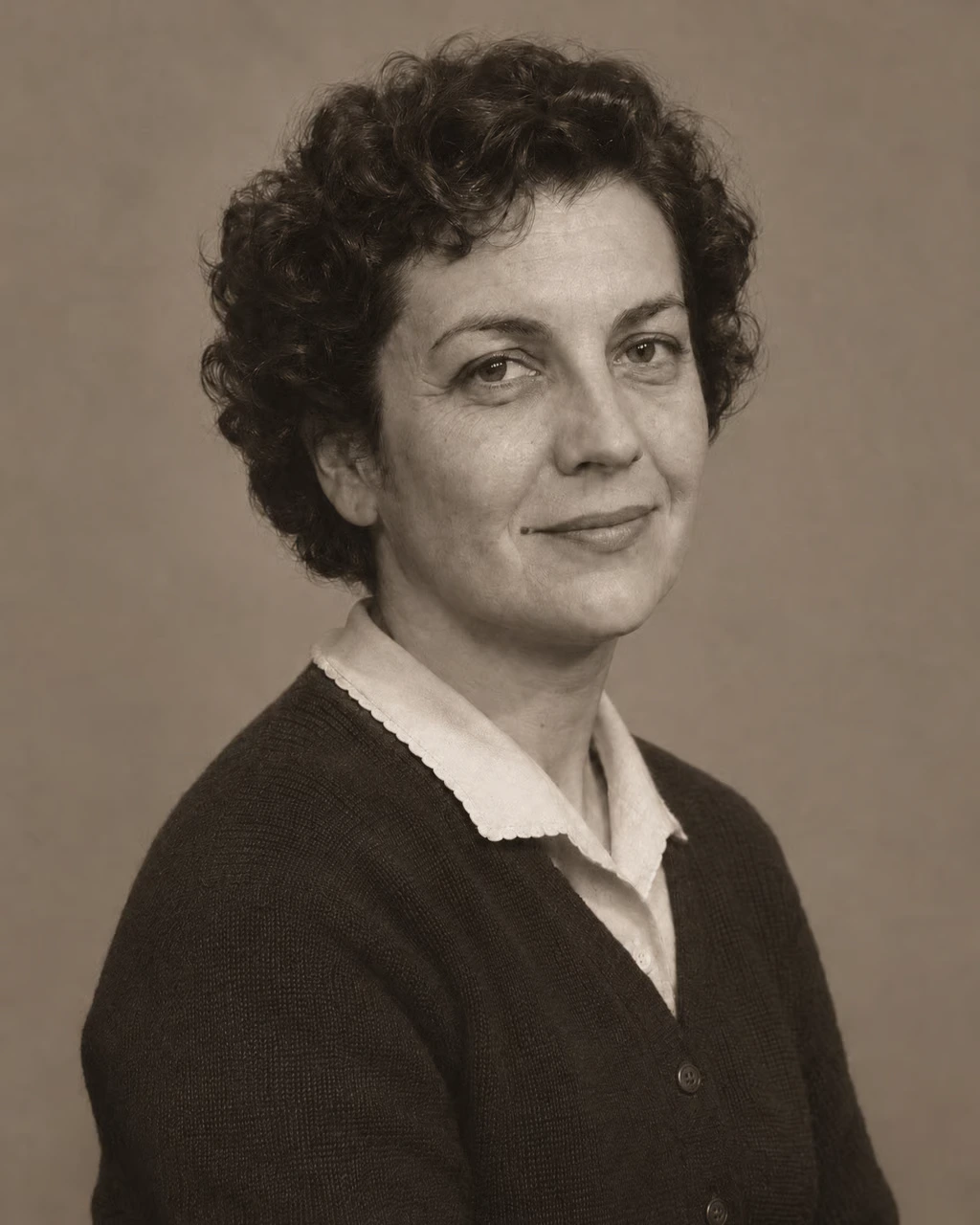
Our synthetic input has a pale crease across the cardigan and a background scuff. The face remains visible, including an asymmetric smile and a small mole beside the mouth. These details provide review landmarks; the generated portrait itself is not evidence of any historical appearance.
| Feature | Required behavior | Reason to reject |
|---|---|---|
| Mole beside mouth | Remains visible | Removed as a supposed blemish |
| Smile and eyelids | Same shape and expression | Beautified or reinterpreted |
| Cardigan crease | Targeted surface repair | New fabric or changed collar |
| Background | Same tone and framing | Invented scene or crop |
2. Request the smallest useful repair
Keep the damaged source on the canvas. After our agent request failed, we selected the image, opened Quick Edit, entered a narrow repair prompt and activated Run. The control displayed a four-credit quote for this attempt; check the current quote in your own session.
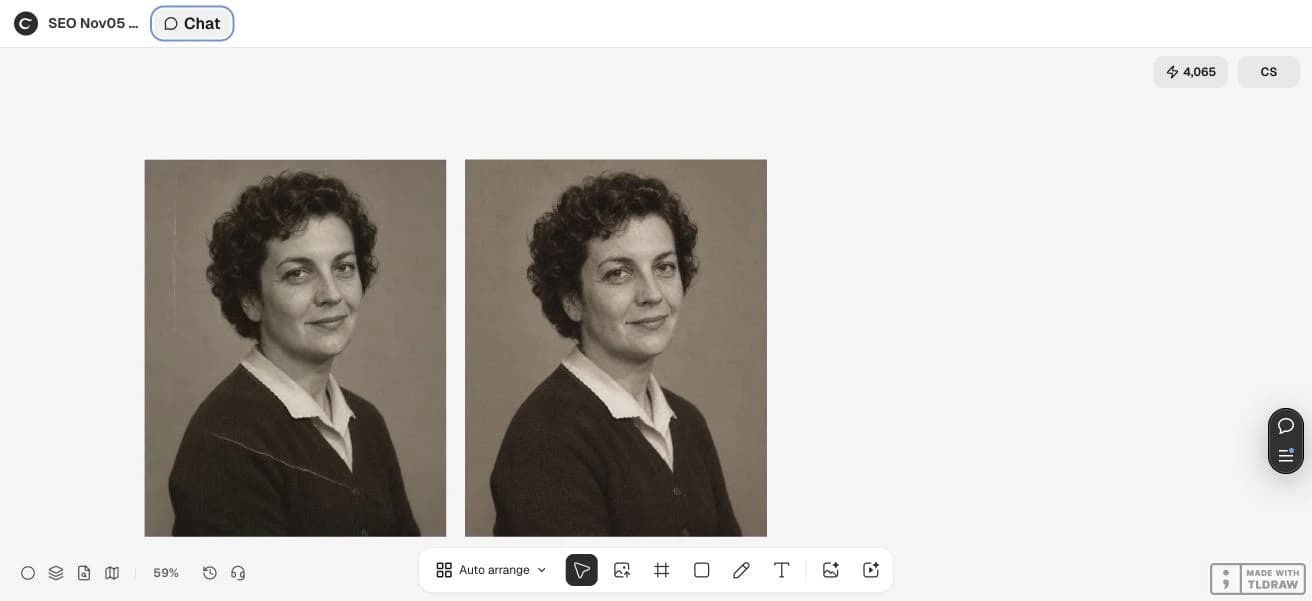
The direct edit completed. Its visible preview removes the pale cardigan crease and background scuff, while the overall sepia portrait and framing remain recognizable. This does not prove that every facial feature or original pixel stayed identical. We inspected a 1024 × 1280 CDN preview, not a full-resolution archival master.
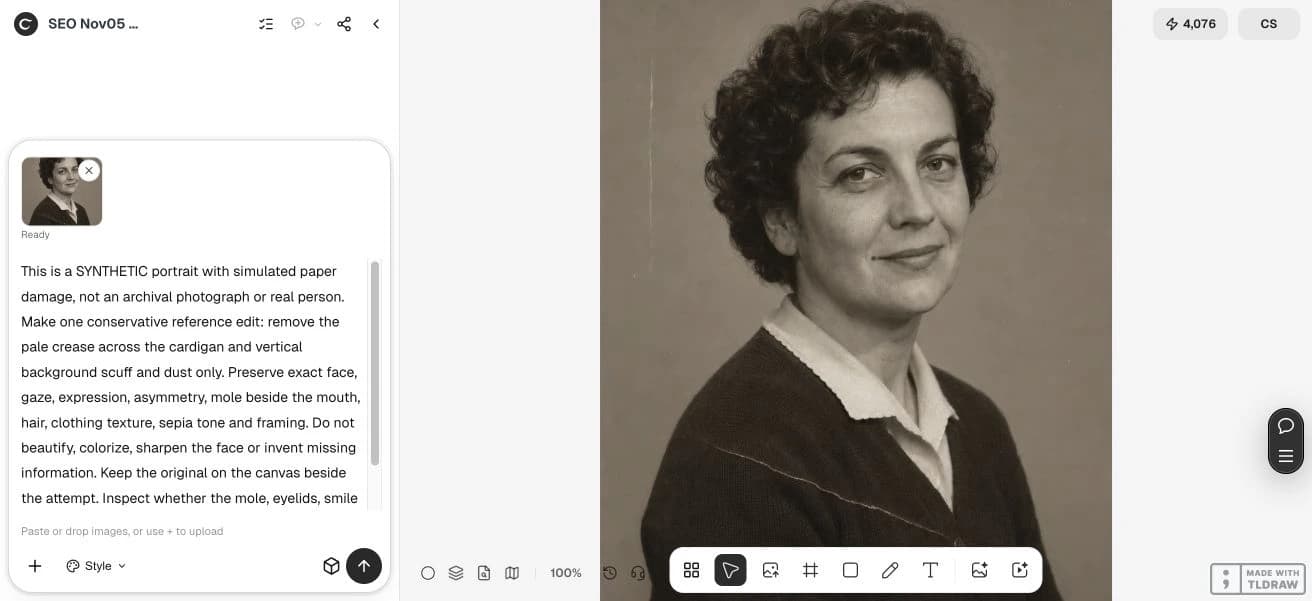
This is a synthetic portrait, not an archival photograph or real person. Remove only the pale paper crease across the cardigan and the thin background scuff. Keep the exact face, mole beside the mouth, asymmetric smile, eyelids, hair, cardigan, sepia tone and original framing. Do not beautify, colorize or sharpen the face. Preserve the original beside the result. Treat any altered identity detail as a failed repair.3. Compare identity before surface polish
Look at face width, eyelid shape, gaze, smile, teeth and distinctive marks. Check hair, collar and the direction of light as well. An improvement to the background should not require a different expression or a smoother, younger face.
Compare at matching scale and align the images when possible. A small shift can make an overlay difficult to interpret, so distinguish geometric movement from a changed feature. Do not turn a numerical image-difference score into a claim that a person’s identity has been preserved.
4. Separate repair from colorization and enlargement
First decide whether the damage-removal attempt is acceptable. Colorization introduces additional guesses about clothing, objects and surroundings. Enlargement can add plausible texture that was not present in the scan. Keep each operation as a separate version.
For a family print, ask someone who knows the person to review it before ordering. For a local-history archive, preserve provenance and the unmodified scan alongside any derivative. A fictional or reconstructed image should remain visibly labeled in its caption and filename.
5. Stop when the reference cannot support the result
If a defining mark disappears or a feature becomes unfamiliar, reject the repair even if the output is attractive. Try a manual repair limited to surface damage or keep the damaged area visible. Missing information is sometimes better preserved as uncertainty.
This development example is a bounded reference-edit attempt, not a restoration benchmark. It does not establish performance on a real damaged portrait, and it does not promise exact identity. Inspect the actual delivered image before deciding whether to print, share or continue editing.
Questions before you start
Can AI recover a face that is missing from the scan?
It can generate a plausible face, but plausibility does not establish the real appearance. Use authorized references or preserve the uncertainty.
Should I colorize and restore in one request?
Separating the operations makes it easier to identify which change altered the record. Keep the original and each accepted version.
Why use a synthetic portrait in the example?
It makes the simulated damage and test conditions explicit. It does not imply that the tool restored a real person or historical record.
When should I choose manual repair?
When fidelity matters and the generated edit changes defining details, or when surface damage can be repaired without inventing missing facial information.
Start with one clear brief
Bring your approved facts and references to Ciyo. Inspect the saved result before using it in print or a campaign.