Practical design workflows
AI Pinterest Pin Generator: Turn One Product Photo into Three Useful Pins
Three Pins can be useful entry points to the same product when each answers a different question. Changing only the background color gives the seller more files without necessarily giving a viewer more information.
We explored three fictional Alder Goods pencil-pot concepts in Ciyo and reviewed Pinterest’s own image guidance. The workflow preserves the product reference and matches each headline to a real destination; it does not promise traffic growth or automatic publishing.
Quick answer: vary the question while preserving the product
Choose one accurate product photo and three short angles a buyer can understand. Design vertical 2:3 compositions, verify the exported dimensions and read each headline at phone size. Check that the linked page supports every promise before publishing through Pinterest or your chosen service.
The fictional example uses Desk reset, A place for every pencil and A calmer corner. These are three editorial angles for one pencil pot, not evidence of search volume or conversion performance.
1. Start from an accurate product and destination
For real merchandise, upload a photo or approved render of the actual item. Record the product page, verified name and any claims the page supports. A generated look-alike may change color, shape or materials and should not replace accurate product photography.
Our green ceramic pencil pot is a fictional concept. Its example.com destination is a placeholder, not a live listing. Replace it with your verified product URL before using the workflow commercially.
2. Pick three different information angles
A desk-reset Pin speaks to an organizing task. A place-for-every-pencil Pin shows the product’s use. A calmer-corner Pin emphasizes how it fits a small space. Keep those messages short enough to understand without reading a paragraph.
Avoid invented claims such as a guaranteed productivity increase, eco certification, customer rating or limited-time price. Useful creative variation comes from a different audience question, not unsupported product facts.
| Angle | Headline | Destination must show |
|---|---|---|
| Organizing task | Desk reset | The actual pot and its relevant use |
| Practical use | A place for every pencil | Accurate product appearance and details |
| Styling context | A calmer corner | The same product, without invented claims |
3. Build the three layouts in Ciyo
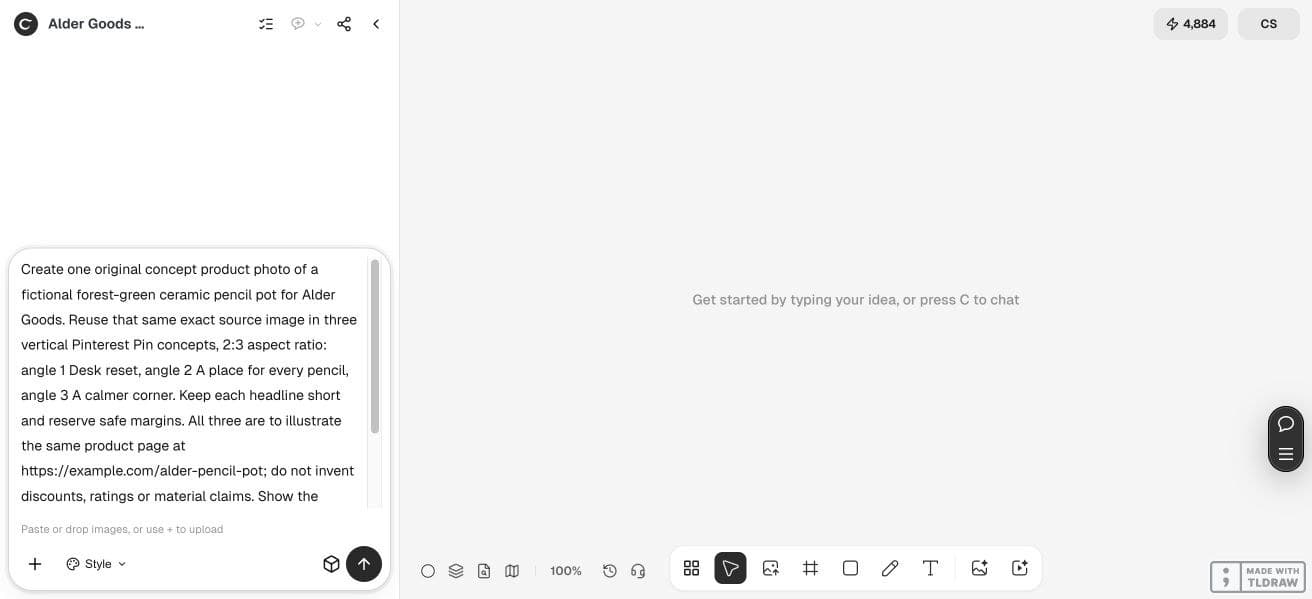
In a separate project, attach the source photo and ask the Design agent to reuse that image across the three concepts. Specify the 2:3 composition, brand palette and headline for each. Keep a clean region for the headline and avoid placing it over the product’s defining details.
Check whether the workflow preserves the exact original pixels or generates a new interpretation. If fidelity is essential, use the original as a placed image in a layout editor rather than accepting a redrawn version.
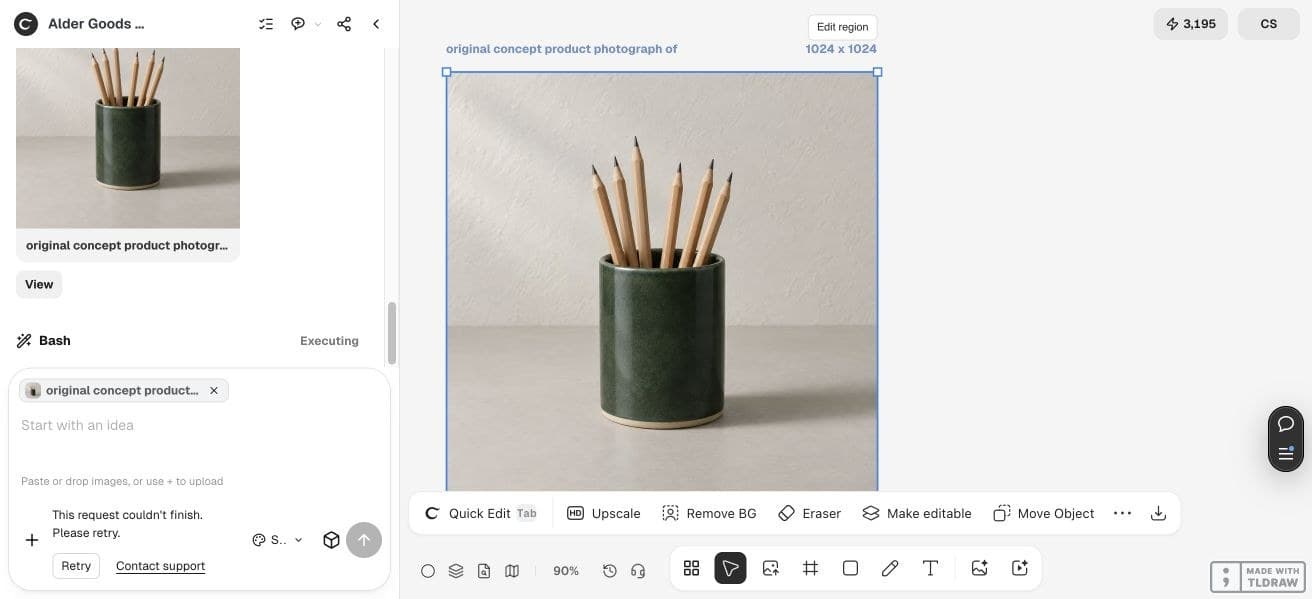
Our live run generated one 1024 × 1024 fictional product photo but stopped before delivering the three Pin exports. We completed the layout example externally in HTML, placing that same saved photo in three 2:3 compositions with live headlines. These are inspectable layout sources, not finished PNG exports or published Pins. Use your chosen layout tool’s export step and verify each resulting file before upload.
Reuse the attached approved photo of [product] in three vertical 2:3 Pin concepts. Headlines: [angle 1], [angle 2], [angle 3]. Preserve the product’s exact appearance. Use [brand colors], readable short text and safe margins. All Pins lead to [verified product page]. Add no unverified discounts, ratings or material claims. Export images; do not publish or schedule.4. Check aspect ratio and phone readability
Pinterest’s official guidance recommends a vertical 2:3 image for standard Pins. A 1000 × 1500-pixel export is one concrete way to match that ratio; verify the actual file rather than relying on a prompt’s requested dimensions.
Open each saved image on a phone-width preview. Read the headline without zooming and check the product’s edges and crop. If the text dominates the item, reduce the copy or create more space in the composition.
5. Match every promise to the linked page
Open the destination as a customer would. Confirm that it shows the same product and supports the Pin’s wording. If the image says a set of three while the page sells one pot, the destination mismatch needs correction even if the design looks good.
Add the actual destination, title and descriptive text in Pinterest’s publishing workflow. Our Ciyo task stops at visual preparation and export; it does not demonstrate a native Pinterest connection or scheduler.
6. Keep useful variation and review results honestly
Save the original photo, three layout sources and final image files with descriptive names. Record which angle each represents so a later review can compare meaningful creative choices instead of anonymous versions.
A solo seller can begin with one product and three coherent Pins. A larger team should align product claims and destinations before producing more. If you later assess performance, use your actual account data and distinguish impressions, visits and sales rather than attributing a result to design alone.
Frequently asked questions
Can I use one image for three Pins?
Yes, when the image is yours to use and each composition provides a useful distinct angle. Preserve the actual product and avoid making unsupported claims.
Does Ciyo publish directly to Pinterest in this workflow?
This guide covers visual preparation and export. Publishing and scheduling happen separately through Pinterest or a service you configure.
Will three Pins increase traffic?
No traffic increase is established here. The example provides a repeatable creative process; performance needs actual account and destination data.
What if the generated dimensions are wrong?
Resize or recompose in an image or layout editor, then inspect the saved file. Match the intended ratio without distorting the product.
Prepare three useful angles
Bring one accurate product photo and a verified product page. Explore three short headlines that answer different buyer questions.