GPT-6 Astra · Creator workshop
GPT-6 Astra Social Media Carousels: One Story Across Five Slides

A carousel works when each slide earns the next swipe. Five unrelated tips on matching backgrounds may look consistent but still leave the reader without a clear story. Start from one useful takeaway and decide what each slide contributes.
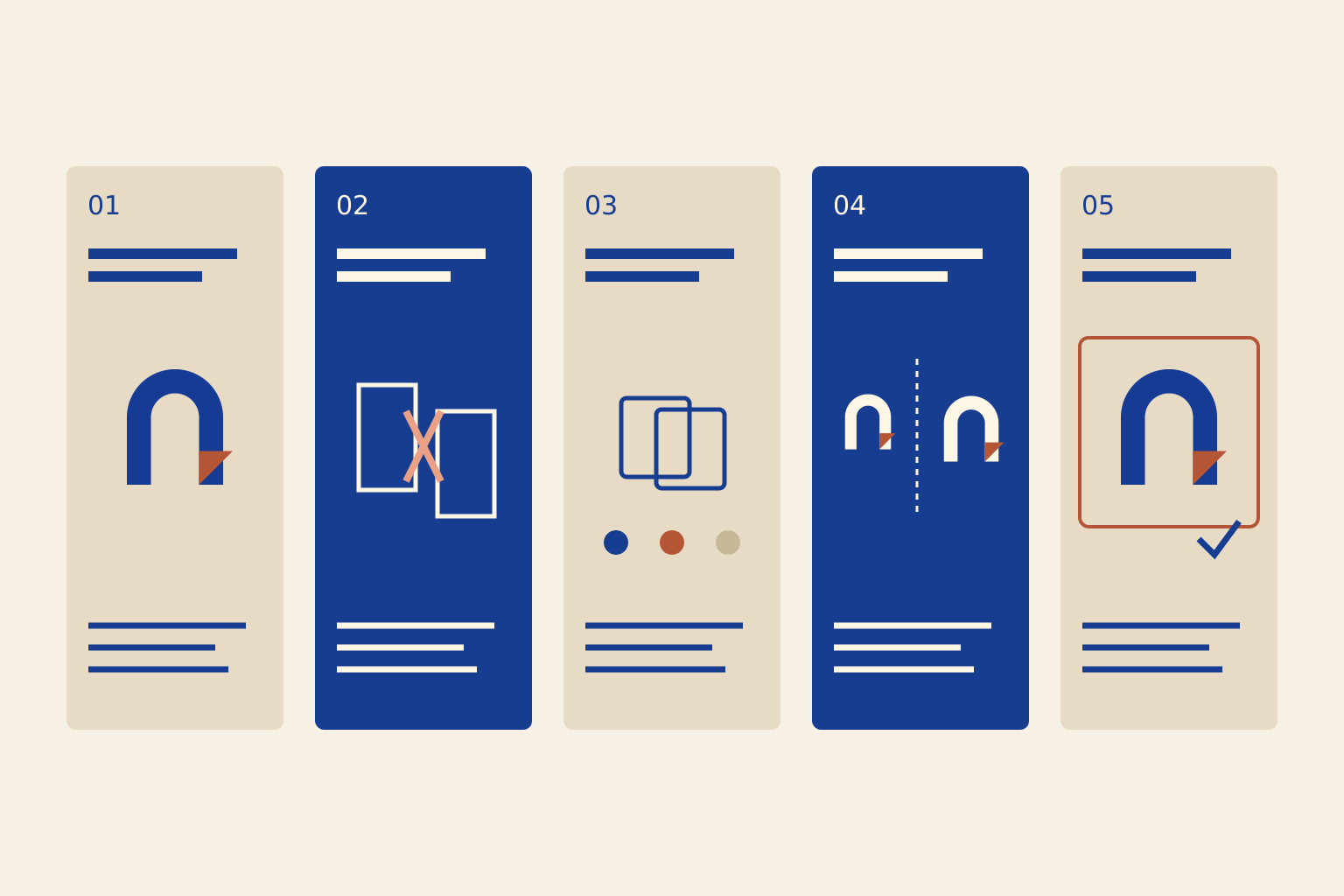
This example teaches a simple creative process: turn one reference into a finished visual. It is a suggested five-slide structure, not a platform rule.
Write the argument before the artwork
Ask Astra to identify the single idea the reader should understand after the last slide. Write the sequence in plain text before generating any artwork. The slide map should show a progression, not five interchangeable tips.
Reduce the topic until it fits a short sequence. If a slide needs a paragraph of tiny text, split the idea or remove a secondary point.
Give each slide a different job
The opening establishes the problem. The middle explains a decision with an example. The last slide gives the reader an action they can perform. Number the exported files so the publishing order is unambiguous.
| Slide | Job | Content |
|---|---|---|
| 1 | Promise | One reference, a coherent visual |
| 2 | Problem | Show the conflicting instructions |
| 3 | Method | Assign identity, style and layout roles |
| 4 | Example | Compare the source and chosen result |
| 5 | Action | Try one controlled revision |

Define a small visual system
Choose a palette, heading position, margin and illustration treatment. Repeat those decisions, while allowing the image content to change. The reference should help the sequence feel related without turning every slide into a duplicate.
Outline a five-slide carousel teaching creators to use image references. Give each slide one short headline, one supporting sentence and one visual instruction. Keep the order promise, problem, method, example, action. Use ivory, cobalt and terracotta throughout. Reserve a consistent area for live text. Do not invent statistics, testimonials or product capabilities.Make a sample pair in Ciyo
Create the opening and one middle slide first. They test different demands: the first needs a strong hook, while the middle must communicate an explanation. If both work, extend the system to the remaining slides.
Use approved images as references when generating related assets. Keep exact instructional text separately editable, and compare all five slides together before export. Manual adaptation may still be needed for each layout.
Review the sequence on a phone
Read the exported images in order at the width of the intended feed. Check whether the story makes sense without the caption. Inspect text size, safe margins and continuity between the last line of one slide and the first line of the next.
Use the publishing platform’s current size and accessibility options. Ratios in a design sample are choices, not a promise that every platform will display them identically.
Measure more than the first impression
Compare saves, useful replies and visits to the intended next step alongside reach. A broad hook can attract readers who never need your tutorial or product. Keep the promise specific enough to qualify the audience.
For a client handoff, include the ordered exports, editable copy, caption and source references. An agency should be able to correct one slide without guessing how the whole set was built.
Create carousel visuals in Ciyo
Create the opening and one middle-slide visual in Ciyo before extending your approved direction across the carousel.