Models · For designers
Alt Text at Scale, and the Check It Cannot Do

Alt text is the accessibility job everybody agrees with and almost nobody audits. It is written last, by whoever is uploading, and after that nothing ever looks at it again.
It is also, unusually, a creative-adjacent job that a text-only model can take on almost whole — because alt text is text. A model released on September 15, 2026 answers declared questions about text in about a third of a second for a fraction of a cent. Ciyo cannot run Jev: it makes no image and no video and is in neither of our model registries. But the split between what a checker like that can and cannot tell you is the most useful thing in this article, whichever tool you end up using.
What makes alt text good, written as questions
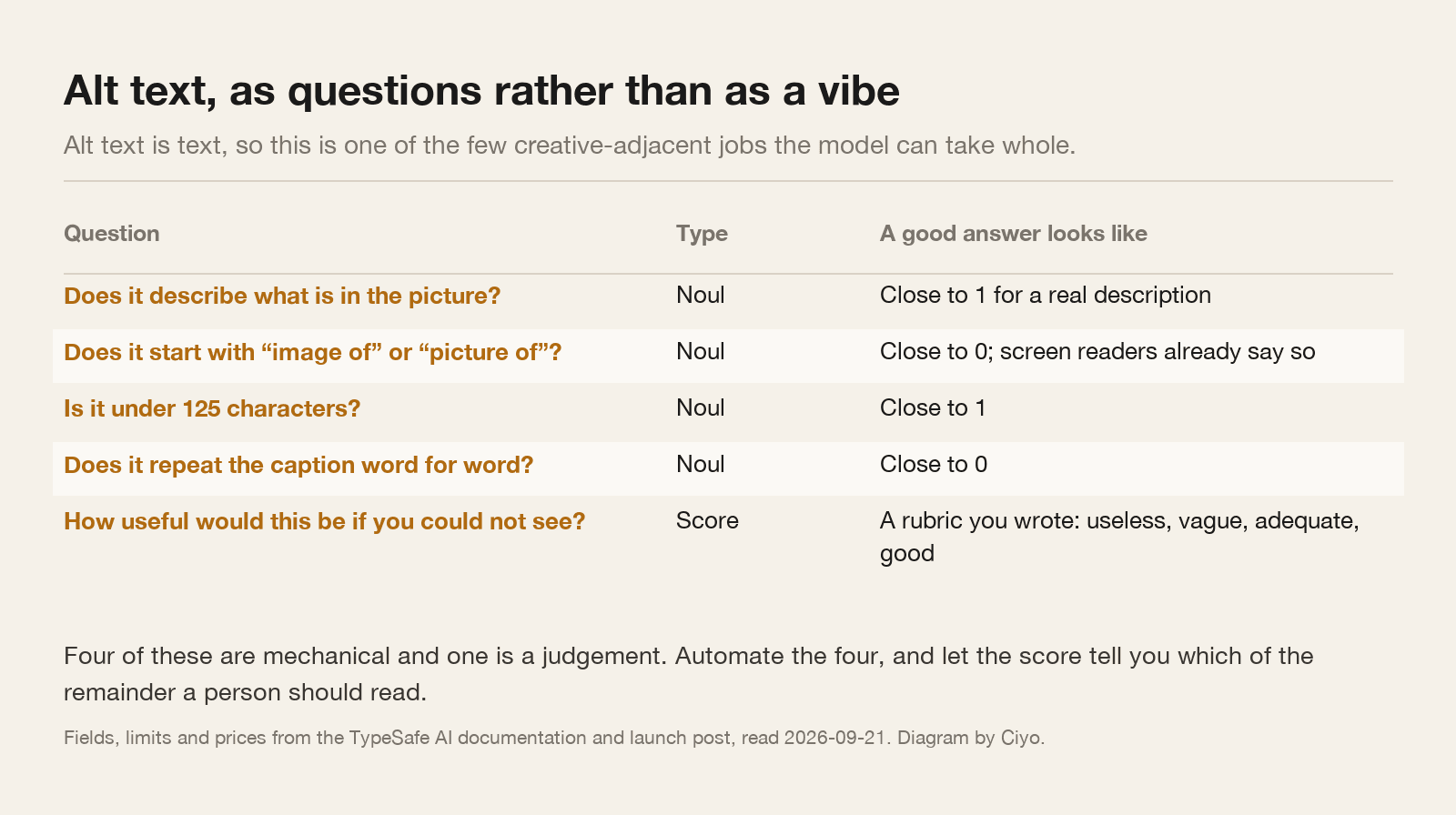
Most alt text guidance is a list of principles. Turn the principles into questions with declared answers and you have something you can run on every image you have ever published.
Four of these are mechanical: length, phrasing, structure, and whether it merely repeats the caption. One is a judgement, and that is the one to score rather than to answer yes or no.
The check it cannot do, and why it matters more than the rest
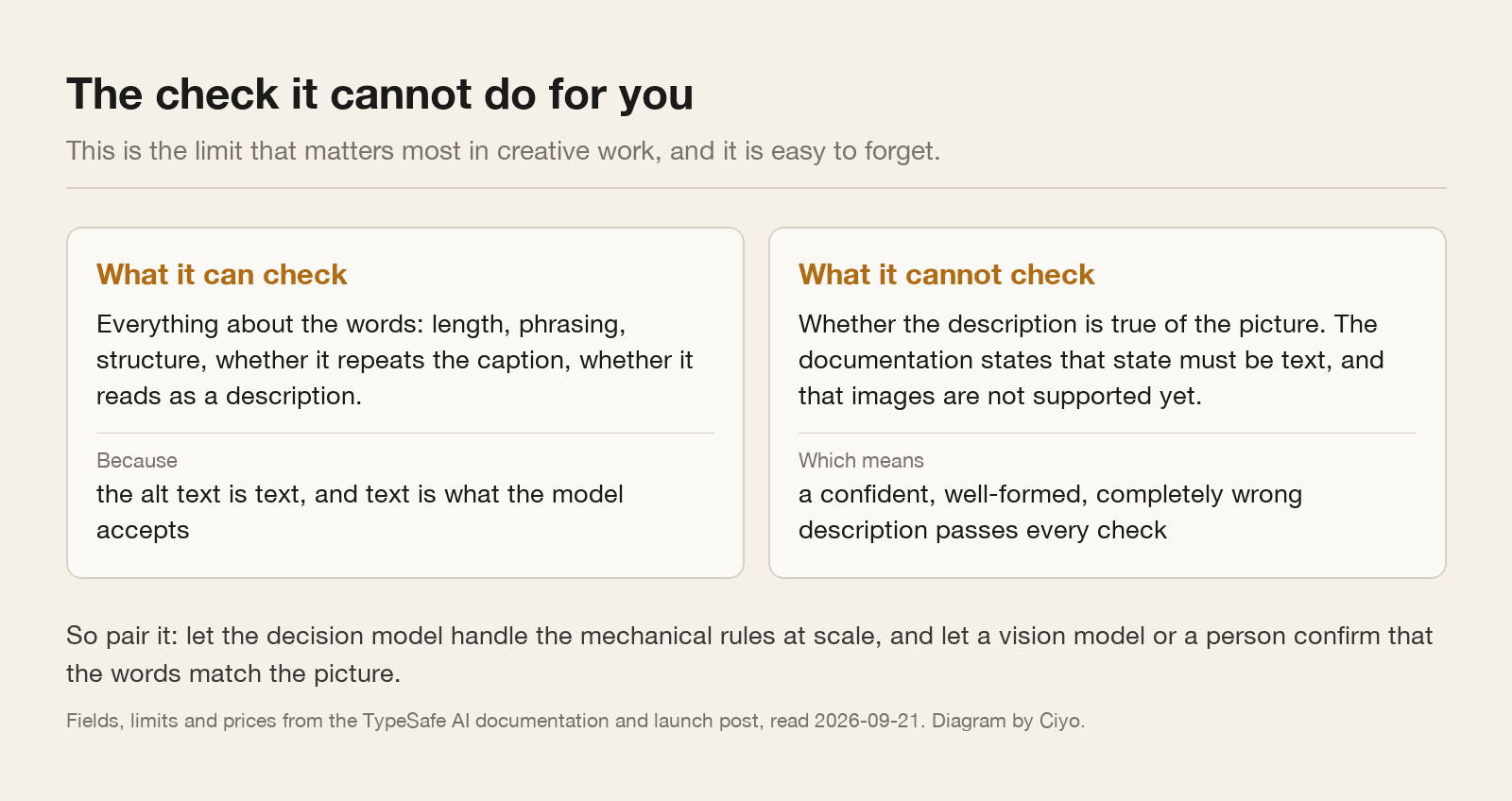
A text-only model reads your alt text. It never sees your picture. TypeSafe's documentation states that the input must be a string, a JSON object or an array of text values, and that images are not supported yet.
So it can confirm that your alt text is a well-formed, appropriately short, non-repetitive description. It cannot confirm that the description is true.
“A golden retriever asleep on a blue sofa” passes every mechanical check perfectly. If the photograph is of a cat on a kitchen floor, the model has no way of knowing, and a screen reader user is told something false with total confidence. That failure is worse than missing alt text, because missing alt text is at least honest about the gap.
This is the single most important limit to hold on to, and it applies to every text-only checker, not just this one.
So pair it, do not trust it alone
The design that actually works uses two different tools for two different halves of the question.
Let the decision model handle the mechanical rules at scale: run them over every image on the site, every week, for a few cents. That sweep finds the empty strings, the filenames pasted in as descriptions, the forty images whose alt text is the caption repeated, and the ones that open with “image of”.
Then let something with eyes — a vision model, or a person — confirm that the words match the picture, on a sample and on anything the score flagged as vague. That is a much smaller pile than everything, which is the point.
| The question | Who answers it | How often |
|---|---|---|
| Is there alt text at all? | Any text checker | Every image, every week |
| Is it the right length and shape? | A decision model | Every image, every week |
| Does it just repeat the caption? | A decision model | Every image, every week |
| Is it useful to somebody who cannot see? | A decision model, as a score | Every image; read the low scores |
| Is it true of this picture? | A vision model, or a person | A sample, plus everything flagged |
Writing the rubric so the score means something
The usefulness question is a score, not a yes-or-no, and a score needs levels with definitions. A rubric of two to ten levels is what this kind of model expects, and the levels are yours to write.
Four works well here: useless, vague, adequate, good. Useless is a filename or an empty string. Vague is “product photo”. Adequate names the subject and the setting. Good gives a reader the thing they would have taken from looking at it, including the detail that matters for the surrounding text.
Write the definitions before you run anything, and label thirty real examples against them by hand. That labelled set is what tells you whether the score is tracking your judgement, and it is worth having even if you never automate a thing.
state: { "alt": "...", "caption": "...", "page_title": "..." }

questions: {
  "describes":       { "type": "noul", "instructions": "The alt text describes what can be seen, rather than naming a file or a category." },
  "redundant_open":  { "type": "noul", "instructions": "The alt text opens with 'image of', 'picture of' or 'photo of'." },
  "length_ok":       { "type": "noul", "instructions": "The alt text is under 125 characters." },
  "repeats_caption": { "type": "noul", "instructions": "The alt text repeats the caption almost word for word." },
  "usefulness":      { "type": "score", "instructions": "How useful would this be to somebody who cannot see the image?",
                       "criteria": ["useless", "vague", "adequate", "good"] }
}
What a first sweep usually finds
Expect the results to be worse than you assumed and easier to fix than you feared.
The common findings are the same everywhere: a block of images from one busy month with no alt text at all, a stretch where somebody pasted the filename, and a long tail where the alt text is the caption again. None of those need judgement to fix. They need a list.
The vague ones are where the score earns its place. “Our new range” is technically a description and tells a screen reader user nothing, and a mechanical rule will never catch it because it is the right length and does not repeat anything.
And declare an escape option on any choice you write. A pre-registered independent evaluation published on September 20, 2026 found that with no “none of these” available, none of thirty out-of-scope inputs were flagged — the nearest declared answer came back looking settled.
The honest summary
You can automate four fifths of alt text quality control for a few cents a sweep, and you should, because the alternative is that nobody checks any of it.
You cannot automate the fifth that asks whether the words are true of the picture, and that is the one that hurts a reader most when it is wrong. Keep a person or a vision model on that, on a sample, permanently.
Anyone selling you a text-only tool that claims to verify alt text against images is describing something the documentation says the model cannot do.
Alt text questions
Can a text-only model check my alt text?
It can check everything about the words: length, phrasing, structure, and whether it repeats the caption. It cannot check whether the description is true of the picture, because it never sees the picture.
How long should alt text be?
Under about 125 characters is a reasonable rule, and it is a mechanical check you can run on every image. Longer descriptions usually belong in the surrounding text instead.
Should alt text start with “image of”?
No. A screen reader already announces that it is an image, so those words spend your characters on nothing. This is one of the easiest checks to automate.
Does Ciyo run this check?
No. Ciyo does not run Jev. Ciyo's agent can draft alt text for images you generate, which is a different job: writing it rather than auditing it at scale.
Keep reading
Ciyo writes about the models behind creative and agent tooling, and tests the ones it can run.