Practical creative workflows
Make a Before-and-After Collage from Real Customer Photos

For a cleaning business, the comparison should show the work that happened. AI can help organize the layout and write clear labels; it should not manufacture the finished room.
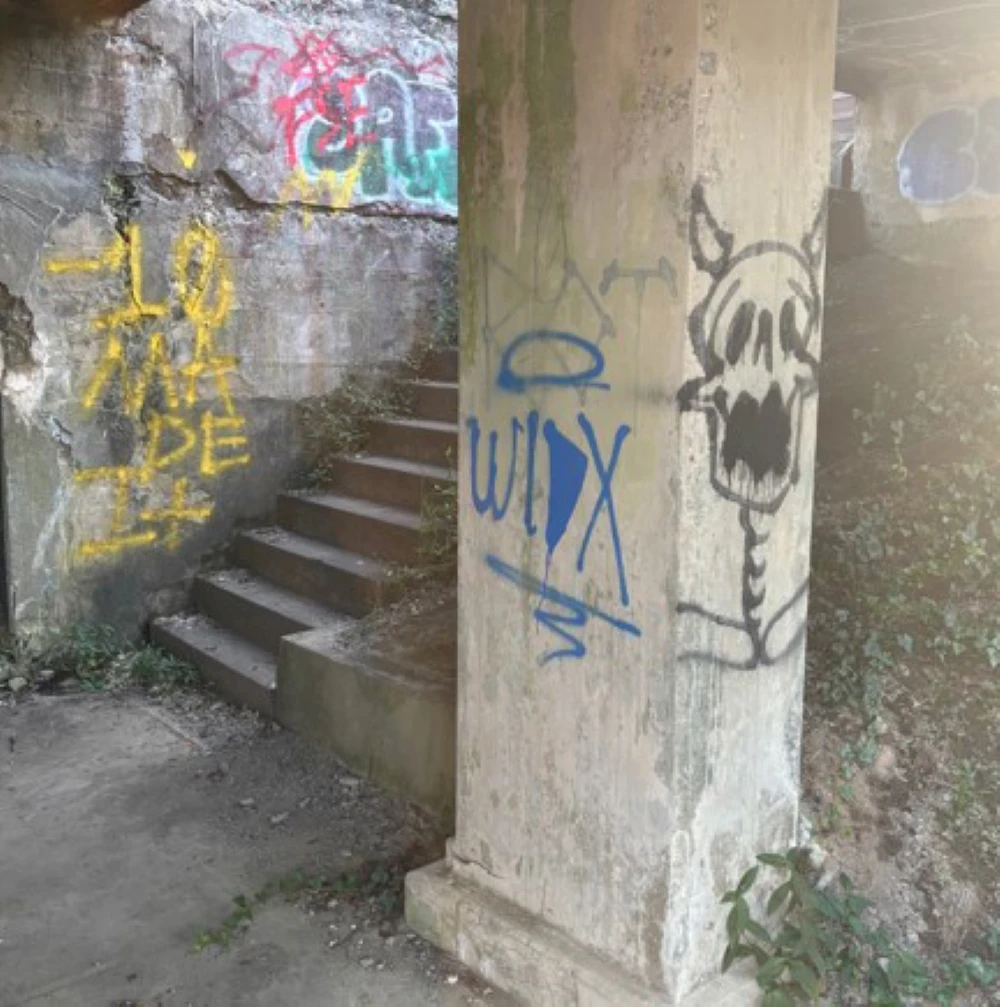
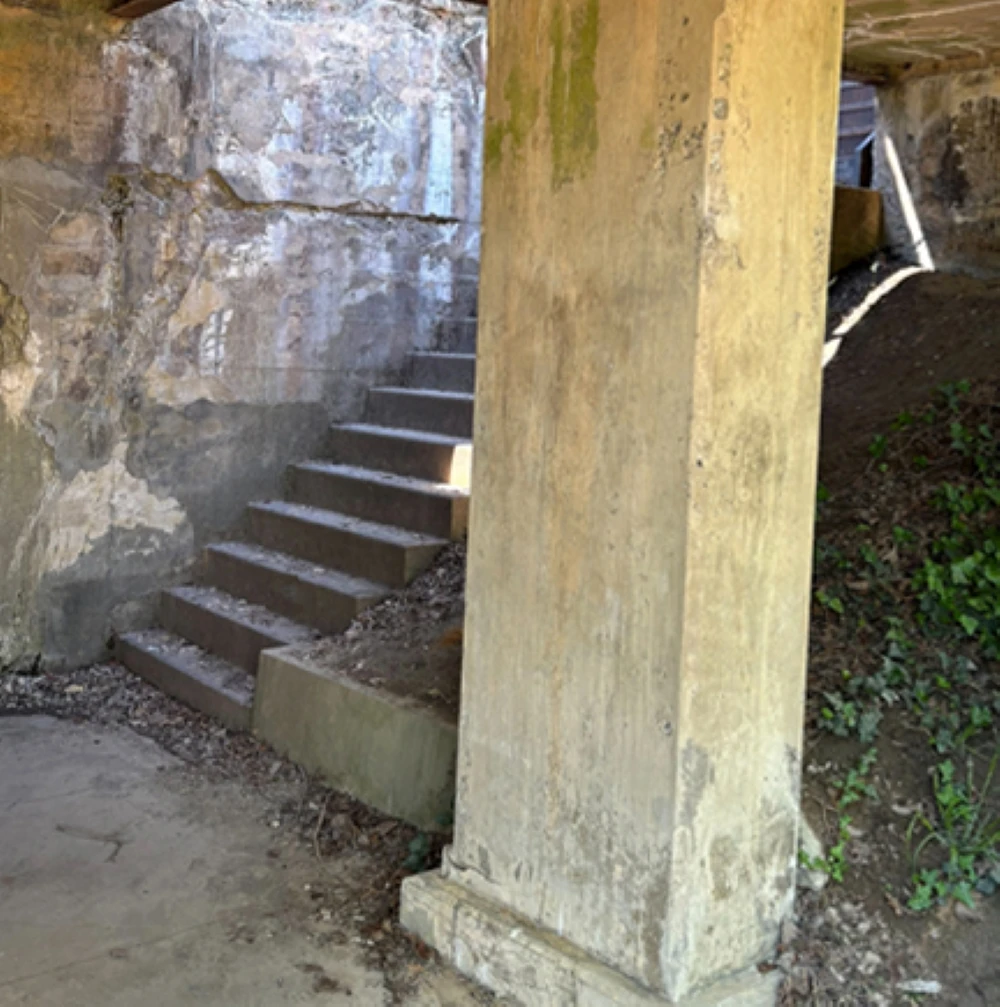
The worked example uses real public photographs of graffiti cleanup at Fort Hunt Park, credited to NPS/Daniel Blier. It demonstrates a layout, not work performed by a fictional cleaning business or a customer testimonial.
Choose two photographs of the same work
Prefer the same room, viewpoint and framing before and after the job. Note when each photo was taken and what service was performed. A new viewpoint can hide the area the customer most wants to compare.
Keep customer names, addresses and unrelated personal details out of the images you intend to publish. Use an approved clean capture rather than making the evidence difficult to see under a collection of patches.
Match framing without changing the result
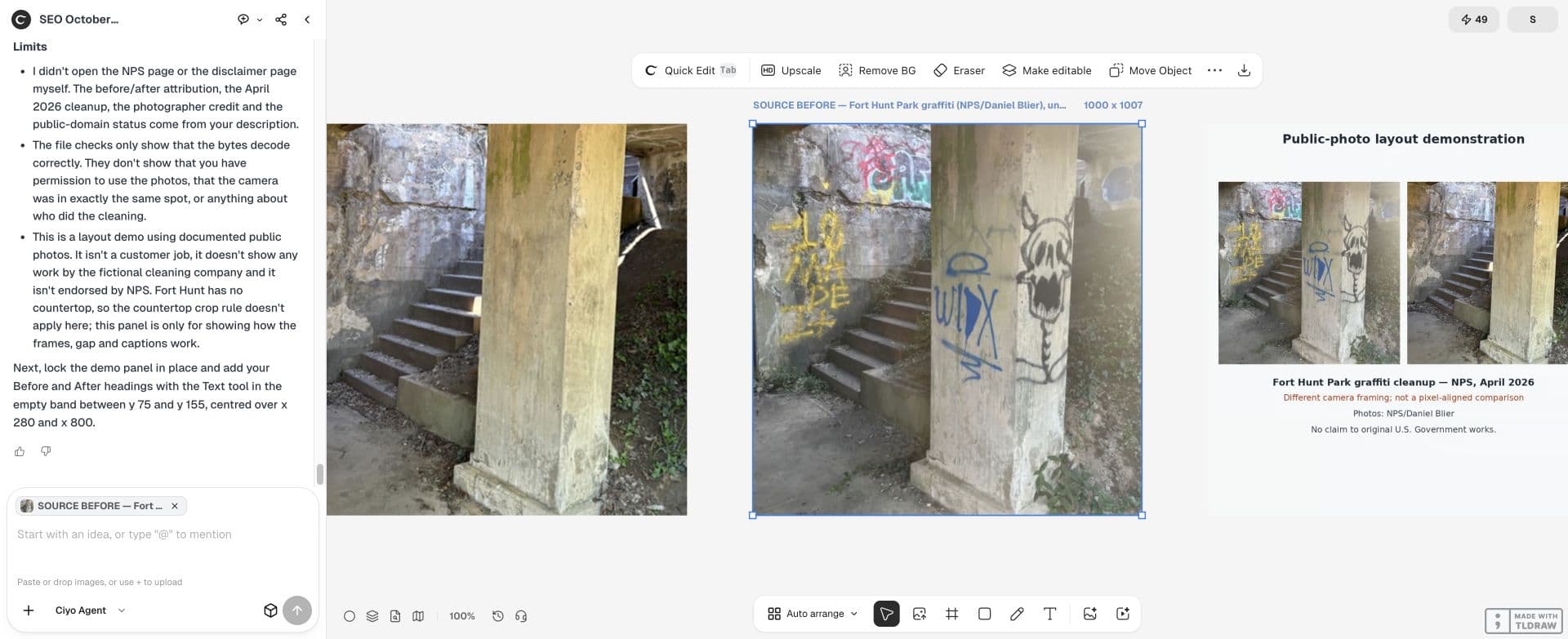
For this example, keep both complete photos in separate equal panels. The pillar and stair edges reveal different camera framing and lighting, so label the mismatch instead of forcing a precise registration. Ciyo downscales each source into a 500 × 503 pixel panel with integer rounding; it does not crop the photographed area.
If the viewpoints differ too much, use two clearly separate panels and explain the difference. Do not claim a precise matched comparison when the camera moved to a different wall.
Ask for layout assistance, not an improved after photo
Tell the design agent to work with the originals. Keep your request about crop suggestions, alignment and labels. A request to make the after image cleaner can remove dirt or damage that was not actually addressed.
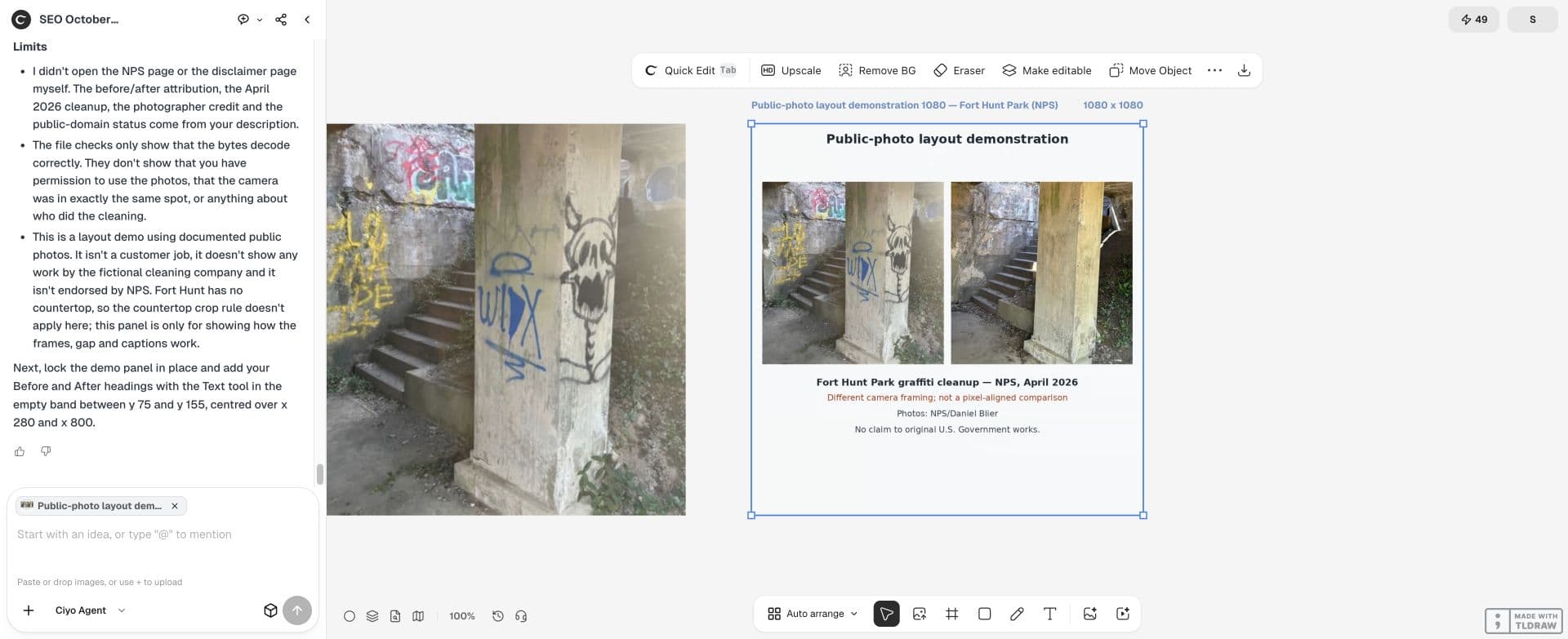
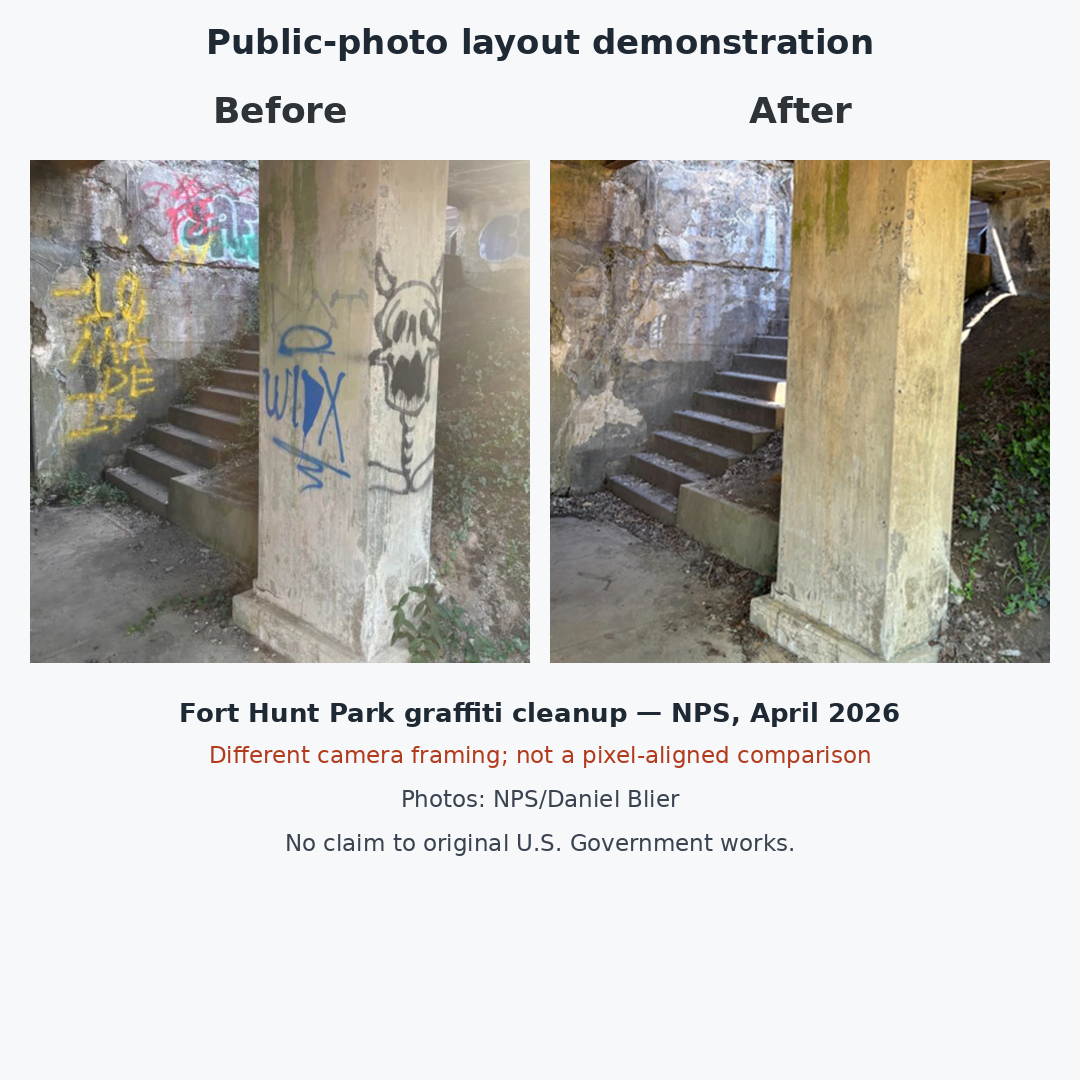
Arrange these original Fort Hunt Park before and after photographs in two equal panels on a 1080 × 1080 canvas. Preserve the full photographed content; do not generate, retouch or replace any part of the scene. Use the pillar and stair edges to assess framing. If viewpoints differ, keep separate panels and state that they are not pixel-aligned. Reserve a header for Before and After labels. Credit NPS/Daniel Blier, identify the NPS cleanup in April 2026, and include: No claim to original U.S. Government works.Label the work and the limits
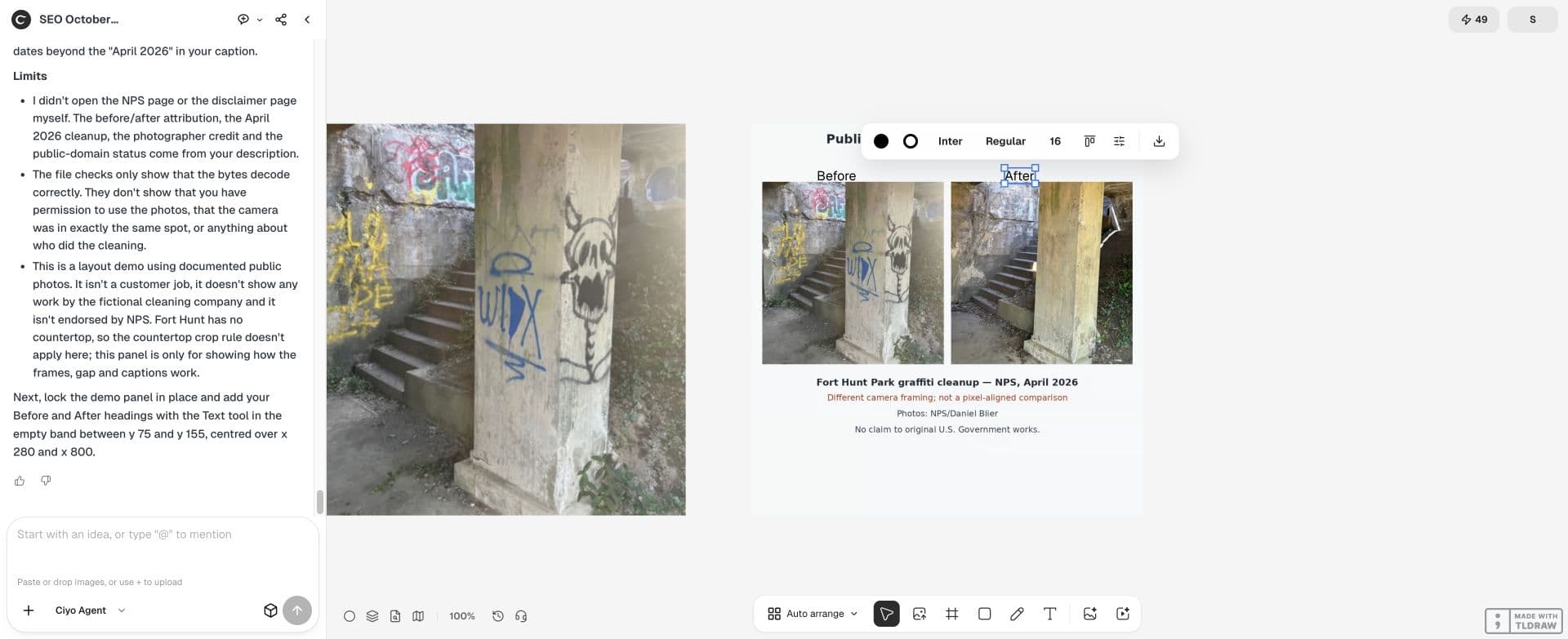
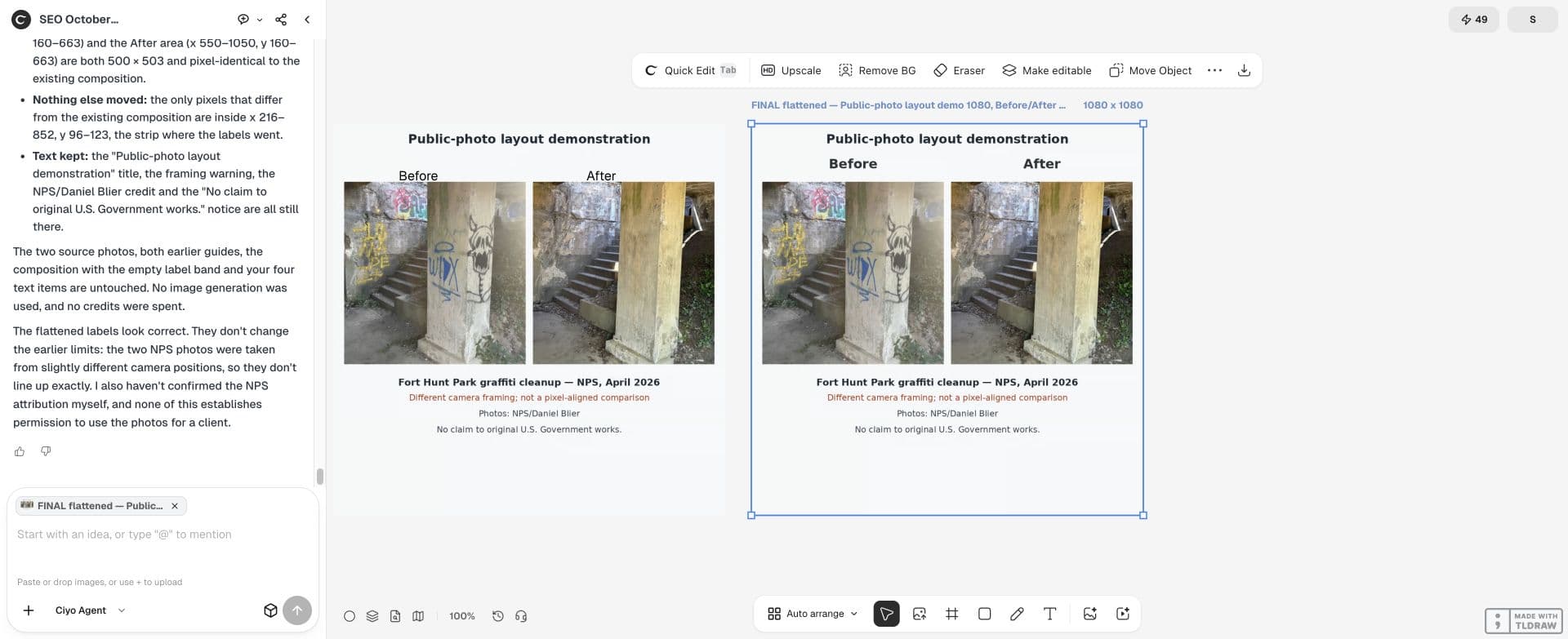
The live board has separate editable Before and After text. Its photo composition is a flat image. The downloadable final PNG bakes in a second set of labels while the original photos, composition and native text remain on the canvas.
The NPS source page, updated May 13, 2026, identifies cleanup in April 2026; it does not establish the exact capture dates of these two photos. Photo credit: NPS/Daniel Blier. No claim to original U.S. Government works. This example does not imply NPS endorsement of Ciyo.
Check the comparison at mobile size
Put both panels at equal visual weight and inspect them at the final posting size. A large After panel beside a tiny Before thumbnail makes the evidence harder to compare. Keep labels outside the important changed area.
The final 1080 × 1080 PNG keeps both photos at equal visual weight and includes the framing warning and source credit. Comparing the downloaded files confirms that adding the flat labels changed only the header area: both photo panels and the lower credit area match the unlabelled composition. The panels are downscaled versions of the source photos, not native-resolution copies.
| Question | Evidence to keep | Revise when |
|---|---|---|
| Same job? | Original files and job notes | Two different spaces are paired |
| Comparable framing? | Shared landmarks | One crop conceals relevant work |
| Accurate result? | Unchanged original after photo | Generative cleanup alters the result |
| Clear caption? | Approved service description | The caption promises more than the work shown |
Export the post and retain the originals
Save the final comparison and the separate source photos. Ask a reviewer to identify the changed area without reading the sales caption. If the result is unclear, improve the layout rather than changing what the camera recorded.
Use the same discipline for a larger carousel: one comparison per slide with a clear service description. Add a booking CTA after the evidence, without attaching invented customer quotes or performance figures.
Practical questions
Can AI clean up the after photo?
For a factual comparison, keep the work unchanged. Generating a cleaner room misrepresents the photographed result.
What if the camera angle changed?
Use clearly separated panels and explain the mismatch. Do not imply a precise matched viewpoint.
Can fictional photos illustrate the layout?
Yes when the example is clearly labelled fictional and is not presented as a real customer job.
Make the evidence easy to compare
Bring your approved original photos into Ciyo and build the layout around what actually changed.